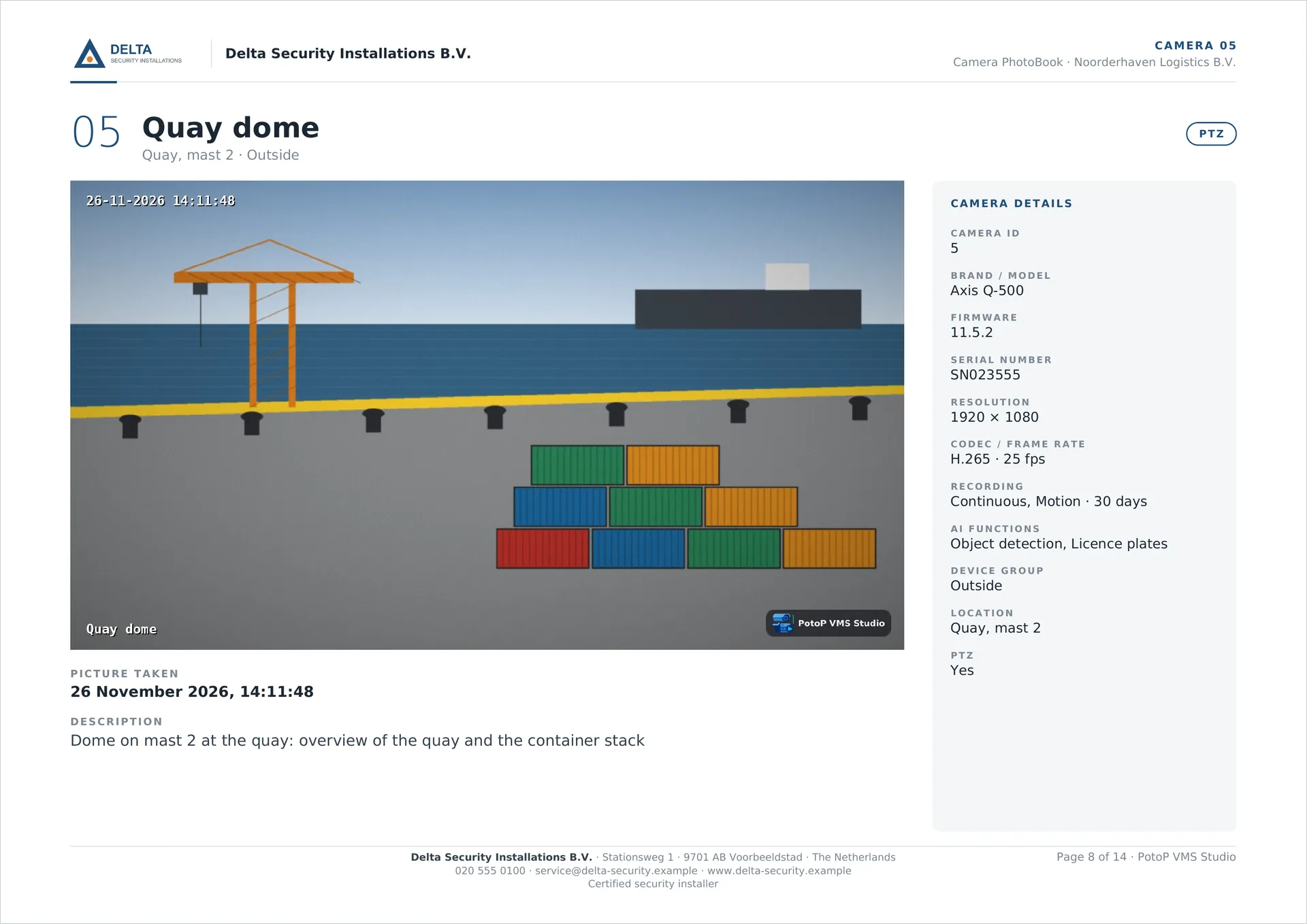
When an installation is finished, the customer wants to see what was delivered. PotoP VMS Studio now makes that document itself. The PhotoBook Maker takes a full-resolution picture of every camera, visits the presets of every PTZ camera and builds a PDF book for the hand-over; few video systems do this for you.
- The whole installation in one book. A cover with the customer's logo, the project and the team, an overview of the cameras, one page per camera with picture, description, date and time and technical details, the PTZ preset pages and a sign-off page.
- Only presets that are in use. Presets that are not set or that repeat another one are left out, slots named as a command are never called, and every camera is put back where it stood. Tested on real dome cameras.
- Your company's style. A header with your logo and company name, a footer with your contact details, your accent colour, and templates you save by name.
- Checked by you. The pictures appear while they are taken; in the review step you describe each one, leave it out or take it again. Every picture carries a small watermark.
The book is printed in English or Dutch, landscape or portrait, and network details stay out of it unless you switch them on. The PhotoBook Maker is in the desktop client, the web client and the Android app, and the Sailfish app makes a book from the saved project. See the tour on the product page, and the PhotoBook manual under Manuals.