Web client
Ask your system in plain language
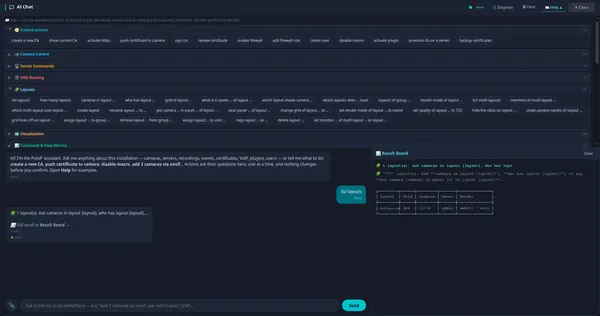
The AI chat offers guided actions for layouts, cameras, servers, certificates, firewall, users and macros. Click an example or type your own request, and results appear on a separate Result Board.
How it works
The AI Chat is built into the web client and the desktop client. Most requests are understood by a rule-based command engine on the server, marked direct in the chat, which maps phrases like list layouts to the same functions the user interface calls. The Help panel lists example phrases per topic. Actions that change things, such as creating a CA or pushing certificates, ask their questions step by step and change nothing until you confirm. Large answers go to the Result Board so the conversation stays readable.