PotoP VMS for Android

Your cameras, floor plans and alarms in your pocket

The full PotoP VMS client on an Android phone: live camera walls, playback, floor plans, the softphone and instant alarms — signed in with your fingerprint.

Made in the EU Runs on your own servers

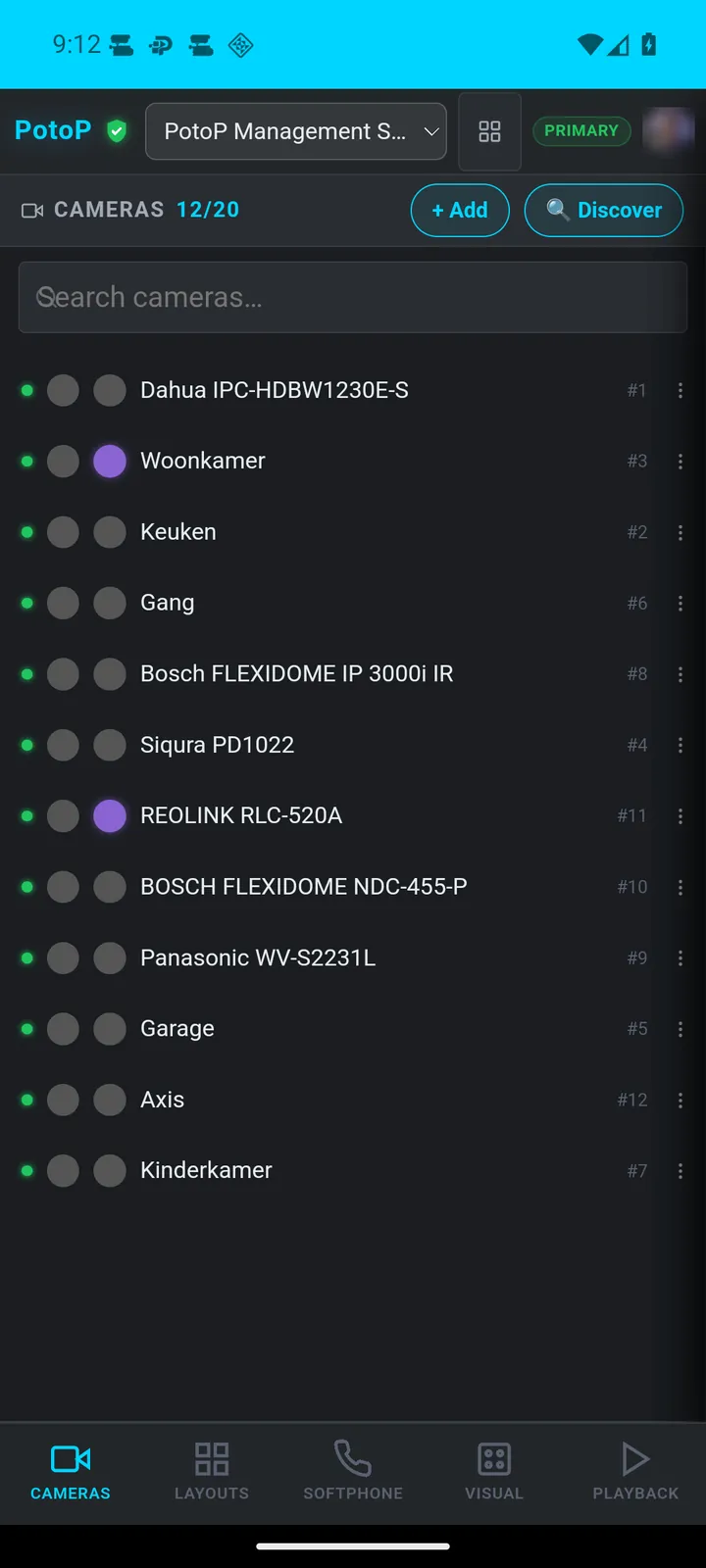
Camera list with live status
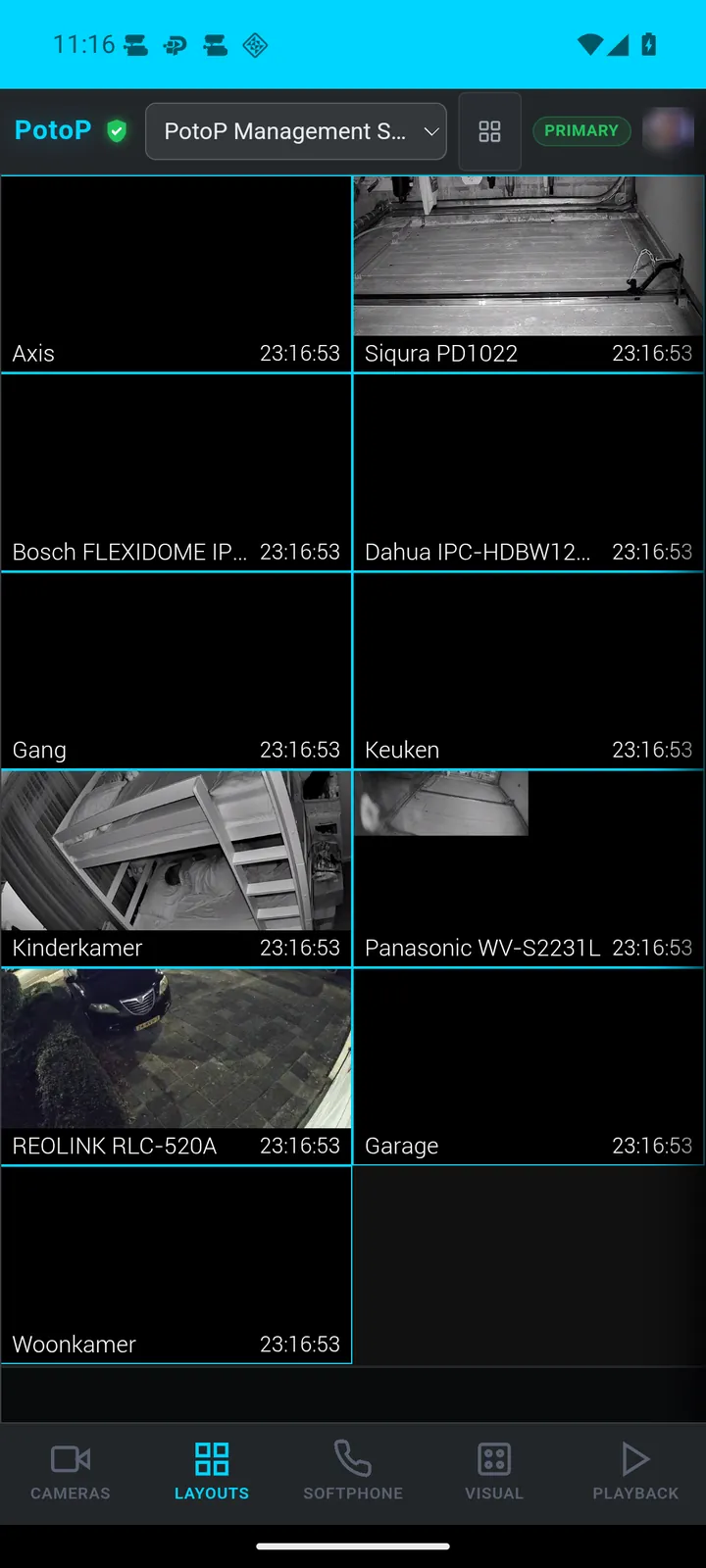
Live camera wall in your hand
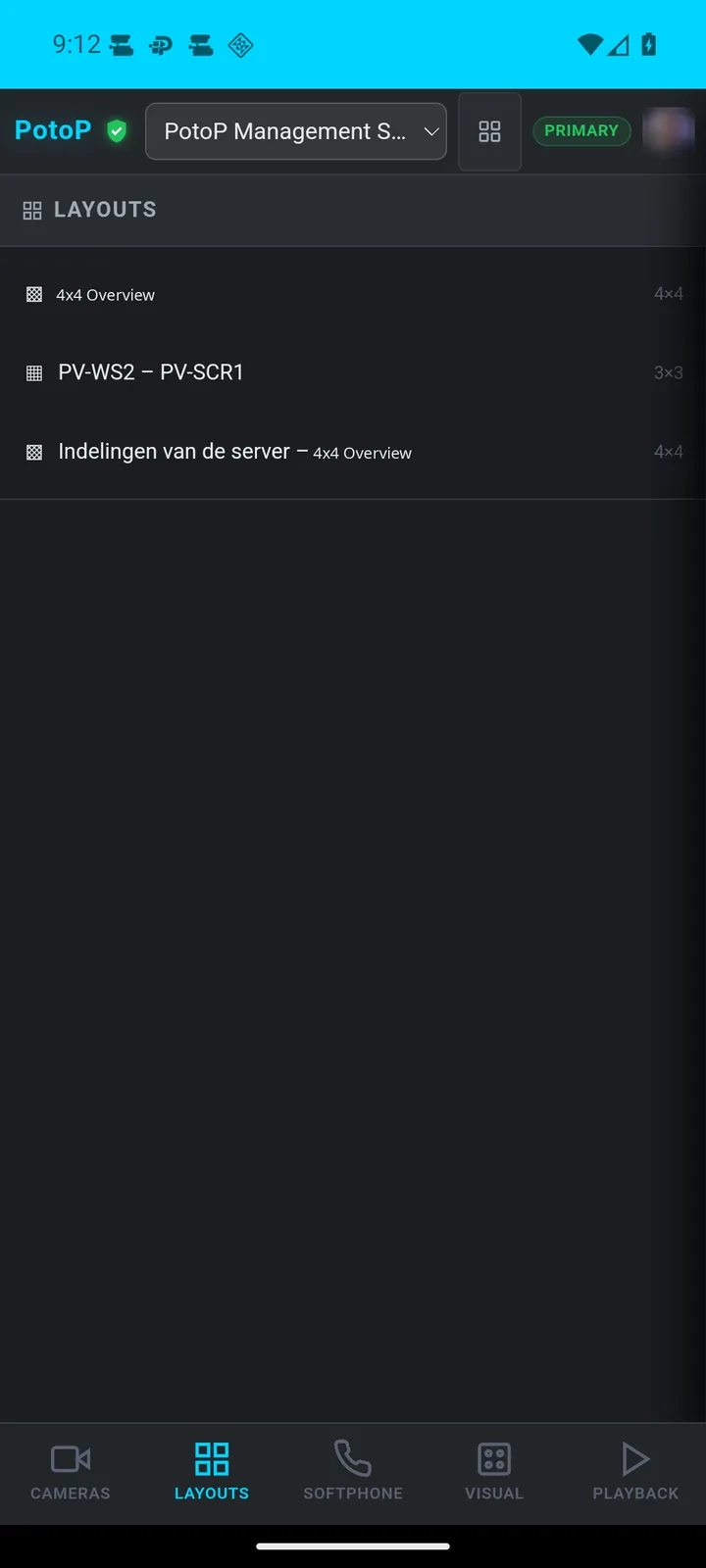
Layouts from the server

Live camera walls

Server layouts and camera lists with live status, one tap away.

Playback & floor plans

Timeline playback and live floor plans with device status.

Softphone & intercom

Take intercom calls and dial extensions from the app.

Fingerprint sign-in

Biometric sign-in and a pinned server certificate.

Alarms as they happen

Server alerts arrive as phone notifications, directly from your server.

AI assistant

Ask the PotoP assistant about your installation on the go.

Not a reduced app

PotoP VMS for Android gives you the same menus as the desktop and web client, laid out for a phone. Open a camera wall, scrub through a recording, check a floor plan or answer an intercom call from wherever you are.

The app connects to your own PotoP server. On first contact it pins the server's certificate, after that you sign in with your fingerprint or face, and alarms arrive as notifications straight from your server — no third-party push service in between.

Feature tour

Every screen below is a real screenshot. Search for a feature or pick a chapter; click a picture to see it full size and page through them with the arrow keys.

01

Your cameras everywhere 5 screens

Camera lists, server layouts and the camera map, laid out for a phone.

Camera list with live status
Android app

Camera list with live status

Every camera on the server appears in one searchable list with its online state, plus quick Add and Discover buttons. Operators see at a glance what is connected without opening a desktop client.

How it works

The list is the PotoP VMS web client running inside the Android app, so the phone asks the server for the camera inventory over an encrypted HTTPS connection and draws it locally. The green dot is the connection state the server tracks for each camera, refreshed while the screen is open. Add and Discover open the same forms as the browser client, which probe the network for ONVIF devices on the server side rather than on the phone. Nothing is copied to the phone: the list always mirrors the server you are connected to.
Live camera wall in your hand
Android app

Live camera wall in your hand

Open a saved layout and the wall streams live video with a name and timestamp on every tile. The layouts defined on the server follow you to the phone.

How it works

Each tile is a live stream the server prepares and the phone plays in its built-in browser engine, the same way the web client does it. The server pulls the camera feed once and serves it to the viewer over WebRTC through its media gateway, so the phone only decodes video and does not talk to the cameras. The time on each tile is the moment of the frame. The screen is kept awake only while a camera plays, and the page is parked after three minutes in the background so live video stops using mobile data.

Layouts from the server
Android app

Layouts from the server

Layouts created in the desktop or web client are listed here with their grid size. One tap opens the wall, so control-room views are available on site.

How it works

Layouts are stored on the PotoP server, not in the app. The desktop client, the web client and the phone all read and write the same records, so a wall arranged in the control room shows up on the phone the next time the list loads. Tapping a layout only tells the viewer which cameras go in which tile; the streams themselves are then requested from the server. Access follows the signed-in account, so a user sees the layouts and cameras their role allows.

Full menu, not a reduced app
Android app

Full menu, not a reduced app

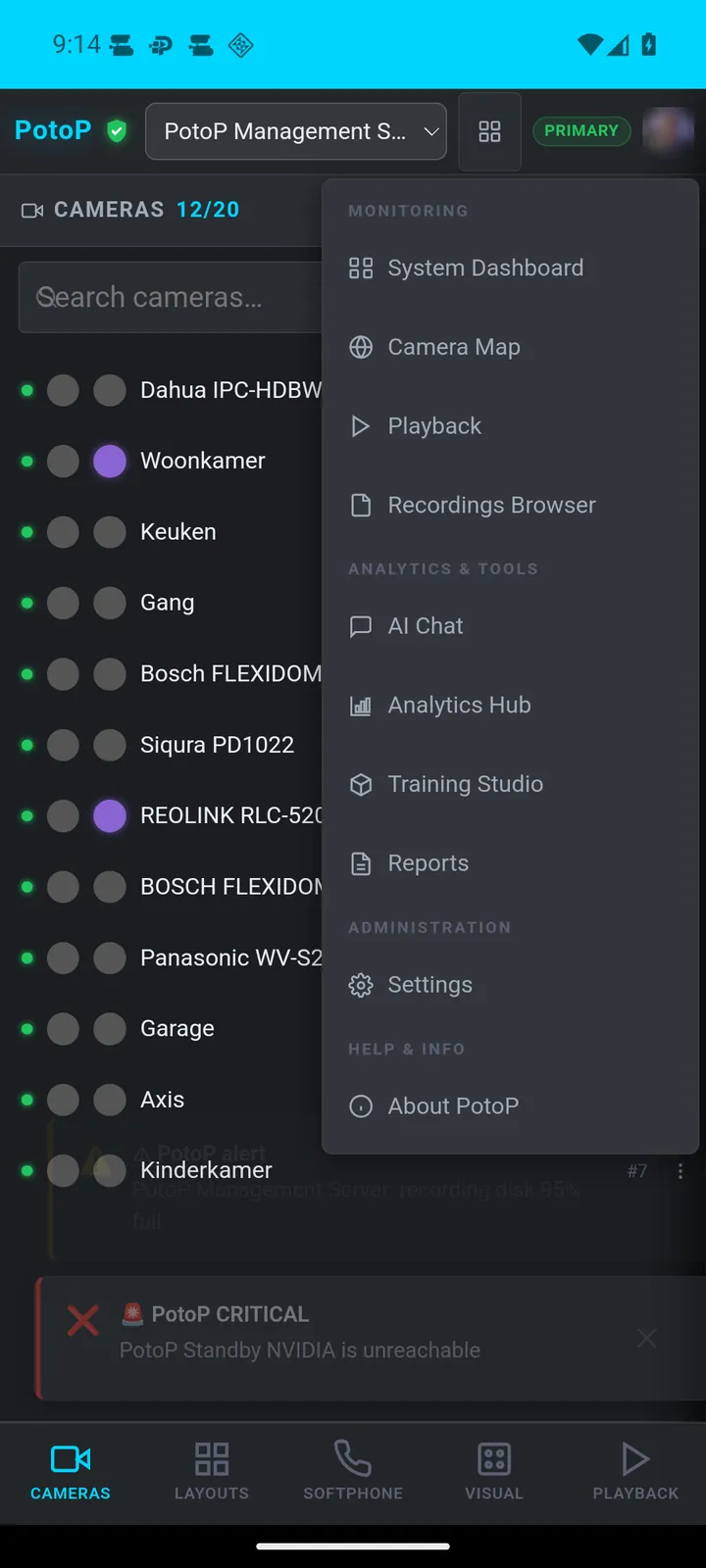
The menu reaches the camera map, playback, recordings browser, AI chat, analytics hub, training studio, reports and settings. The phone gets the same tools as the web client.

How it works

The app is a native shell around the complete PotoP VMS web client, which is why the menu is not a cut-down mobile edition. The client is served by the PotoP server and only that server, and any standby server it fails over to, is shown inside the app. Links to other sites are handed to the phone's browser, dialler or maps. Because the client is loaded from the server, a server update brings new features to the phone without an app update.

Cameras placed on a map
Android app

Cameras placed on a map

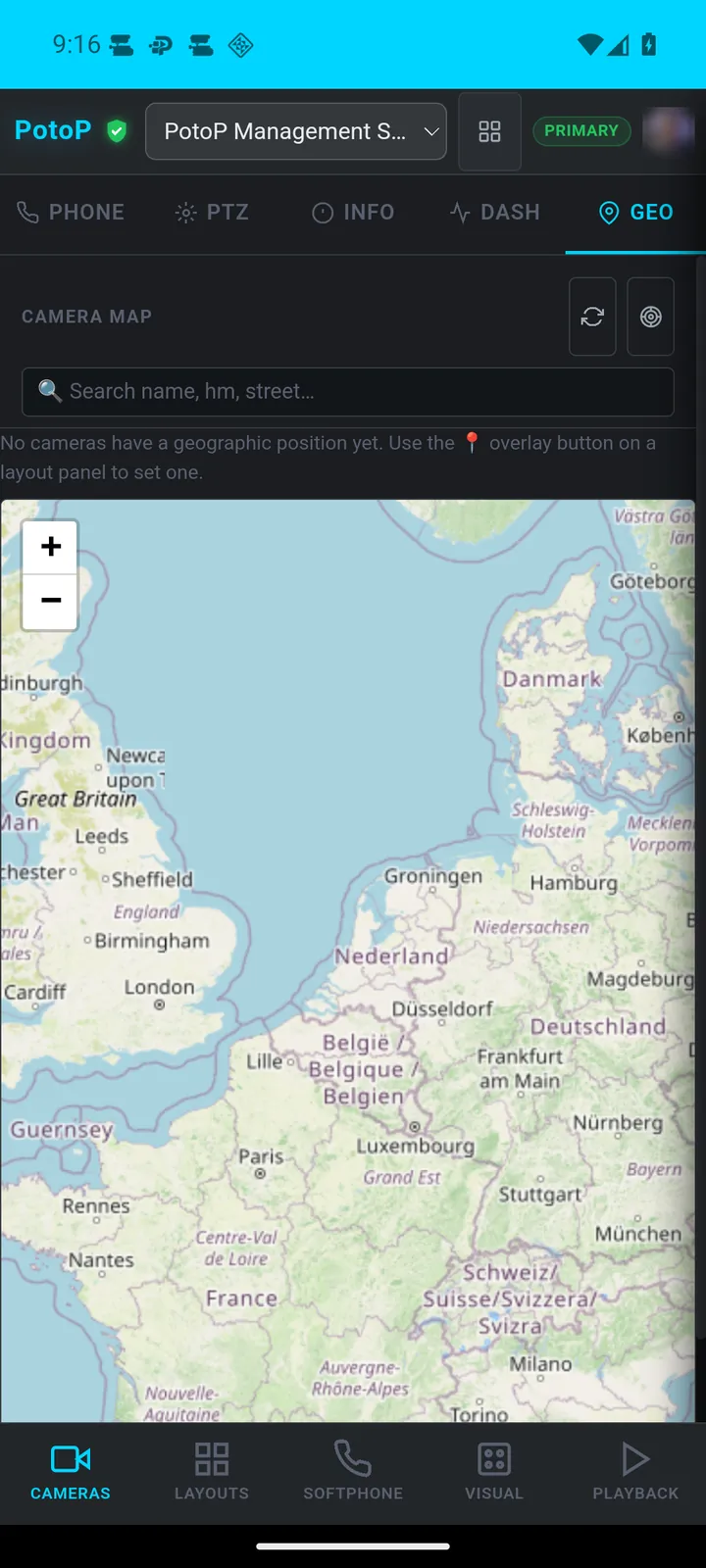
The camera map lets you search by name or street and shows each positioned camera on OpenStreetMap. In this capture no camera has a position yet, so the map is empty.

How it works

The map tiles come from OpenStreetMap and are drawn by the web client on the phone. Camera positions are stored on the PotoP server and set from a layout panel, which is why the search box can match camera name, house number or street. Nothing about the camera locations goes to a third party; only the tile requests for the visible map area do. Location access on the phone is granted to the server's pages only when a page asks for it.

02

Playback & visualization 5 screens

Scrub through recordings and check your floor plans on the go.

Playback with a timeline
Android app

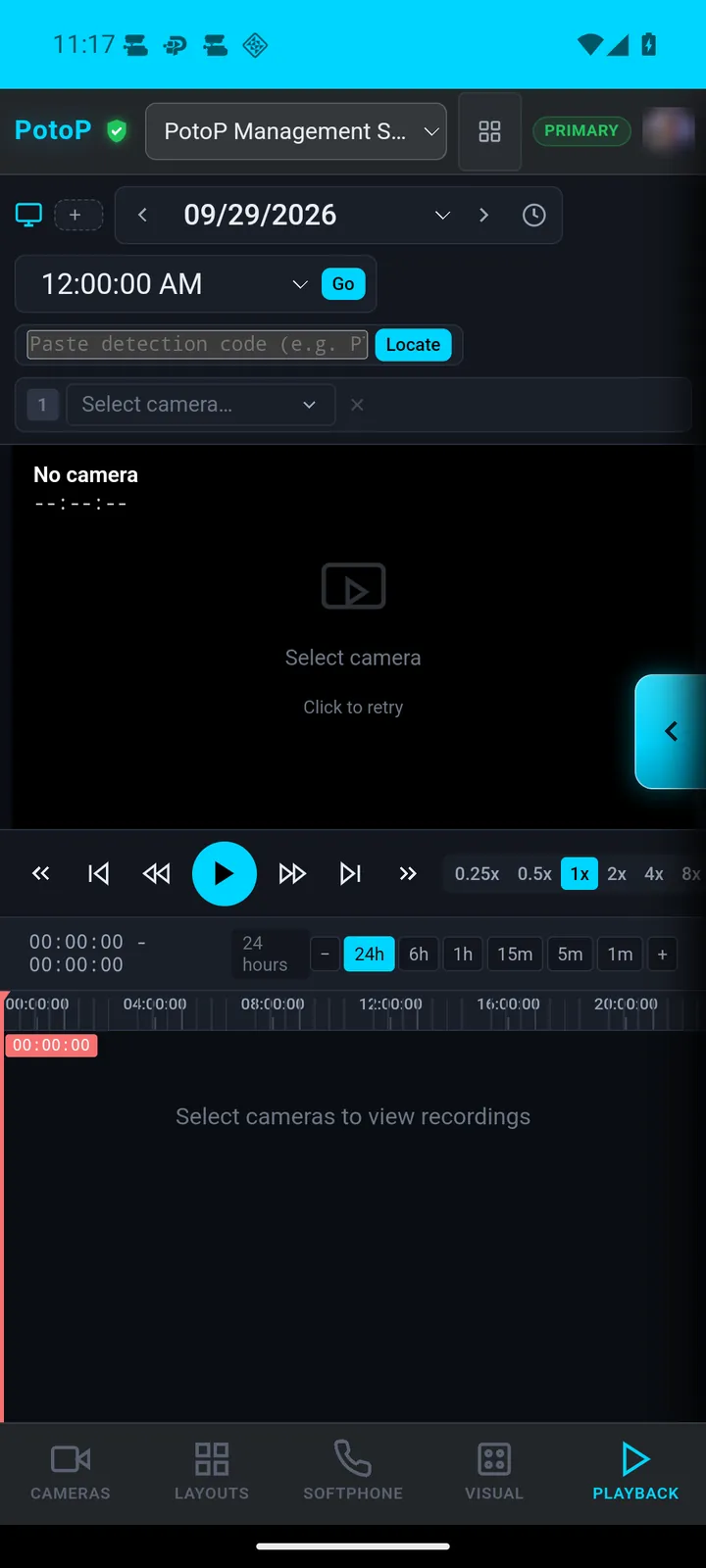
Playback with a timeline

Pick a camera and a date, then step through recordings with speed controls from 0.25x upward and a 24-hour timeline. Incidents can be reviewed from anywhere.

How it works

Playback reads the recordings that the PotoP server wrote to its own storage. Choosing a camera and day asks the server which time ranges exist, which draws the 24-hour bar, and the chosen moment is streamed back to the phone over a WebSocket connection. Speed changes are applied by the server side player, so slow motion and fast forward need no work on the phone. Encrypted recordings are decrypted on the server for authorised users only.

Floor plan with live devices
Android app

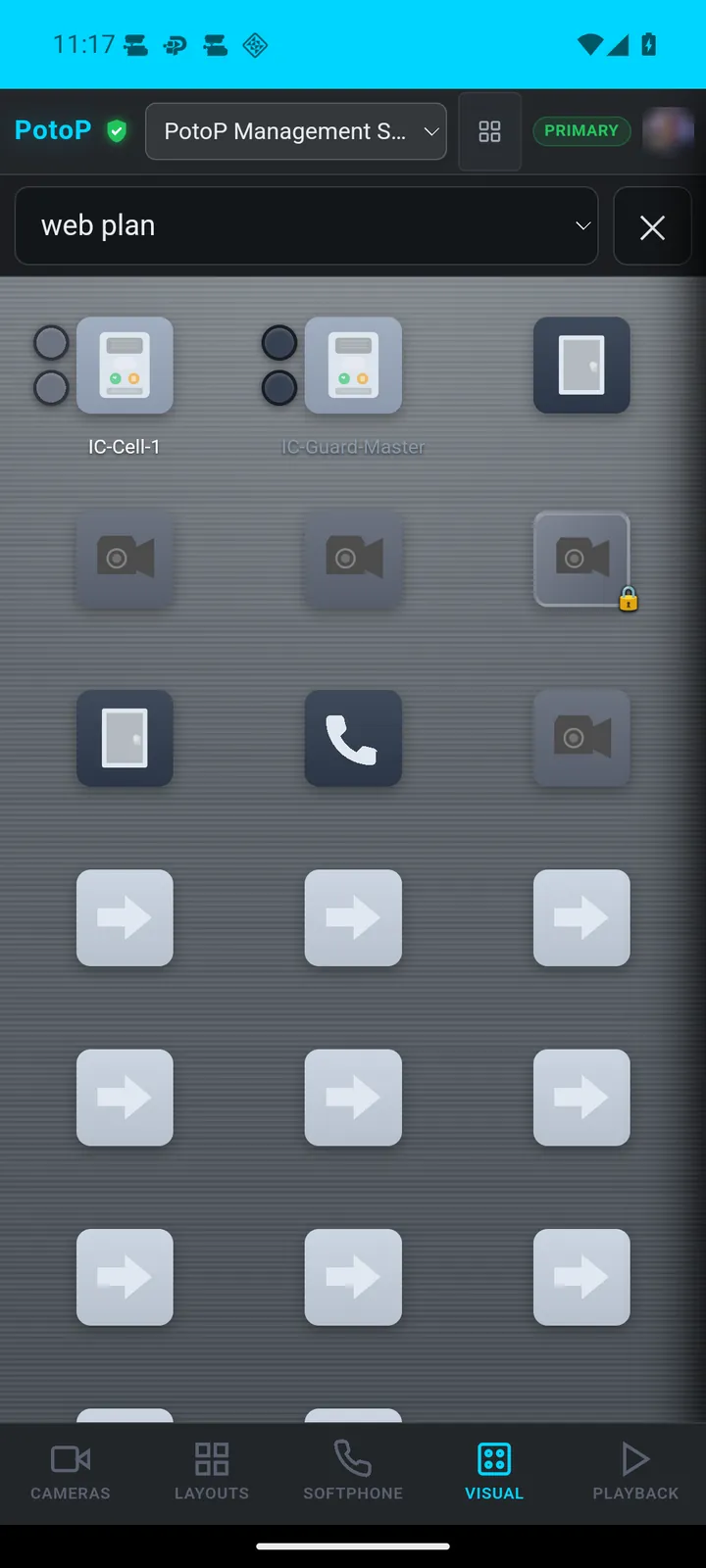
Floor plan with live devices

Visualization shows a plan with cameras, doors and intercom devices placed on it. Touch a device on the plan to work with it in context.

How it works

The plan is an image with device markers placed on it by an administrator in the VMS visualization editor. The markers are stored on the server with their device type and reference, so the phone only renders them. A live update channel from the server refreshes their state while the page is open. Touching a camera, door or intercom opens the corresponding live view or action in the same client, using the permissions of the signed-in user.

Device status on the plan
Android app

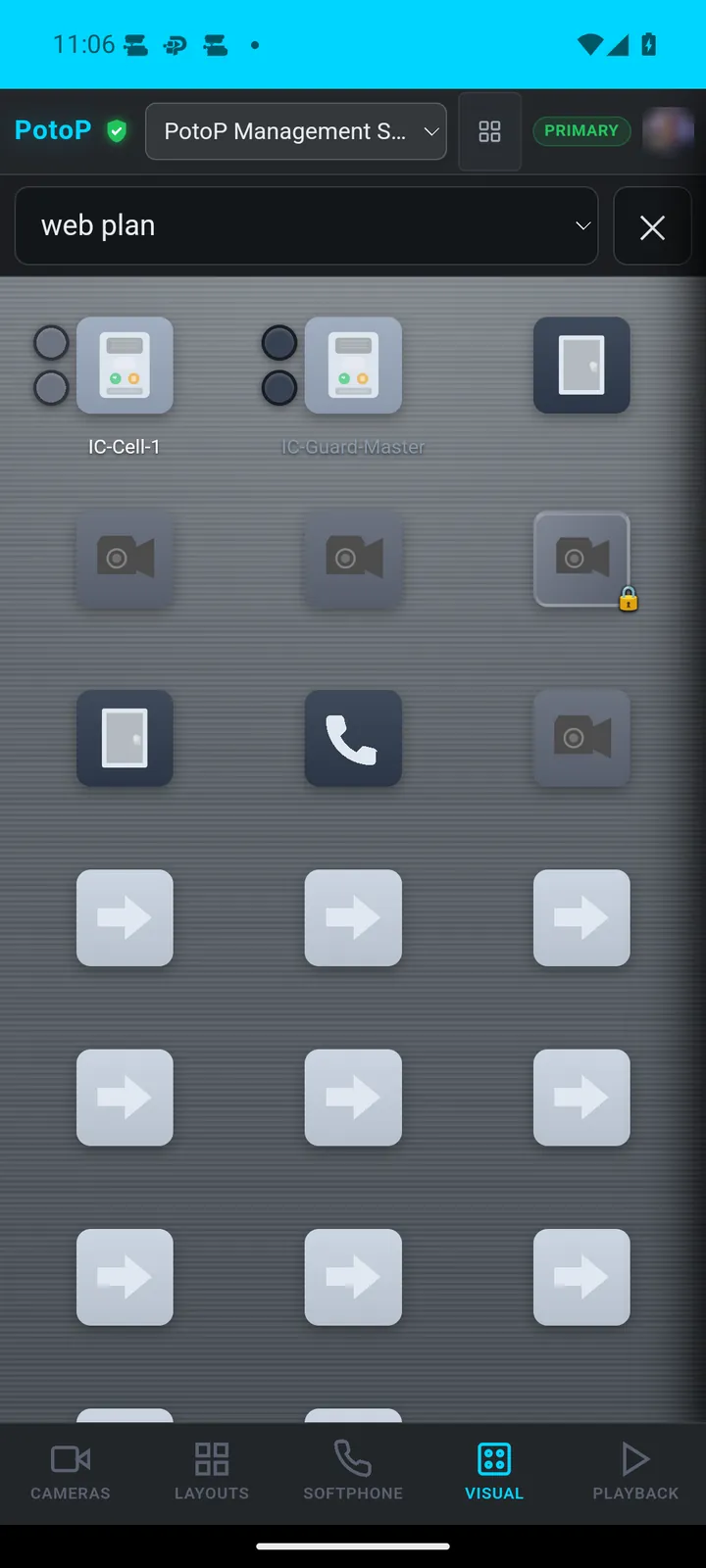
Device status on the plan

Devices on the plan carry their own status badges, such as a lock or a call icon. The plan stays readable while showing what needs attention.

How it works

Each marker on the plan is bound to a real device, and the server sends state changes to the open plan, such as a lock opening or an incoming call. The badge is drawn by the web client from that state, in the corner of the device icon. Because the state comes from the device drivers on the server, the phone does no polling of the devices and needs no network access to them. Only users allowed to operate a door or call an intercom can act on it.

Search detections and events
Android app

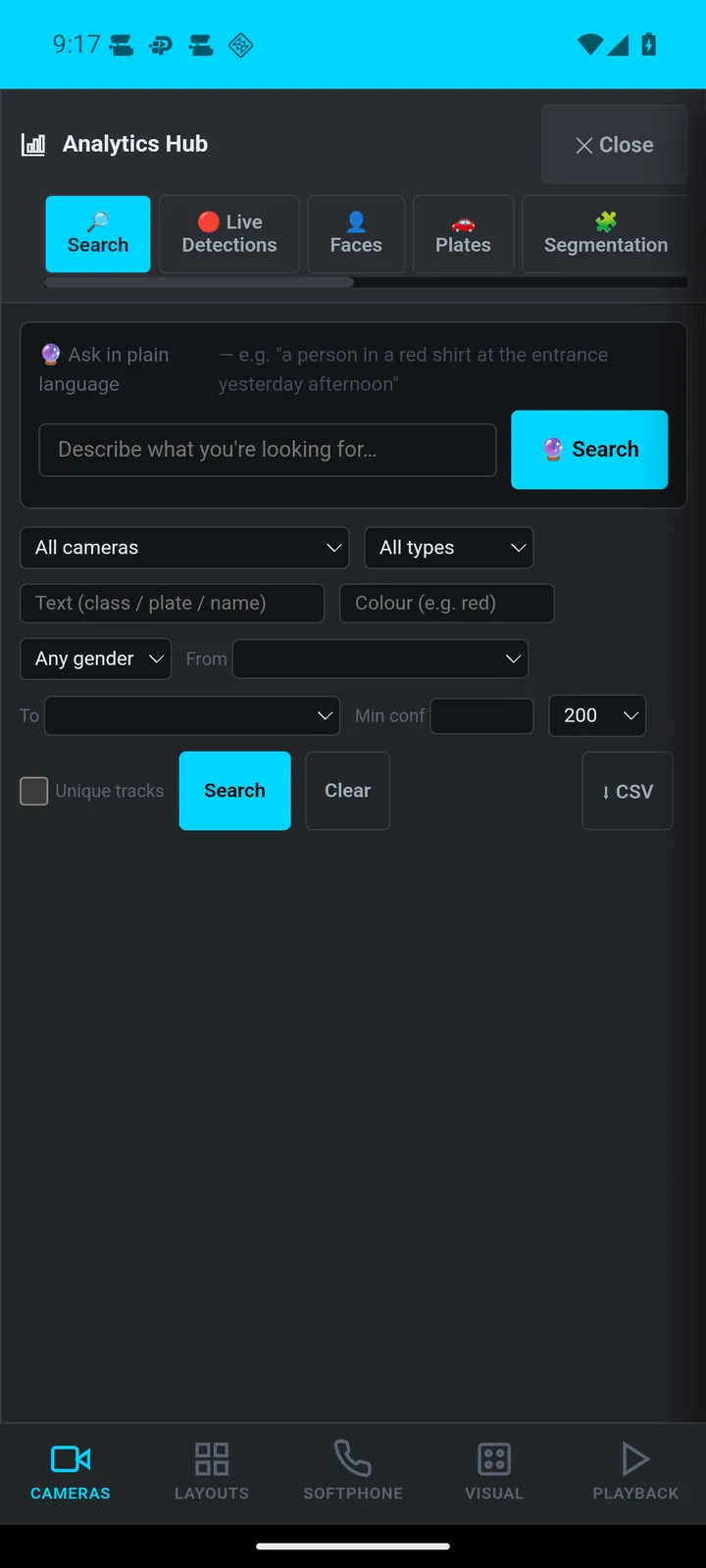
Search detections and events

The Analytics Hub searches detections by text, gender, colour and confidence, with tabs for faces, plates and segmentation. Results export to CSV.

How it works

The AI analytics run on the PotoP server, on its GPU or CPU using ONNX-based models, not on the phone. Detections such as people, faces and plates are written to the analytics database together with attributes like colour, gender and confidence. The hub sends the search terms to the server, which queries that database and returns matching entries with their snapshots. The CSV export is produced by the server and saved to the phone's Downloads folder by the app.

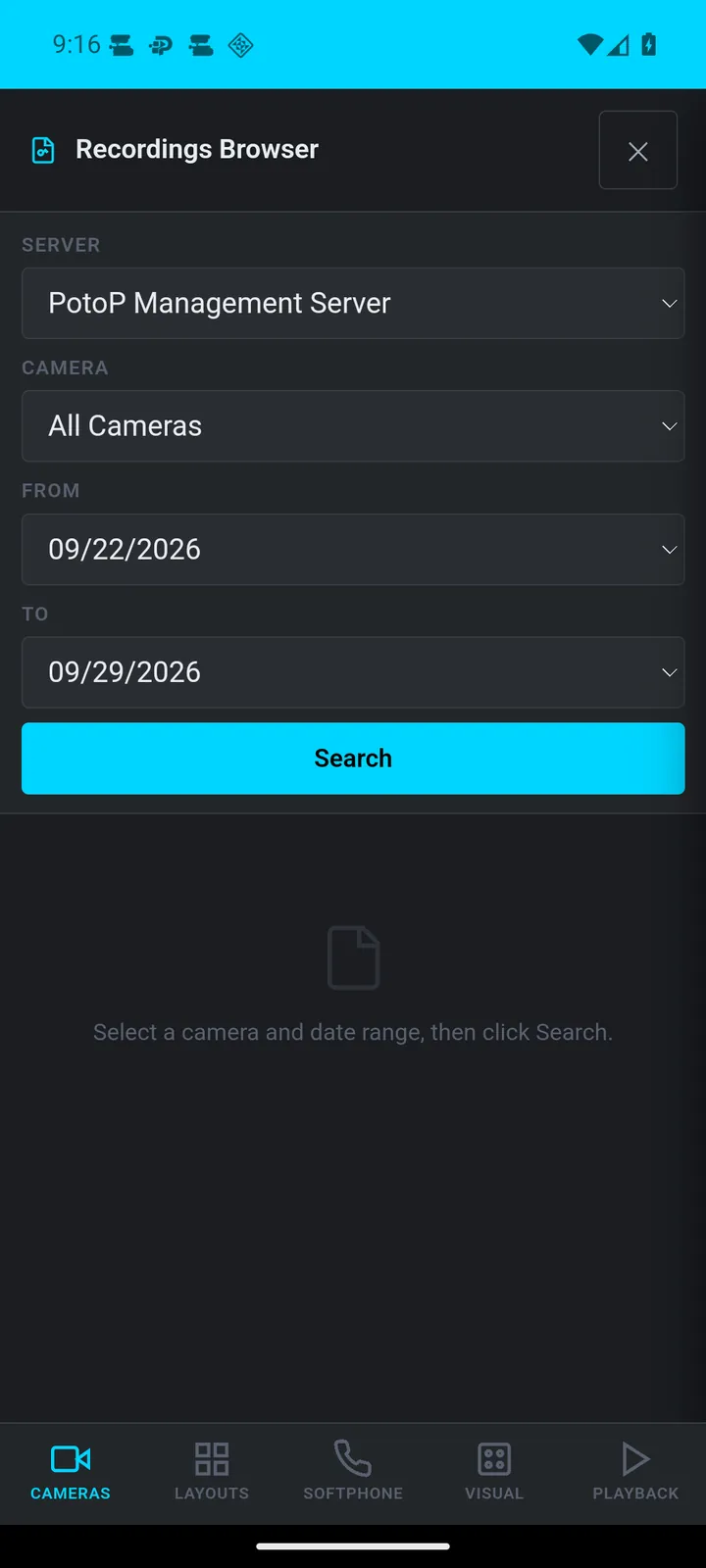
Recordings browser
Android app

Recordings browser

Choose a server, camera and date range to list recordings. It is meant for finding a specific clip quickly on a phone.

How it works

The browser lists recording segments held on the chosen PotoP server, filtered by camera and date range. The server can be any node of the installation, including standby servers, so the picker follows what the web client knows about the cluster. A result opens in playback at the selected time. Recordings are not copied to the phone unless you download a clip, and every request is checked against the signed-in user's rights.

03

Control & communication 4 screens

Answer the intercom, act on alarms, ask the assistant and even edit macros.

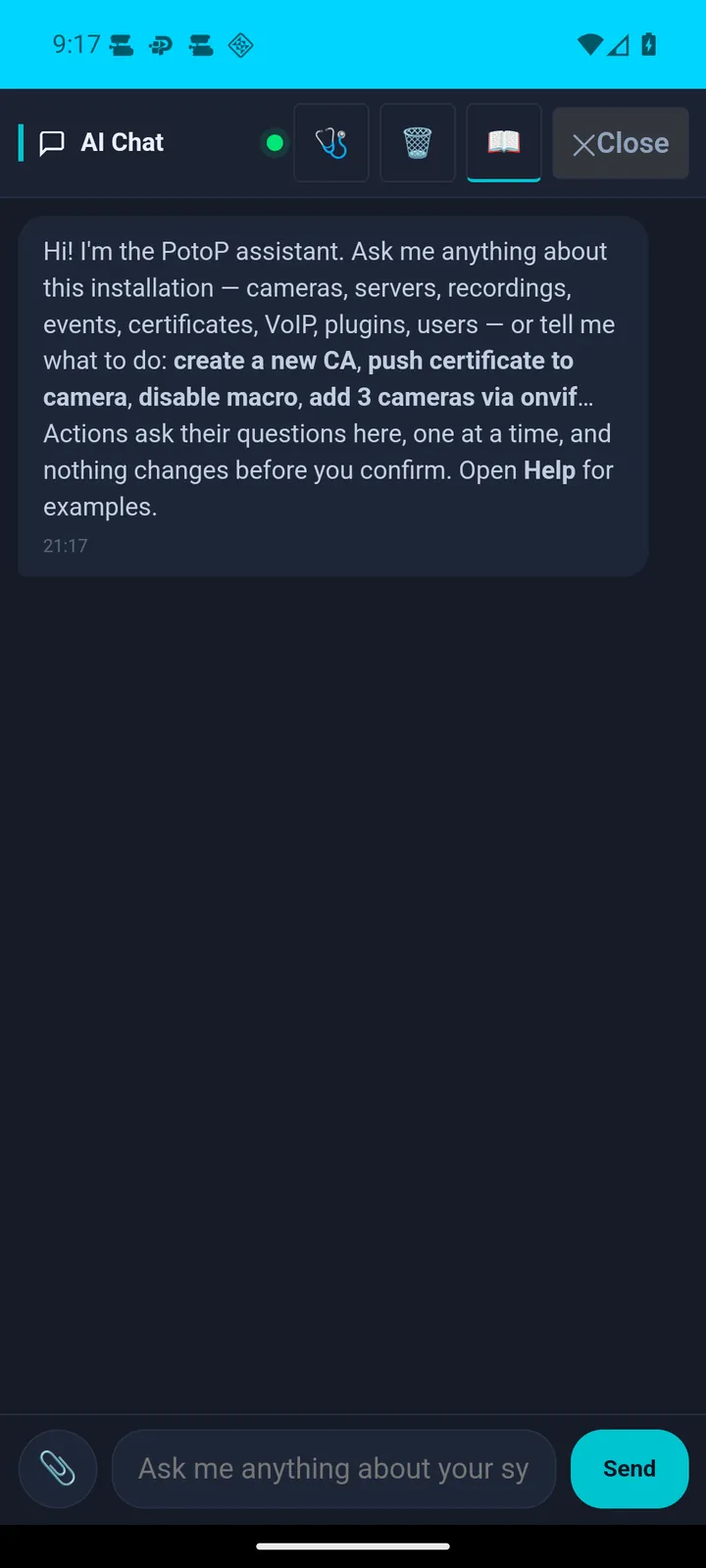
AI assistant in the app
Android app

AI assistant in the app

Ask the assistant about cameras, servers, recordings or users. Actions that change something ask their questions first and confirm before running.

How it works

The assistant is a chat panel connected to a language model that the operator hosts, for example a local model on the PotoP server, so questions about your cameras do not need to leave your network. The server gives the model a fixed set of tools, such as listing cameras or reading server status, and runs them with the rights of the asking user. Tools that change something are not run silently: the assistant asks its clarifying questions and waits for confirmation first.

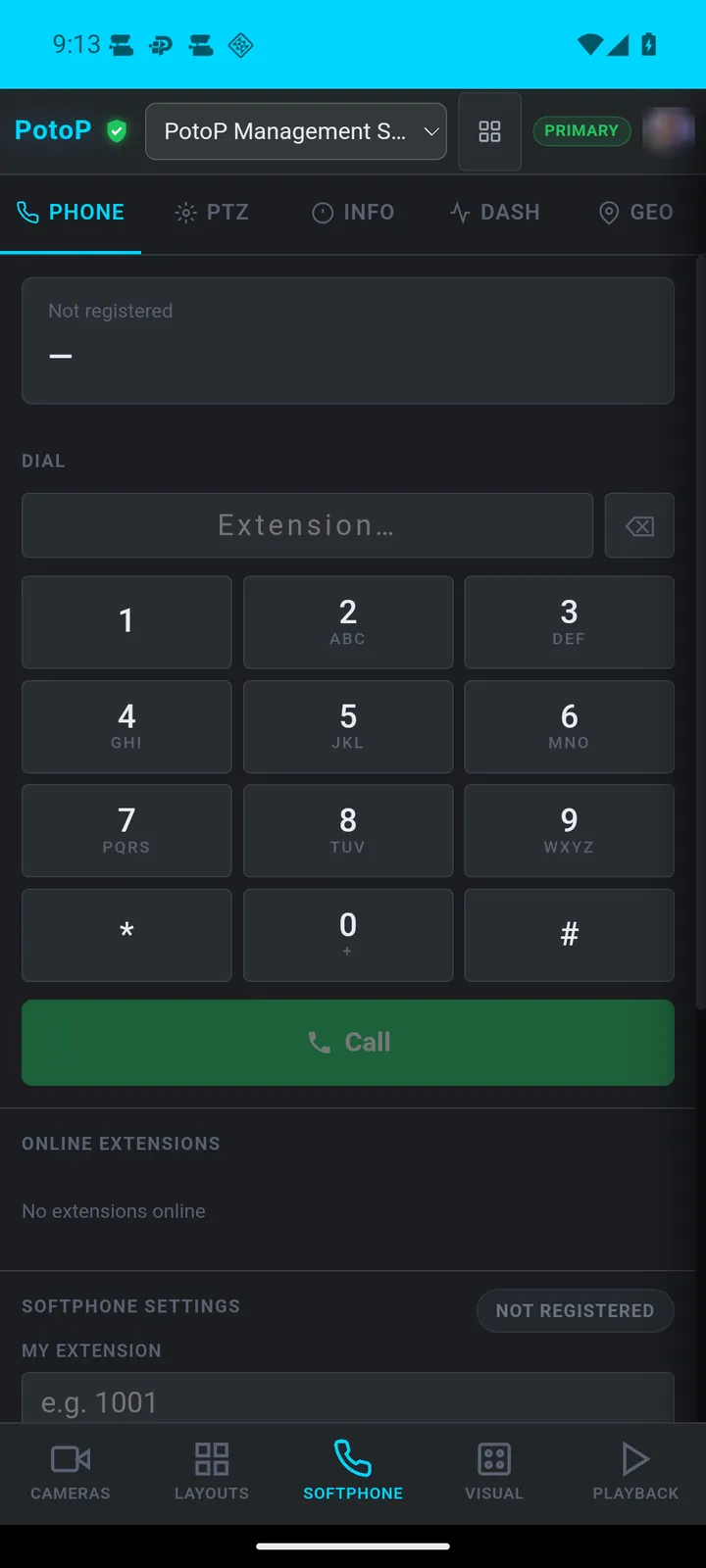
Softphone and intercom
Android app

Softphone and intercom

A built-in dial pad registers an extension so the phone can call intercoms and colleagues from inside the VMS.

How it works

The softphone is a SIP client inside the web client, connecting through the WebRTC gateway of the PotoP server, which bridges to the SIP exchange. The phone registers an extension over an encrypted connection, and audio is carried by WebRTC. Microphone access is requested from Android only when the panel needs it and only for the server's own pages. The same extension can call SIP intercoms, other extensions and colleagues on other clients.

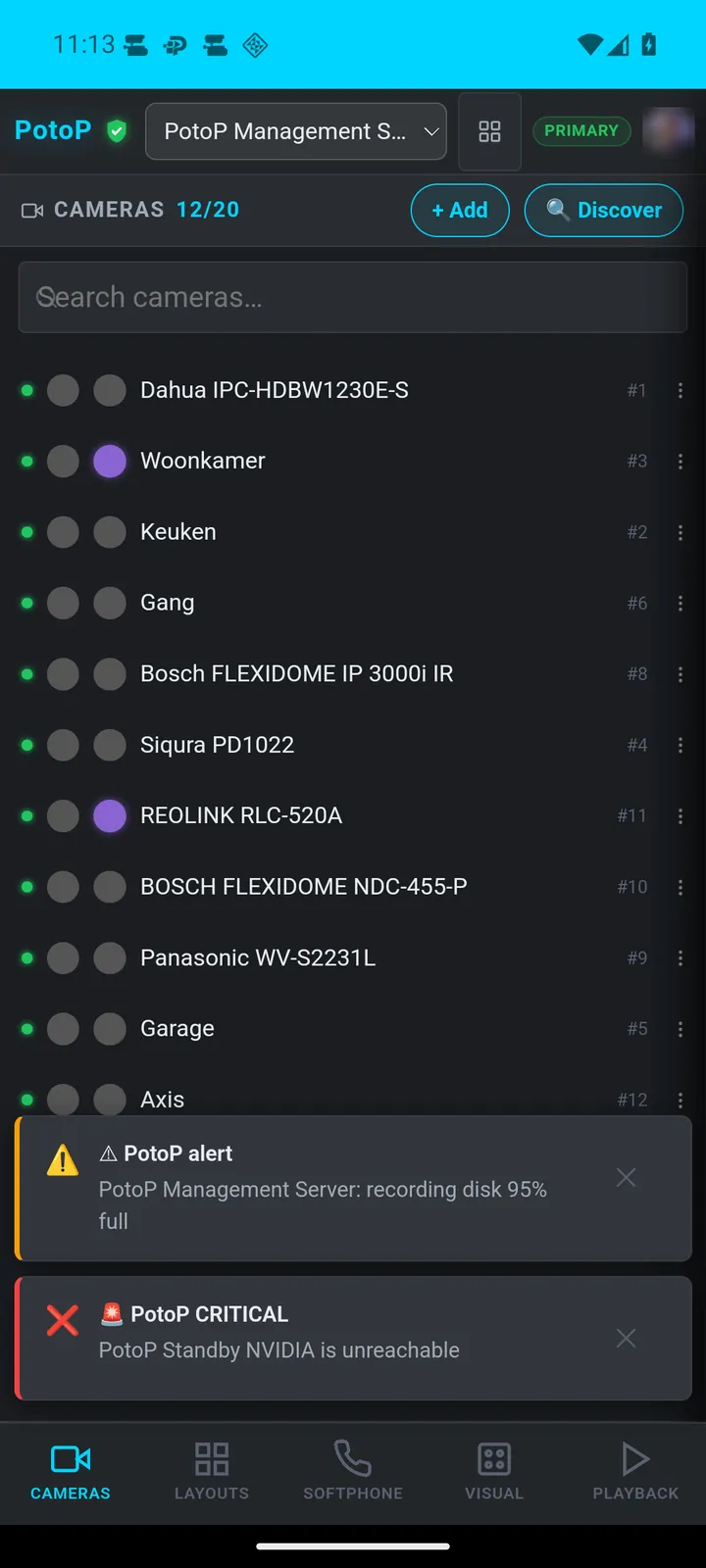
Alerts as they happen
Android app

Alerts as they happen

Server alerts such as a recording disk nearing capacity or a standby server going offline appear as banners over the camera list.

How it works

Alerts are generated by the PotoP server, for instance when a recording disk crosses a limit or a standby server stops answering. The open client shows them as banners as soon as they arrive. When the app is closed, the same alerts arrive as Android notifications through a long-lived connection the app keeps to your own server, without Google or Firebase. Critical alerts use a separate high-priority channel and can show on the lock screen.

Macro flow editor
Android app

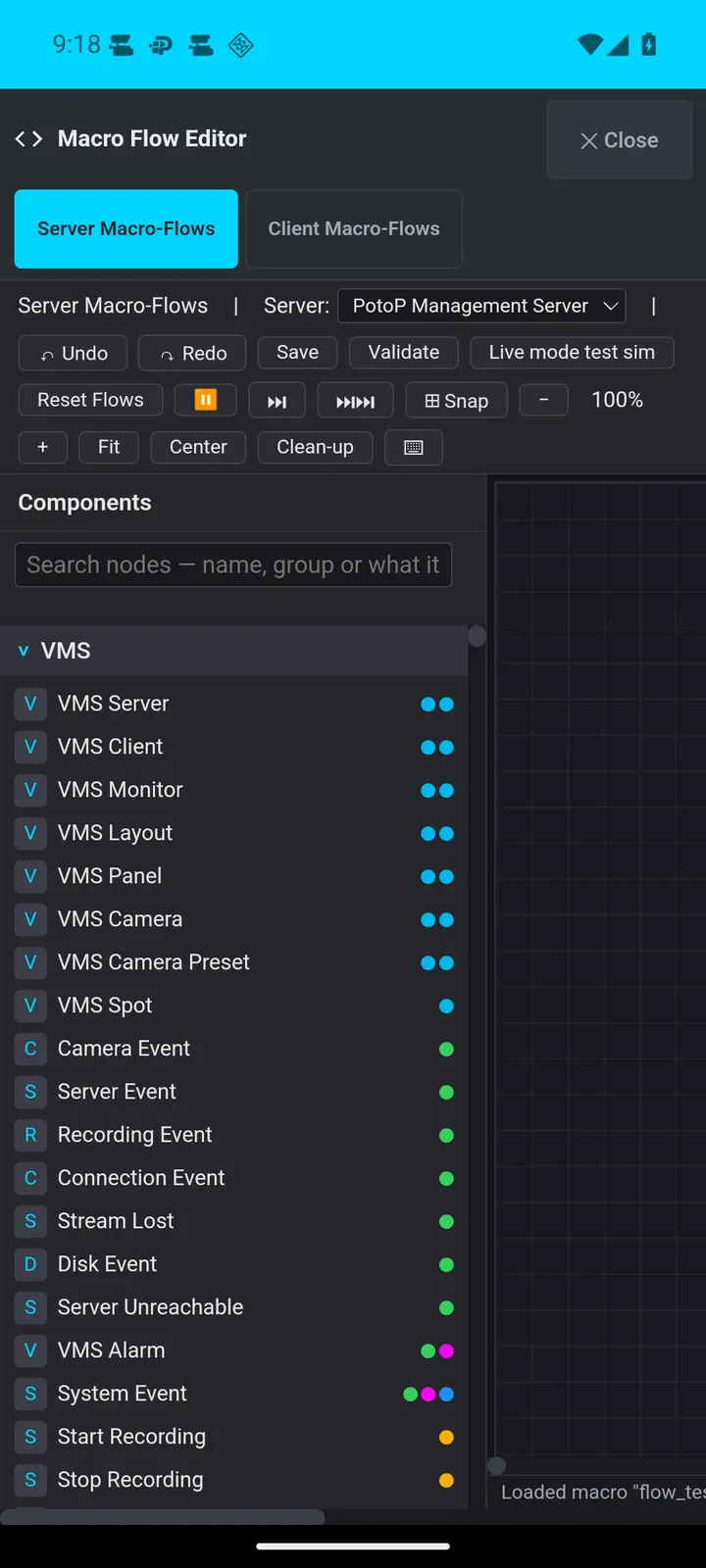
Macro flow editor

The macro flow editor offers server and client automation nodes for cameras, recordings, alarms and system events. Automation can be inspected from the phone.

How it works

Macros are visual flows made of trigger, condition and action nodes, saved on the PotoP server, where the macro engine runs them around the clock. Server flows react to events like camera events, stream loss or disk warnings and can start recordings or raise alarms. Client flows run in the operator's client. The editor on the phone is the same browser editor, with validation and a simulation mode, so you can inspect or adjust automation while on site.

Under the hood

How PotoP VMS for Android is built, where it runs and how it keeps your data safe.

01

Trust on first use

On setup the app shows the certificate authority's name and SHA-256 fingerprint of your own server, and you accept it once. From then on only the phone's normal authorities plus that one anchor are trusted, with host-name checking always on.

02

Fingerprint or face sign-in

The app can keep your name and password, encrypted with a key held in the Android Keystore and opened only after a biometric check. It stores no session, so signing out stays signing out, and two-factor prompts still appear as usual.

03

Alerts without Google

The app keeps one long connection to your own server and receives alarms and camera events the moment they are written. A periodic job and a restart after reboot keep it alive. There is no Firebase and no third-party push service.

04

Pairing with a device token

After you sign in, the server issues a device token that is stored encrypted on the phone and as a hash on the server. It lasts as long as that web session, so signing out or disabling the account cuts the phone off.

05

Self-hosted updates

Your PotoP server offers the current app version. The app downloads it from your server, checks the SHA-256 checksum and hands it to Android's installer, which also requires the same signing key.

06

Server does the work

Recording, analytics, macros and the SIP gateway run on the PotoP server. The phone runs the web client in a WebView, decodes video and provides camera, microphone and location only when a page asks.

Want to see PotoP VMS for Android on your own site?

Tell us about your installation — we are happy to show you around or set up a trial.