Personal use

PotoGram

The whole of Telegram, native on Sailfish OS

PotoGram is a full Telegram app for Sailfish OS, built on Telegram's own engine: chats, groups and channels, secret chats, voice and video calls, stickers and GIFs, folders and every setting you know from Telegram on Android — as real Silica pages, in 18 languages.

Version 3.3.41 · 17.9 MB · Free, no account needed · Older 32-bit phone? Download for 32-bit ARM

What is new in 3.3.41
  • Linking a device (Telegram Desktop or Web with a QR code) now speaks your language, not only English.

For personal use — a free app, provided as is, without a support contract or warranty.

Made in the EU

A conversation
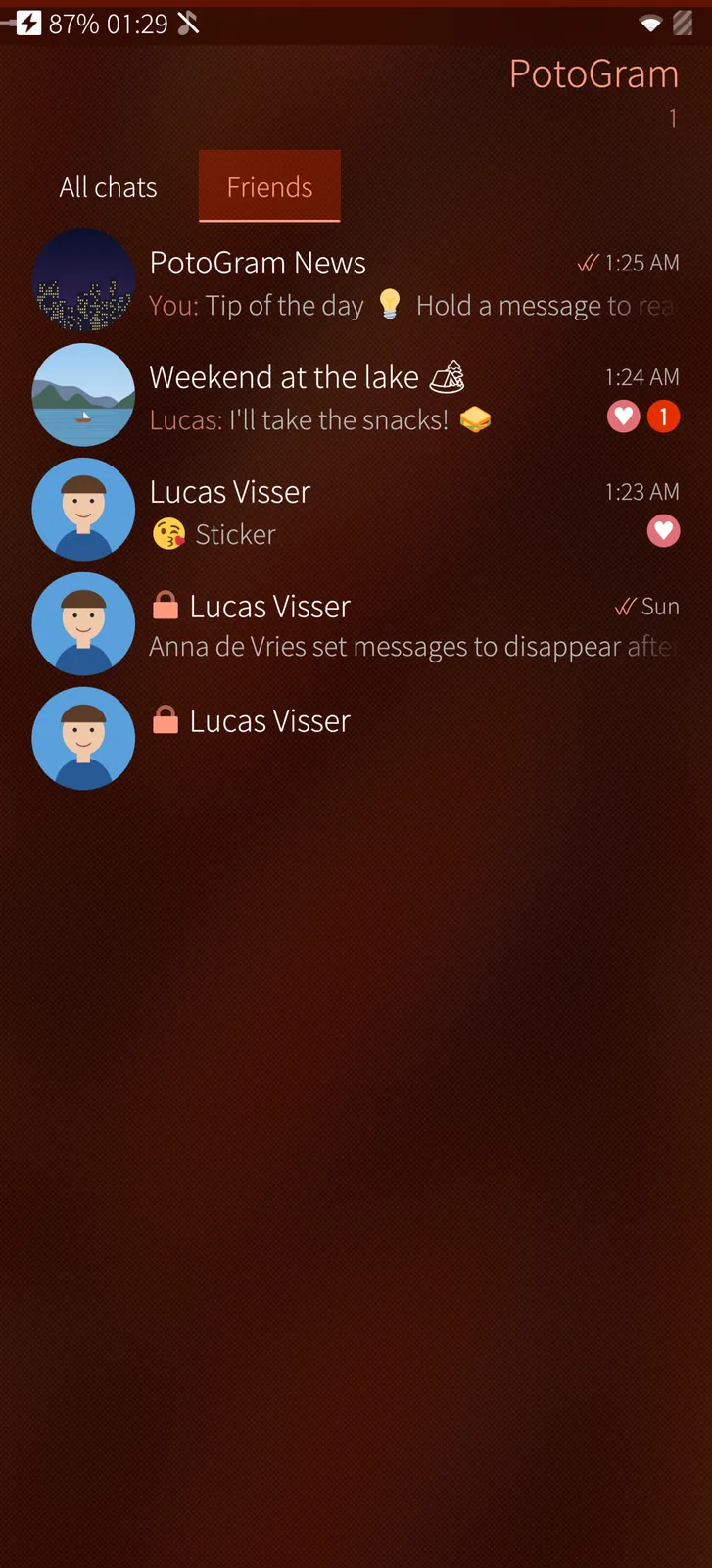
Your chats in folders
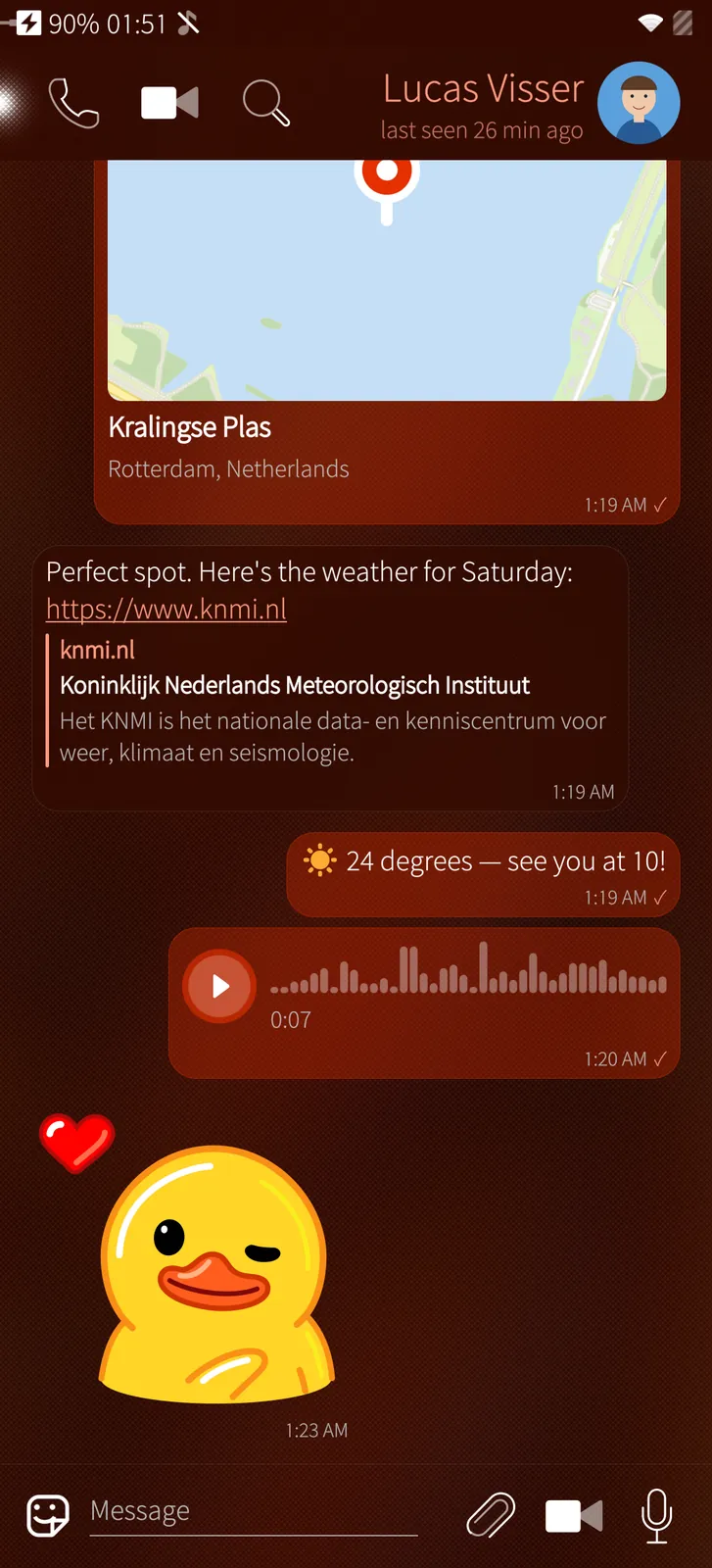
Places, links, voice and stickers

An independent app — not an official Telegram app

PotoGram is a free Sailfish OS app made by M.B.L.M. Systems. It is not made, endorsed or sponsored by Telegram. Telegram is a trademark of its owners.

Telegram's own engine

PotoGram is built on TDLib, the library Telegram publishes for apps, and uses Telegram's API with its own app ID, under Telegram's API Terms of Service. It talks only to Telegram's servers, with Telegram's encryption.

How it is made

A native Silica app in Qt and C++. Chats, calls and secret chats work exactly as Telegram offers them to every app; nothing is changed on Telegram's side.

Free, without catches

No price, no in-app purchases, no ads of our own, no tracking, no data collected and no hidden way of earning money. Your messages never pass through M.B.L.M. Systems.

With respect for Telegram

We made PotoGram because we enjoy Telegram and want people on Sailfish OS to enjoy it too. If Telegram would like anything changed, please write to info@mblm.systems — we will listen and act quickly.

Chats, groups and channels

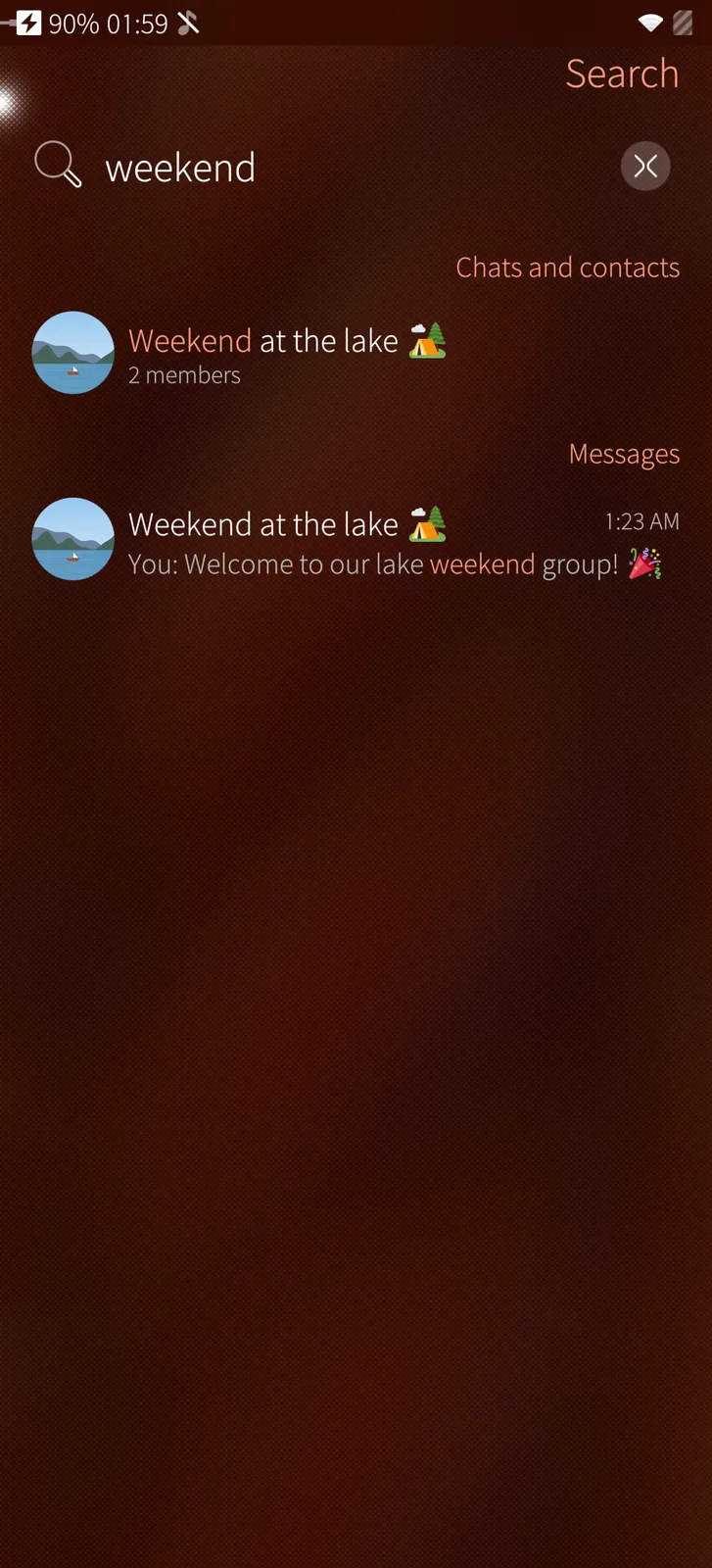
Replies, reactions, pinned messages, polls, checklists, link previews and search in every chat.

Voice and video calls

Telegram's own call engine, the earpiece at your ear and the camera paused when you hold the phone there.

Secret chats

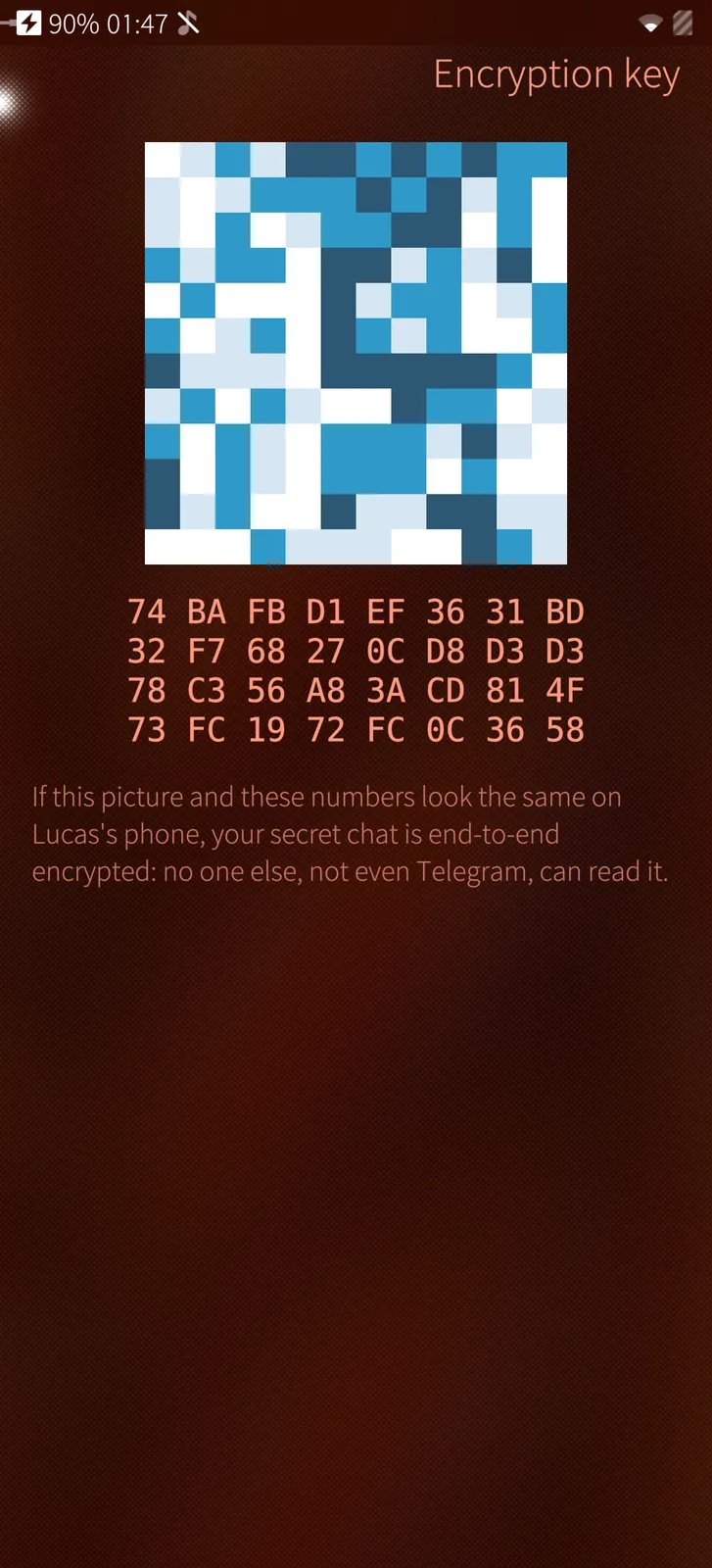
End-to-end encrypted, with self-destruct timers, the encryption key to compare and messages that turn to dust.

Stickers, emoji and GIFs

Animated and video stickers, a sticker shop, custom emoji, Telegram's GIF search and a live sticker maker.

Photos, videos and video messages

A picture editor, a video editor that trims and turns, round video messages and voice messages.

Every setting

Privacy, notifications, devices, data and storage, folders, a passcode with your fingerprint, and 18 languages.

Telegram, made for Sailfish OS

PotoGram is not a web page in a frame. It runs TDLib, the engine Telegram's own apps are built on, and draws every screen as a native Silica page with pull-down menus, press-and-hold menus, the cover and the notification centre. Everything you send and receive is the same as on Telegram for Android, iPhone or the desktop: the same chats, the same folders, the same stickers, on all your devices at once.

Calls use Telegram's own call engine, so you can call anyone on Telegram — with the earpiece and a dark screen at your ear, and the camera paused in a video call. Secret chats are encrypted between two phones, with self-destruct timers and the encryption key to compare.

Always connected, quietly

A small background part of PotoGram keeps Telegram connected while the app is closed, so messages and calls arrive as Sailfish notifications at once. It sleeps with the phone and wakes for Telegram.

Feature tour

Every screen below is a real screenshot. Search for a feature or pick a chapter; click a picture to see it full size and page through them with the arrow keys.

01

Chats 5 screens

Your chats in folders, conversations with photos, voice and stickers, groups and channels.

Your chats in folders
Sailfish app

Your chats in folders

Telegram's order with pinned chats first, your own folders as tabs, photos, the last message with its sender, ticks, unread counts and reactions — secret chats marked with a lock.

How it works

The list is Telegram's own, kept by TDLib on the phone: the order, pinned chats, unread counts and folders are the same as in Telegram on your other devices, and change at once when they change there.
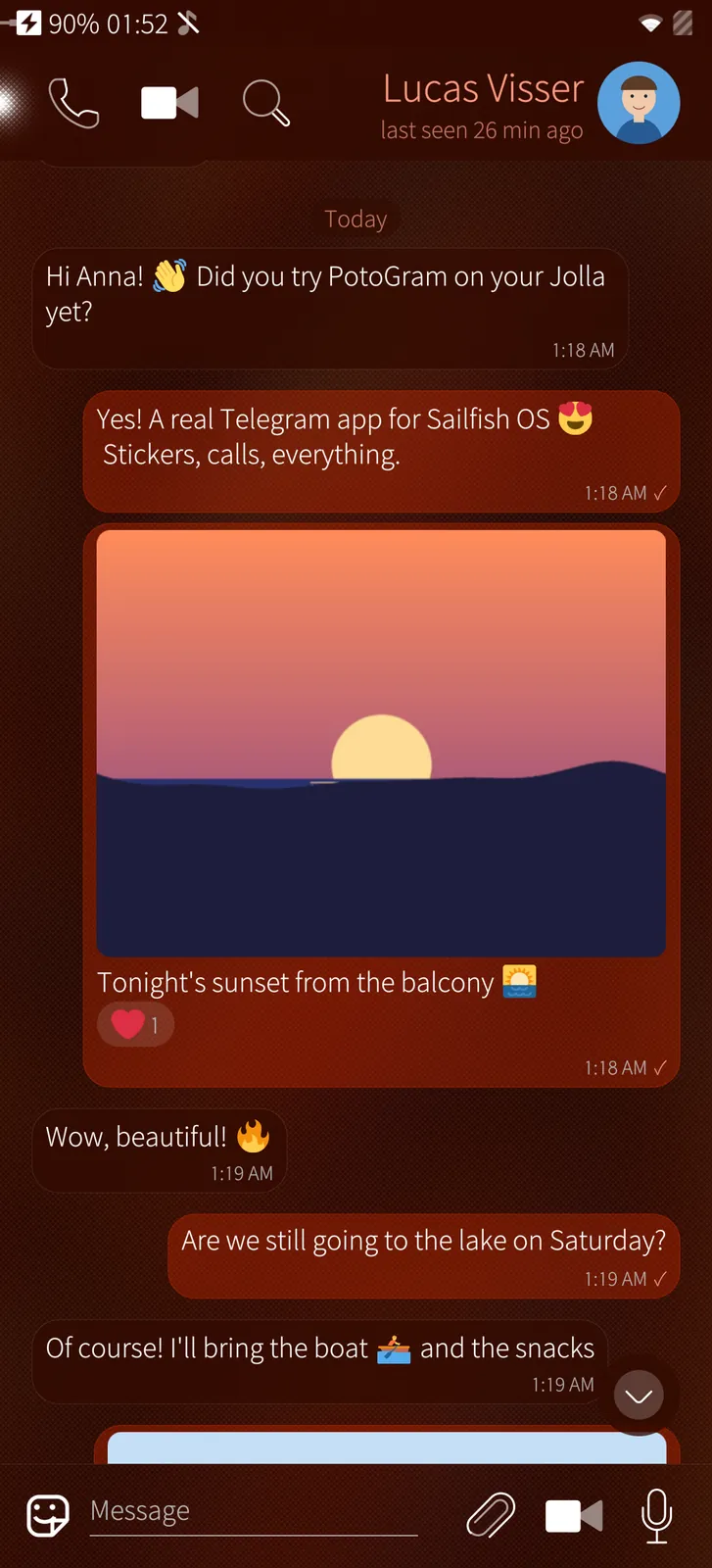
A conversation
Sailfish app

A conversation

Messages in bubbles with emoji drawn in colour, photos with their caption, reactions under them — and the call, video call and search buttons above.

How it works

Messages come straight from Telegram's servers through TDLib, Telegram's own engine, and are drawn as Silica bubbles; emoji are shown as colour pictures because the phone's emoji fonts cannot be drawn by Qt.

Places, links, voice and stickers
Sailfish app

Places, links, voice and stickers

A place with its map, a link with Telegram's preview card, a voice message with its waveform and an animated sticker, all in one chat.

How it works

Animated stickers are played by rlottie and video stickers by a VP9 decoder on the phone; the link card is the preview Telegram makes on its servers for the link.

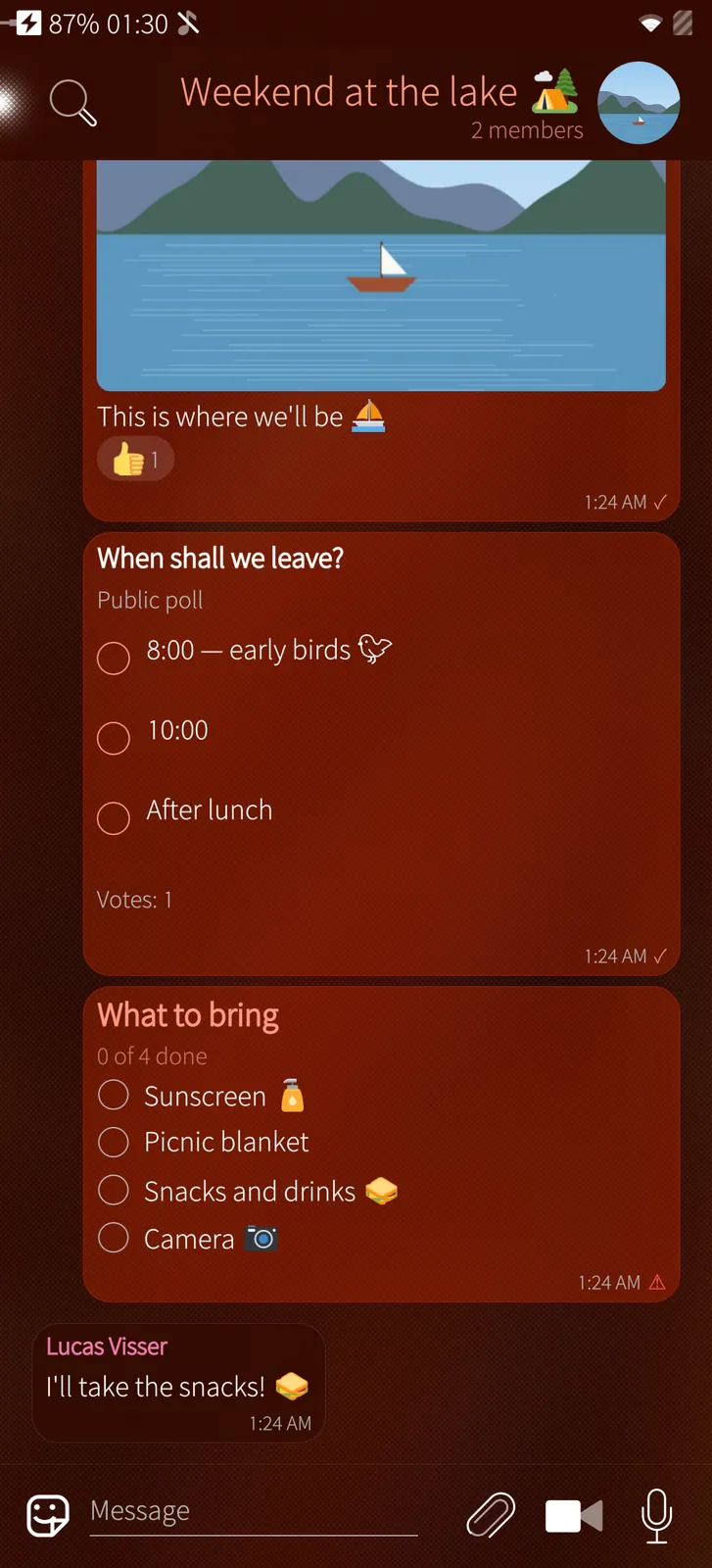
Groups with polls and checklists
Sailfish app

Groups with polls and checklists

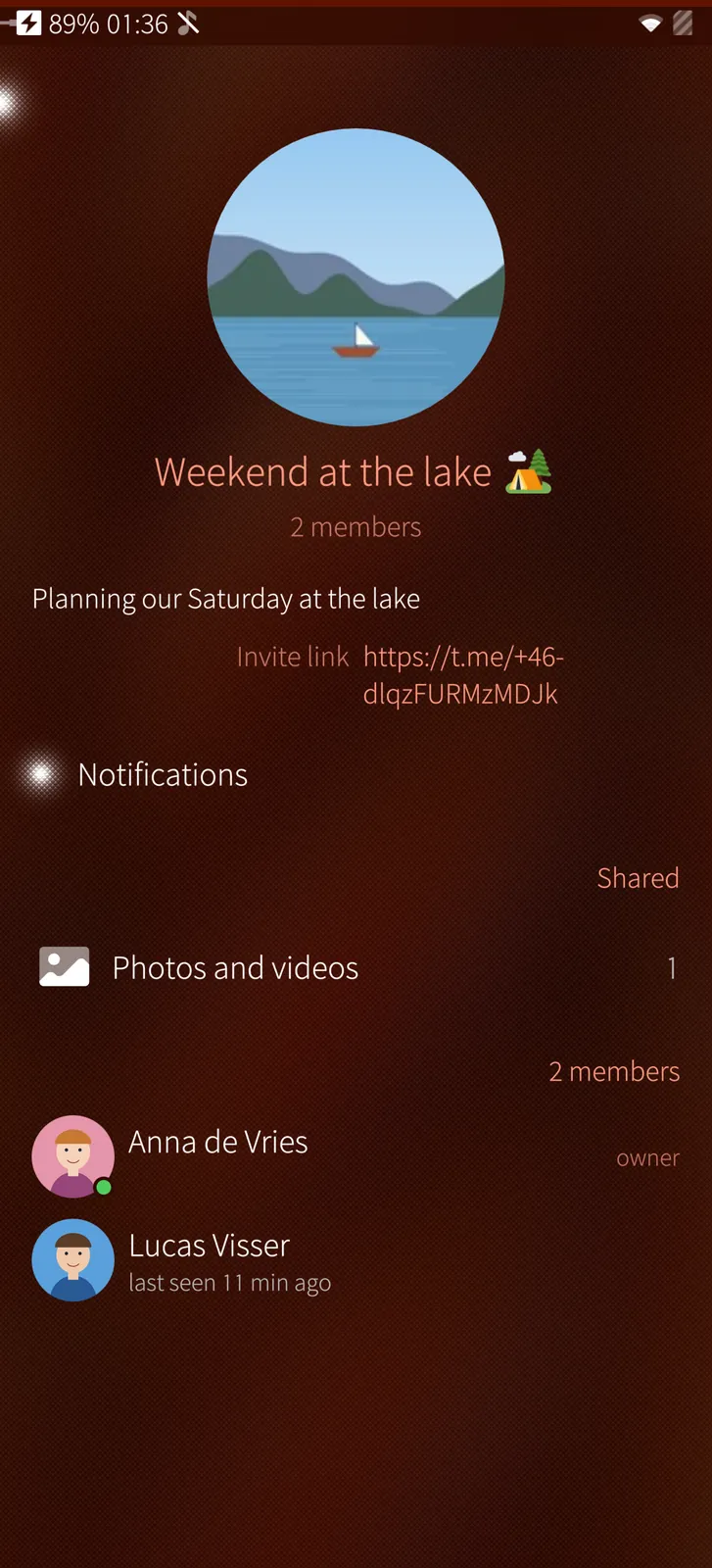
A group's photos, a poll to vote in, a checklist to tick off together, and who wrote what.

How it works

Votes and ticks are sent to Telegram at once, so everyone in the group sees the new count; a poll's voters and a task's ticker are named as Telegram reports them.

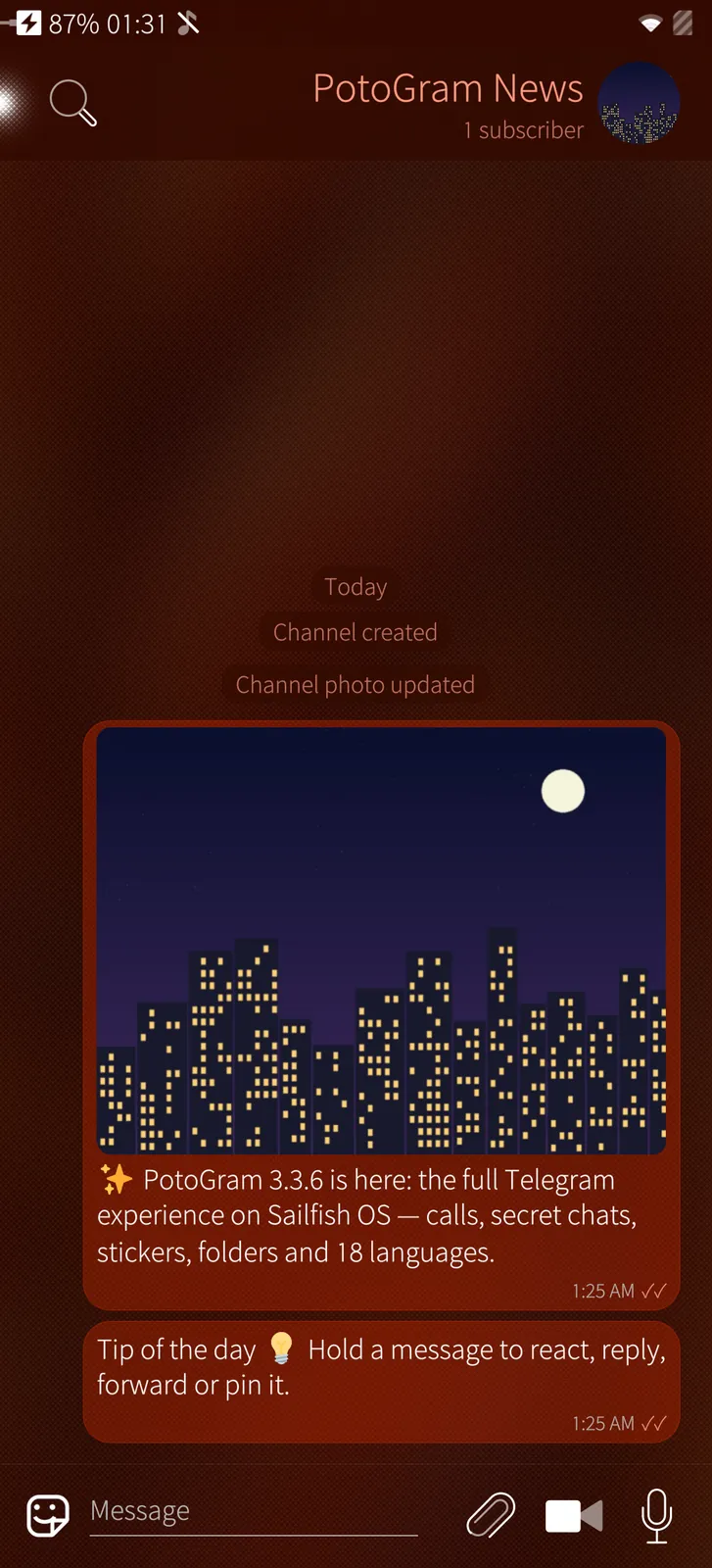
Channels
Sailfish app

Channels

Read and post in channels, with their pictures, links and subscriber count.

How it works

A channel is read like any chat; when you are one of its admins the text field appears and posts go out to every subscriber.

02

Stickers, emoji & sending 6 screens

The sticker, emoji and GIF panel, the sticker shop and everything you can attach.

Animated stickers
Sailfish app

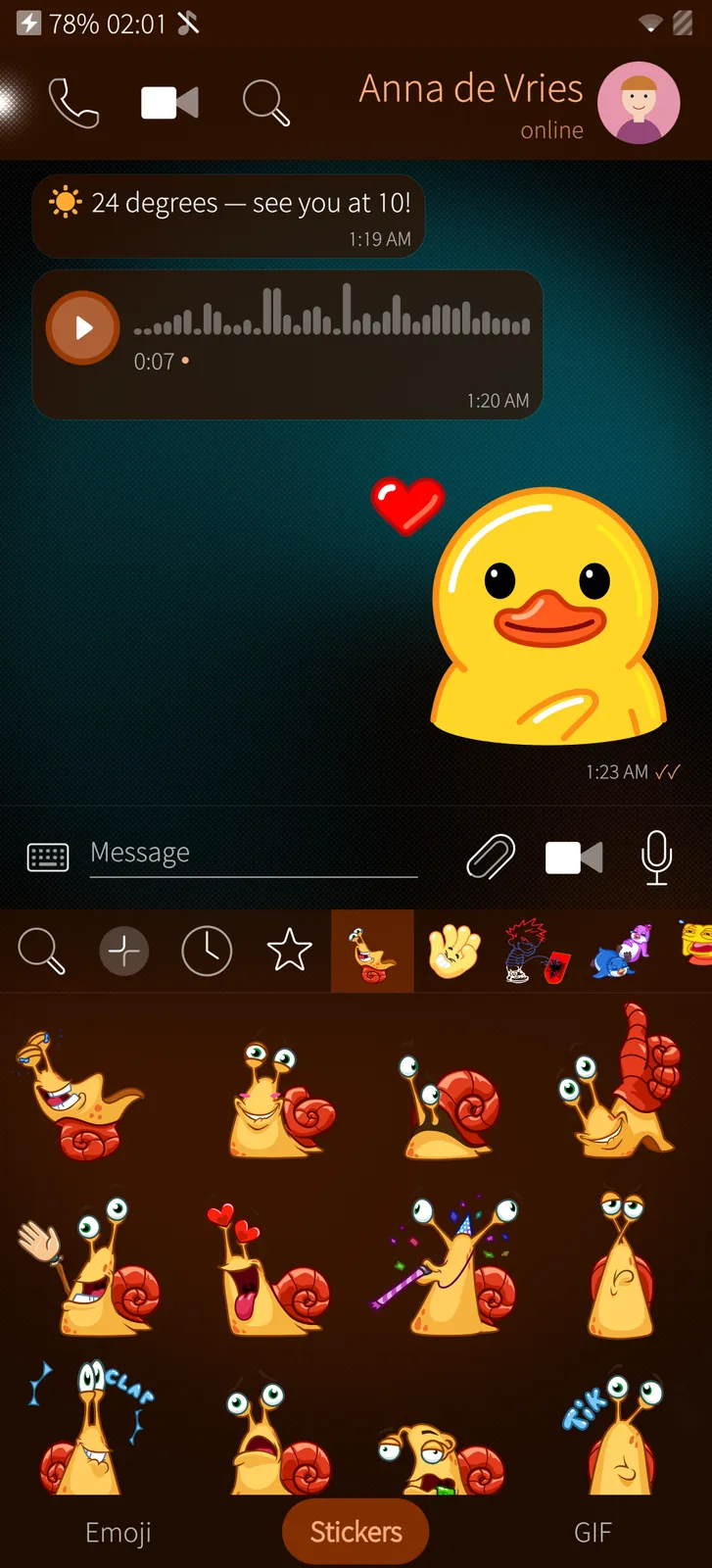
Animated stickers

Every pack you have, recent and favourite stickers, animated and video stickers playing, and a search through all of Telegram's stickers.

How it works

Your packs, recent and favourite stickers are those of your Telegram account, so a pack added on Android is in PotoGram too, and the other way round.

The sticker shop
Sailfish app

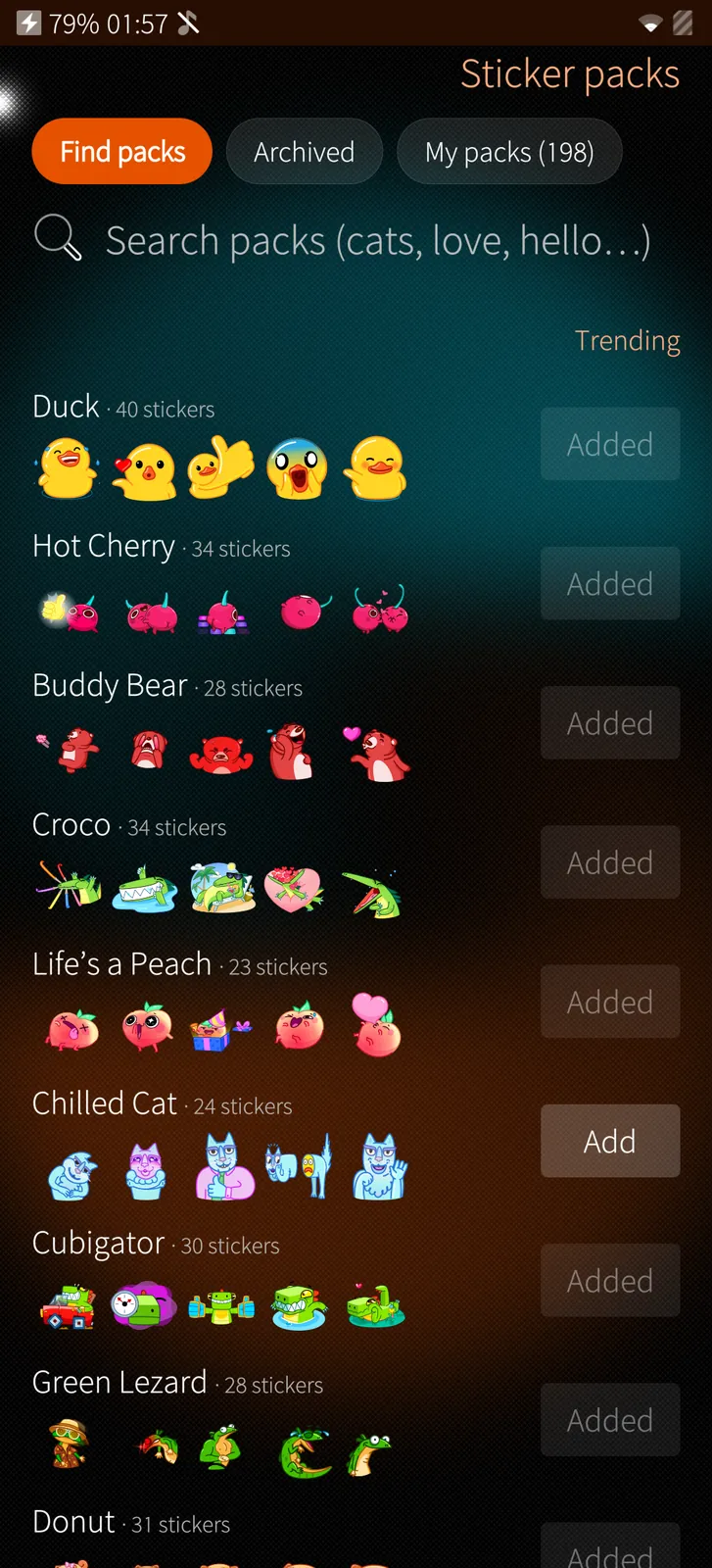
The sticker shop

Trending packs, a search through all public packs and one tap to add a pack — on all your devices at once.

How it works

Trending packs and the search come from Telegram; adding a pack changes your account's own list.

Emoji in colour
Sailfish app

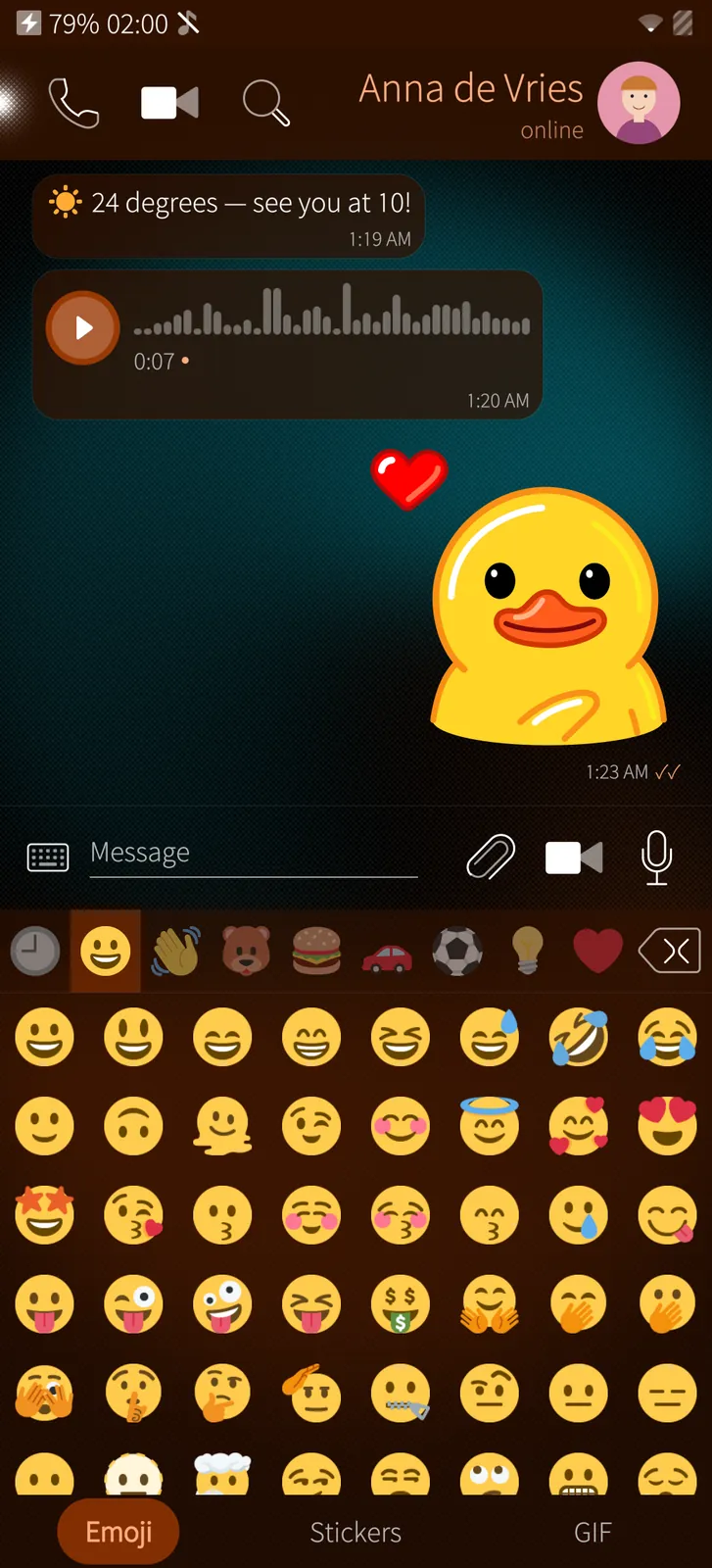
Emoji in colour

All emoji by group, your recent ones first, drawn in colour in the picker, in messages and in the chat list.

How it works

The emoji are Twemoji pictures (CC-BY 4.0) shipped with the app, used in the picker, in messages, reactions and the chat list.

GIFs from Telegram
Sailfish app

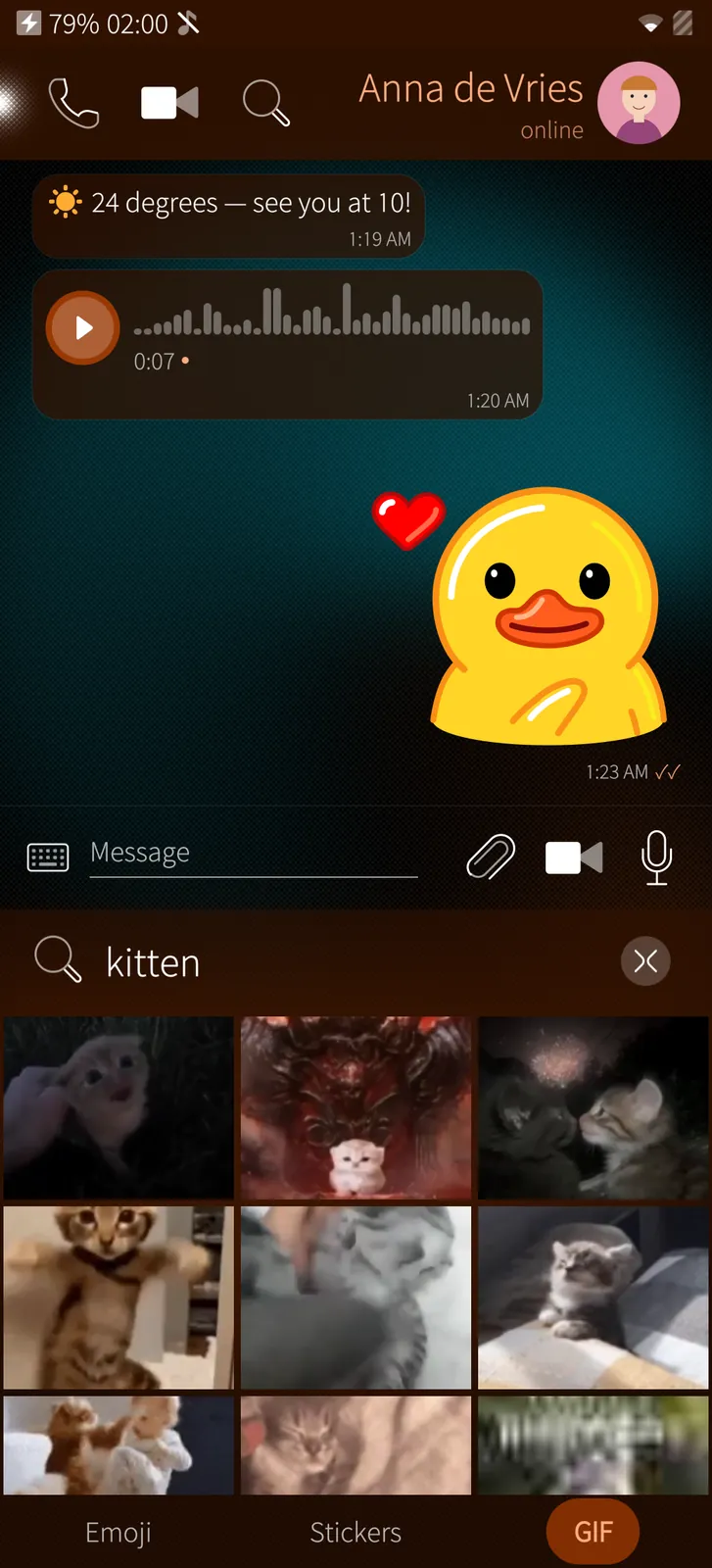
GIFs from Telegram

Your saved GIFs and Telegram's own GIF search, playing as you scroll — one tap sends.

How it works

GIFs come from Telegram's own GIF search bot and your saved GIFs; they are decoded in software so that a grid of them never ties up the phone's video decoders.

Everything you can send
Sailfish app

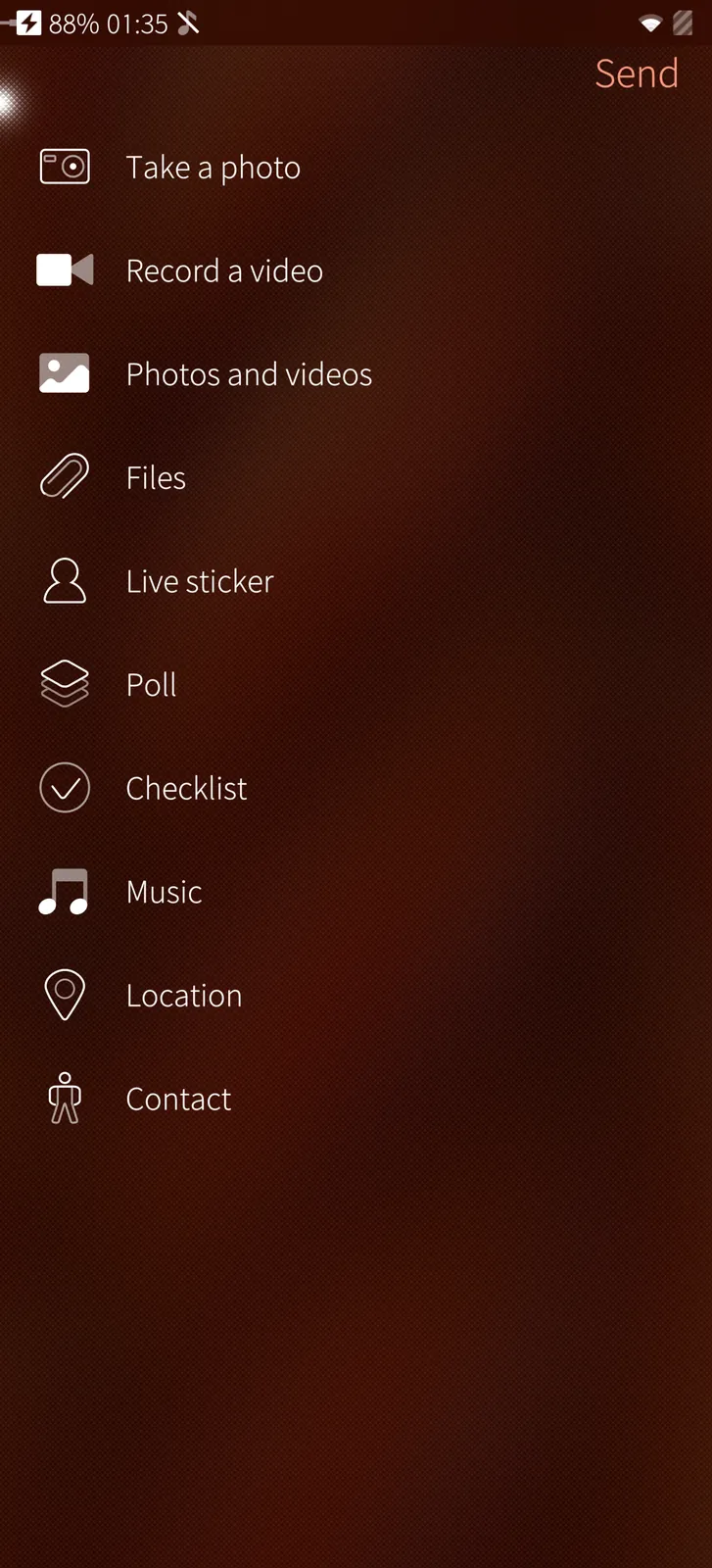
Everything you can send

Photos through the picture editor, videos through the video editor, files, music, a live sticker from the camera, polls, checklists, places and contacts.

How it works

A photo goes through the picture editor and a video through the video editor first; a changed video is encoded again on the phone as H.264 and AAC, as Telegram's apps send it.

Your location or a place nearby
Sailfish app

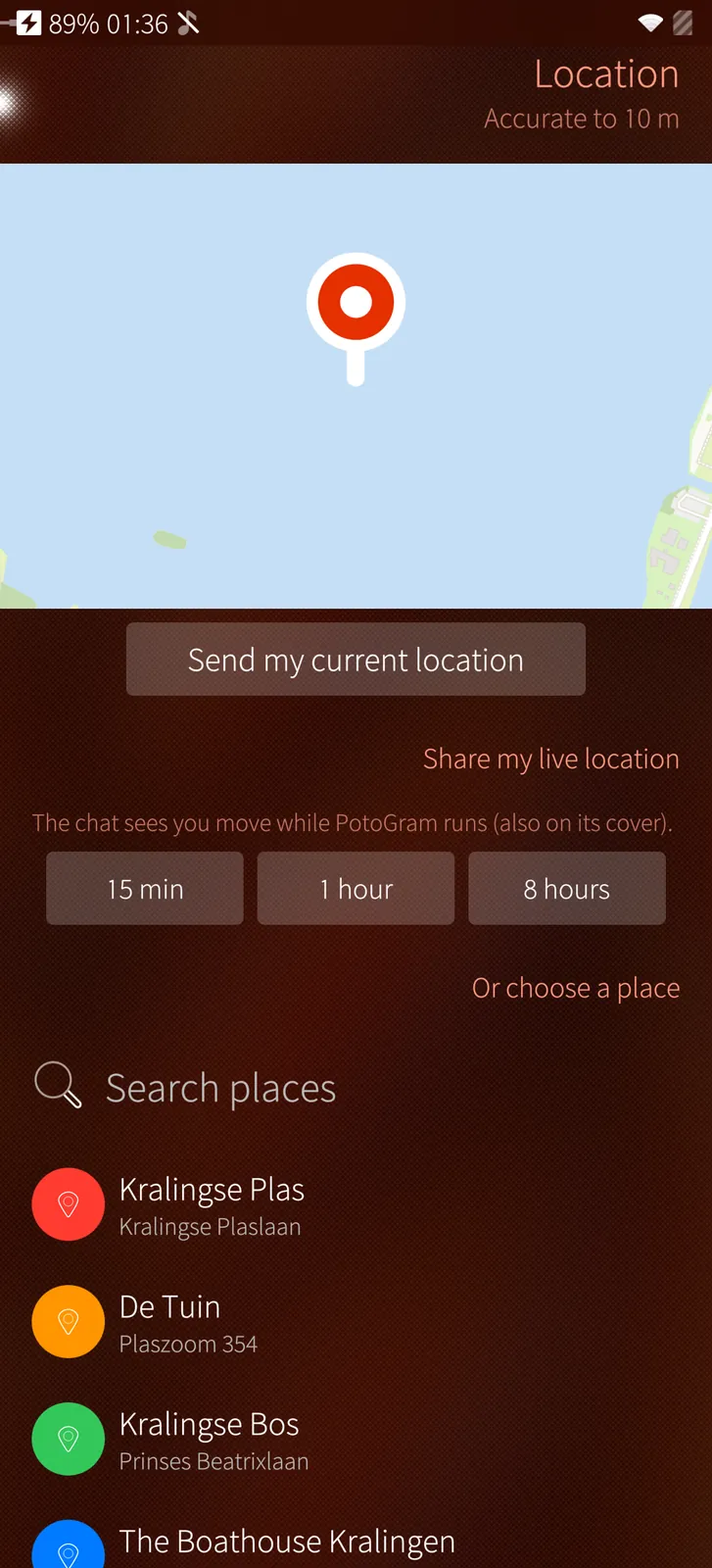
Your location or a place nearby

Send where you are, share your live location for a while, or pick a place nearby from the list.

How it works

The position comes from the phone; nearby places come from Telegram's venue search, and a live location keeps moving while PotoGram runs.

04

Settings & security 10 screens

Your profile and QR code, privacy and security, notifications, chat settings, devices and data.

Your profile and settings
Sailfish app

Your profile and settings

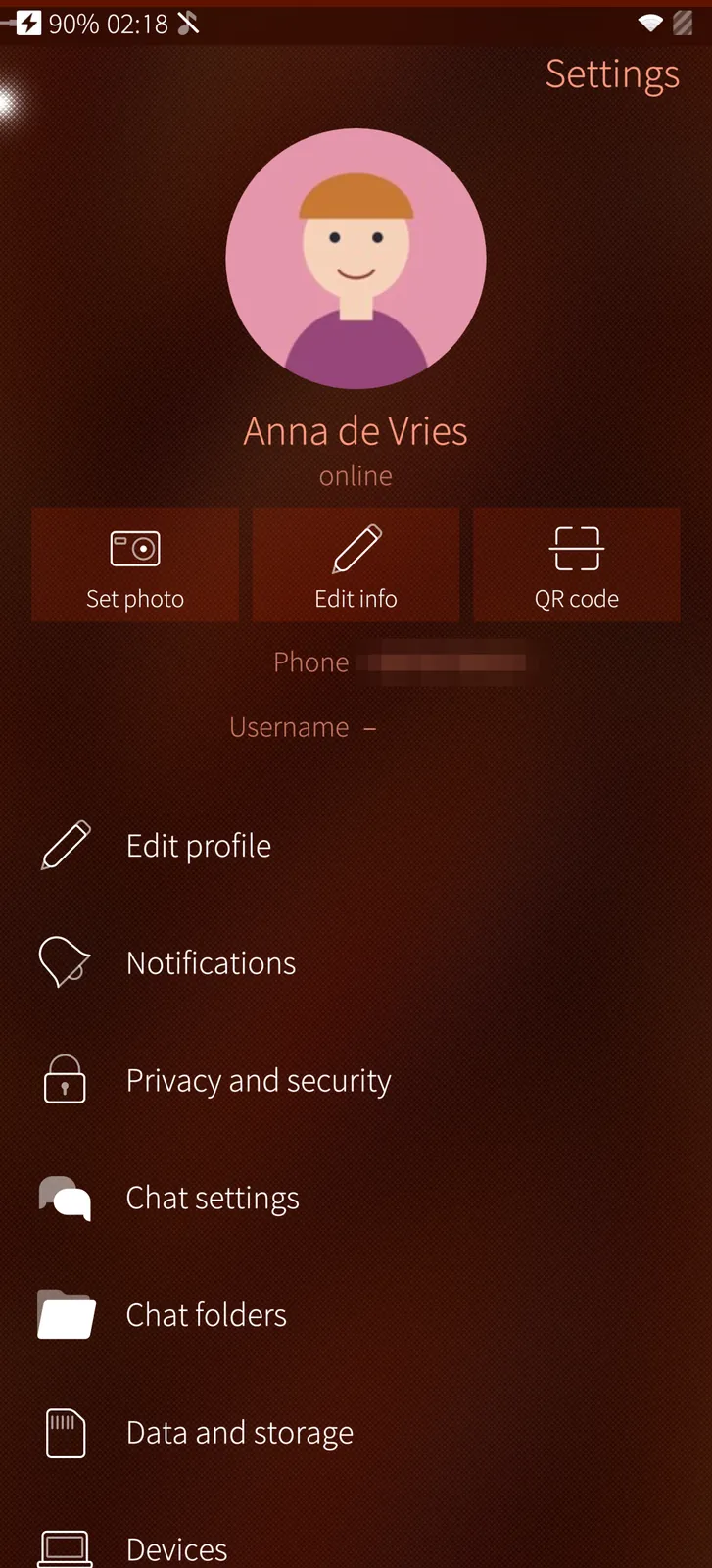
Your photo with Set photo, Edit info and your QR code, and every setting Telegram has, as Silica pages.

How it works

Your profile and almost every setting are kept in your Telegram account, so they are the same on all your devices; a few, like text size, belong to this phone.

Edit your profile
Sailfish app

Edit your profile

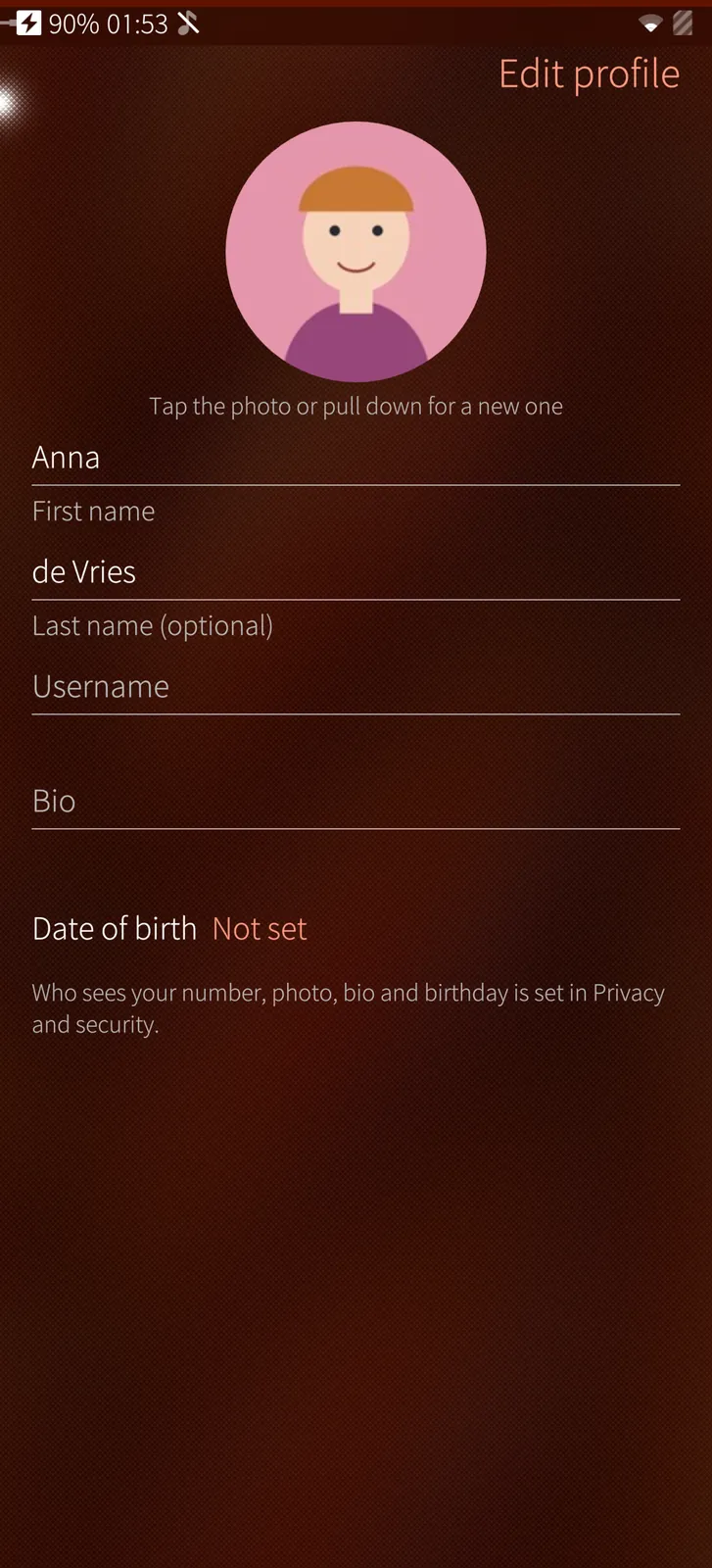
A new photo from the camera or the gallery through the photo editor, your name, @username, bio and birthday.

How it works

The new photo is cut round in the photo editor and sent to Telegram; name, username, bio and birthday are saved to your account when you leave each field.

Your QR code
Sailfish app

Your QR code

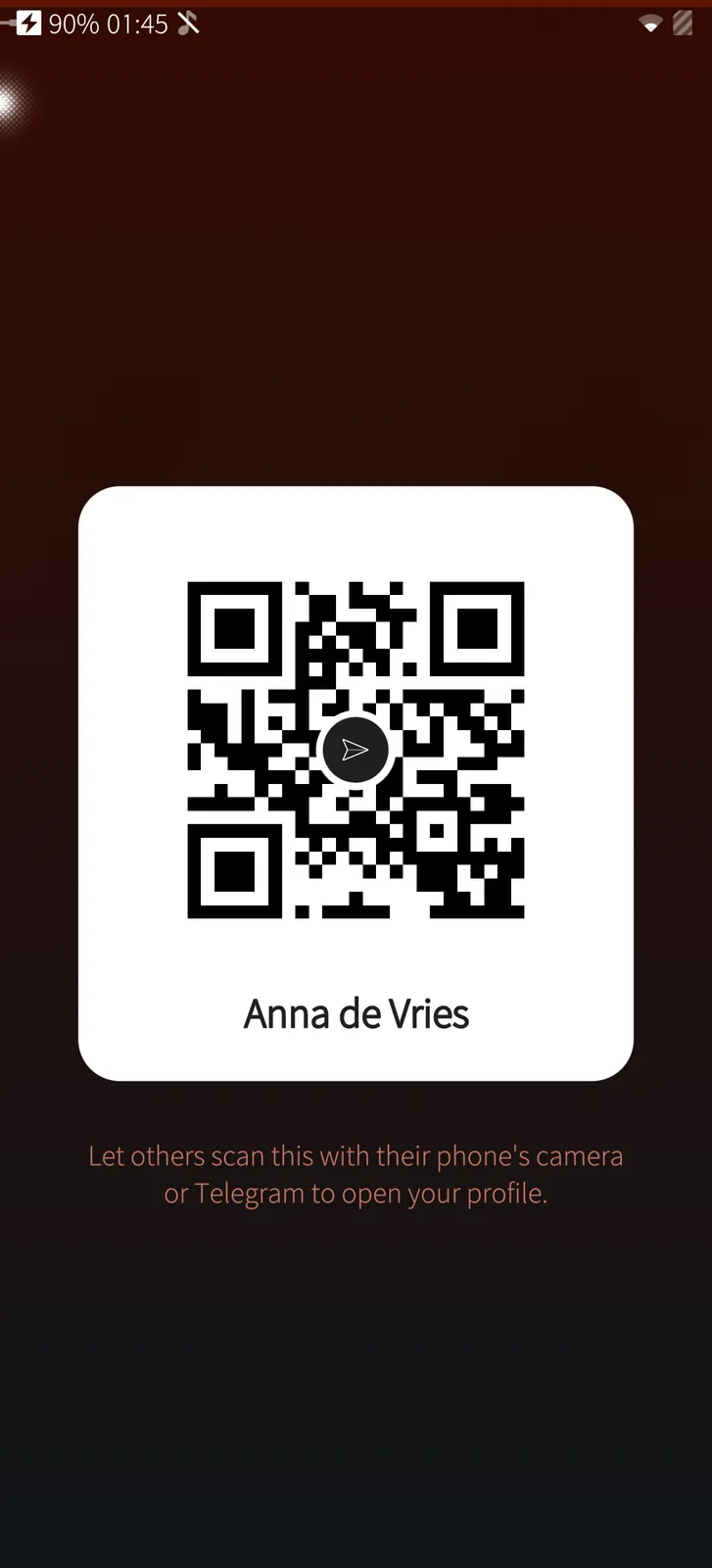
Others scan it with their phone's camera or Telegram to open your profile.

How it works

The code holds your t.me link and is drawn by PotoGram itself; the paper plane in its middle does not stop it from being read.

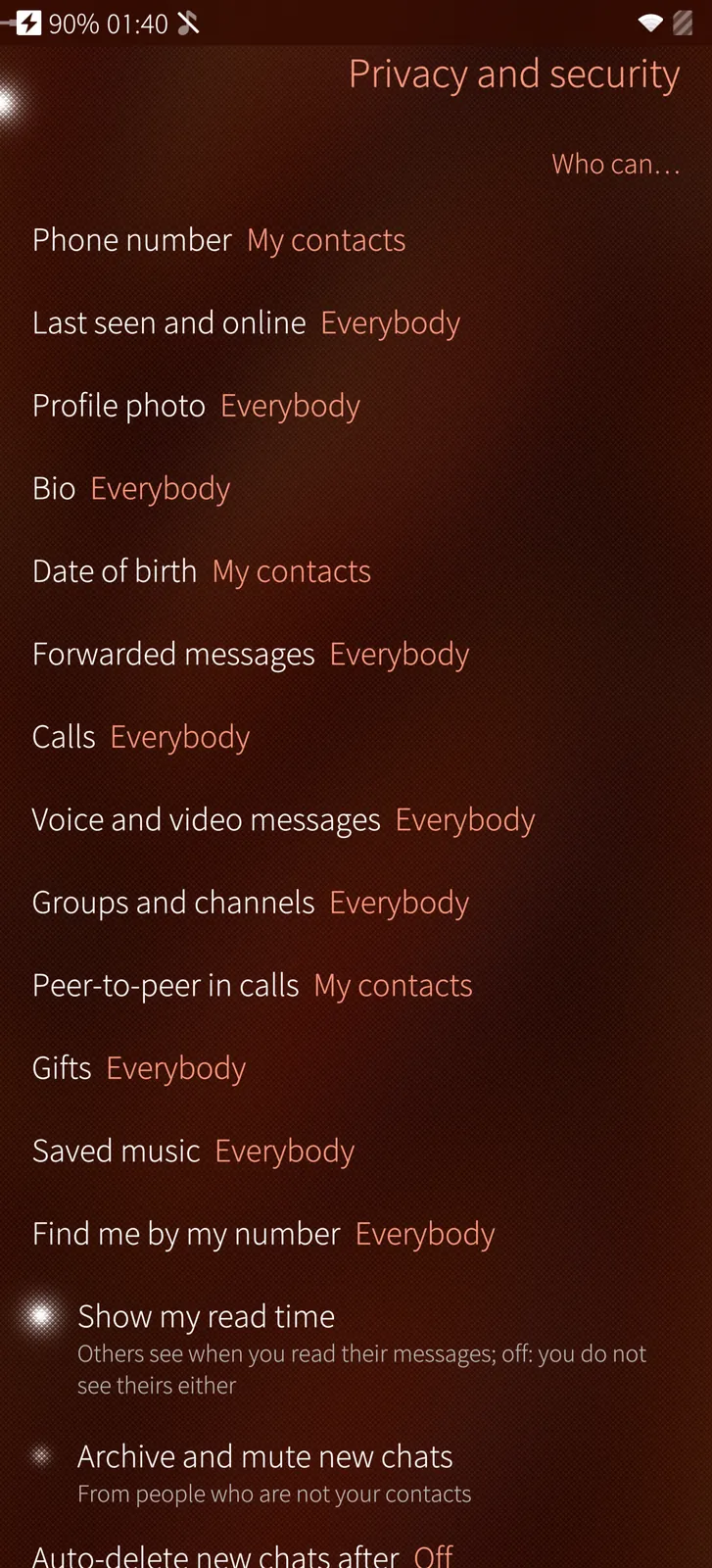
Privacy and security
Sailfish app

Privacy and security

Who sees your number, last seen, photo and bio, who may call you, read times, new chats from strangers and the self-destruct timer.

How it works

These are your Telegram account's own privacy rules; exceptions set on another device are kept when you change the main choice here.

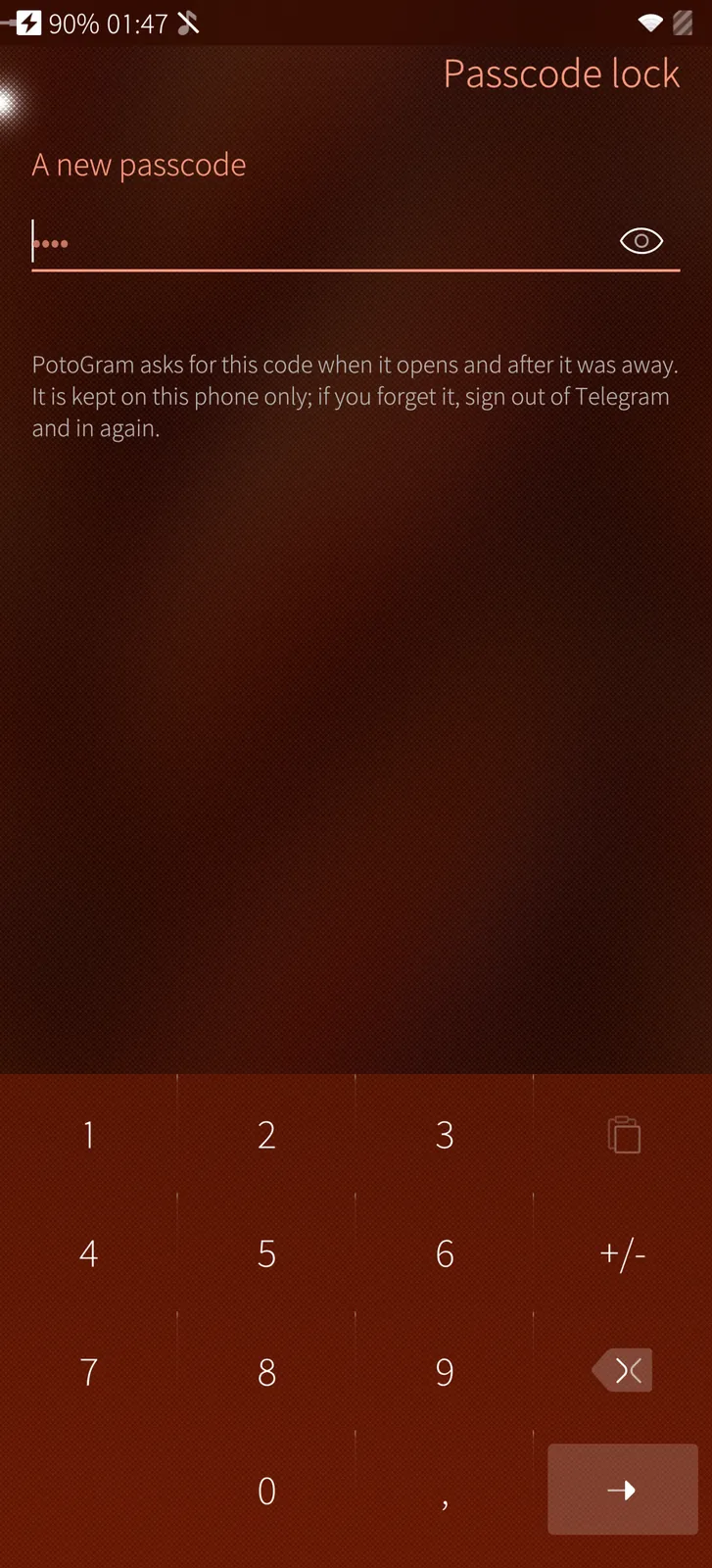
Passcode and fingerprint
Sailfish app

Passcode and fingerprint

Lock PotoGram with a code, opened with your fingerprint where the phone has a sensor.

How it works

The passcode belongs to this phone and only its hash is kept; the fingerprint is checked by the phone's own fingerprint service, and only offered where the phone has a sensor with a finger enrolled.

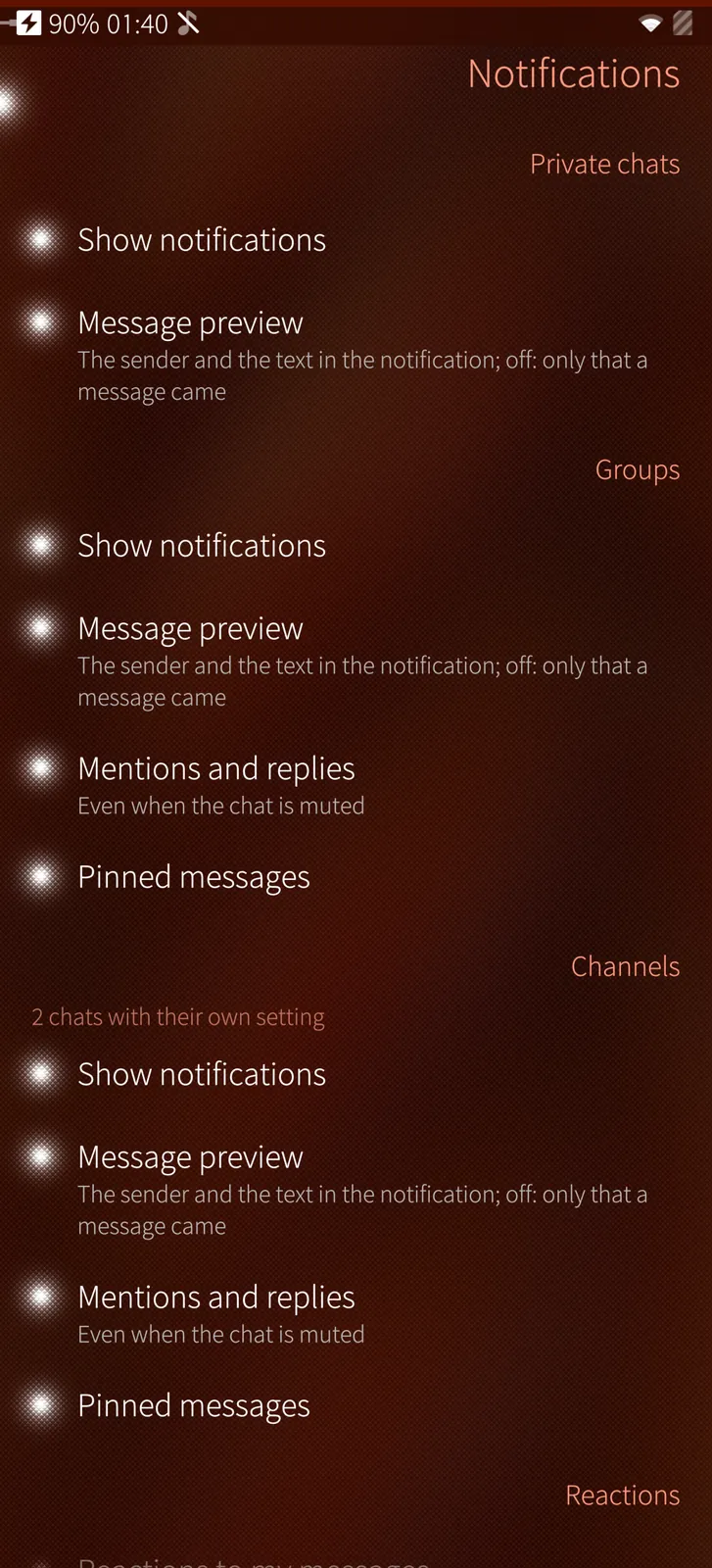
Notifications
Sailfish app

Notifications

Private chats, groups and channels each on or off, the message text or not, mentions and pinned messages, and reactions.

How it works

These are the notification settings of your Telegram account; the notifications themselves come from PotoGram's small background part, which keeps Telegram connected while the app is closed.

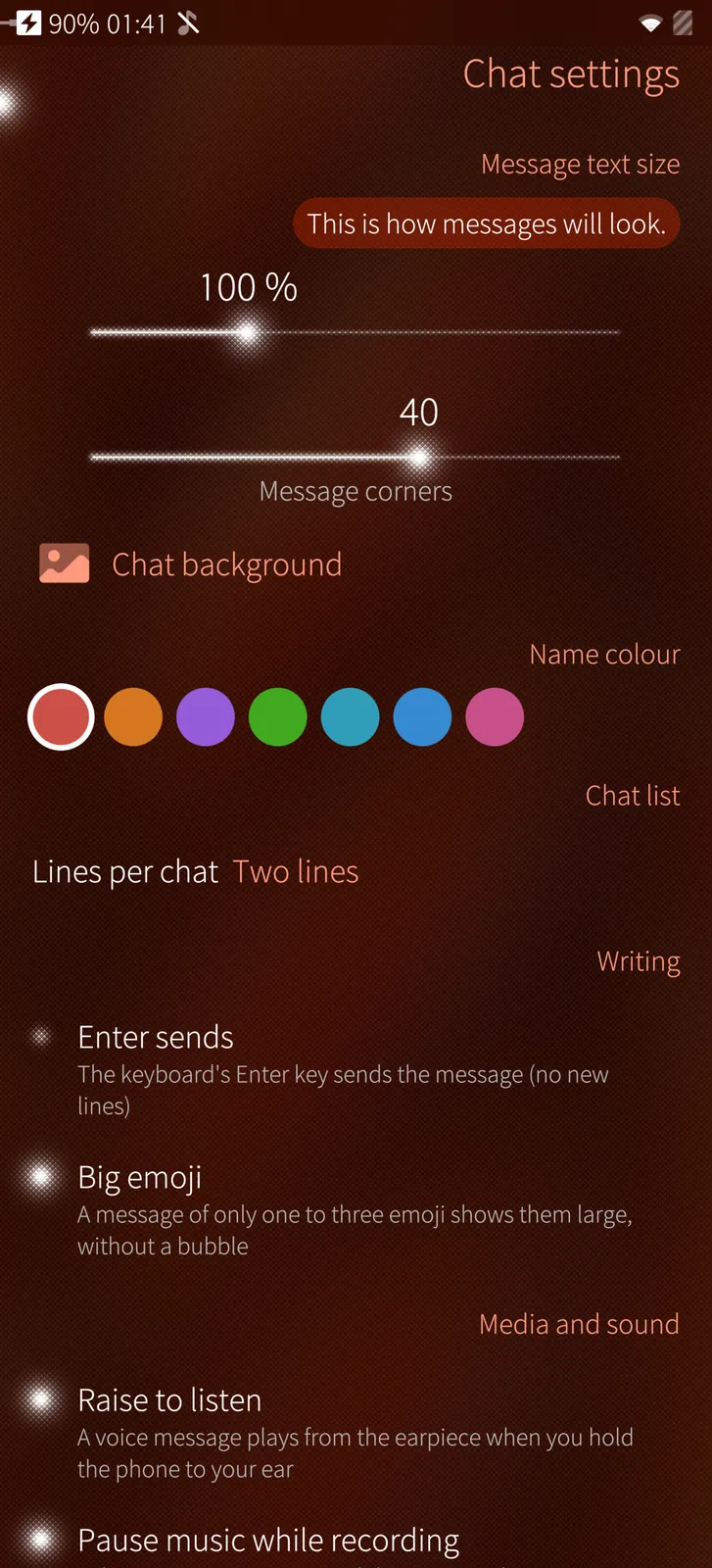
Chat settings
Sailfish app

Chat settings

Message text size and corners, a chat background, your name's colour, raise to listen, the in-app browser and more.

How it works

These settings belong to this phone: they change how PotoGram draws and plays your chats, not what others see.

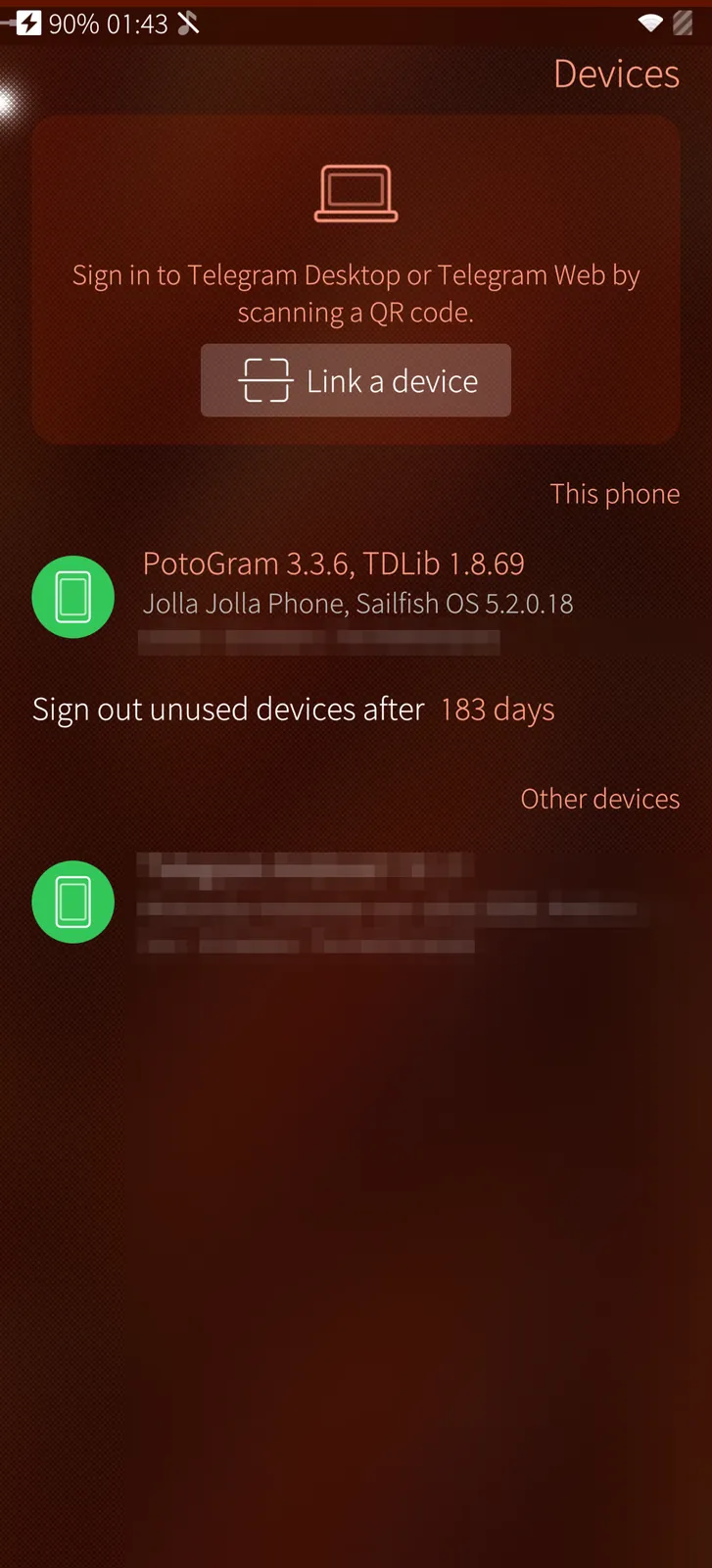
Devices and Telegram Desktop
Sailfish app

Devices and Telegram Desktop

Every device signed in to your account, and a QR scanner to sign in Telegram Desktop or Telegram Web.

How it works

The list is your account's active sessions; the scanner reads the sign-in code with Sailfish's own QR reader and confirms it with Telegram.

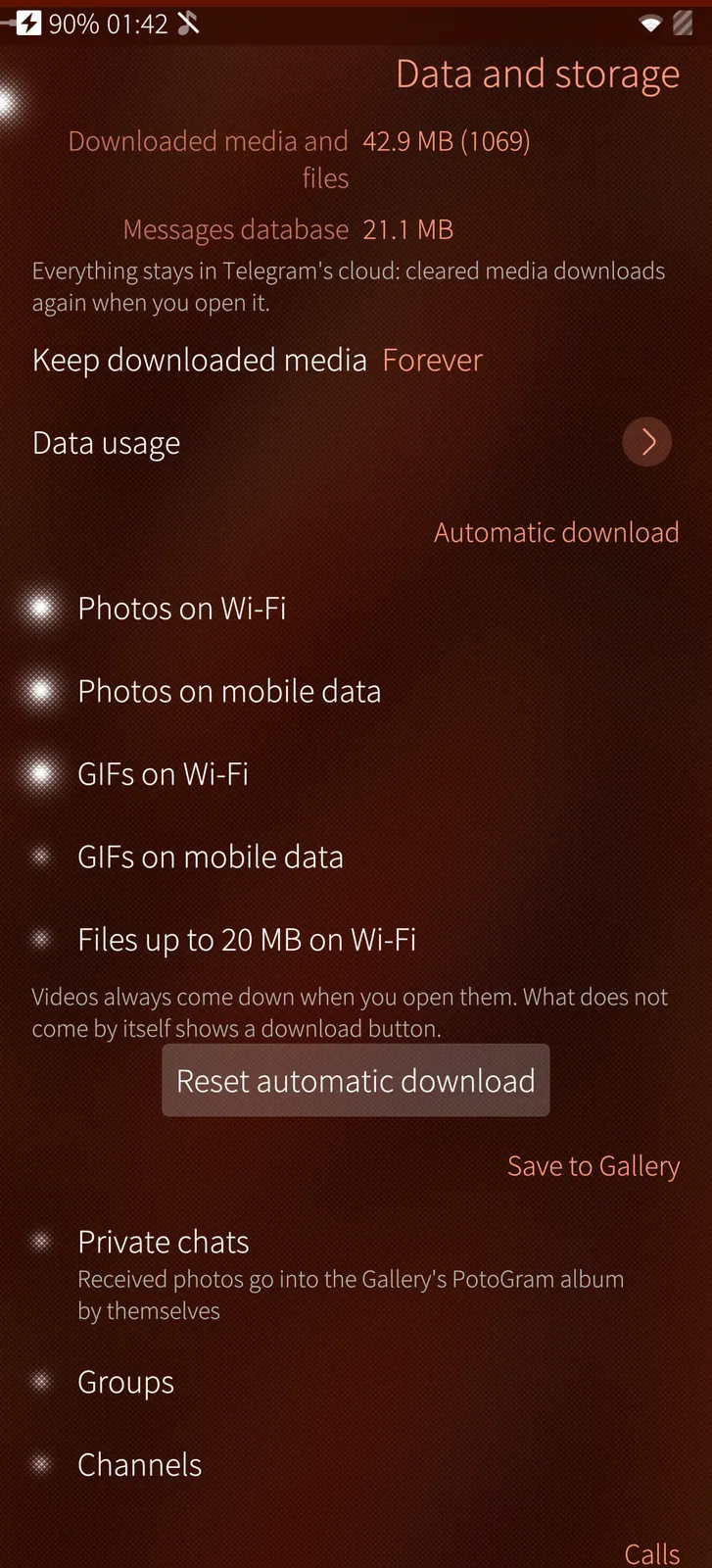
Data and storage
Sailfish app

Data and storage

What PotoGram keeps on the phone, data usage per network, automatic download on Wi-Fi or mobile data, and saving to the Gallery.

How it works

Sizes come from TDLib's own storage counters; cleared media stays in Telegram's cloud and downloads again when you open it.

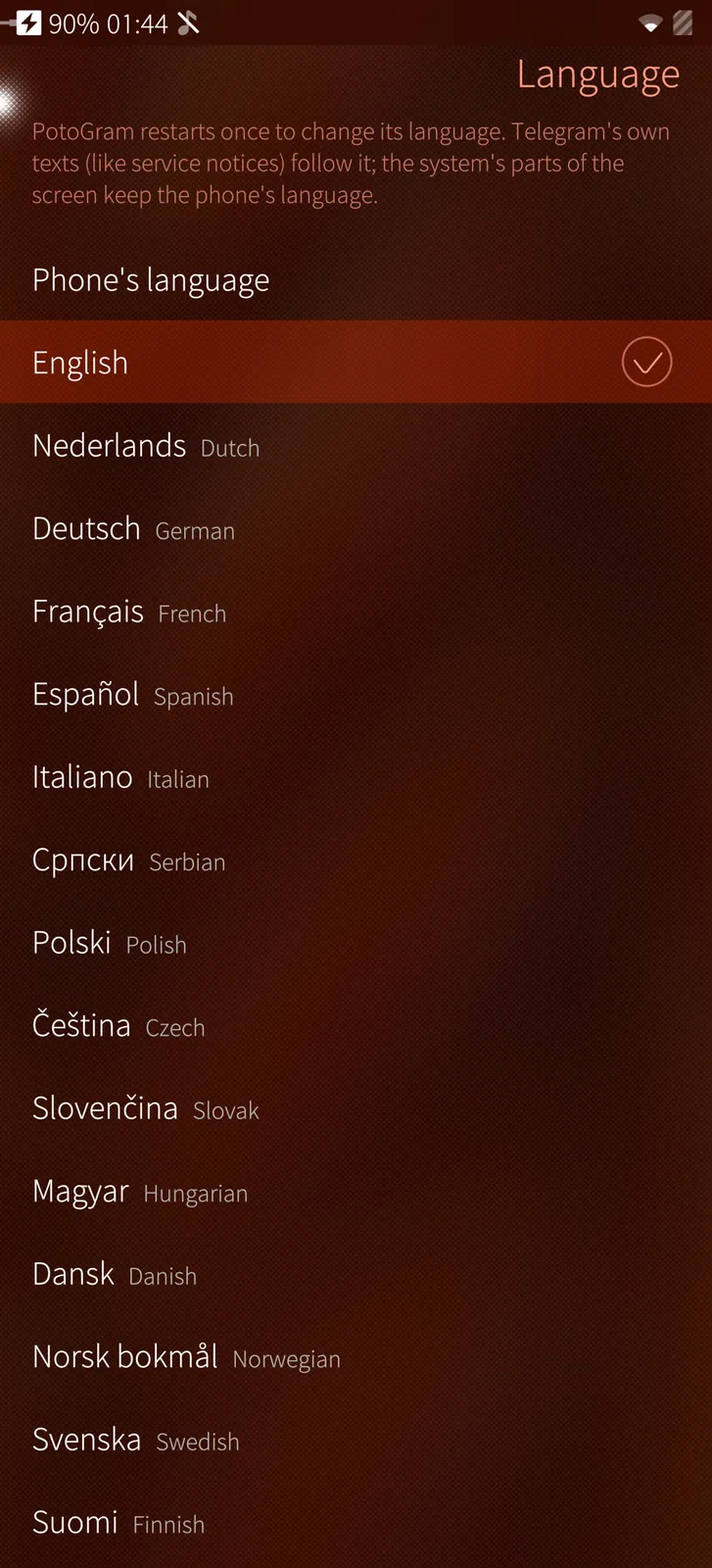
18 languages
Sailfish app

18 languages

PotoGram speaks the phone's language or the one you choose, whatever the phone is set to.

How it works

Changing the language restarts PotoGram once, together with its background part, so notifications speak the new language too.

Under the hood

How PotoGram is built, where it runs and how it keeps your data safe.

01

Telegram's own engine

PotoGram runs TDLib, the library Telegram's own apps are built on. It talks only to Telegram's servers, with Telegram's encryption; nothing passes through M.B.L.M. Systems.

02

Secret chats

Secret chats are encrypted end to end between two devices. The encryption key is shown as a picture and as numbers to compare with the other phone.

03

Passcode and fingerprint

A passcode lock asks for a code or your fingerprint when PotoGram opens and after a time away. Only a hash of the code is kept on the phone.

04

Two-step verification

Set, change or turn off Telegram's cloud password and its recovery e-mail on the phone itself.

05

Notifications without Google

A small background part keeps one connection to Telegram and puts messages and calls into the Sailfish notification centre — no third-party push service.

06

Signed updates

PotoGram comes from distribution.mblm.systems with its SHA-256 checksum and the M.B.L.M. Ed25519 release signature.

Want to see PotoGram on your own site?

Tell us about your installation — we are happy to show you around or set up a trial.