Personal use

PotoMich

Immich, native on Sailfish OS — your own photo library in your pocket

PotoMich is a free Sailfish OS app for your own Immich photo server: the whole library by month, albums, people, places, memories, search, the locked folder, a photo and video editor and camera backup as real Silica pages, in 18 languages. It is an independent app by M.B.L.M. Systems — not an official Immich app.

Version 1.2.14 · 829 KB · Free, no account needed · Older 32-bit phone? Download for 32-bit ARM

What is new in 1.2.14
  • A picture of the page for the new manuals (developer phones only); nothing changes for users.

For personal use — a free app, provided as is, without a support contract or warranty.

Made in the EU Runs on your own servers

Back-up
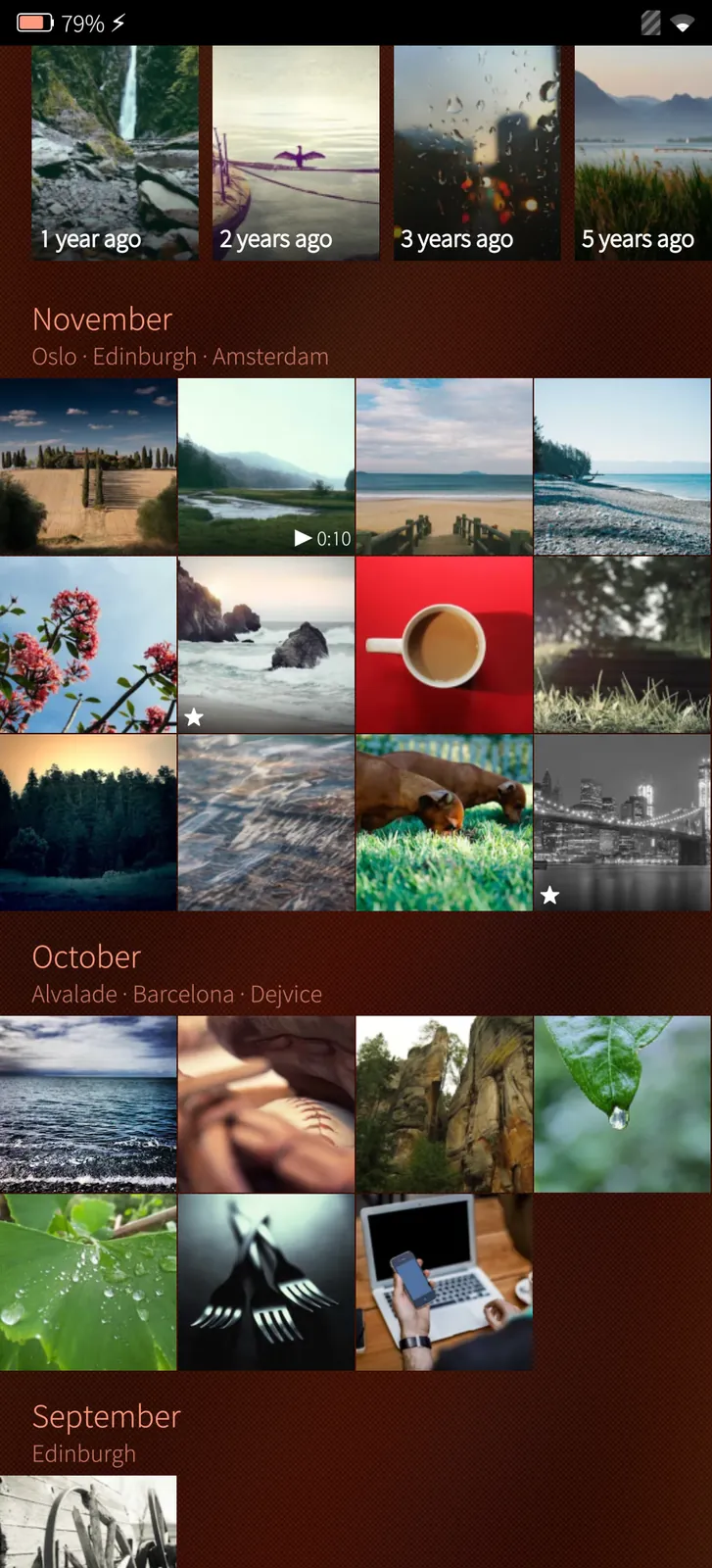
Your whole library by month
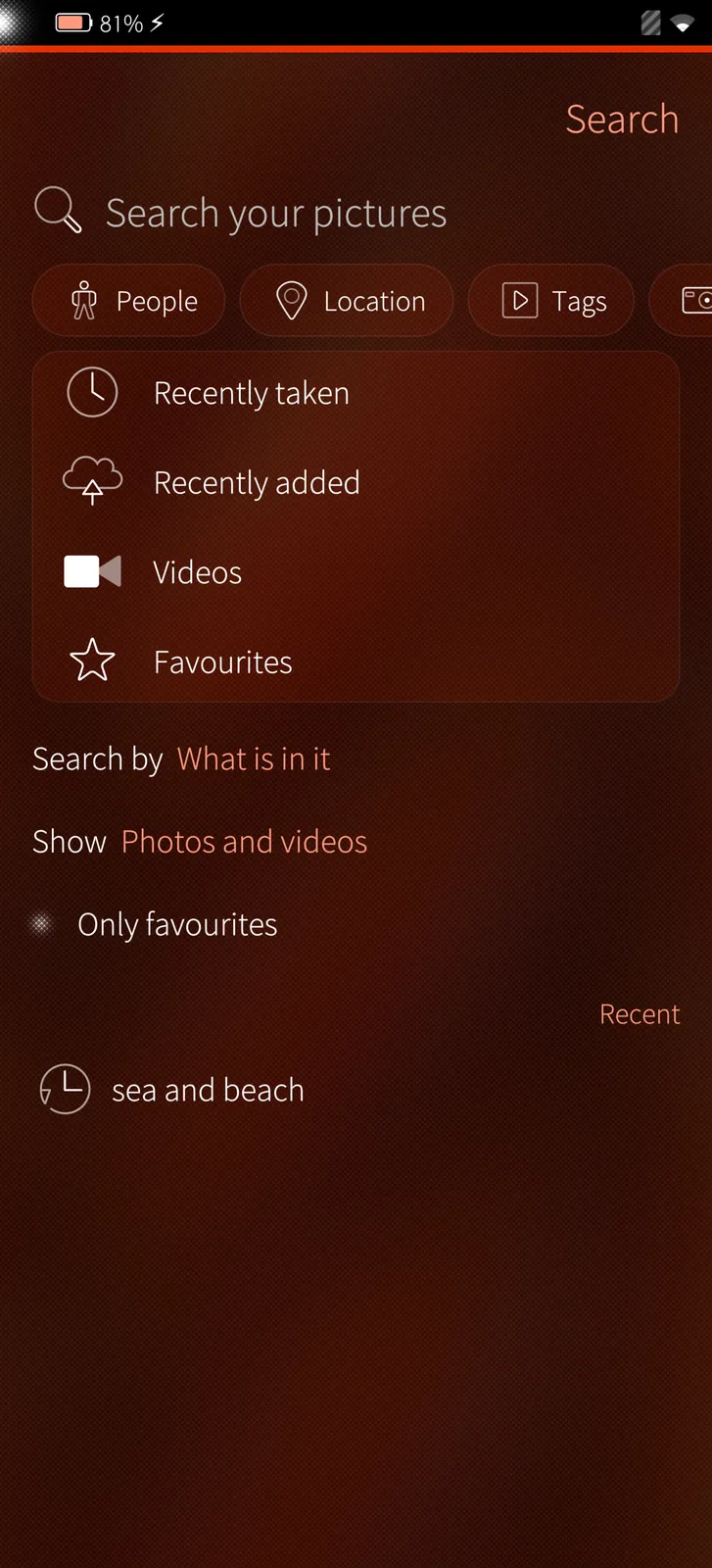
Search like the Android app

An independent app — not an official Immich app

PotoMich is a free Sailfish OS app made by M.B.L.M. Systems. It is not made, endorsed or sponsored by the Immich team or FUTO, who make Immich.

Your server, your photos

PotoMich talks only to the Immich server you sign in to, through Immich's own public API. Your photos never pass through M.B.L.M. Systems.

How it is made

A native Silica app in Qt and C++, written from Immich's published API. It follows the Immich server versions as they come out.

Free, without catches

No price, no in-app purchases, no ads, no tracking, no data collected and no hidden way of earning money. PotoMich has no server of its own.

With respect for Immich

We made PotoMich because we enjoy Immich and want people on Sailfish OS to enjoy it too. If the Immich team would like anything changed, please write to info@mblm.systems — we will listen and act quickly.

The whole library

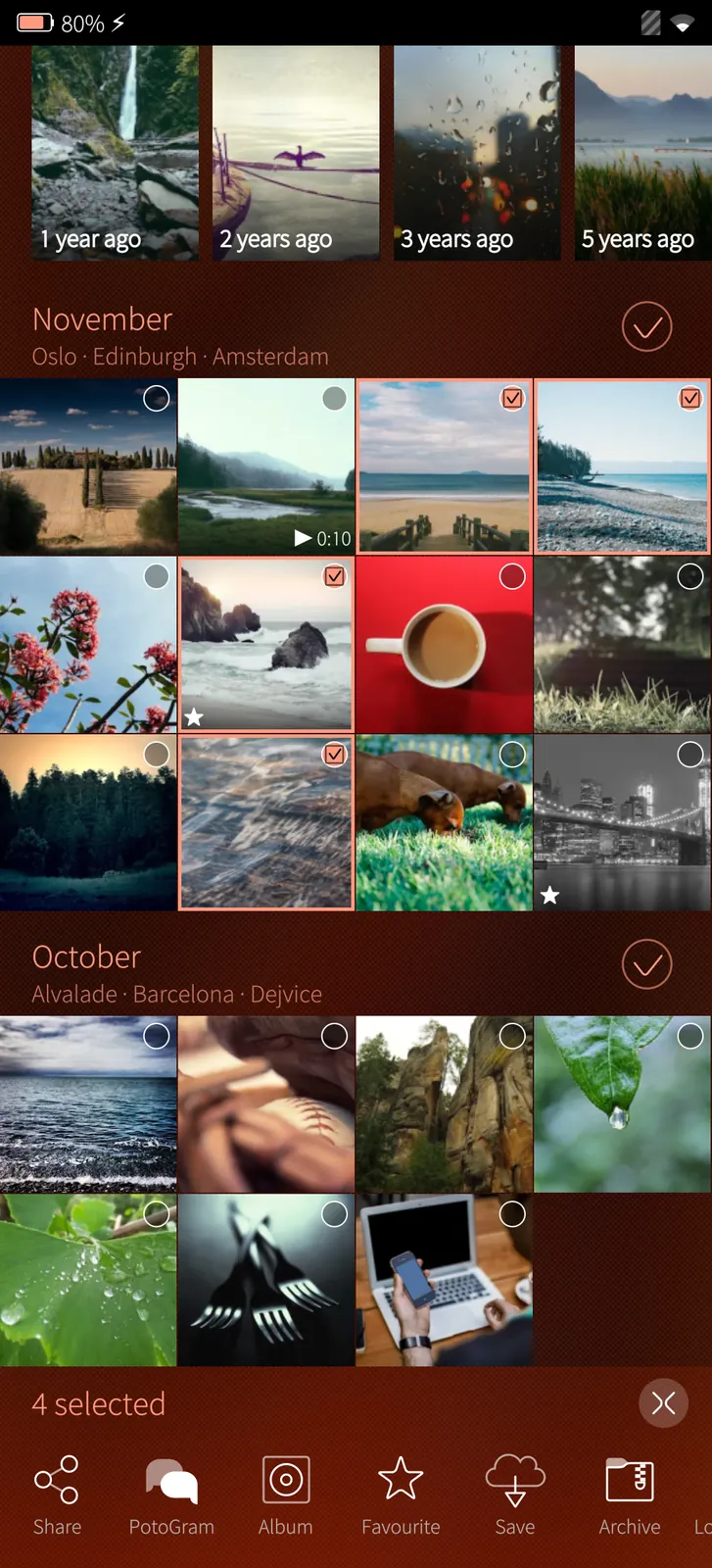
Every photo and video by month, with the places of the month and memories of this day in earlier years.

Every video plays

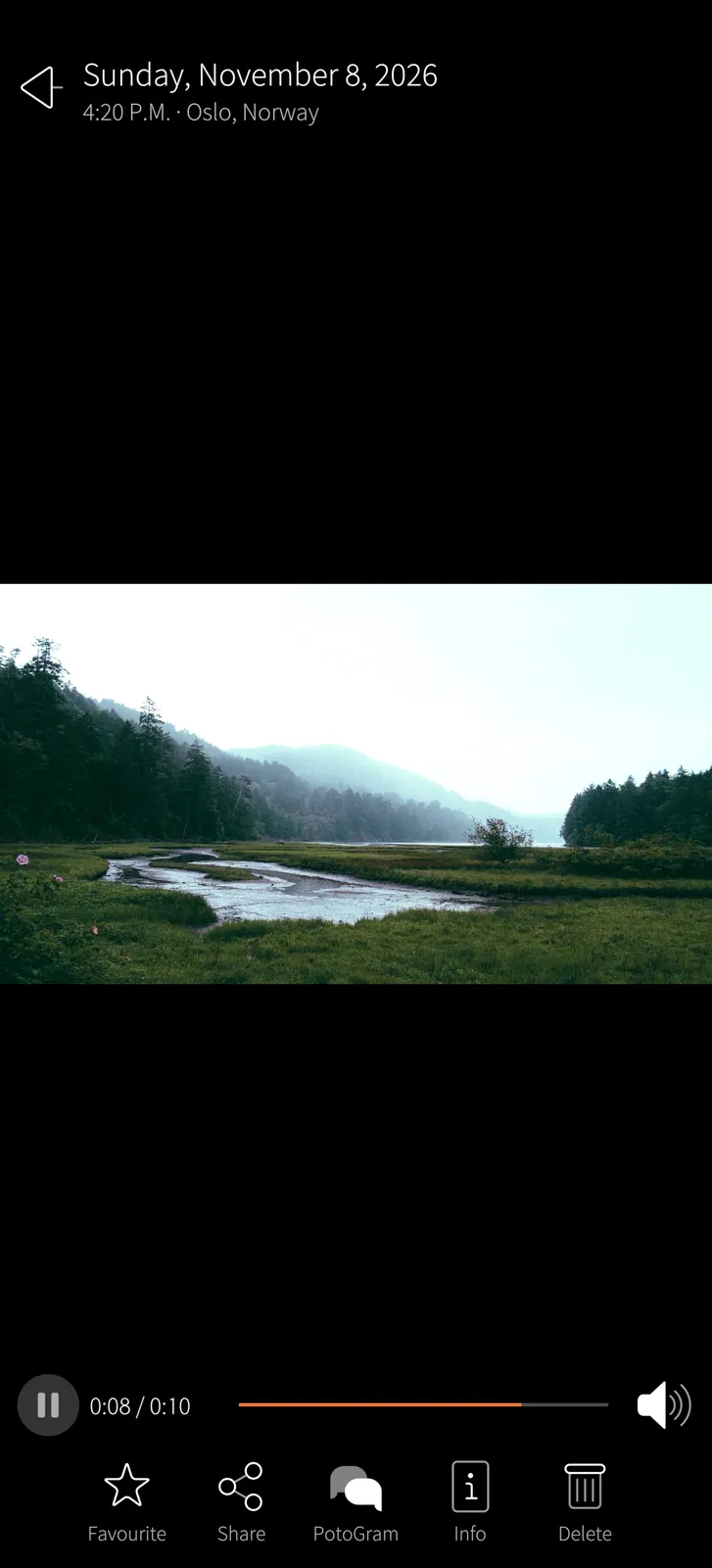
4K and tall screen recordings too: what the video chip cannot take, the processor decodes — with sound, seek and pause.

Photo editor

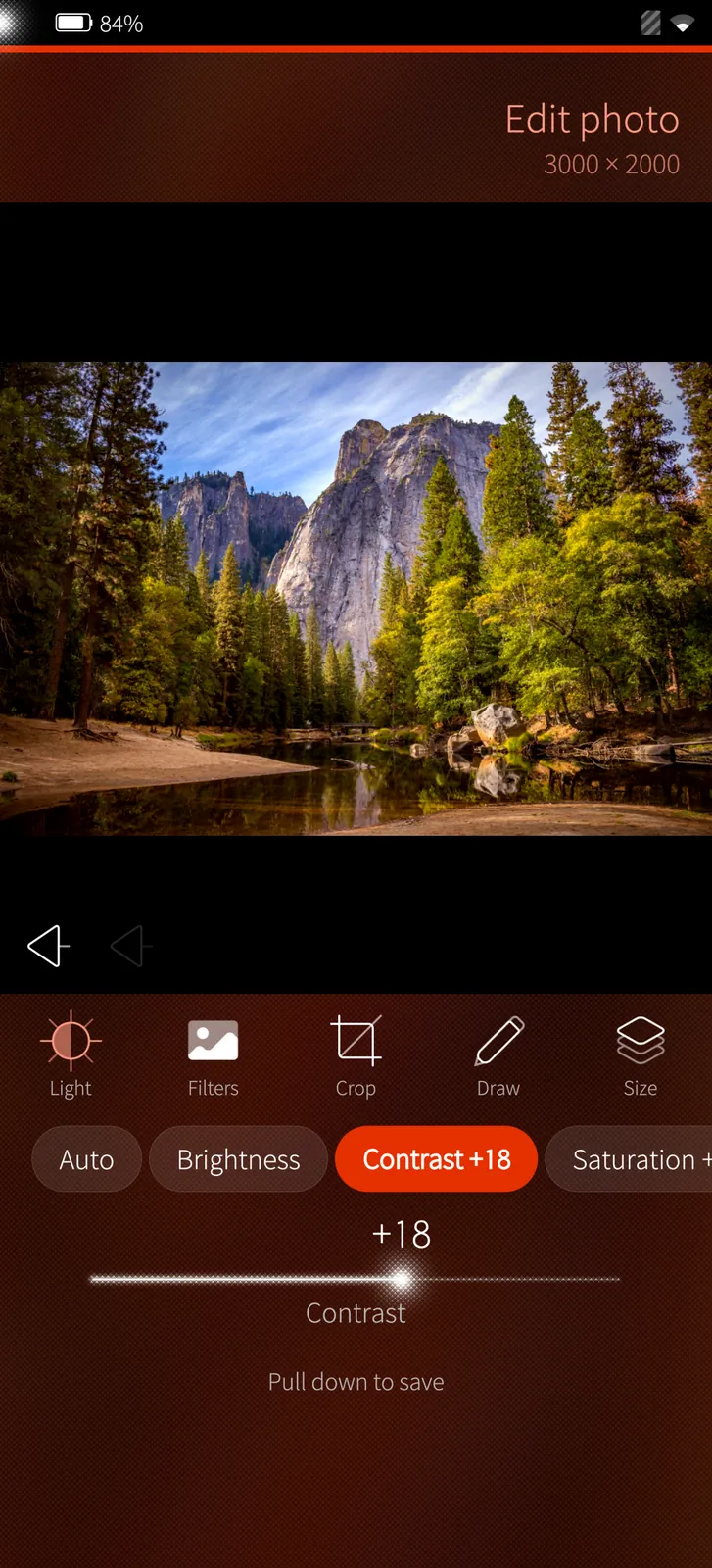
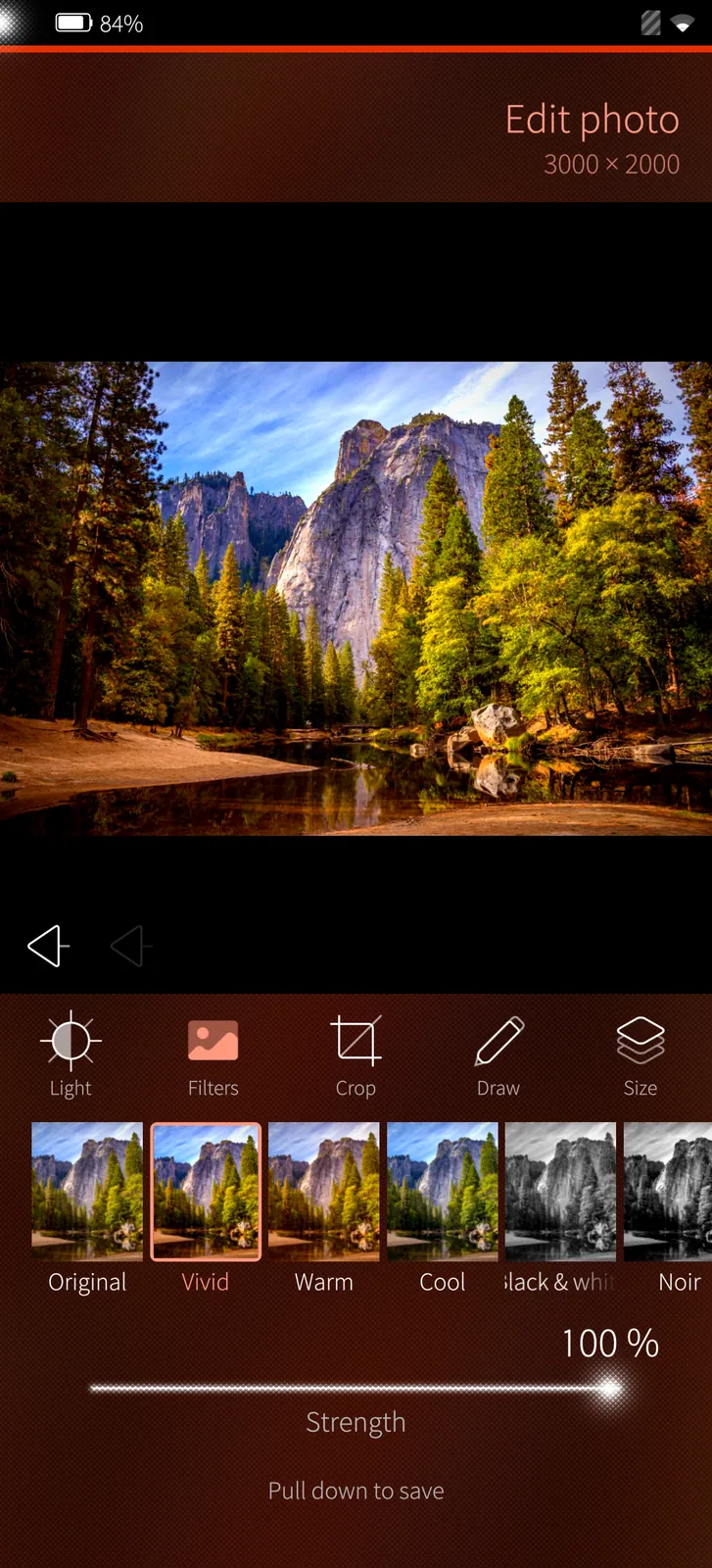
Light, colour and ten filters, crop, straighten, turn, draw, write and blur — saved at full size as a copy beside the original, its camera, place and time kept.

Video editor

Trim, turn, cut to a shape, change the light or lay on a filter, take the sound away and make it smaller — 4K videos too.

Locked folder

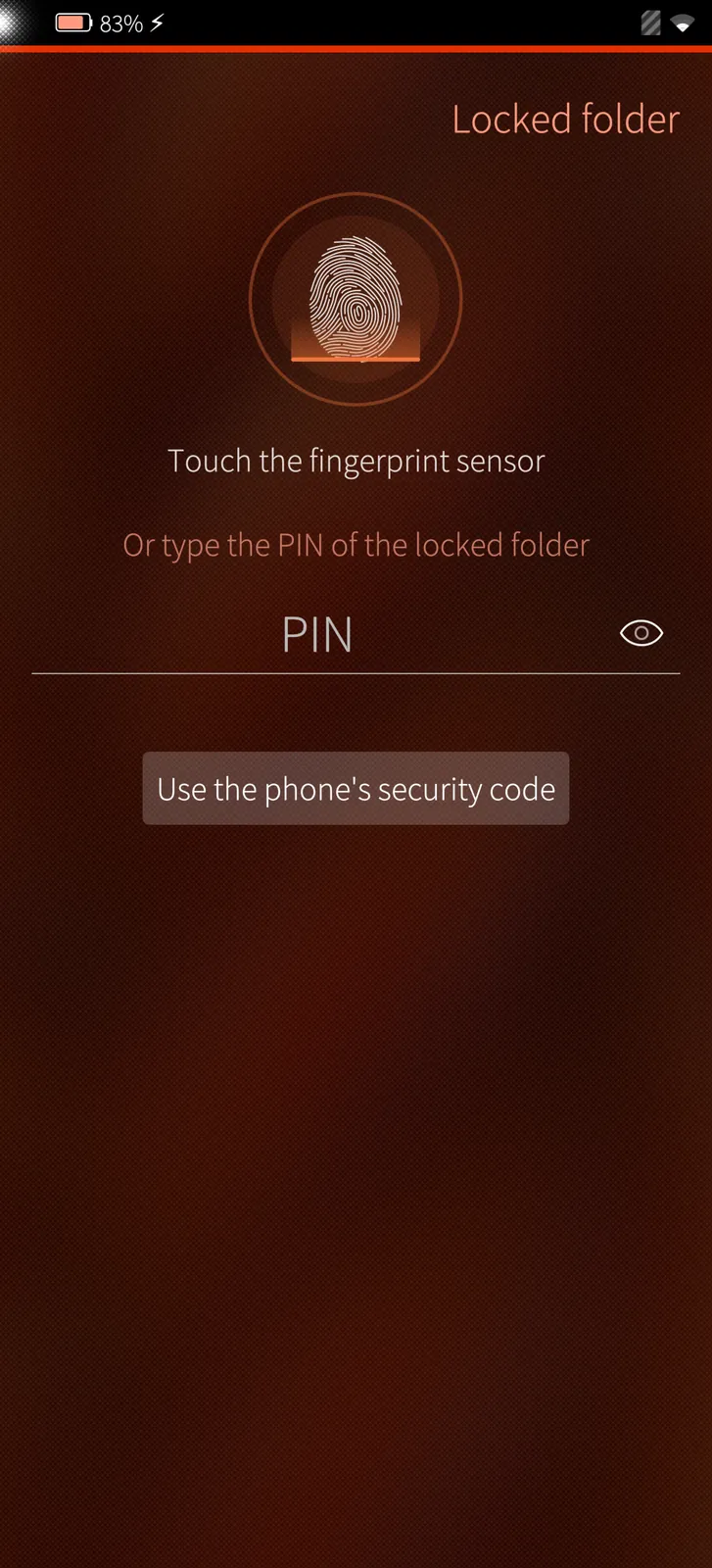
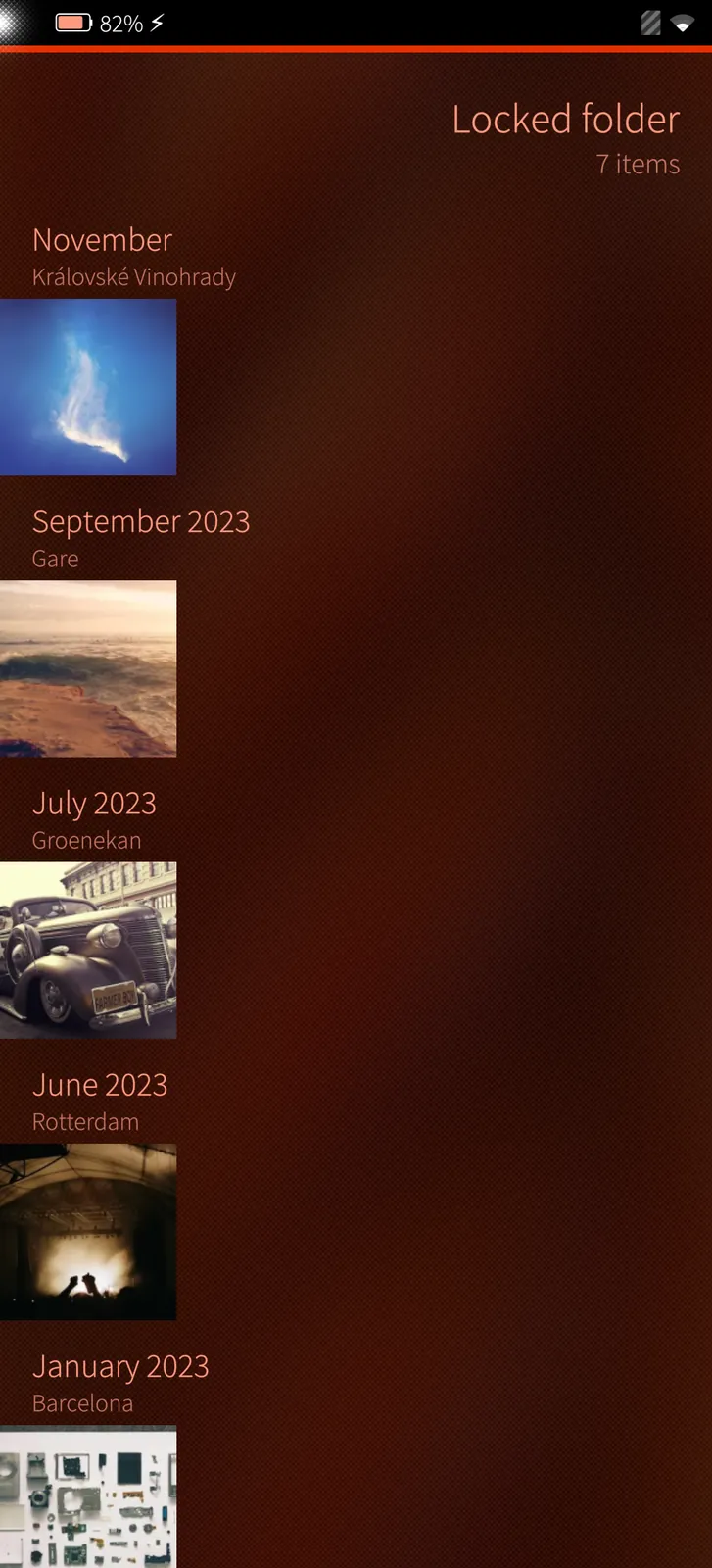
Hidden pictures behind the folder's PIN or your fingerprint, never in the timeline, search or cache.

Camera backup

Choose the phone's folders, Wi-Fi or mobile data, only while charging — and see what is backed up and what is left.

Smart search

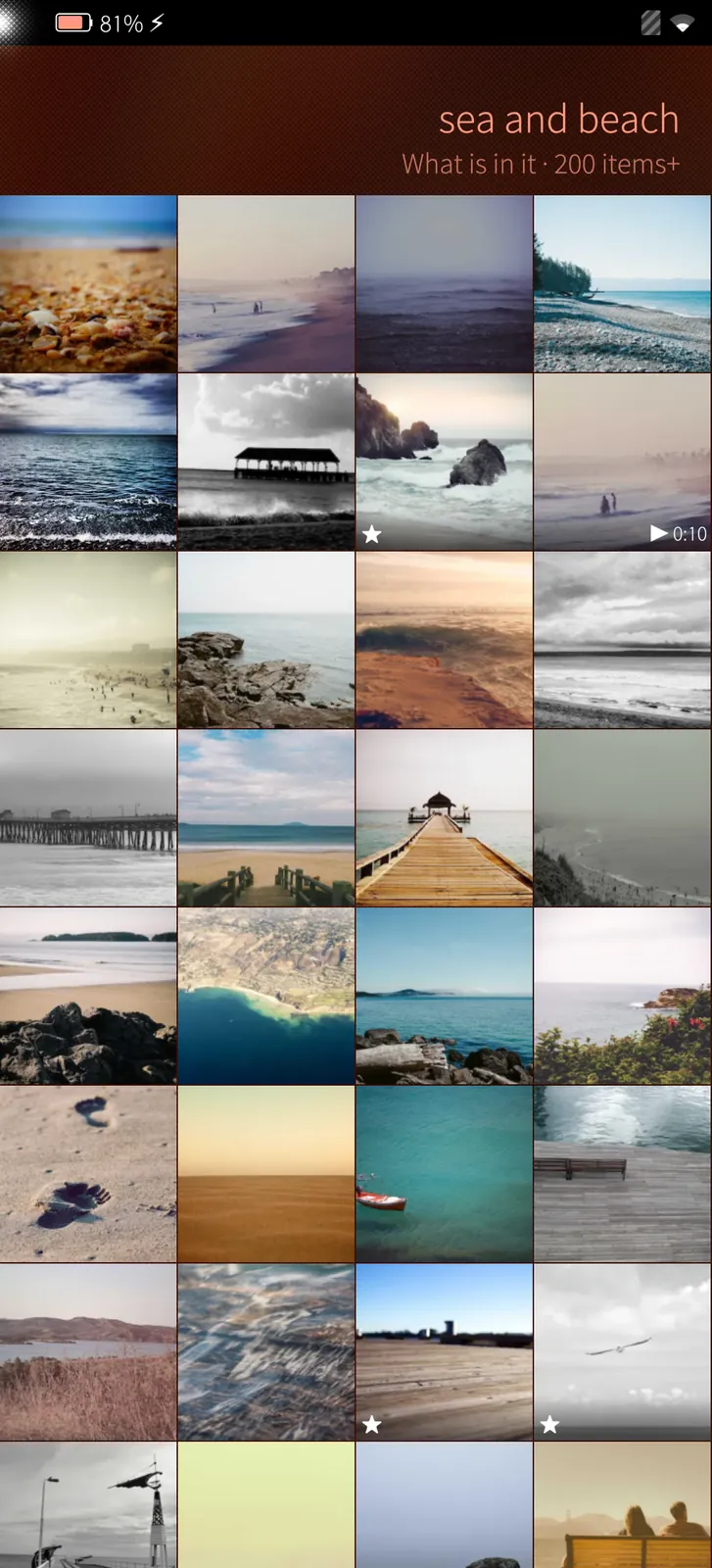
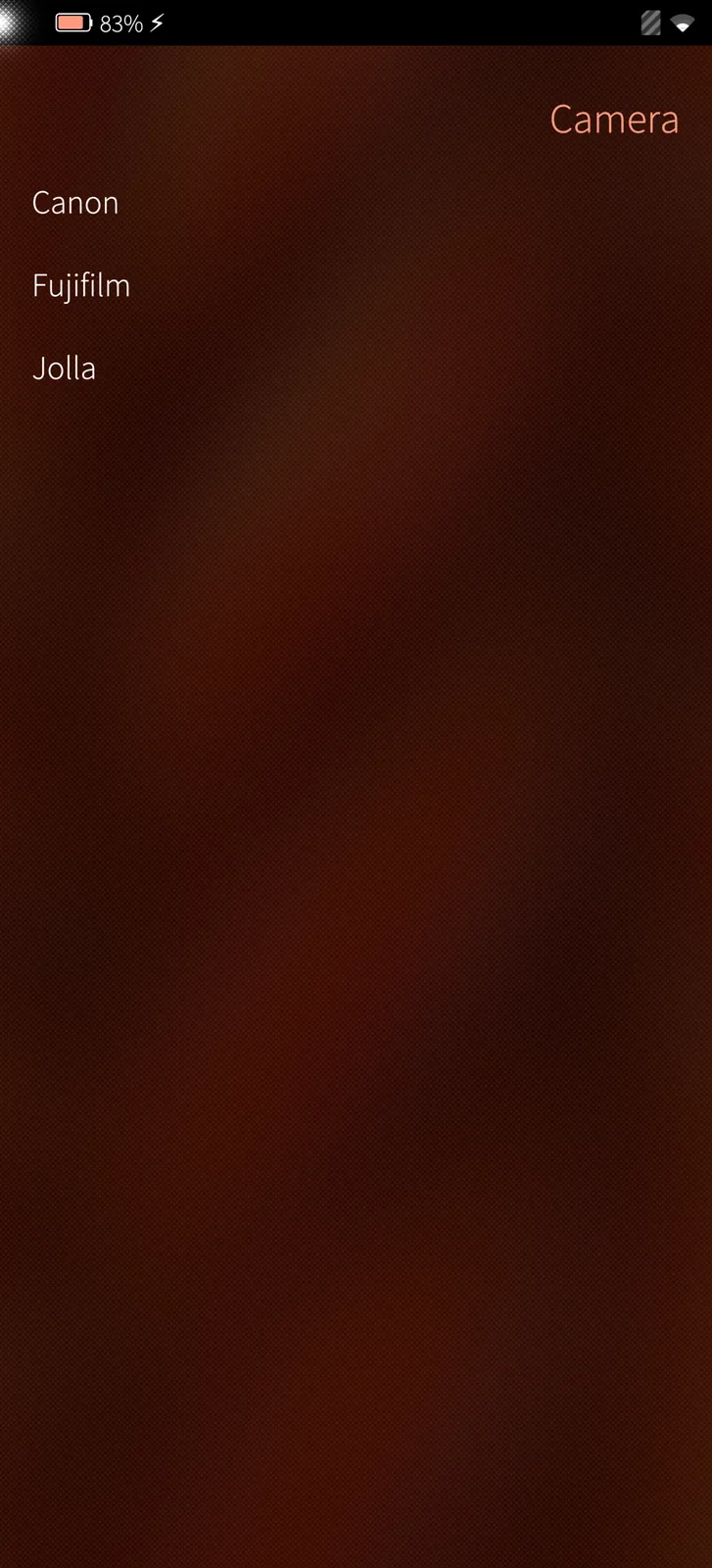
Find pictures by what is in them, by people, places, tags, camera, file name or text in the picture.

Works with PotoGram

Pictures from Immich into a Telegram chat, and pictures from a chat into Immich.

Your own photos, made for Sailfish OS

Immich keeps your photos and videos on your own server instead of someone else's cloud. PotoMich brings that library to Sailfish OS as a native Silica app: the timeline by month with memories on top, albums, people, places, search, favourites, archive and trash, with pull-down menus, press-and-hold menus and the cover, like the rest of the phone.

Every video plays, 4K included: films larger than the phone's video chip takes are decoded by the processor, as Android does. Pictures you hide in Immich's locked folder open with its PIN — or on the phone with your fingerprint — and are never kept in the cache.

The camera backs up by itself: choose which of the phone's folders go to Immich, over Wi-Fi or mobile data, and see what is backed up and what is left. Files Immich already has are never sent twice.

Works with PotoGram

Send pictures from Immich straight into a Telegram chat in PotoGram, and save pictures from a chat to Immich — both ways, without saving them on the phone first.

Free, and nothing hidden

PotoMich costs nothing and has no in-app purchases, no ads, no tracking and no server of its own: it talks only to your Immich server. It is made by M.B.L.M. Systems for the Sailfish OS community.

Feature tour

Every screen below is a real screenshot. Search for a feature or pick a chapter; click a picture to see it full size and page through them with the arrow keys.

01

Your photos 5 screens

The timeline by month, pictures and videos full screen, their details, and what you can do with a selection.

Your whole library by month
Sailfish app

Your whole library by month

Every photo and video of your Immich server, newest first, by month with the places of that month. Memories of this day in earlier years sit on top; pinch for more or fewer pictures per row.

How it works

The timeline is read from Immich month by month as you scroll — only the months on screen are asked for — with Immich's ThumbHash placeholders until each thumbnail arrives.
Full screen
Sailfish app

Full screen

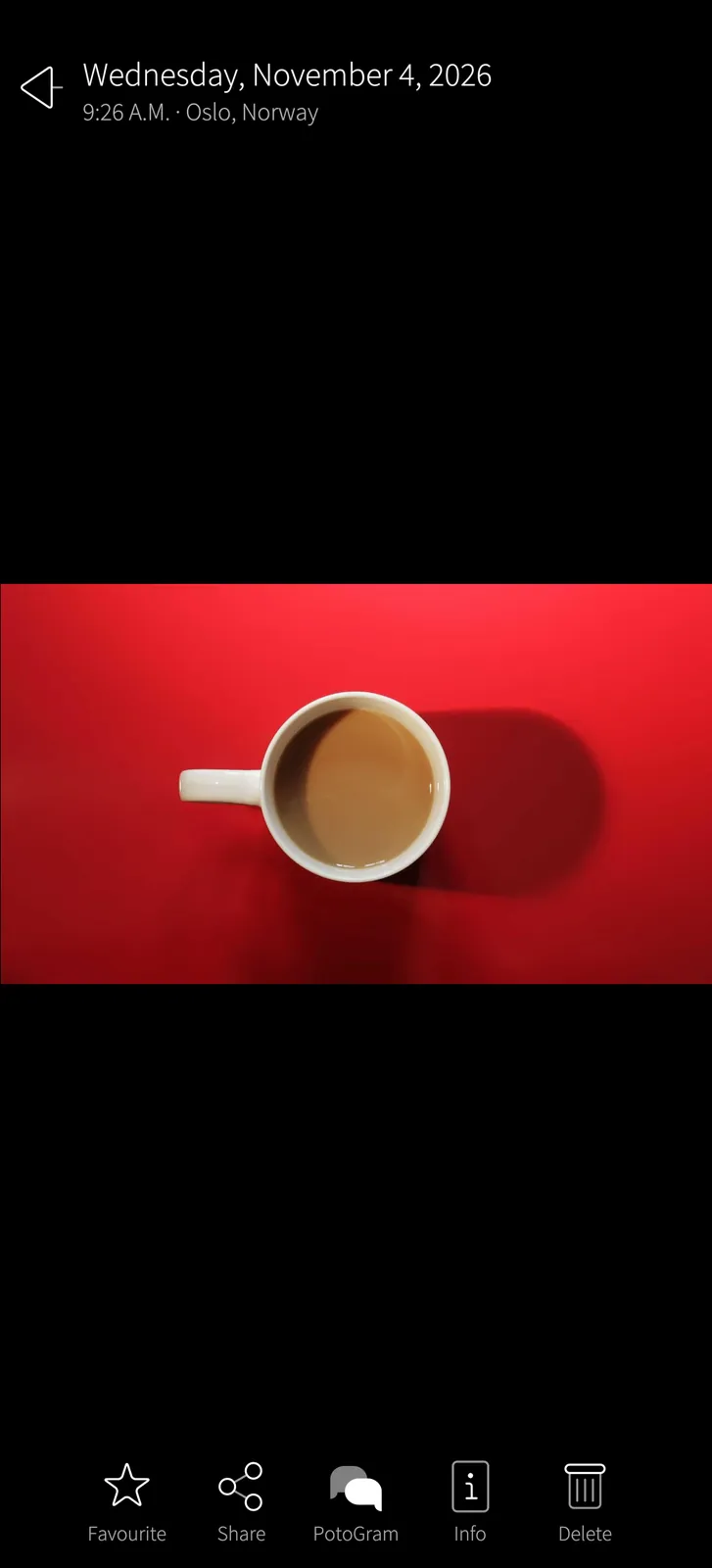
Swipe through the whole library, pinch or double-tap to zoom. Favourite, share, send to PotoGram, see the details or delete.

How it works

A native Silica page: Immich's large preview over its thumbnail, pinch zoom drawn by the phone; the original stays on the server until you save or share it.

Every detail
Sailfish app

Every detail

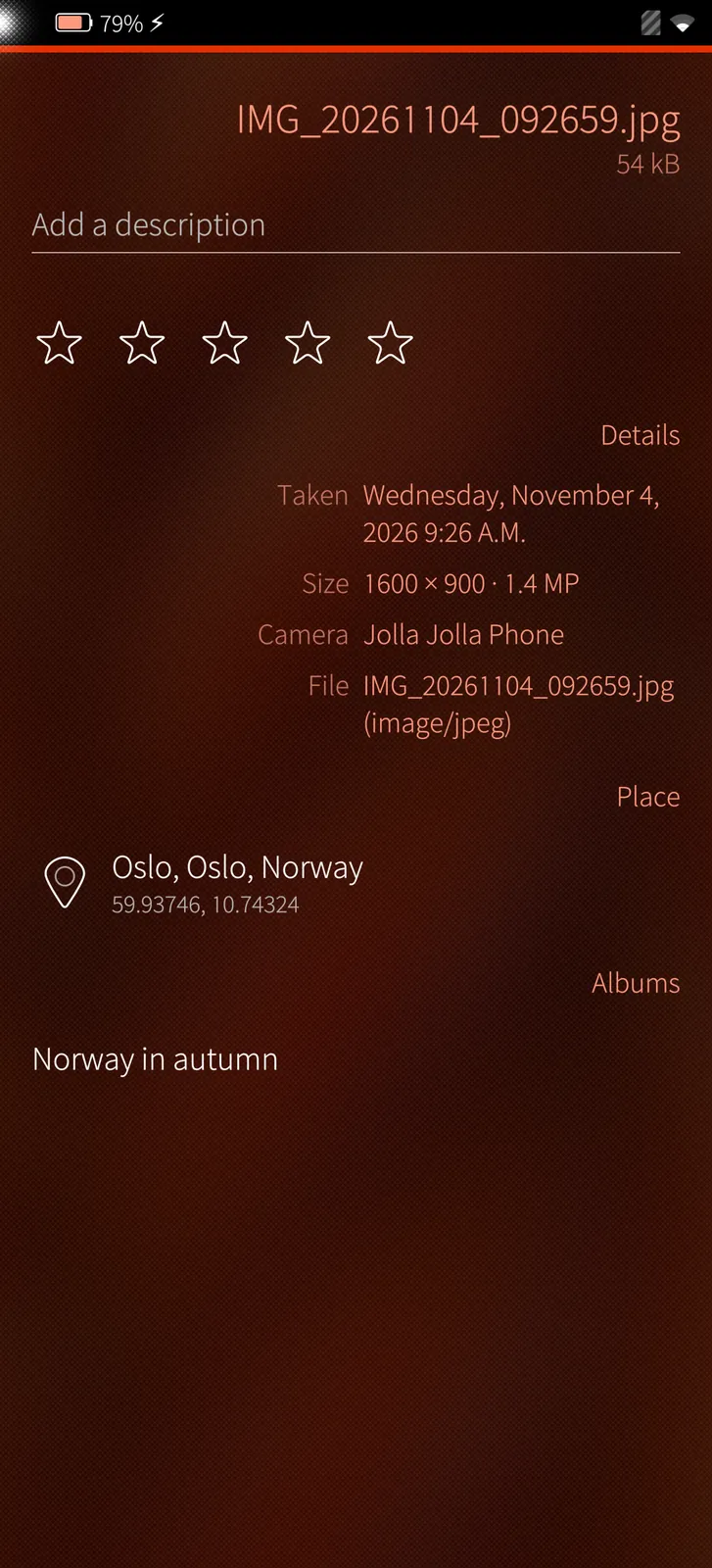
When and where it was taken, camera, size, the place on the map, its albums, a description and stars.

How it works

Read from Immich's own data for the picture: EXIF, the place Immich found from the GPS position, its albums, description and rating — changes go straight back to the server.

Select and act
Sailfish app

Select and act

Select single pictures or a whole month, then share, send to a PotoGram chat, add to an album, favourite, save to the phone, archive, lock away or delete.

How it works

One docked panel for every selection; sharing fetches the originals once and hands them to Sailfish's share menu or straight into a PotoGram chat.

Every video plays, 4K too
Sailfish app

Every video plays, 4K too

Videos larger than the phone's video chip takes — 4K and tall screen recordings — are decoded by the CPU, as Android does: upright, with sound, seek and pause.

How it works

PotoMich reads the phone's own decoder limits; films above them are decoded by FFmpeg on the CPU (about 70 frames a second of 4K on the Jolla Phone) and drawn without a copy.

02

Edit 5 screens

A photo and video editor on the phone: light, filters, crop and straighten, drawing, trimming and size — saved as a copy beside the original.

Photo editor: light and colour
Sailfish app

Photo editor: light and colour

Auto, brightness, contrast, saturation, warmth, tint, fade, vignette and sharpness — hold the picture to see it as it was. Undo and redo for every step.

How it works

The whole original is downloaded from Immich and read on the phone; the preview and the saved picture are drawn by the same code, so what you see is what is saved. Every change is a step you can undo.

Ten filters
Sailfish app

Ten filters

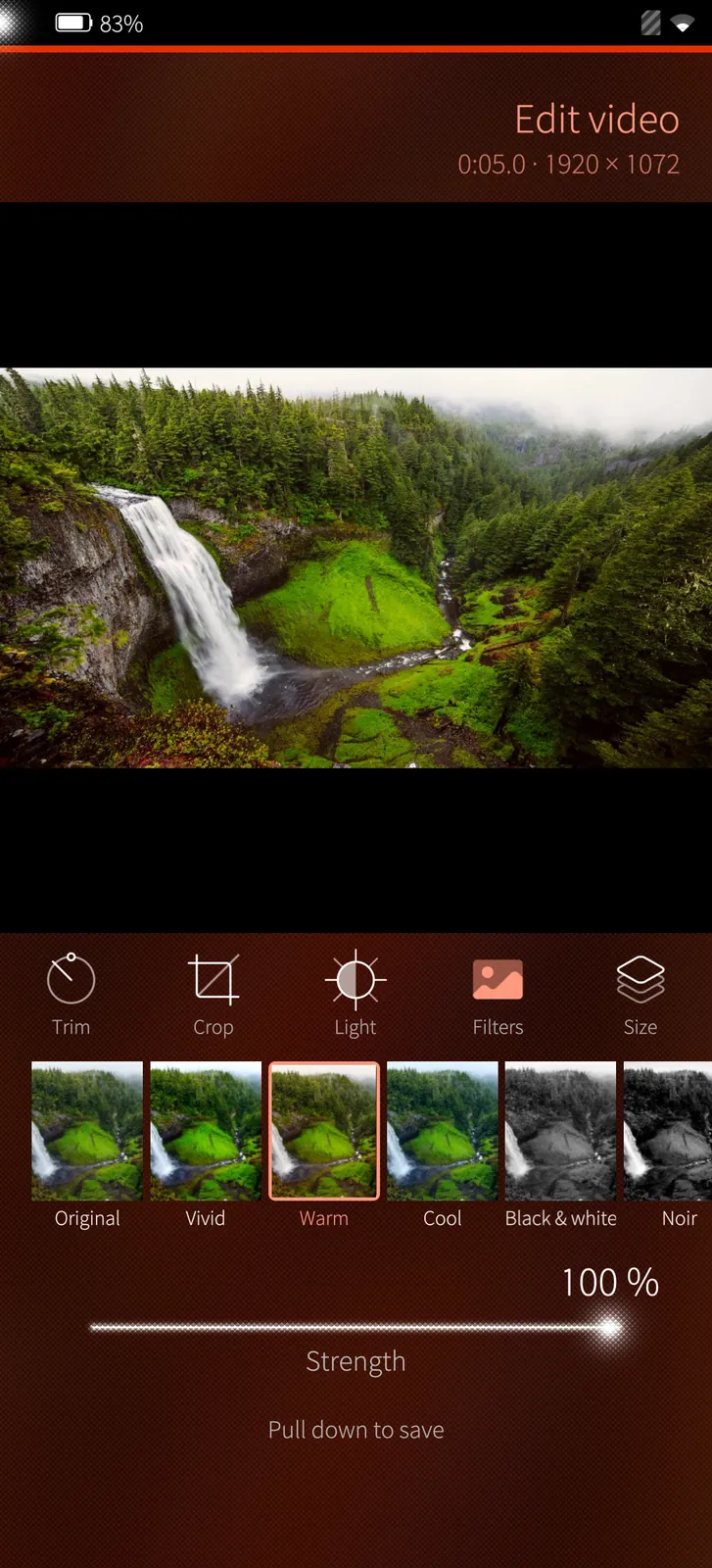
Vivid, warm, cool, black & white, noir, sepia, faded, vintage, dramatic and film, each shown on your own picture, with its strength.

How it works

Each filter is a set of the same light and colour adjustments, shown on a small copy of your own picture so you can compare them before you choose.

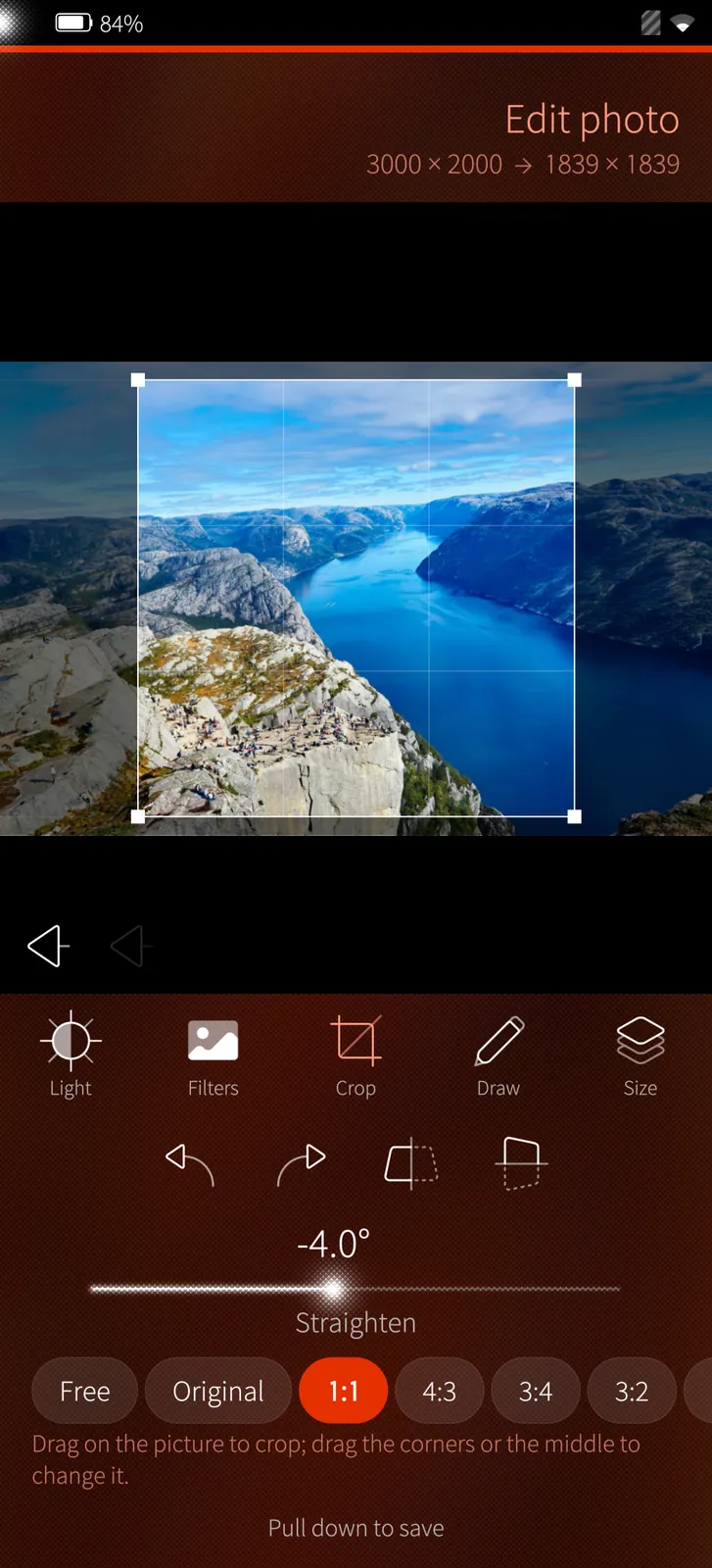
Crop, turn and straighten
Sailfish app

Crop, turn and straighten

Crop freely or to a shape, turn, mirror and straighten the horizon; draw, write and blur faces or plates. Saved at full size as a copy beside the original.

How it works

The saved picture is drawn again at full size from the original. Its camera details, place and time are copied from the original's EXIF, so Immich shows the copy right beside it.

Video editor
Sailfish app

Video editor

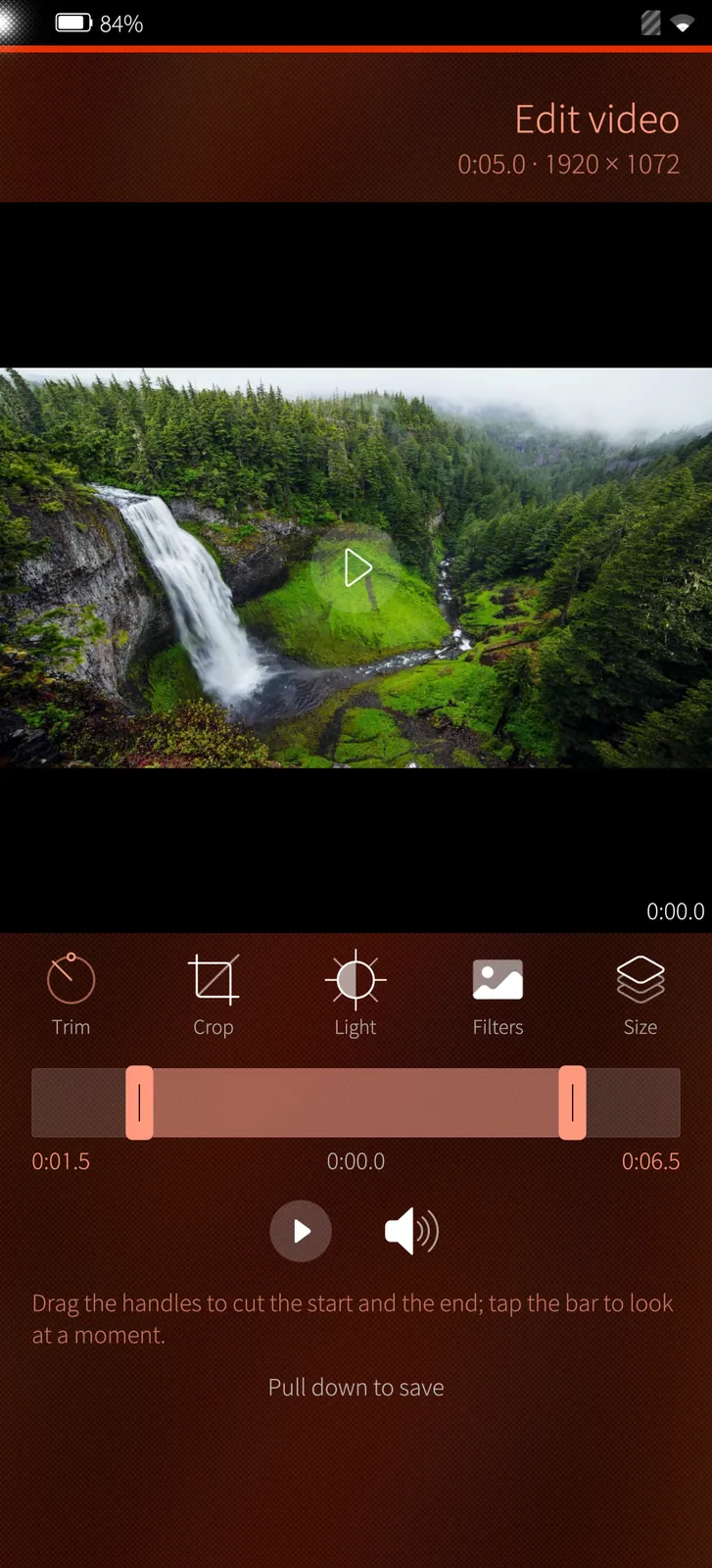
Trim the start and the end, turn, mirror, cut to a shape, take the sound away and make it smaller — 4K videos too.

How it works

The video is decoded by FFmpeg on the processor — 4K too — and encoded again as H.264 with AAC sound. Nothing is edited on the server; the original stays as it is.

Light and filters for videos
Sailfish app

Light and filters for videos

The same light and filters as for photos, on every frame. The copy keeps the video's time and goes into the same albums.

How it works

The light and filters are applied to every frame before it is encoded; the copy is uploaded to Immich with the original's time and put into the original's albums.

03

Library 5 screens

The library as in Immich's Android app: albums, places, memories and shared links.

The library
Sailfish app

The library

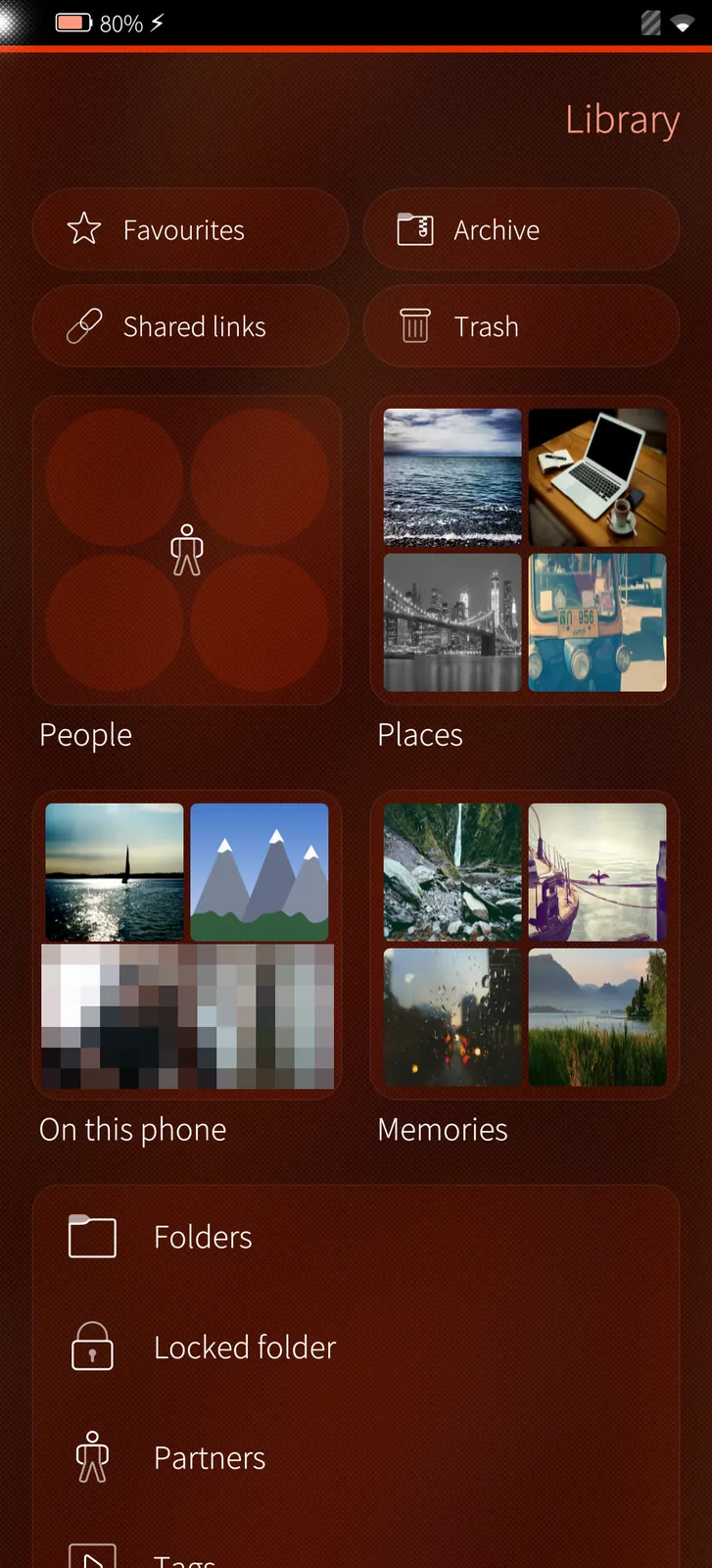
Favourites, archive, shared links and trash; people, places, this phone's folders and memories as picture tiles; Immich's folders, the locked folder, partners and tags.

How it works

Every tile is filled from Immich's API on the spot; the phone's own folders come from the phone itself, with the ones already on Immich marked.

Albums
Sailfish app

Albums

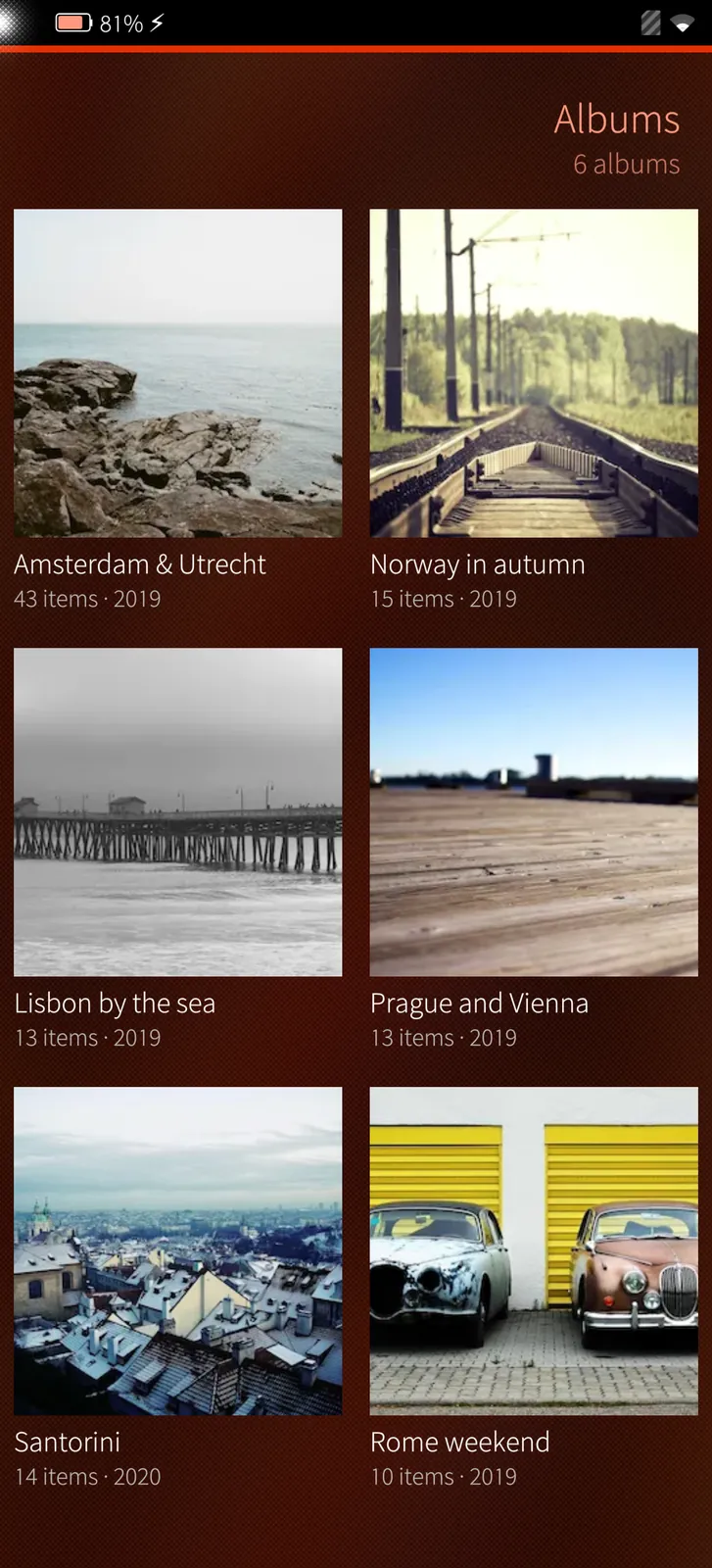
Your albums with their cover, number of items and year. Make new ones, rename them, add pictures or share them as a link.

How it works

Immich's albums as they are on the server, shared ones included; changes made here are on Immich at once.

Places
Sailfish app

Places

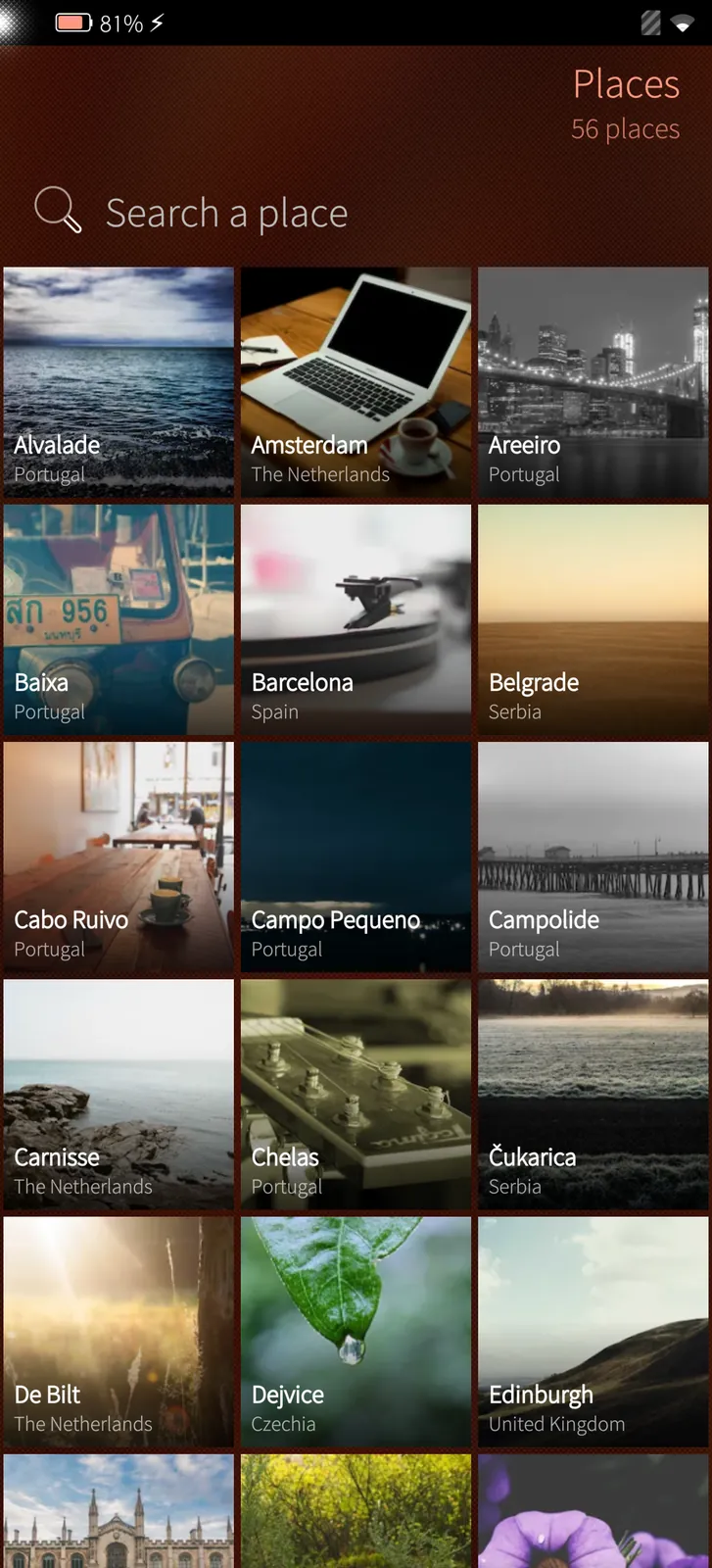
Every city in your library with a picture from it; tap one for all photos taken there.

How it works

Immich's places, worked out by the server from the photos' GPS positions.

Memories
Sailfish app

Memories

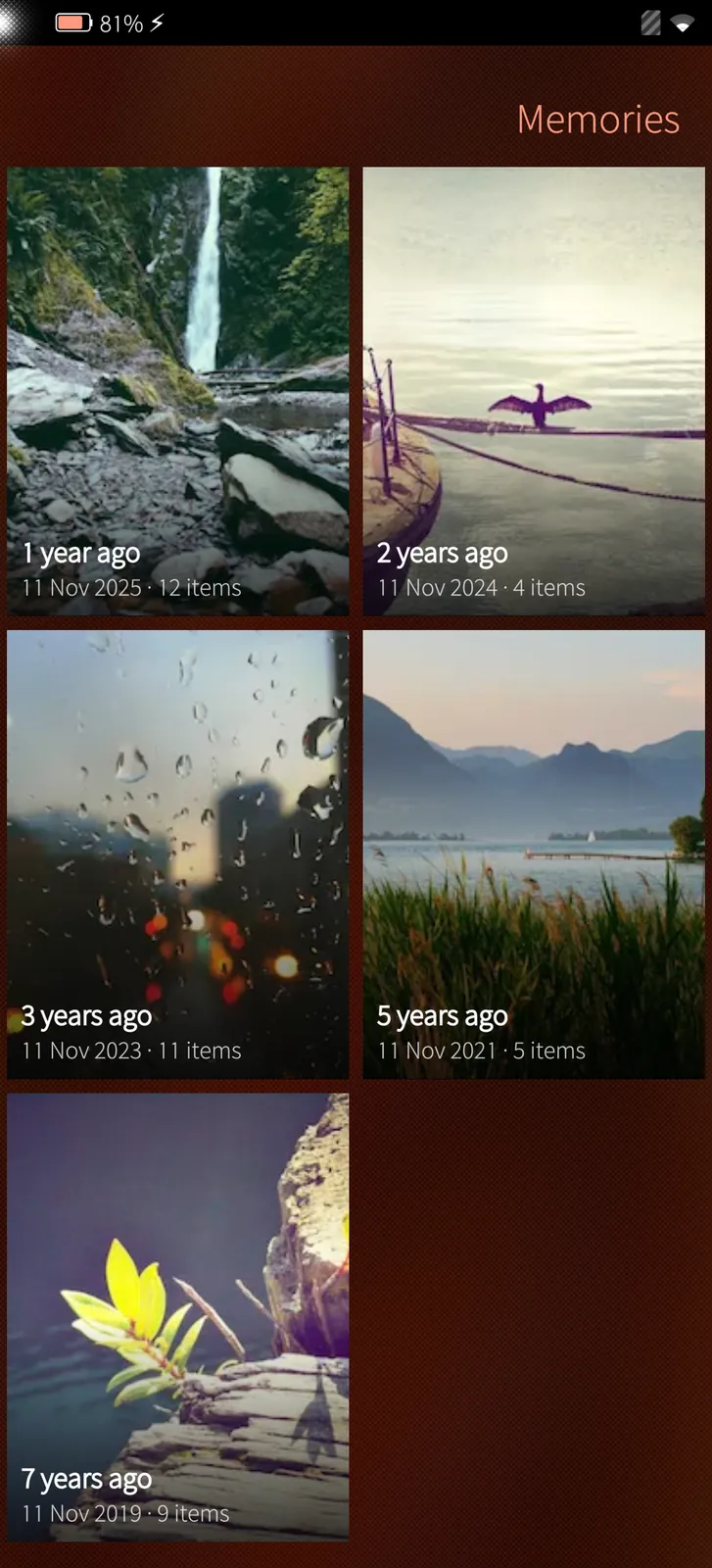
On this day in earlier years: every memory Immich made, as a card to open and swipe through.

How it works

The memories Immich makes every night, newest first.

Shared links
Sailfish app

Shared links

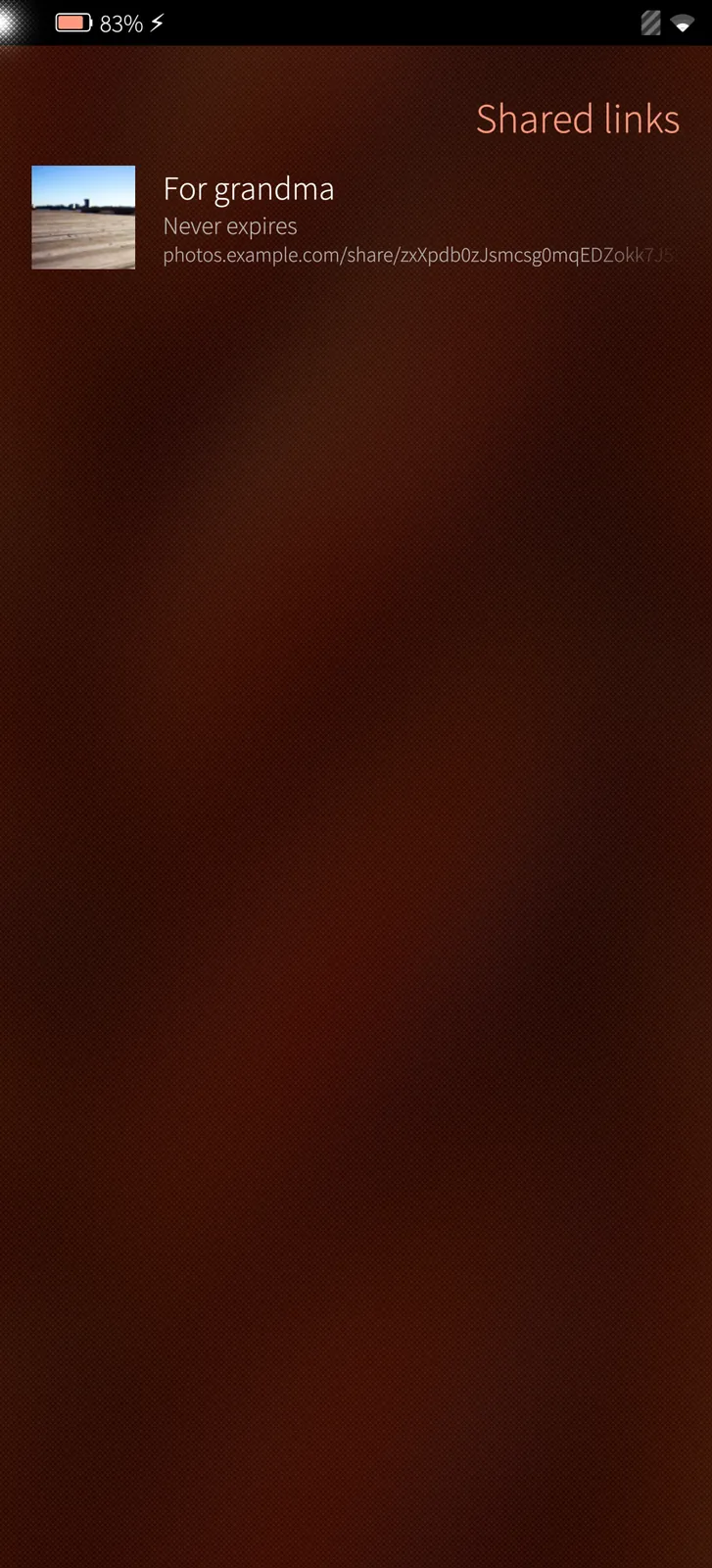
The links you made, until when they work, to copy, open or delete.

How it works

Immich's own share links: anyone with the link sees the pictures in a browser, until the date you chose.

04

Locked folder 2 screens

Hidden pictures behind a PIN — on the phone also the fingerprint.

Opened by the fingerprint
Sailfish app

Opened by the fingerprint

Immich's locked folder opens with its PIN or the account password — and on the phone also with the fingerprint or the phone's security code.

How it works

Immich only knows the PIN; on the phone the PIN is kept encrypted (AES-256, tied to this phone and account) and handed over once the fingerprint or the phone's security code is accepted.

Hidden pictures
Sailfish app

Hidden pictures

Pictures in the locked folder never show in the timeline, albums, search or memories, and are never kept in the cache. It locks again when you leave.

How it works

The folder is opened per sign-in on the server and locked again when you leave or the app goes to the background; its pictures are never written to the phone's cache.

06

Back-up 3 screens

The phone's folders to Immich, its options and the settings.

Back-up
Sailfish app

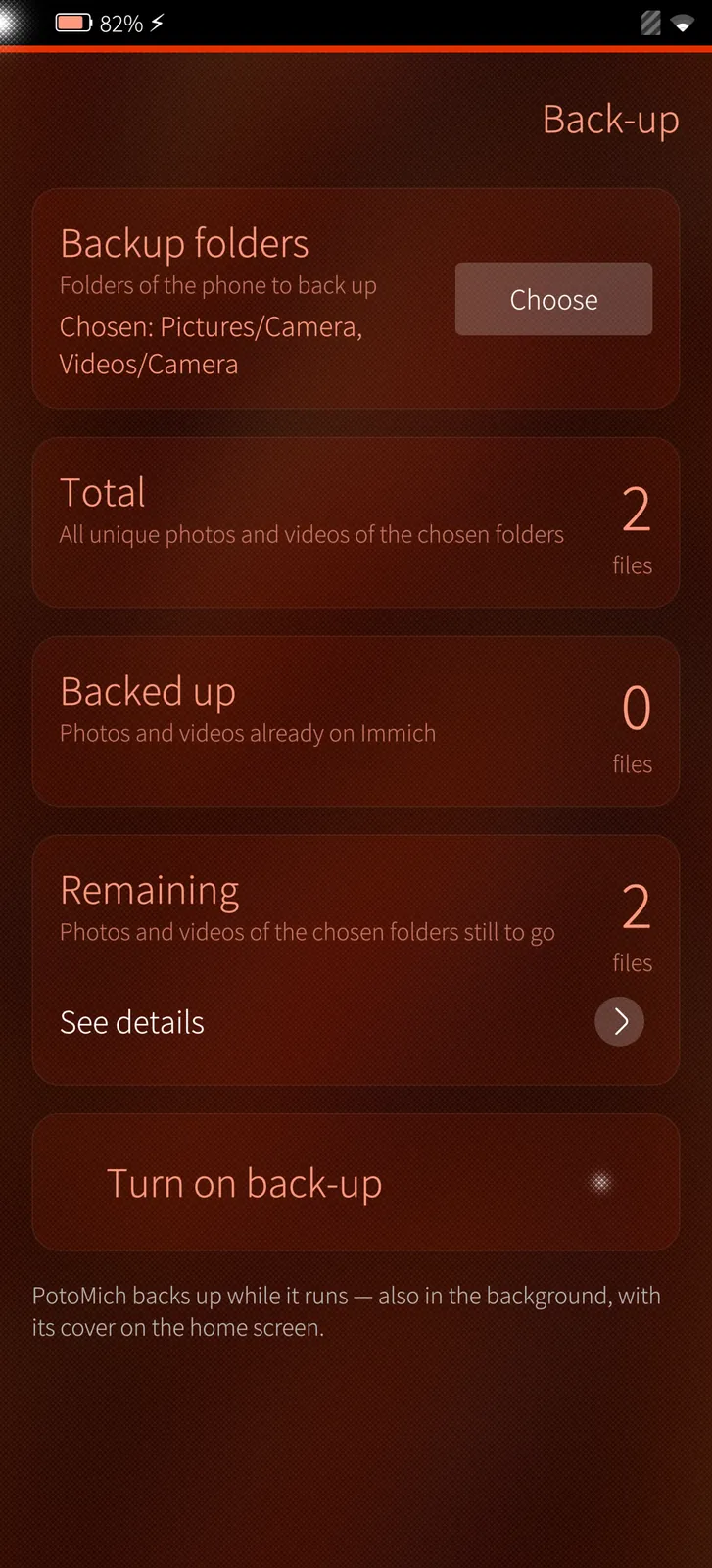
Back-up

Choose which of the phone's folders go to Immich and see how many files there are, how many are backed up and how many are left.

How it works

PotoMich hashes new files on the phone and asks Immich which it already has, so nothing is sent twice.

Backup options
Sailfish app

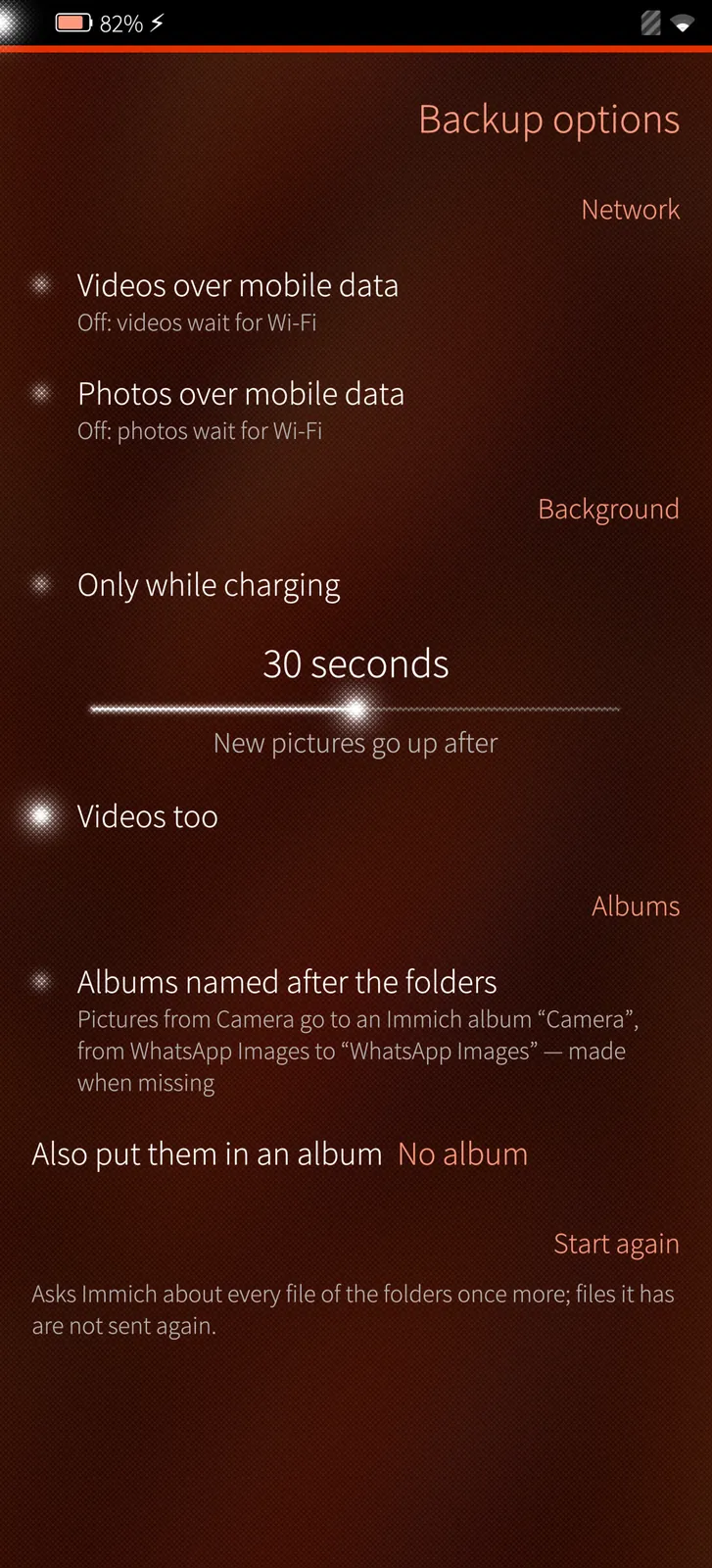
Backup options

Photos and videos over mobile data separately, only while charging, new pictures up within seconds and albums named after the phone's folders.

How it works

Wi-Fi or mobile data per kind of file, the charger and the folders are checked before every upload.

Settings
Sailfish app

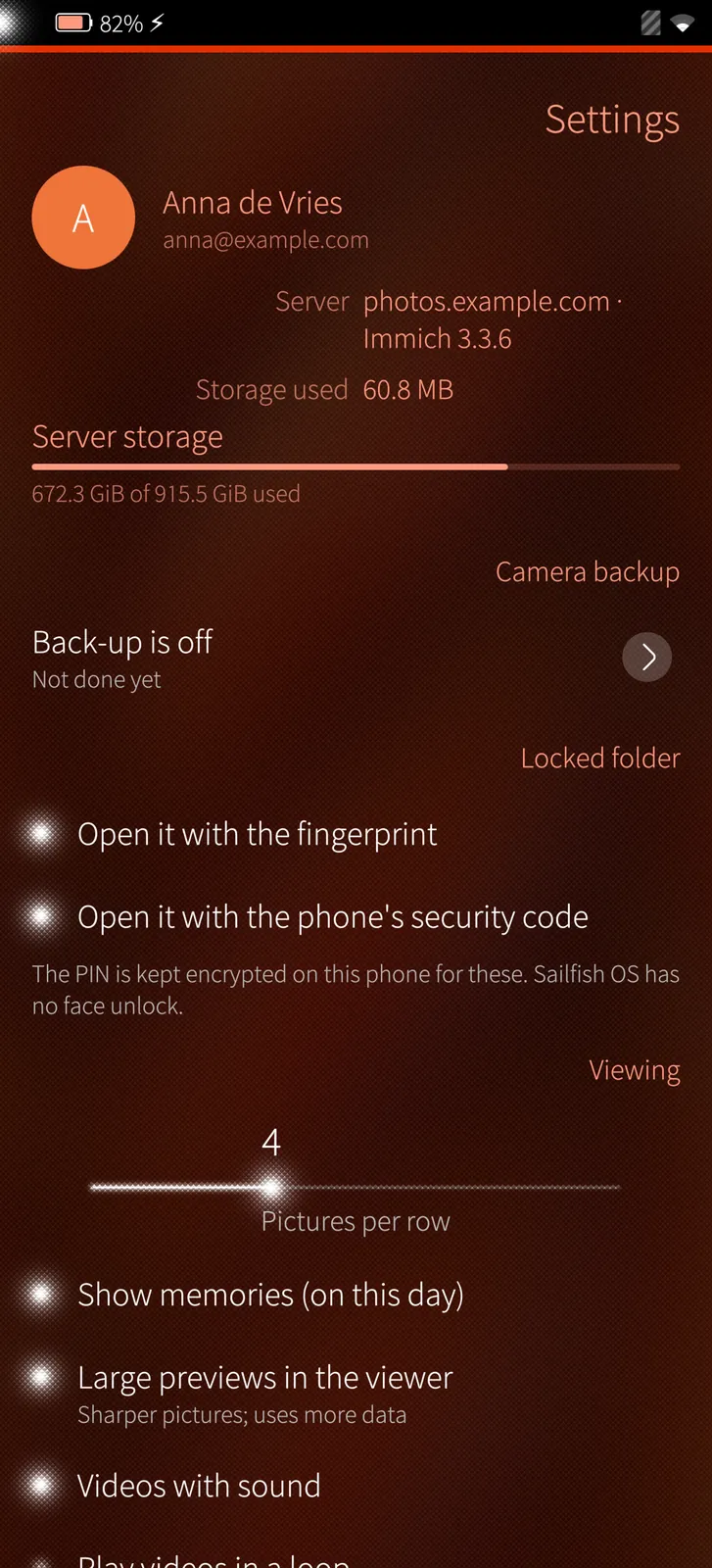
Settings

Your account and the server's storage, the backup, the locked folder's ways in, viewing, languages and updates.

How it works

The server's storage comes from Immich; the PIN for the fingerprint and the backup's list stay on the phone.

Under the hood

How PotoMich is built, where it runs and how it keeps your data safe.

01

Immich's own API

Sign in with your e-mail and password or an API key; PotoMich reads and changes your library through the same API as Immich's own apps.

02

Video on the processor when needed

PotoMich reads what the phone's video chip can decode; larger films go to FFmpeg on the processor and are drawn straight from its memory.

03

Edited on the phone

The preview and the saved picture are drawn by the same code from the full original; videos are decoded by FFmpeg and encoded to H.264 with AAC sound on the processor. Nothing is edited on the server, and the original stays as it is.

04

Fingerprint for the locked folder

The folder's PIN is kept encrypted on the phone (AES-256, tied to this phone and account) and only handed to Immich after your fingerprint or the phone's security code.

05

Nothing sent twice

The backup checks every new file's checksum with Immich before it uploads, so pictures Immich already has stay where they are.

06

PotoGram and the share menu

PotoMich is a target in Sailfish's share menu and talks to PotoGram directly — pictures go both ways without a detour.

07

Signed updates

PotoMich comes from distribution.mblm.systems with its SHA-256 checksum and the M.B.L.M. Ed25519 release signature, and updates itself.

Want to see PotoMich on your own site?

Tell us about your installation — we are happy to show you around or set up a trial.