Personal use

PotoTube

YouTube, native on Sailfish OS — free and independent

PotoTube is a free Sailfish OS app for watching YouTube: videos, Shorts, channels, playlists and comments as real Silica pages, with your YouTube account if you like, in 18 languages. It is an independent app by M.B.L.M. Systems — not an official YouTube app.

Version 2.7.10 · 424 KB · Free, no account needed · Older 32-bit phone? Download for 32-bit ARM

What is new in 2.7.10
  • "Check for updates" shows that it is checking and says when it last checked; it also works after the phone changed networks.

For personal use — a free app, provided as is, without a support contract or warranty.

Made in the EU

Settings like YouTube's app
A video and what comes next
Home with your topics

An independent app — not an official YouTube app

PotoTube is a free Sailfish OS app made by M.B.L.M. Systems. It is not made, endorsed or sponsored by YouTube or Google. YouTube is a trademark of Google LLC.

YouTube's own player

Every video plays in YouTube's embedded player under YouTube's Terms of Service, with YouTube's own ads and view counts. Nothing is drawn over the player, and it plays only while it is on screen.

How it is made

A native Silica app in Qt and C++. Lists, search and channels are read from YouTube the way YouTube's own apps read them; signing in uses Google's code sign-in for TVs or the official Google sign-in.

Free, without catches

No price, no in-app purchases, no ads of our own, no tracking, no data collected and no hidden way of earning money. PotoTube has no server of its own.

With respect for YouTube

We made PotoTube because we enjoy YouTube and want people on Sailfish OS to enjoy it too. If YouTube or Google would like anything changed, please write to info@mblm.systems — we will listen and act quickly.

YouTube's own player

Videos play in YouTube's embedded player with its own quality, speed and subtitle menus — full length, in good quality.

Shorts

Swipe from one Short to the next, read the comments under the Short, like and subscribe.

Comments and chapters

Comments with replies under the video, chapters to jump to, the description and what to watch next.

Subtitles in your language

YouTube's subtitles or its automatic translation, in the language and size you choose.

Your account, if you like

Sign in with a code for your subscriptions, history, library, likes and Watch later — or use PotoTube without an account.

Time management

Watch time per day, reminders for a break and for bedtime, and a daily limit for Shorts.

YouTube, made for Sailfish OS

PotoTube brings YouTube to Sailfish OS as a native Silica app. Home, search, channels, playlists, Shorts and comments are real Sailfish pages with pull-down menus, press-and-hold menus and the cover, so finding and following videos feels like the rest of the phone. The videos themselves play in YouTube's own embedded player, exactly as YouTube offers it to apps and websites.

Sign in with a code, the way a smart TV does, and your subscriptions, history, library, likes and Watch later are there. Without an account PotoTube still searches and plays, follows channels and keeps your history and Watch later on the phone.

Free, and nothing hidden

PotoTube costs nothing and has no in-app purchases, no ads of its own, no tracking and no server of its own. It is made by M.B.L.M. Systems for the Sailfish OS community and comes from the Jolla Store.

Feature tour

Every screen below is a real screenshot. Search for a feature or pick a chapter; click a picture to see it full size and page through them with the arrow keys.

01

Watching 4 screens

A video with its details, comments under it, the mini player and playlists.

A video and what comes next
Sailfish app

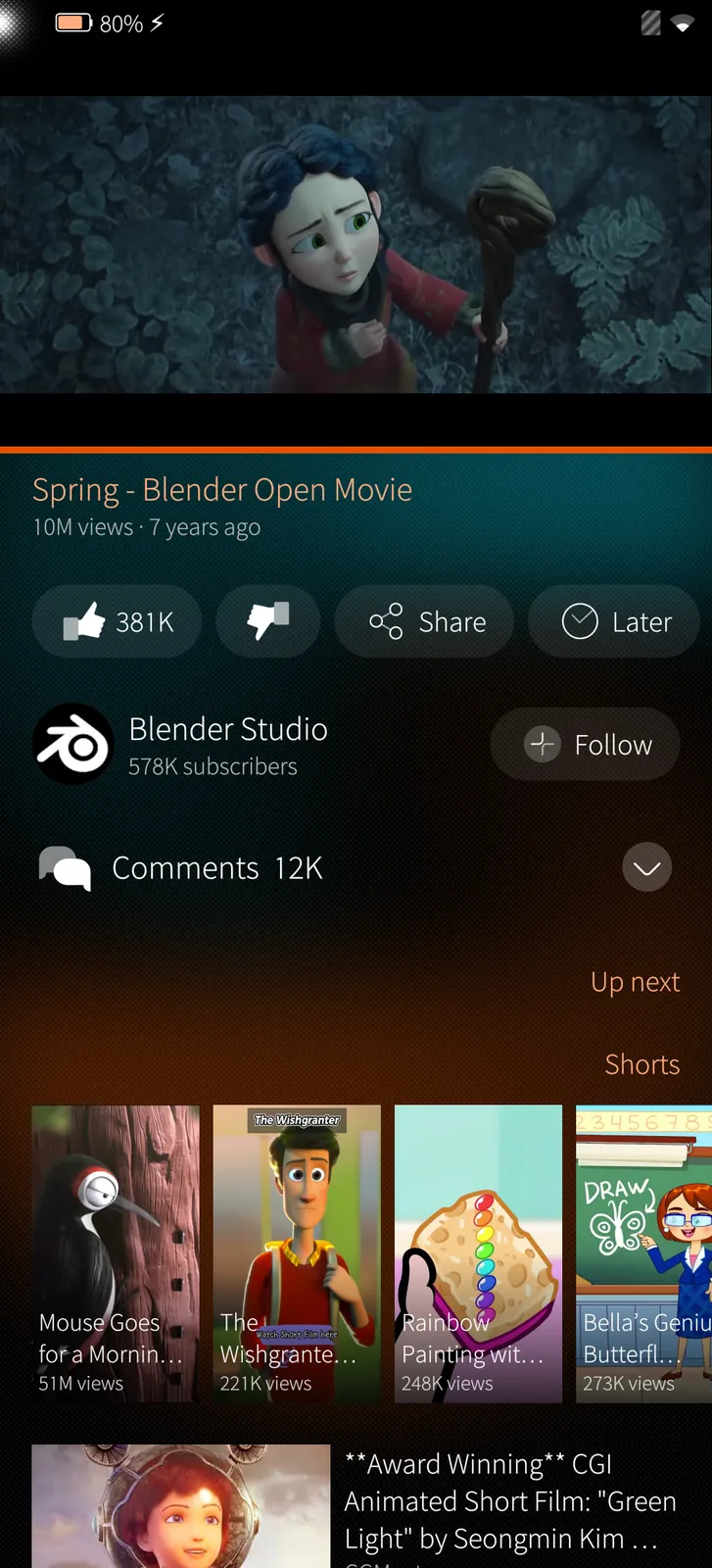
A video and what comes next

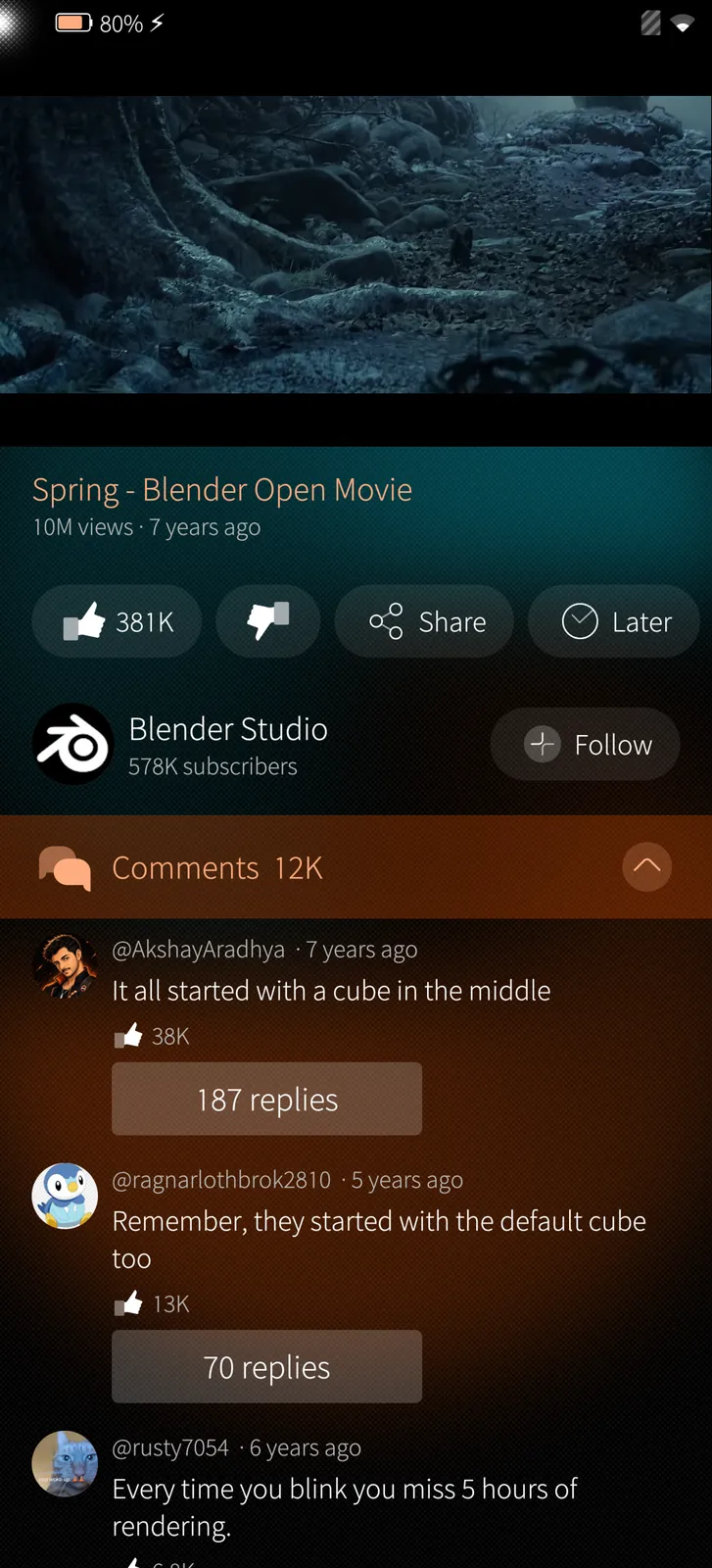
YouTube's own player on top, then the title, likes, Share and Watch later, the channel with Follow, the comments and Up next with Shorts.

How it works

The video plays in YouTube's embedded player inside Sailfish's web engine; everything around it is a native Silica page filled from YouTube's own data.
Comments under the video
Sailfish app

Comments under the video

Tap Comments and they open right under the video, with replies, likes and the newest first or the top ones.

How it works

Comments come a page at a time as you scroll, from YouTube itself; replies open under their comment, indented.

Keep browsing
Sailfish app

Keep browsing

Go back to the lists and the video waits in a small player at the bottom; tap it to return.

How it works

YouTube's player only plays where it can be seen, so it waits paused in the mini player and continues when the video page is back.

Playlists
Sailfish app

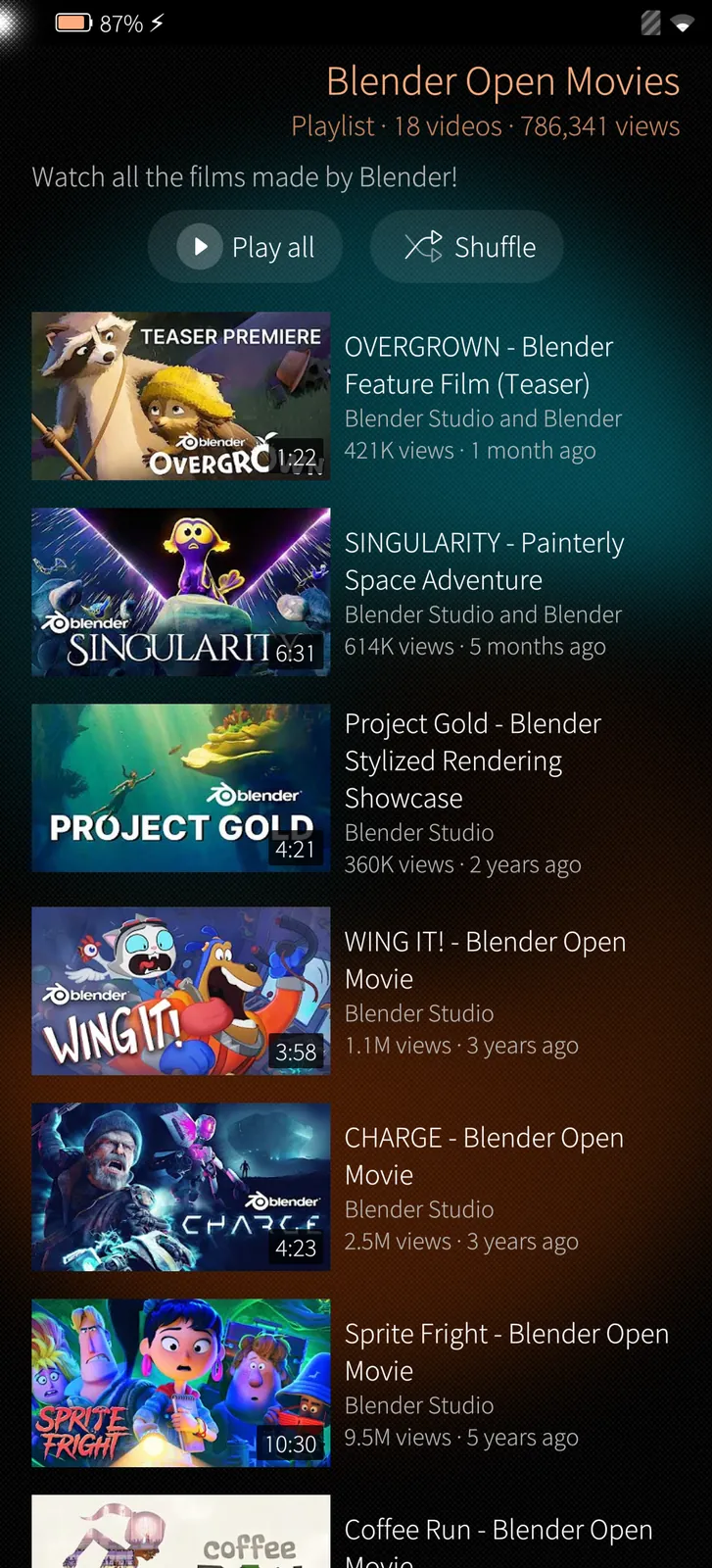
Playlists

A playlist with all its videos; play it from the start or pick one, and the next one follows by itself.

How it works

Playlists are read from YouTube; saved playlists and Watch later stay on the phone when you are not signed in.

02

Shorts 3 screens

Shorts one after the other, their comments and the Shorts feed.

Shorts, one after the other
Sailfish app

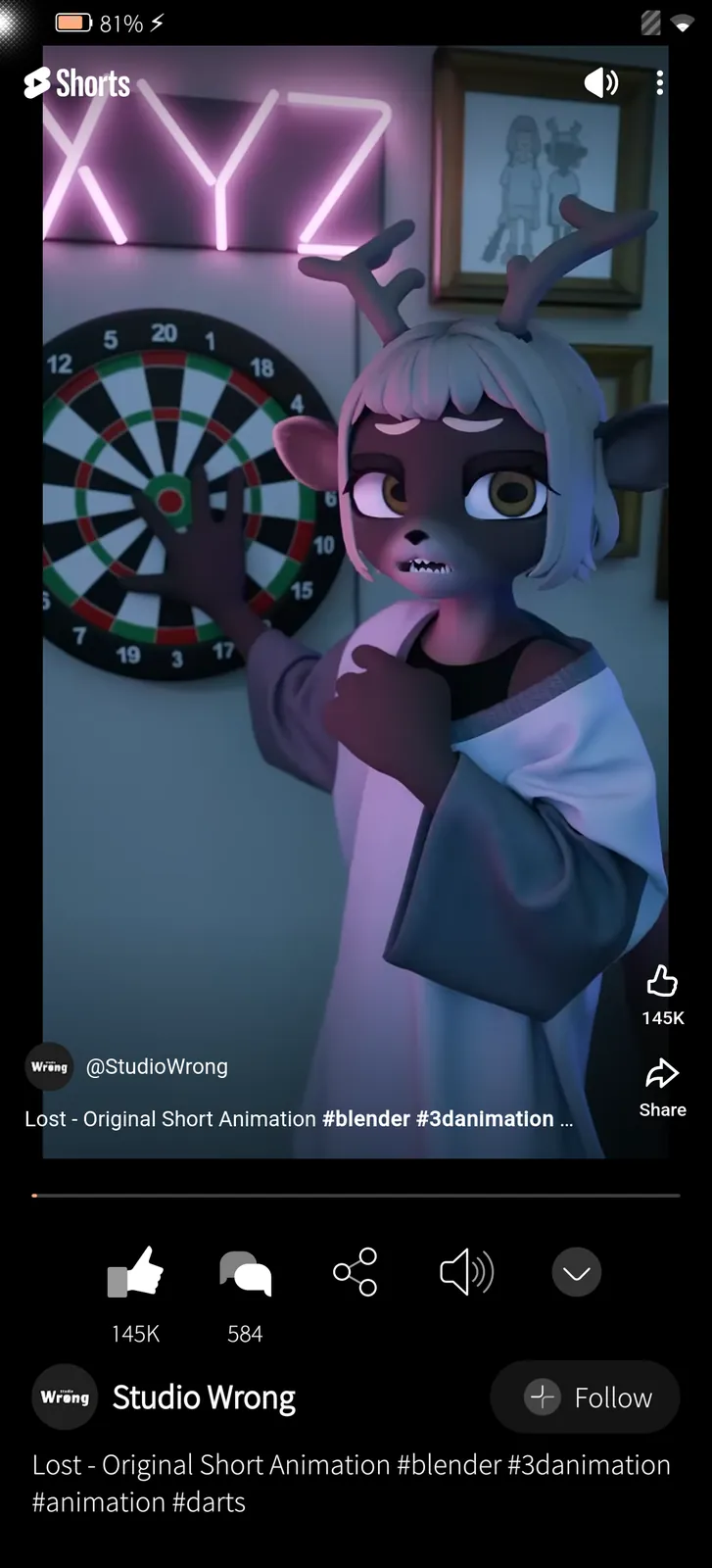
Shorts, one after the other

A Short fills the top of the screen; below it likes, comments, sharing, sound, the channel and the title. Swipe up for the next.

How it works

Each Short plays in YouTube's player; the next ones come from YouTube's Shorts feed as you swipe.

Comments under a Short
Sailfish app

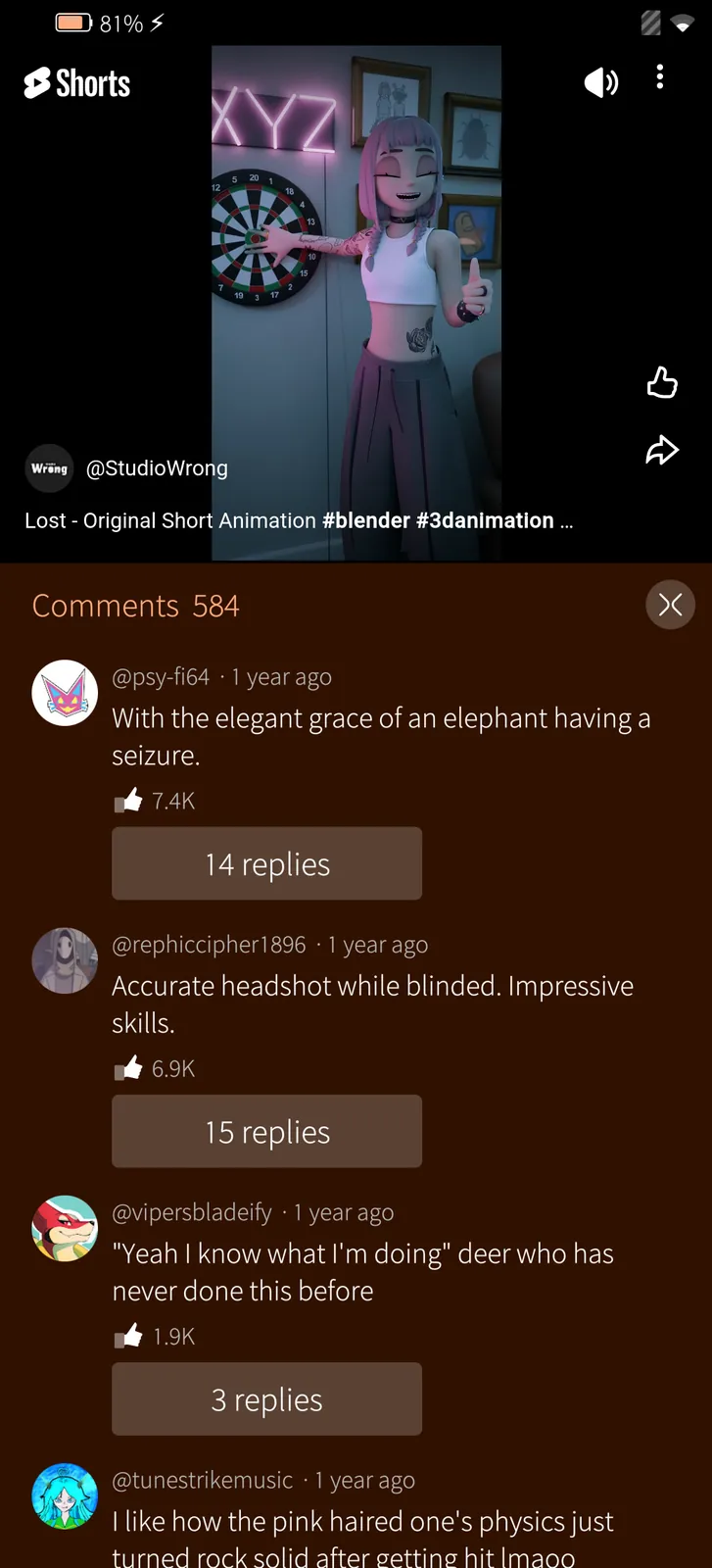
Comments under a Short

The Short shrinks to the top and its comments come up below it; the cross brings the Short back to full size.

How it works

The same comment reader as under videos, with replies and paging, laid out under the shrunk player.

The Shorts feed
Sailfish app

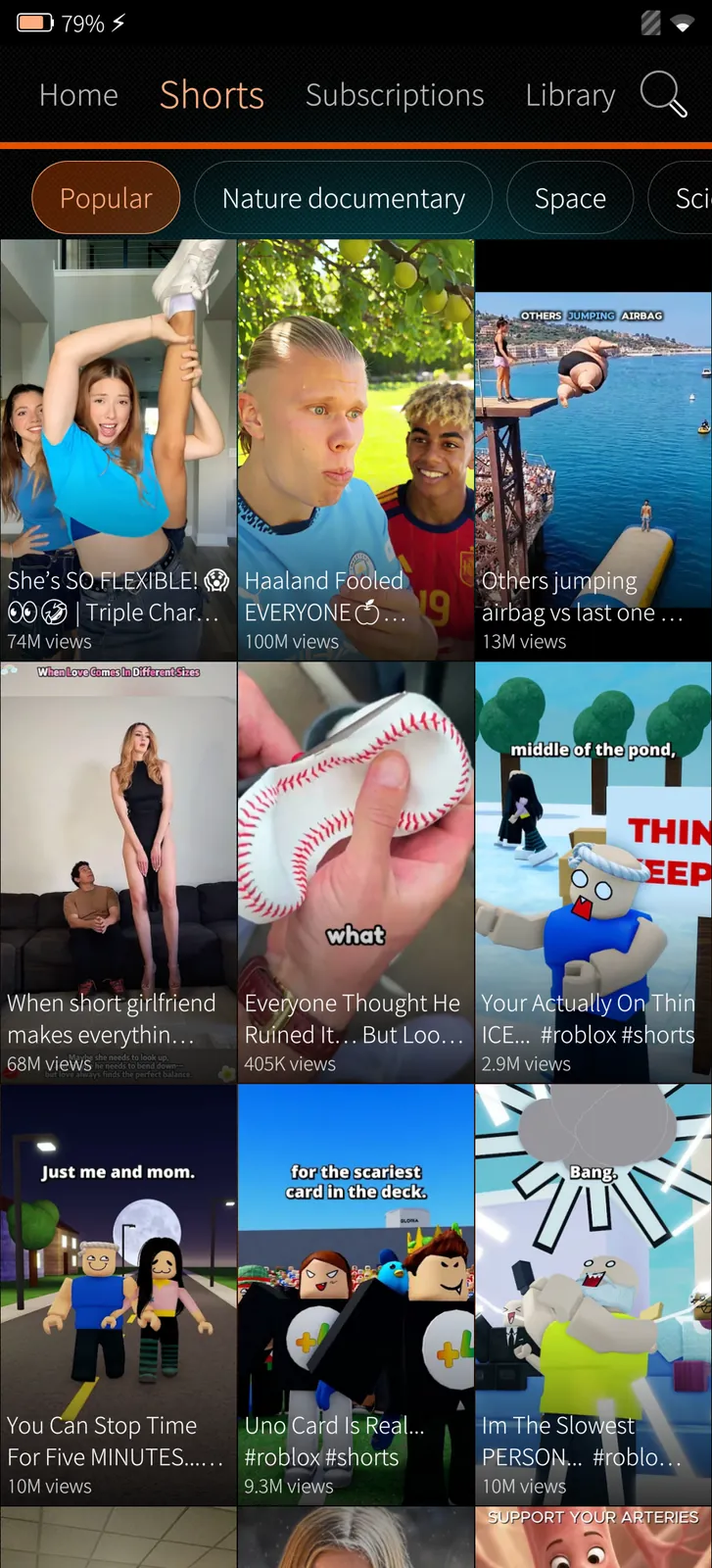
The Shorts feed

Popular Shorts and topics of your own in a grid; tap one to start swiping.

How it works

The grid is YouTube's Shorts search for each topic, a page at a time.

03

Finding videos 4 screens

Home with your topics, search with filters, channels and your library.

Home with your topics
Sailfish app

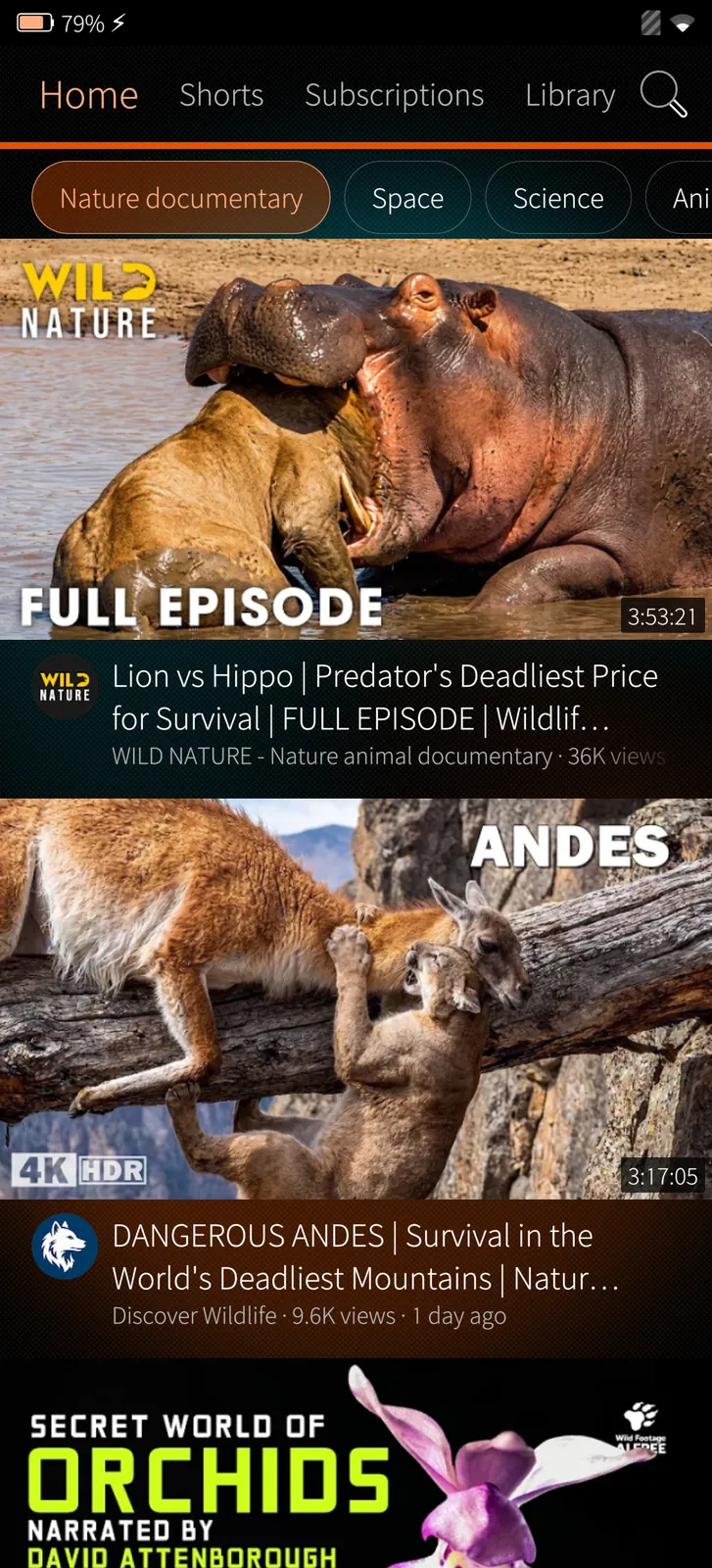
Home with your topics

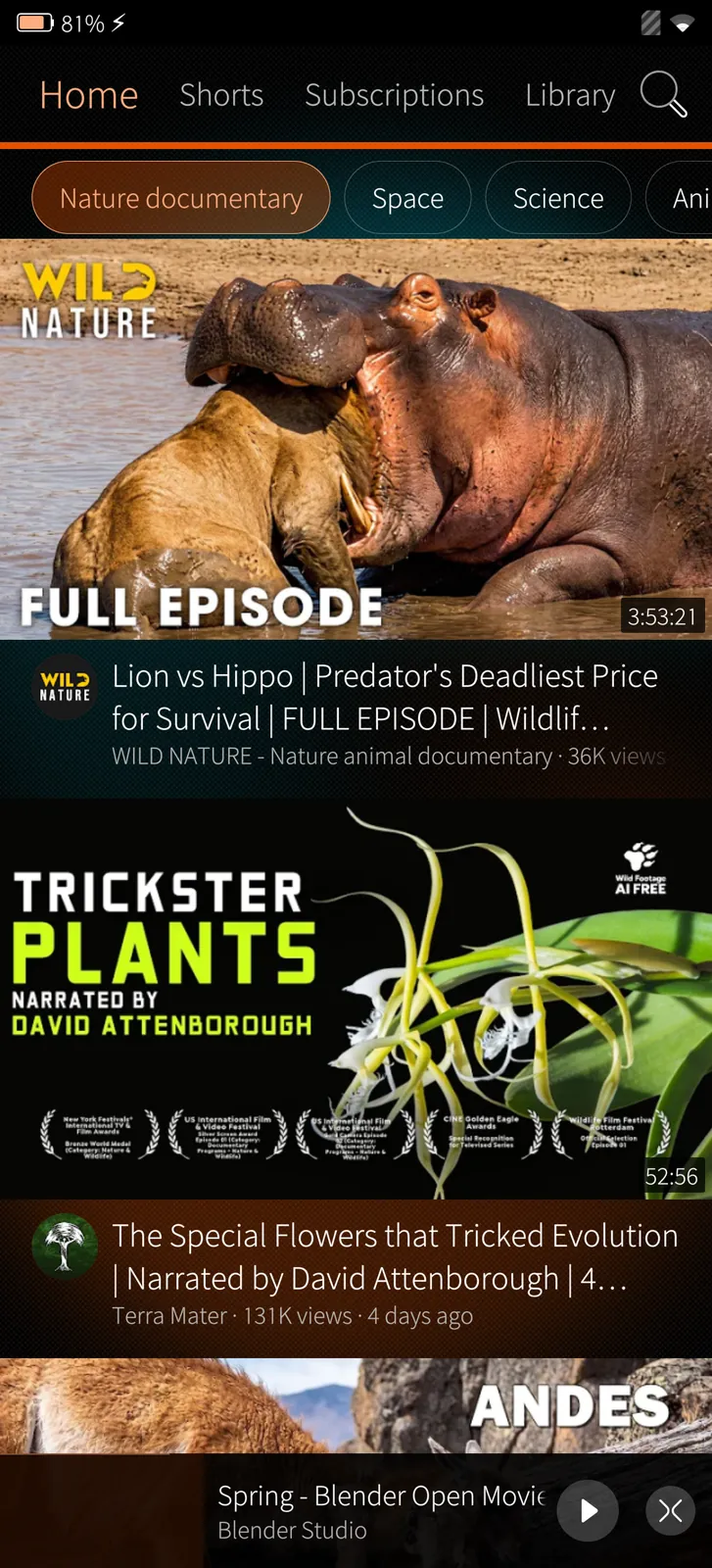
Topics of your own as chips at the top, videos in big pictures or compact rows.

How it works

Signed out, each topic is a YouTube search for this week's videos; signed in, Home is your account's own recommendations.

Search with filters
Sailfish app

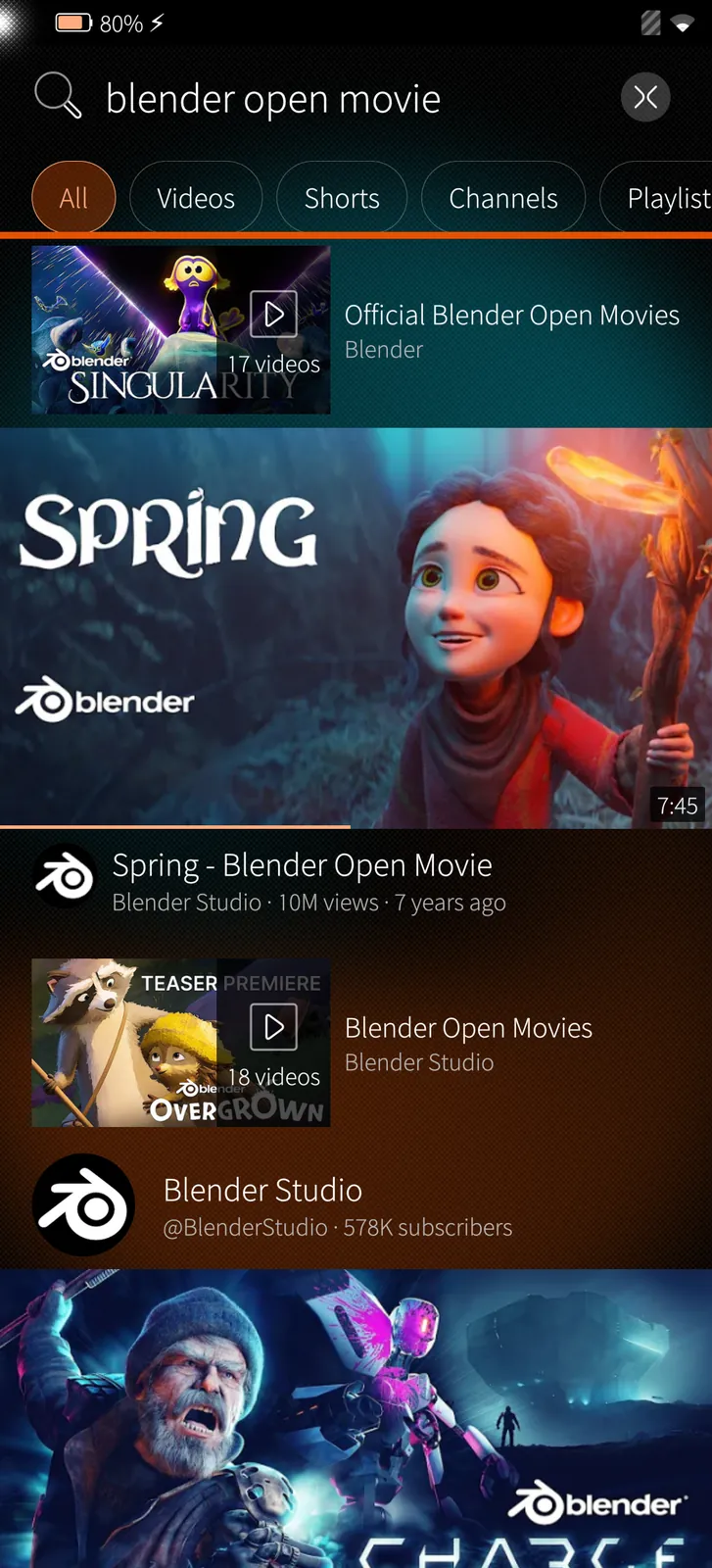
Search with filters

Search videos, Shorts, channels and playlists, with suggestions as you type and your recent searches.

How it works

Search goes straight to YouTube; the filters are YouTube's own.

Channels
Sailfish app

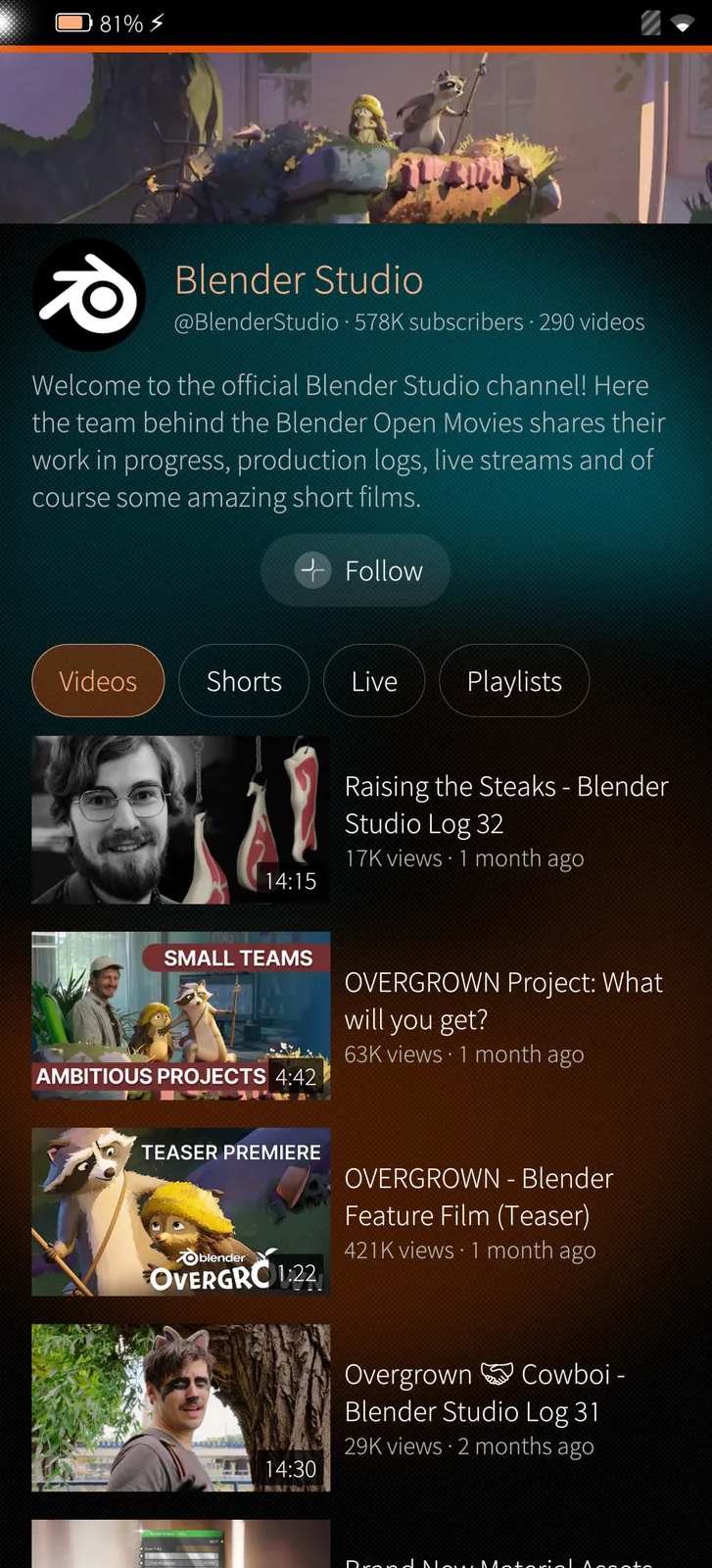
Channels

A channel's banner, description and Follow, with its videos, Shorts, live streams and playlists.

How it works

Follow a channel without an account and its new videos appear under Subscriptions, read from the channel's own feed.

Your library
Sailfish app

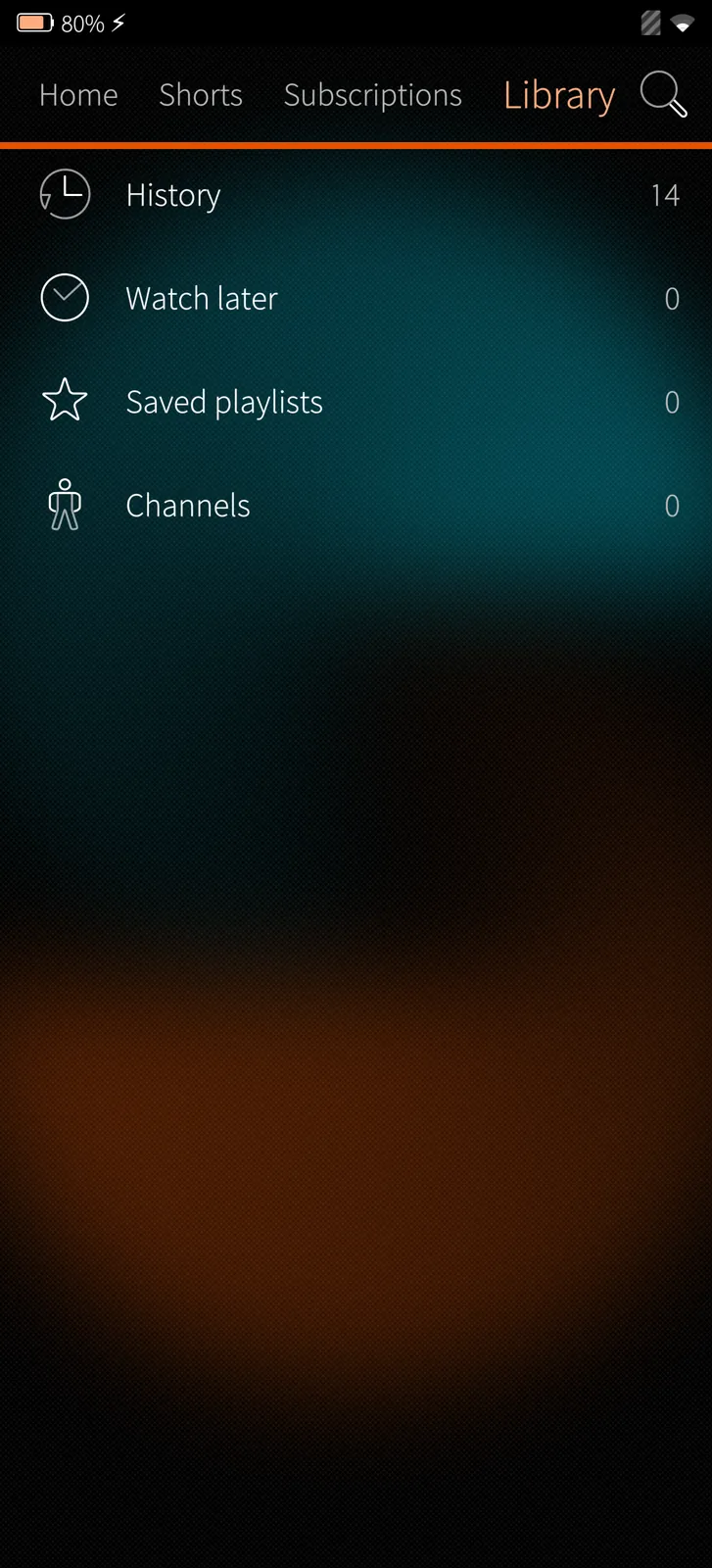
Your library

History, Watch later, liked videos, playlists and followed channels in one place.

How it works

Signed in, the library is your YouTube account's; without an account it is kept on the phone.

04

Settings 7 screens

Your account, time management, notifications, subtitles and more.

Settings like YouTube's app
Sailfish app

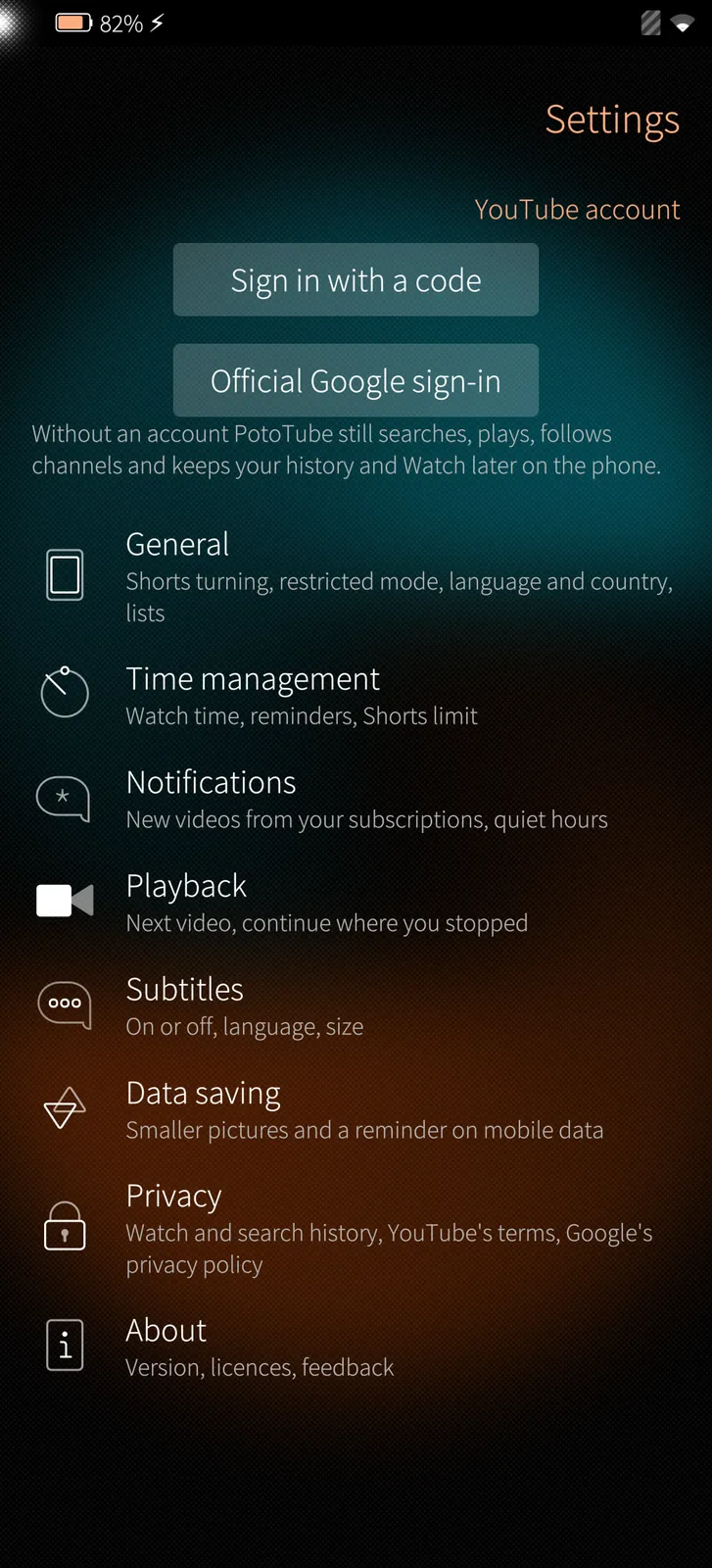
Settings like YouTube's app

Your account, then General, Time management, Notifications, Playback, Subtitles, Data saving, Privacy and About.

How it works

Settings are kept on the phone; your account's own settings stay with YouTube.

Sign in with a code
Sailfish app

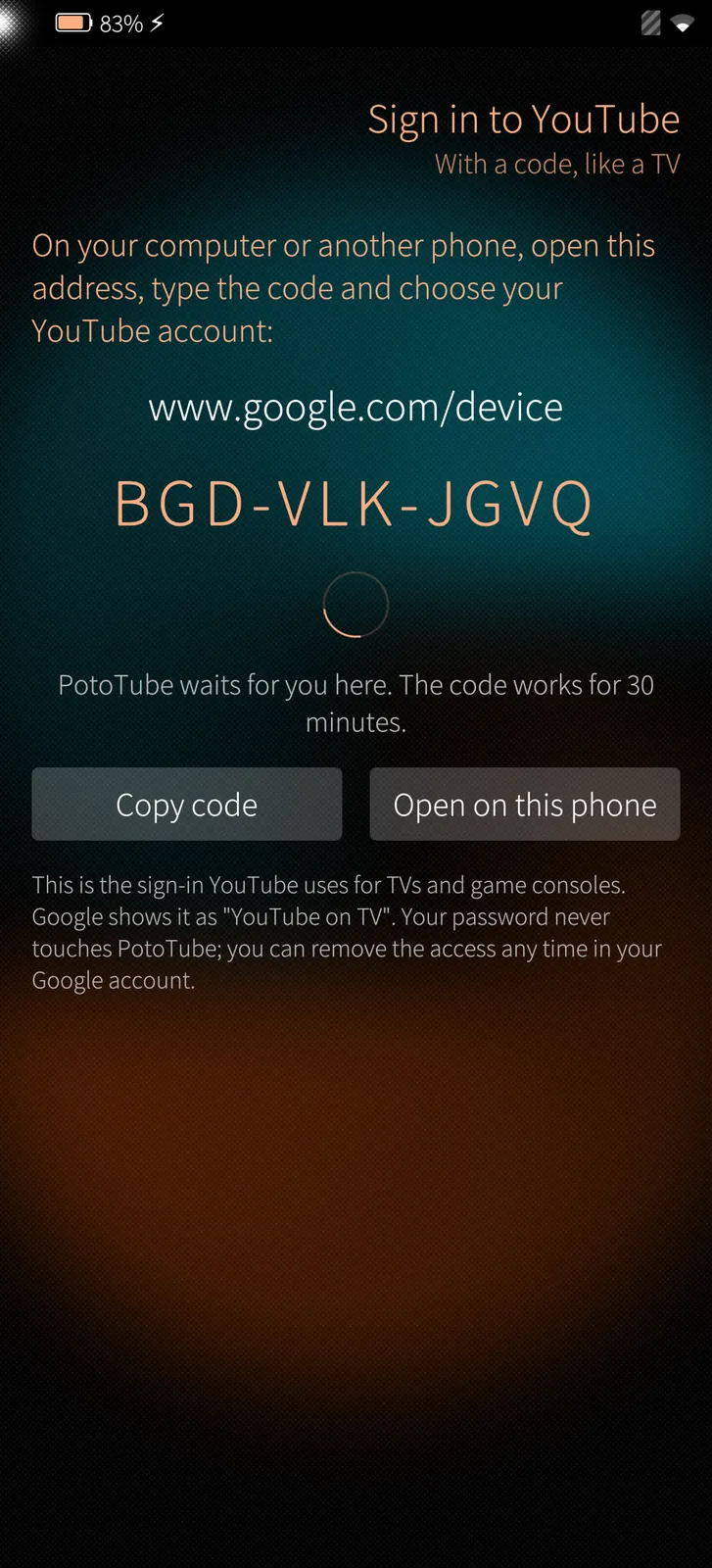
Sign in with a code

Open google.com/device on any device, type the code and your YouTube account is in PotoTube.

How it works

Google's code sign-in for TVs: PotoTube never sees your password. The official Google sign-in is offered too.

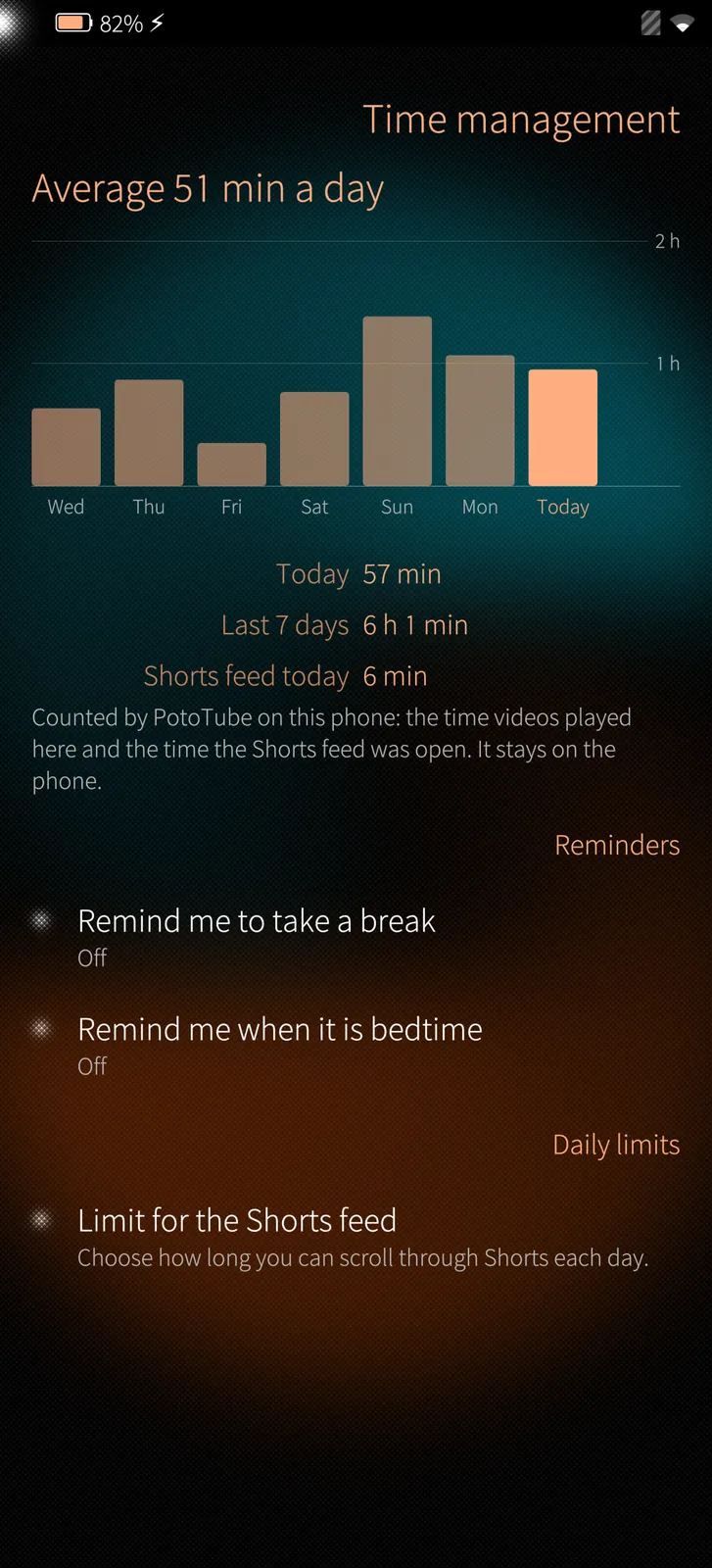
Time management
Sailfish app

Time management

Your watch time for the last seven days, reminders for a break and for bedtime, and a daily limit for Shorts.

How it works

Counted by PotoTube on the phone itself; nothing is sent anywhere.

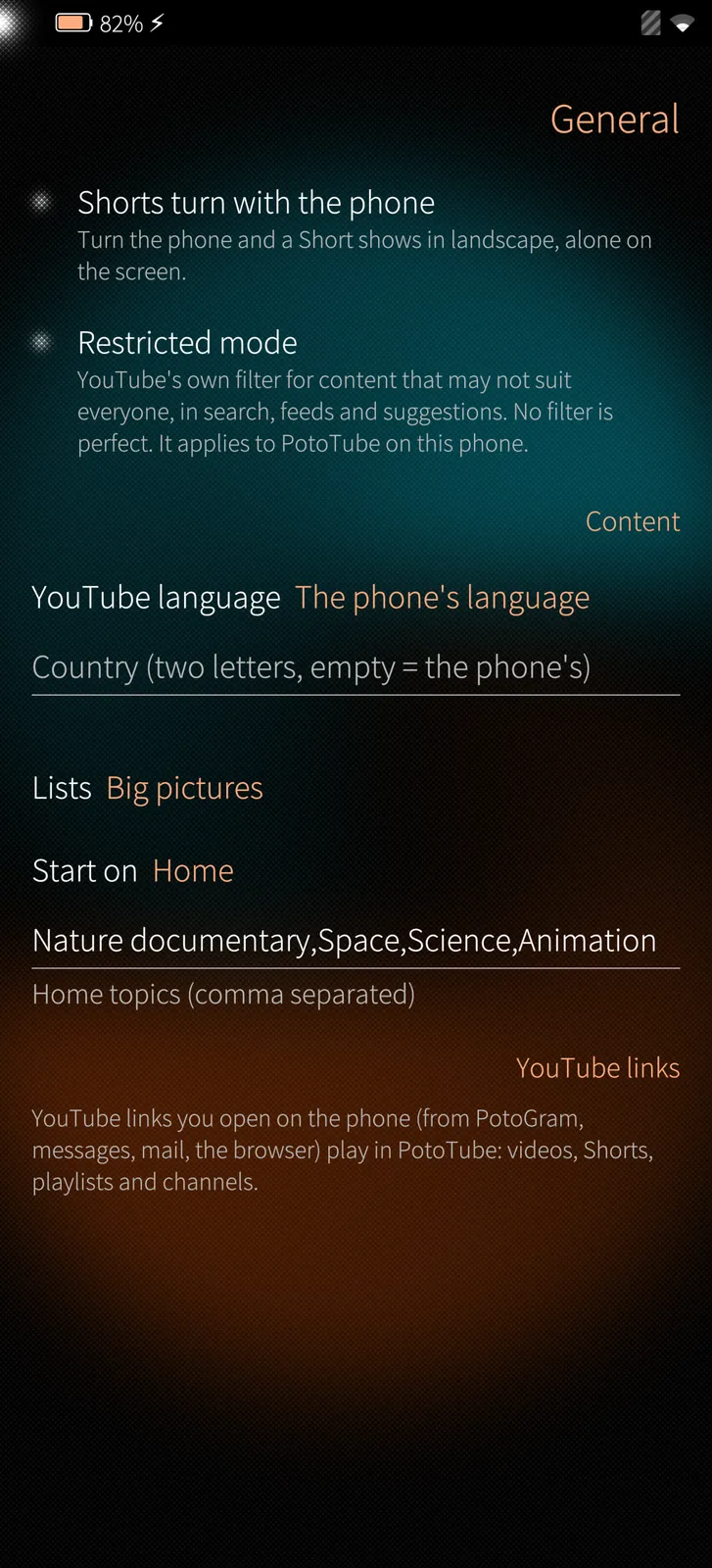
General settings
Sailfish app

General settings

Shorts that turn with the phone, restricted mode, the language and country of YouTube's content, and how lists look.

How it works

Restricted mode is YouTube's own filter, asked for with every search and feed.

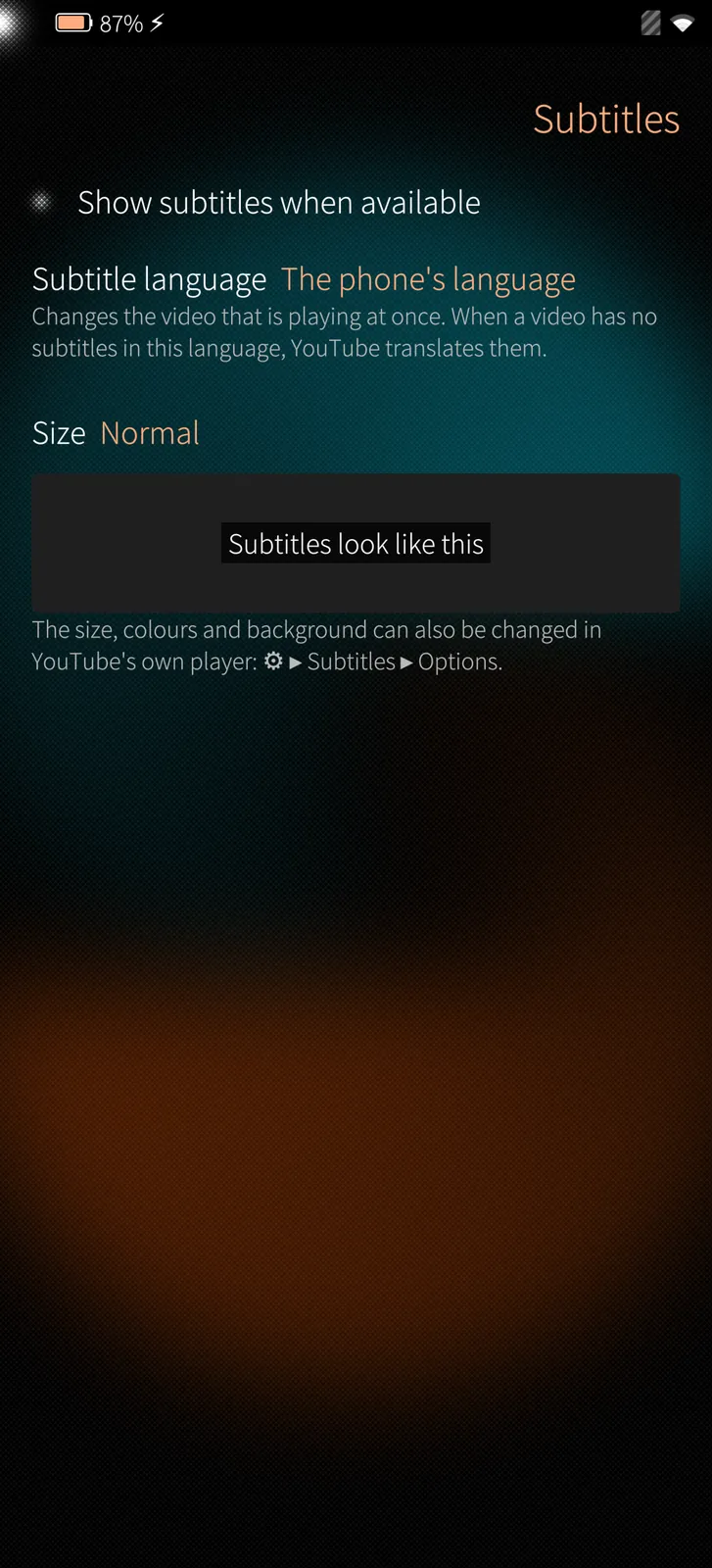
Subtitles
Sailfish app

Subtitles

Subtitles on or off, their language and size, with a preview.

How it works

The choice is handed to YouTube's player for every video and changes the one that is playing at once.

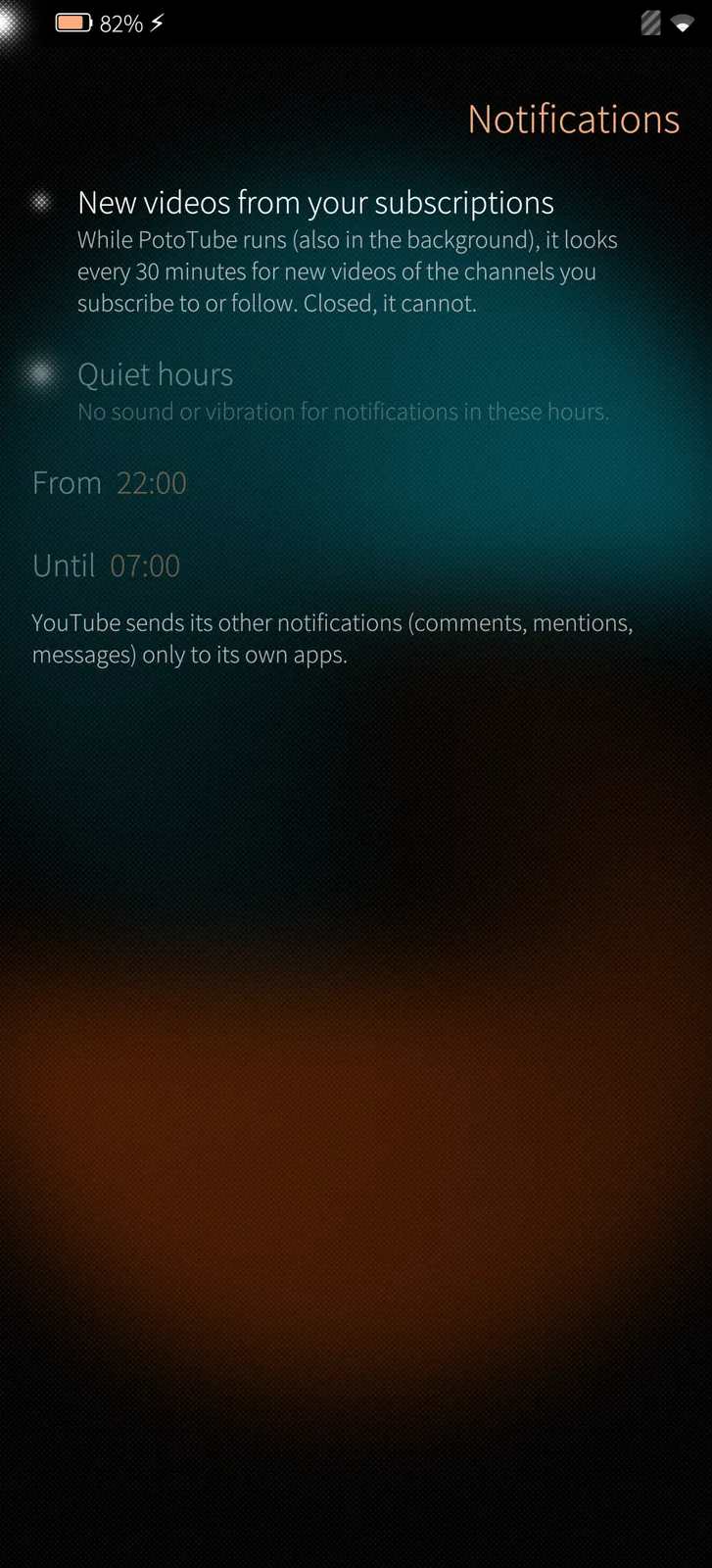
Notifications
Sailfish app

Notifications

New videos from your subscriptions as Sailfish notifications, with quiet hours.

How it works

While PotoTube runs it looks every 30 minutes at the channels' own upload feeds; a tap on a notification opens the video.

About PotoTube
Sailfish app

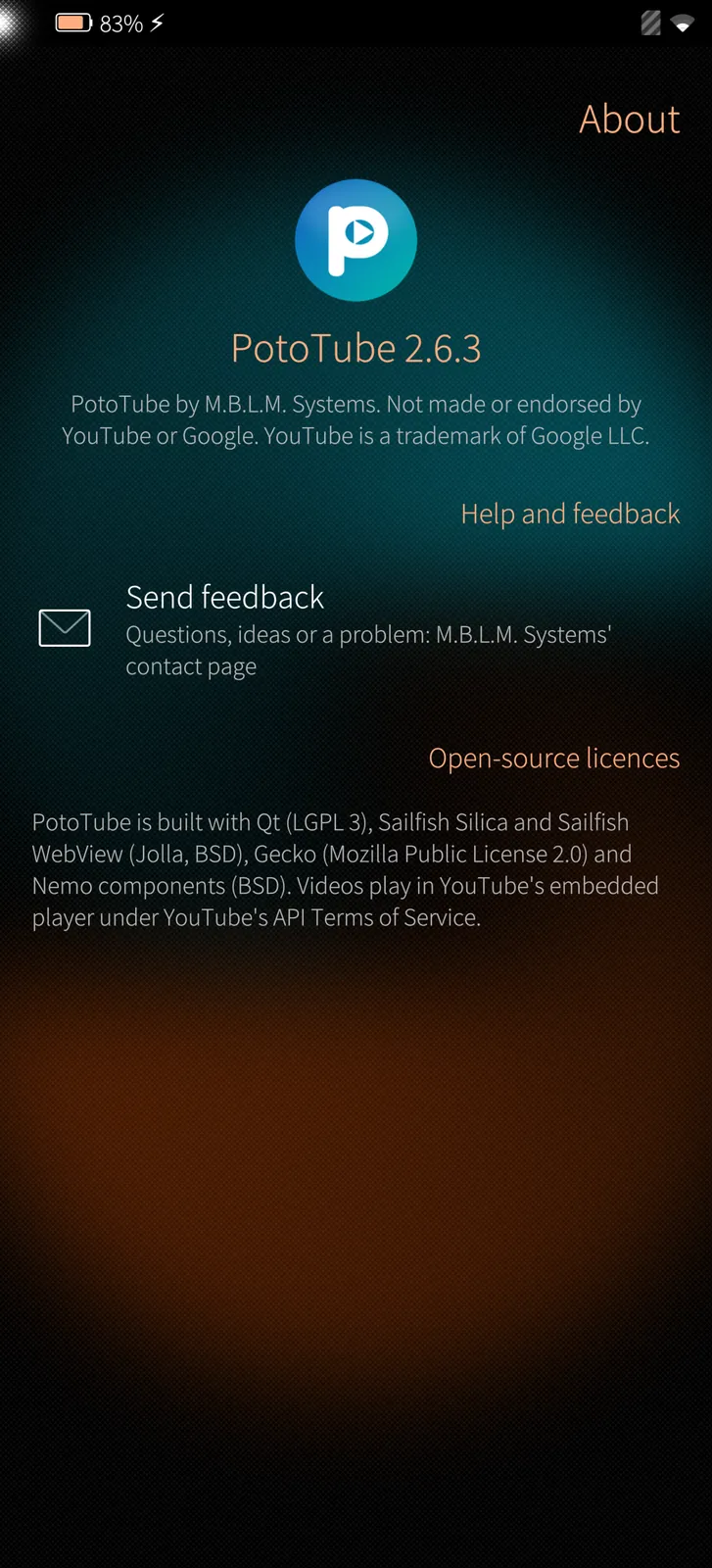
About PotoTube

The version, who made PotoTube, feedback and the open-source licences.

How it works

PotoTube is a free, independent app by M.B.L.M. Systems.

Under the hood

How PotoTube is built, where it runs and how it keeps your data safe.

01

Silica pages, YouTube's player

Lists, pages and menus are native Silica; the video area is YouTube's IFrame Player API in Sailfish's own web engine, exactly as YouTube offers it to apps and websites.

02

Sign-in without a password in the app

PotoTube never sees your Google password: you confirm a short code at google.com/device, like on a smart TV. The access it gets is kept in a file only PotoTube can read.

03

In Sailfish's sandbox

PotoTube runs in Sailfish OS's app sandbox with two permissions only: Internet and Audio.

04

YouTube links open in PotoTube

Links from the browser, messages, mail or PotoGram open in PotoTube: videos, Shorts, playlists and channels.

05

Nothing collected

History, Watch later, followed channels and settings stay on the phone. M.B.L.M. Systems receives nothing.

06

18 languages

PotoTube speaks the phone's language; subtitles can follow it or any language you choose.

Want to see PotoTube on your own site?

Tell us about your installation — we are happy to show you around or set up a trial.