Emby and Jellyfin, native on Sailfish OS — your own films, series and music in your pocket
PotoMby is a free Sailfish OS app for your own Emby or Jellyfin media server: continue watching, your films, series and music, subtitles and lyrics, downloads for a trip, your year in film, games and watching together — as real Silica pages, in 18 languages. It also does what the official apps do not: GIFs and video clips from any moment to share or send to PotoGram, quote cards, a subtitle editor and searching what is said. It is an independent app by M.B.L.M. Systems — not an official Emby or Jellyfin app.
An independent app — not an official Emby or Jellyfin app
PotoMby is a free Sailfish OS app made by M.B.L.M. Systems. It is not made, endorsed or sponsored by Emby LLC or the Jellyfin project. Emby is a trademark of Emby LLC.
Your server, your library
PotoMby talks only to the Emby or Jellyfin server you sign in to, through its own public API. Your films and music never pass through M.B.L.M. Systems.
Your password stays yours
Only the session key the server hands out is kept on the phone, never your password; it travels in the request headers, never in an address, and only to your server.
Free, without catches
No price, no in-app purchases, no ads, no tracking, no data collected and no hidden way of earning money. PotoMby has no server of its own.
With respect for Emby and Jellyfin
We made PotoMby because we enjoy Emby and Jellyfin and want people on Sailfish OS to enjoy them too. If Emby or the Jellyfin team would like anything changed, please write to info@mblm.systems — we will listen and act quickly.
Emby or Jellyfin — the same app
Sign in to your own Emby server or your own Jellyfin server: everything on this page works with both, and PotoMby takes on Jellyfin's colours on a Jellyfin server.
Only in PotoMby
GIFs and video clips
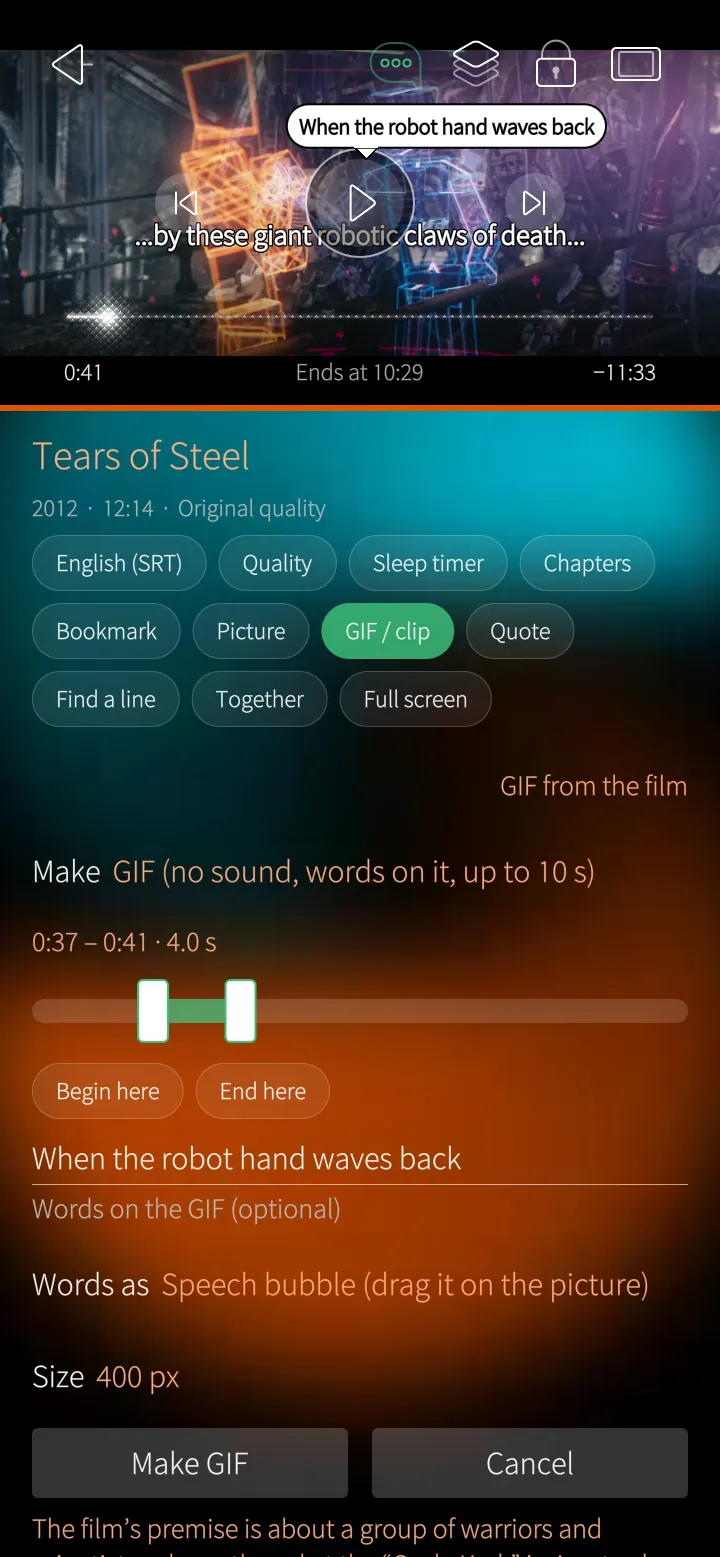
Make a GIF with your own words in a speech bubble, or a clip with sound, from any moment of a film — then share it or send it to PotoGram.
Only in PotoMby
Quote cards and pictures
Tap a subtitle line for a picture of that moment with the line in big quotation marks, or save the picture alone — to share, send to PotoGram or jump back to that moment later.
Only in PotoMby
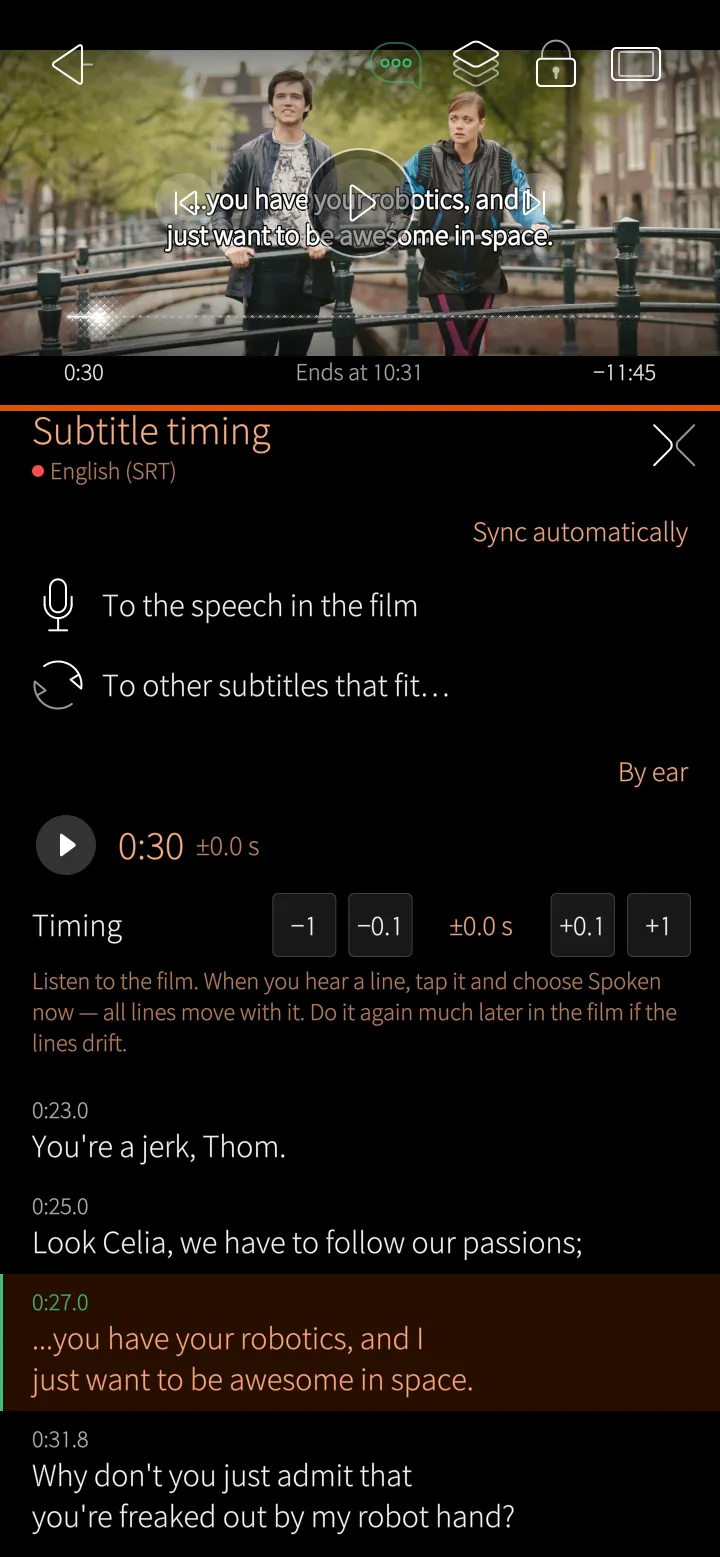
Subtitle editor
Subtitles out of step? Set them right by ear, or let PotoMby match them to the speech; on Emby the corrected subtitles are saved on the server for everyone.
Only in PotoMby
Find a line
Search what is said in a film, jump to that moment, or make a quote card of it.
Continue watching
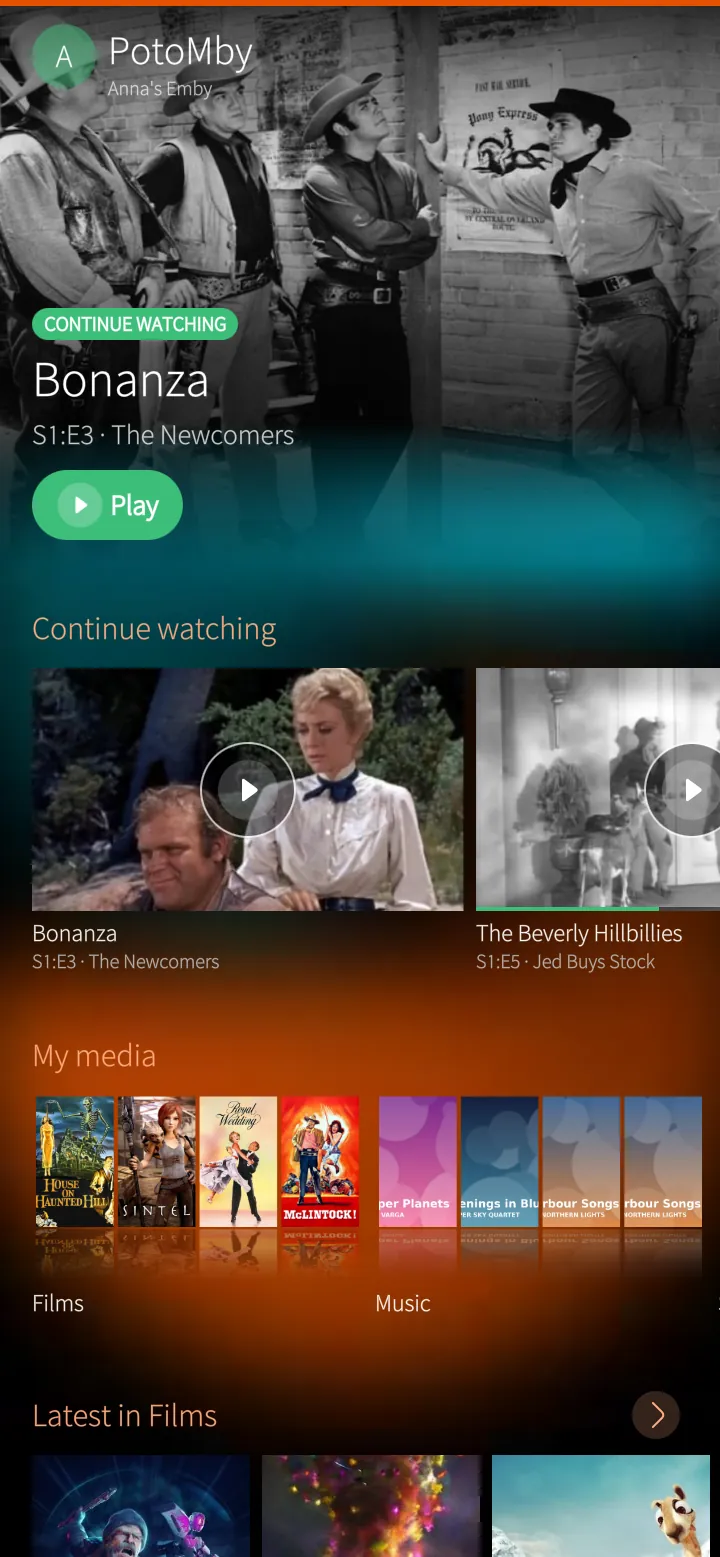
The home page shows where you stopped and the next episode of every series, then the newest in each library.
Films and series
Every library as a grid of posters with sorting, filters and a jump to a letter; each film with its cast, chapters and similar titles.
Subtitles and sound
Subtitles in your language drawn sharp on the phone, picture subtitles burnt in by the server, and a choice of sound tracks.
Music
Albums, artists and songs with a queue, shuffle and repeat, playing on in the background with the lock screen's controls.
Lyrics and equalizer
Timed lyrics that follow the song, from the server or LRCLIB, and ten bands with presets for music and films.
Downloads
Films, episodes and albums on the phone to watch and hear without the server — or a whole trip filled with what you are watching.
Only in PotoMby
Your year, diary and badges
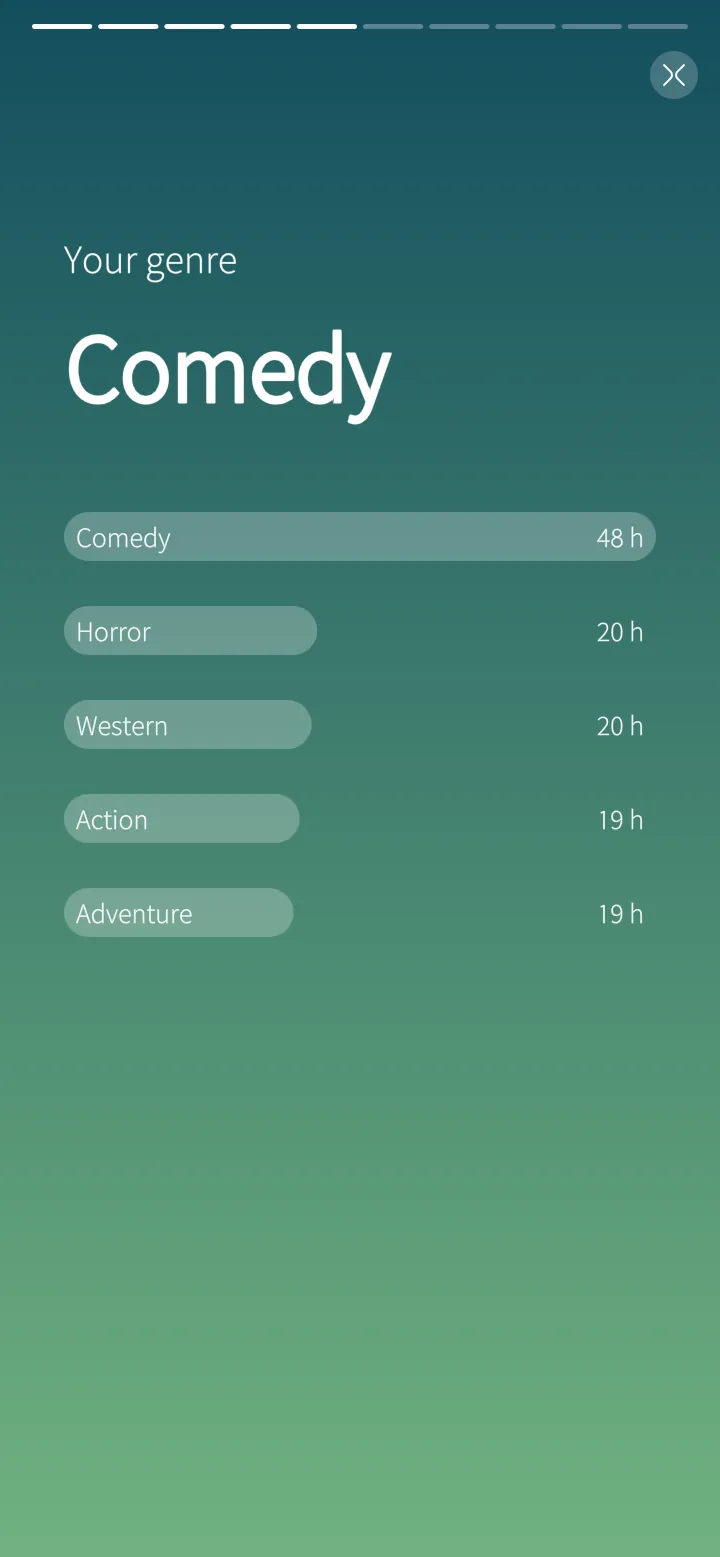
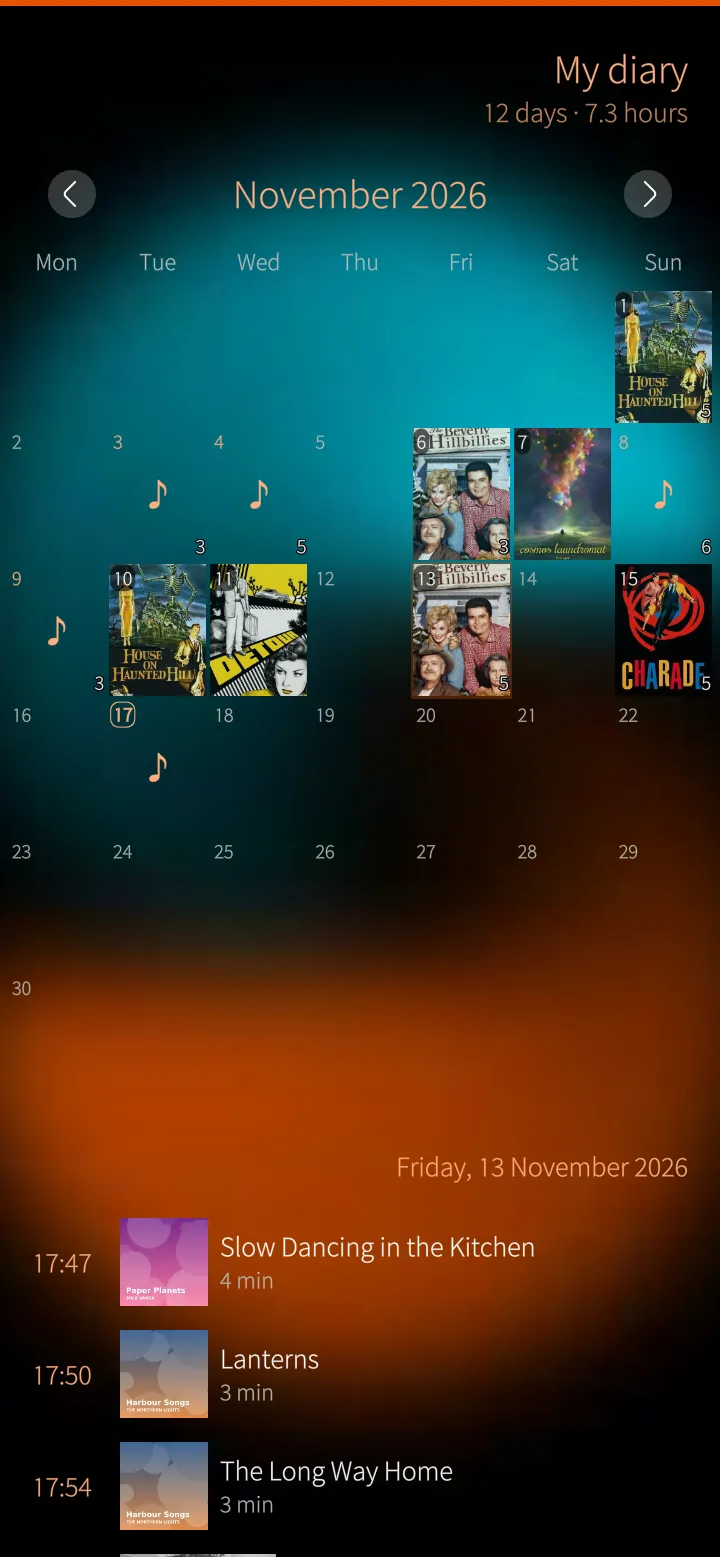
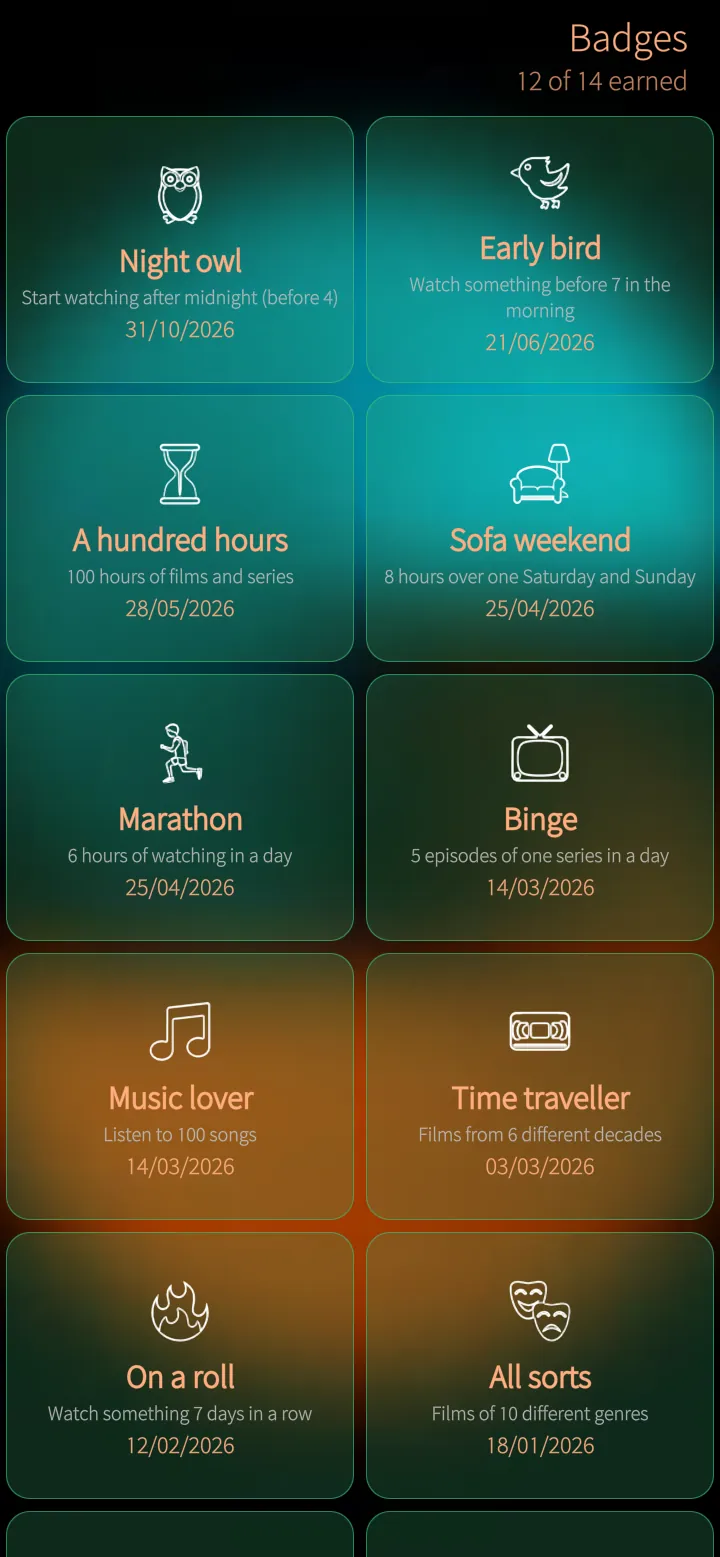
Your year in film as a story, a calendar of what you watched and fourteen badges to earn.
Only in PotoMby
Games and movie night
Guess the film, Who is it? and Which year? from your own library, and a movie night where everybody votes.
Watch together
Two phones play the same film in step, with chat and reactions — through your own server, nothing else.
Kids mode
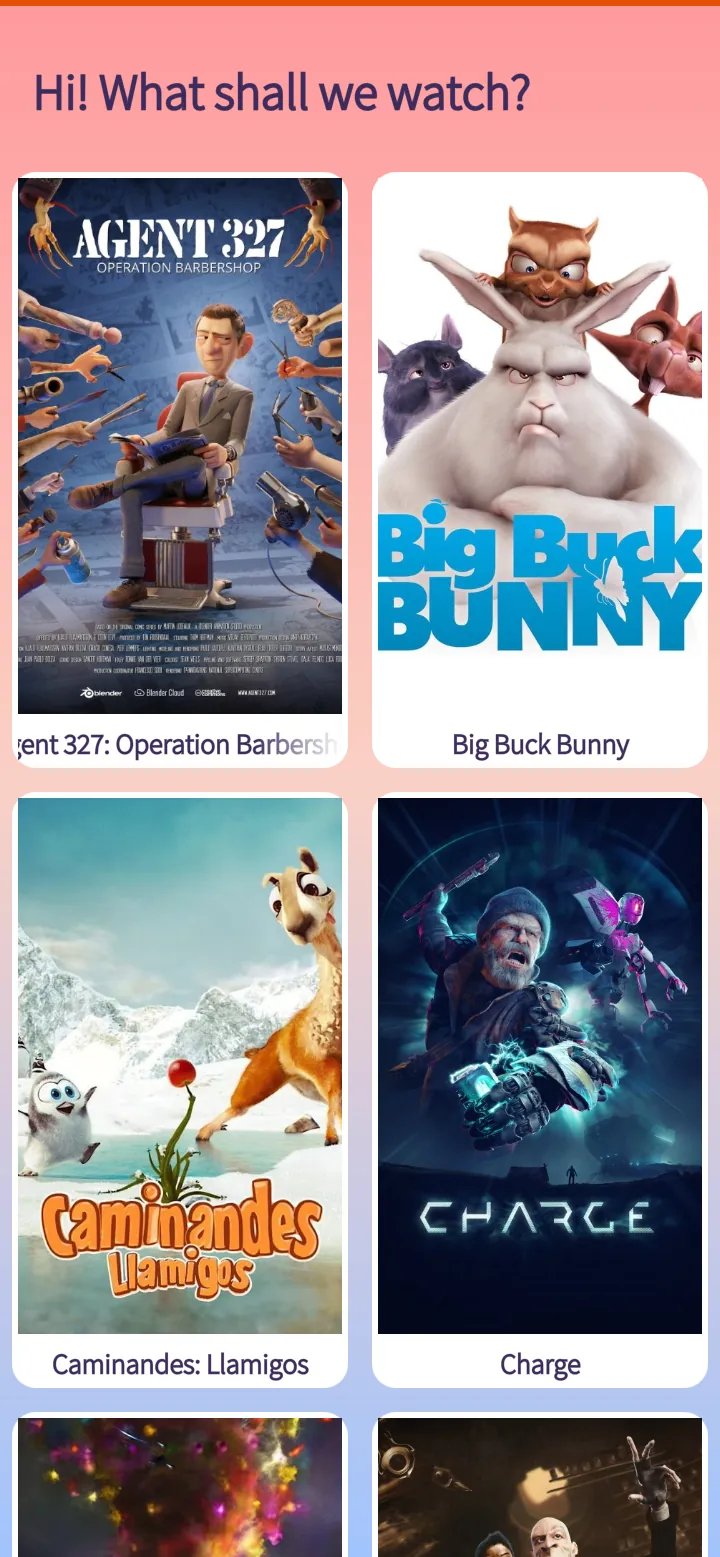
Big pictures of only the films a child may watch, a time a day, out only with the PIN.
Play on your TV
Send a film to another Emby app — the TV, a browser, another phone — and pause, skip and stop it from your phone.
Your own media server, made for Sailfish OS
Emby and Jellyfin keep your films, series and music on your own server. PotoMby brings that library to Sailfish OS as a native Silica app: a home page with what you were watching and the next episode, every library as a grid of posters, the details of each film with its cast, and pull-down menus, press-and-hold menus and the cover, like the rest of the phone.
Films start where you stopped — on the phone, the TV or the browser, the position follows you. The phone's own video chip plays what it can; the server converts the rest on the fly. Subtitles in your language drawn sharp on the phone, a choice of sound tracks, skip intro and the next episode by itself.
Music plays on in the background with a queue, shuffle and repeat, the lock screen's controls, timed lyrics and a ten-band equalizer. Download films, episodes and albums to watch and hear without the server — or let PotoMby fill a trip of a few hours with what you are watching.
More than a player
Your year in film as a story, a diary of what you watched and badges to earn. Guess the film from a picture of your own library, a movie night where everybody votes, watching together on two phones in step, a card to recommend a film to a friend, and a kids mode behind a PIN.
Free, and nothing hidden
PotoMby costs nothing and has no in-app purchases, no ads, no tracking and no server of its own: it talks only to your Emby or Jellyfin server. It is made by M.B.L.M. Systems for the Sailfish OS community.
Even better with PotoGram
PotoMby and PotoGram, our Telegram app for Sailfish OS, work hand in hand: what you make from a film goes straight into a chat.
GIFs, video clips, pictures and quote cards go into a Telegram chat with one tap — no saving and attaching first.
Your GIFs in PotoGram
GIFs made in PotoMby appear in PotoGram's own GIF panel, to send again any time.
Or share them anywhere
The phone's share menu sends them to e-mail, PotoMich or any other app as well.
Made to be shared
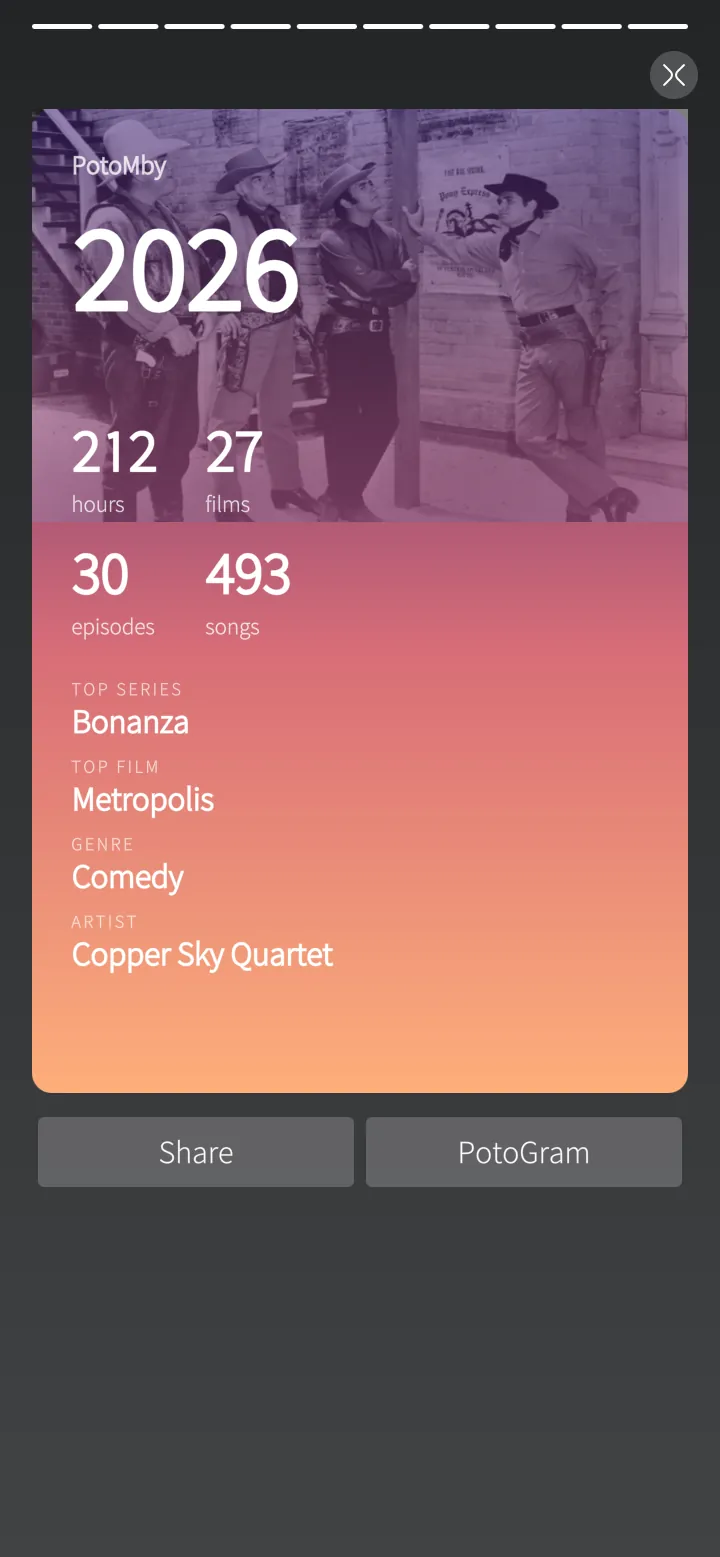
Your year in film, recommendation cards and quote cards are pictures made for sending to friends.
Feature tour
Every screen below is a real screenshot. Search for a feature or pick a chapter; click a picture to see it full size and page through them with the arrow keys.
Extras PotoMby adds on top of your server — most of them you will not find in the official Emby and Jellyfin apps: GIFs and video clips from any moment, pictures and quote cards, sending them to PotoGram, a subtitle editor, two subtitles at once, searching what is said and bookmarks.
Sailfish app
Make a GIF from any moment
Choose up to ten seconds, write your own words as a speech bubble or a caption, and pick the size.
How it works
PotoMby makes the GIF on the phone itself from the film's own picture — your words drawn on every frame.
Sailfish app
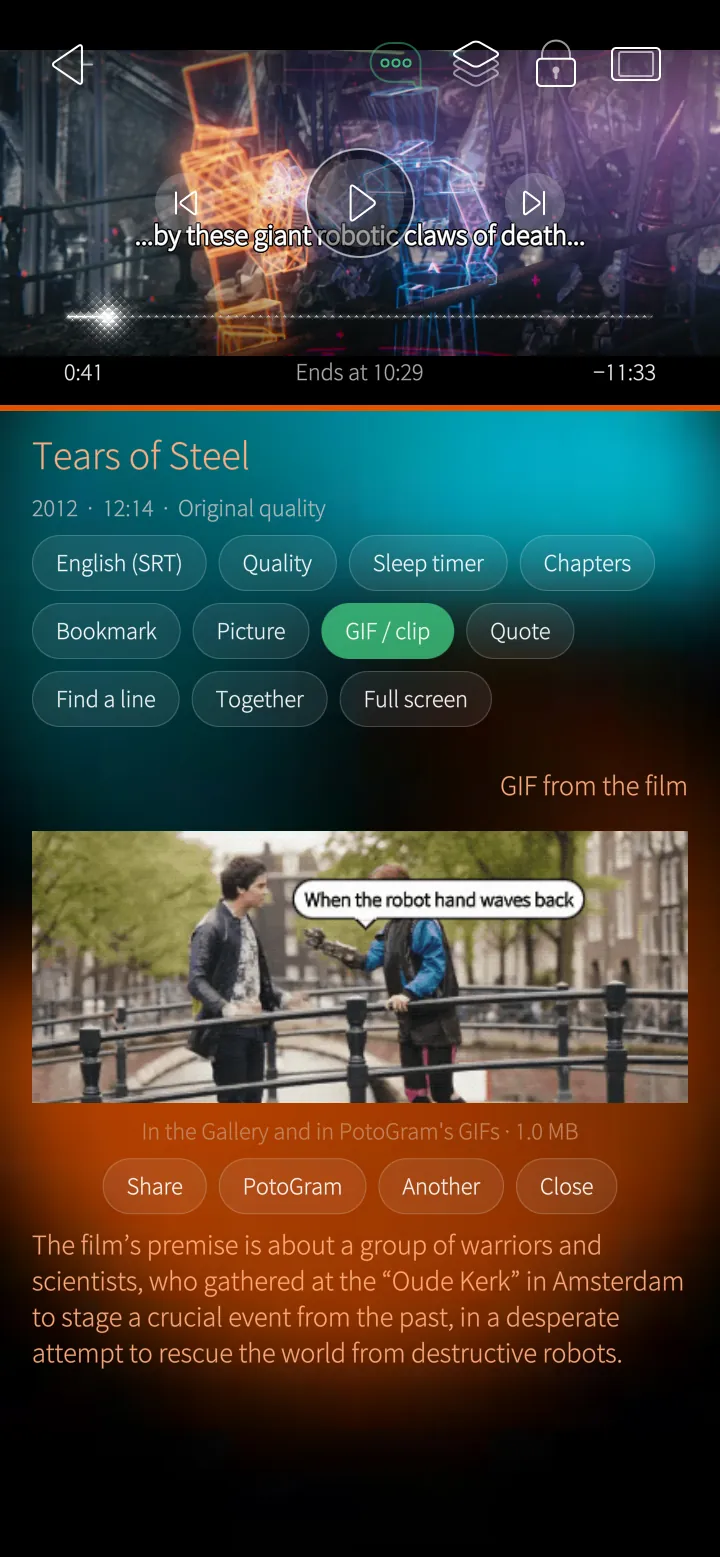
Share it or send it to PotoGram
The GIF plays right there; share it, send it to a Telegram chat in PotoGram, or make another.
How it works
Kept in the Gallery and in PotoGram's GIF panel.
Sailfish app
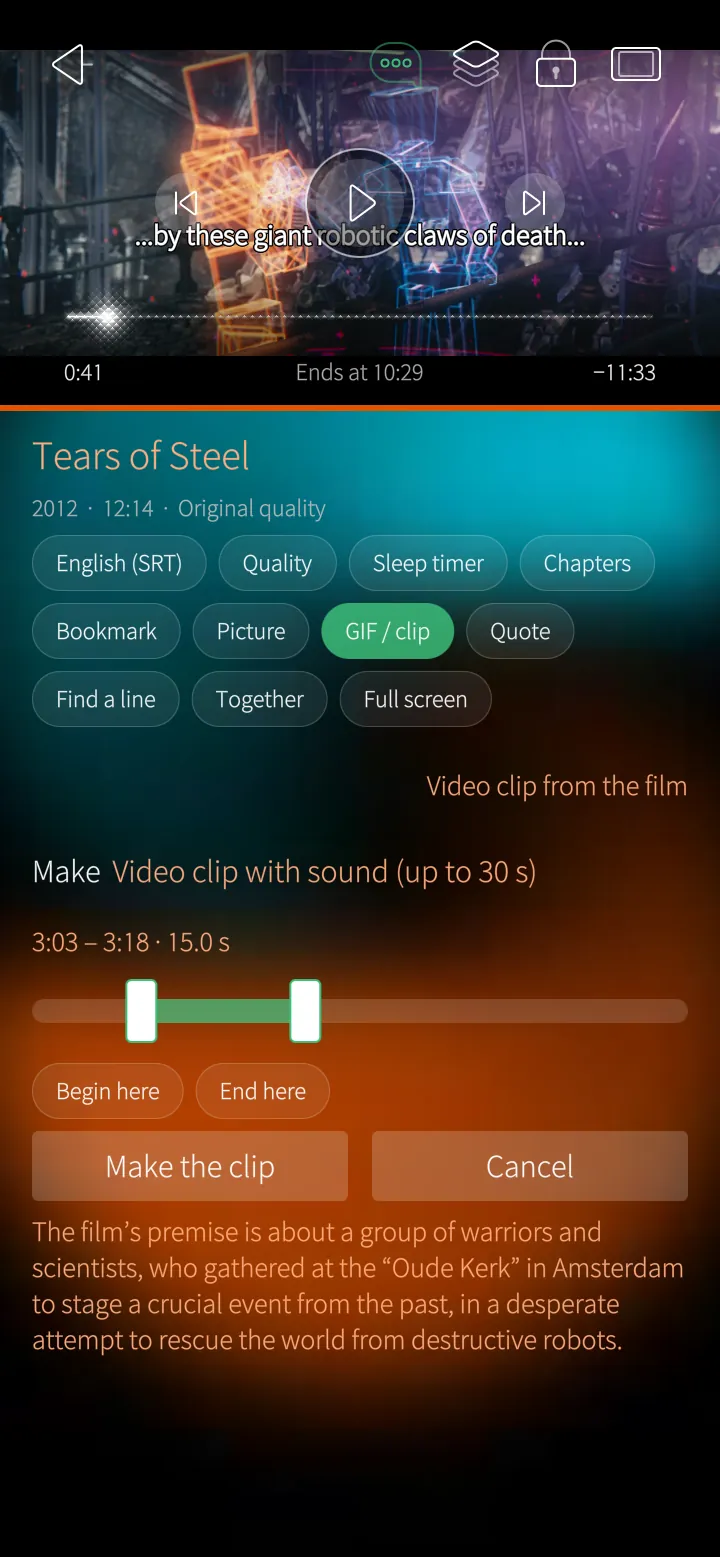
Video clips with sound
Up to thirty seconds of a film with its sound, as a video to share or send to PotoGram.
How it works
The server cuts and converts that part; the phone wraps it into an MP4 without encoding it again.
Sailfish app
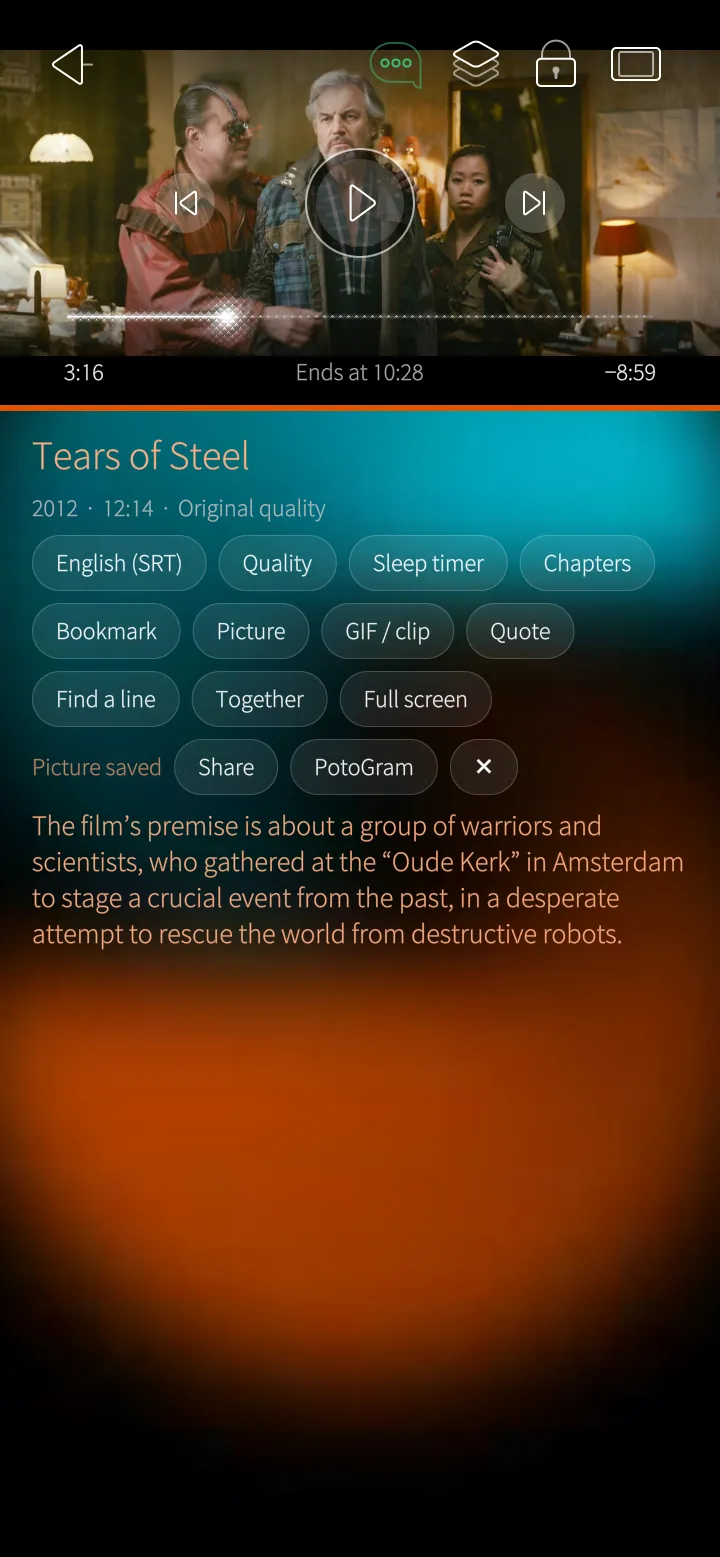
A picture of any moment
Save the frame you are watching, then share it or send it to PotoGram at once.
How it works
The film's own picture at full quality, without the player's buttons.
Sailfish app
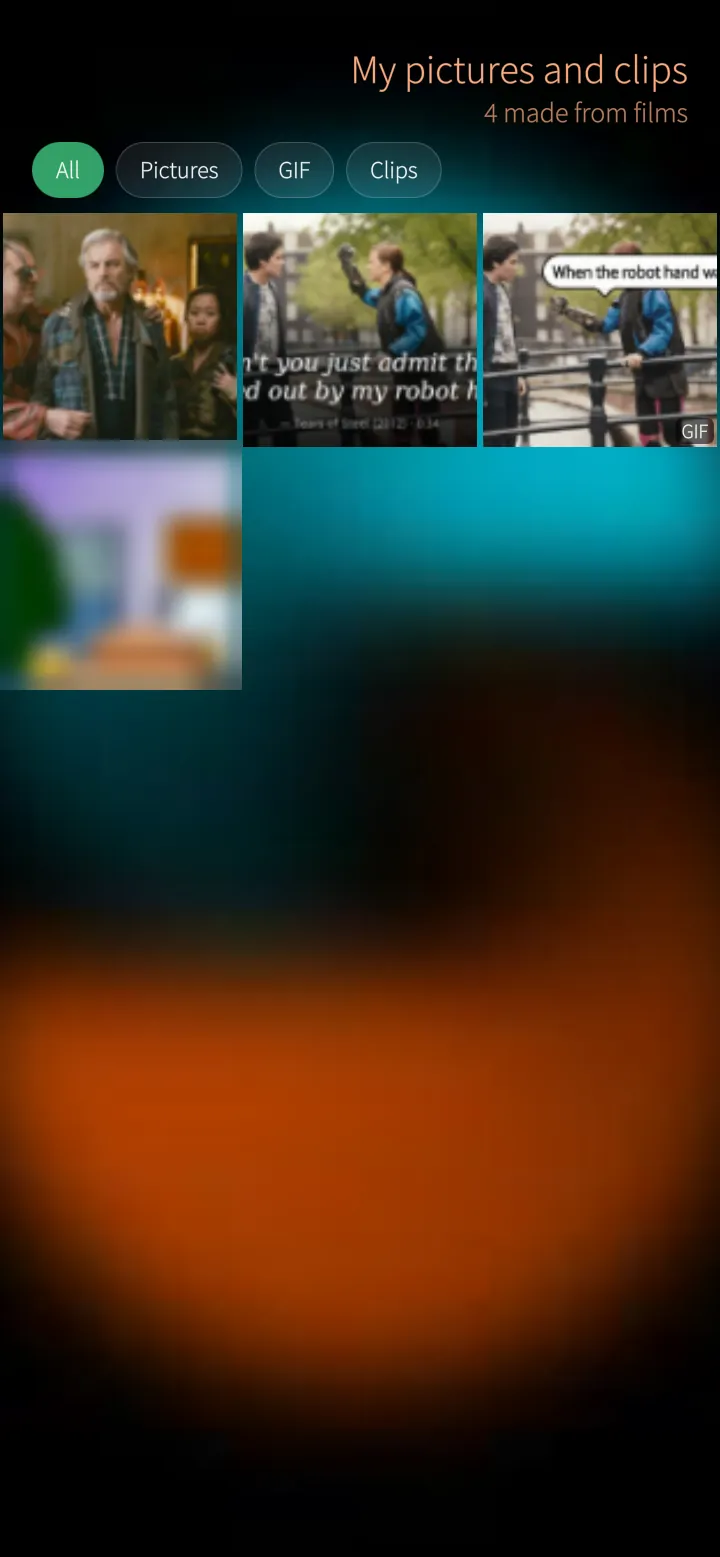
My pictures and clips
Everything you made from films — pictures, quote cards, GIFs and clips — in one place, newest first.
How it works
Read from the phone's Gallery folders; nothing is uploaded anywhere.
Sailfish app
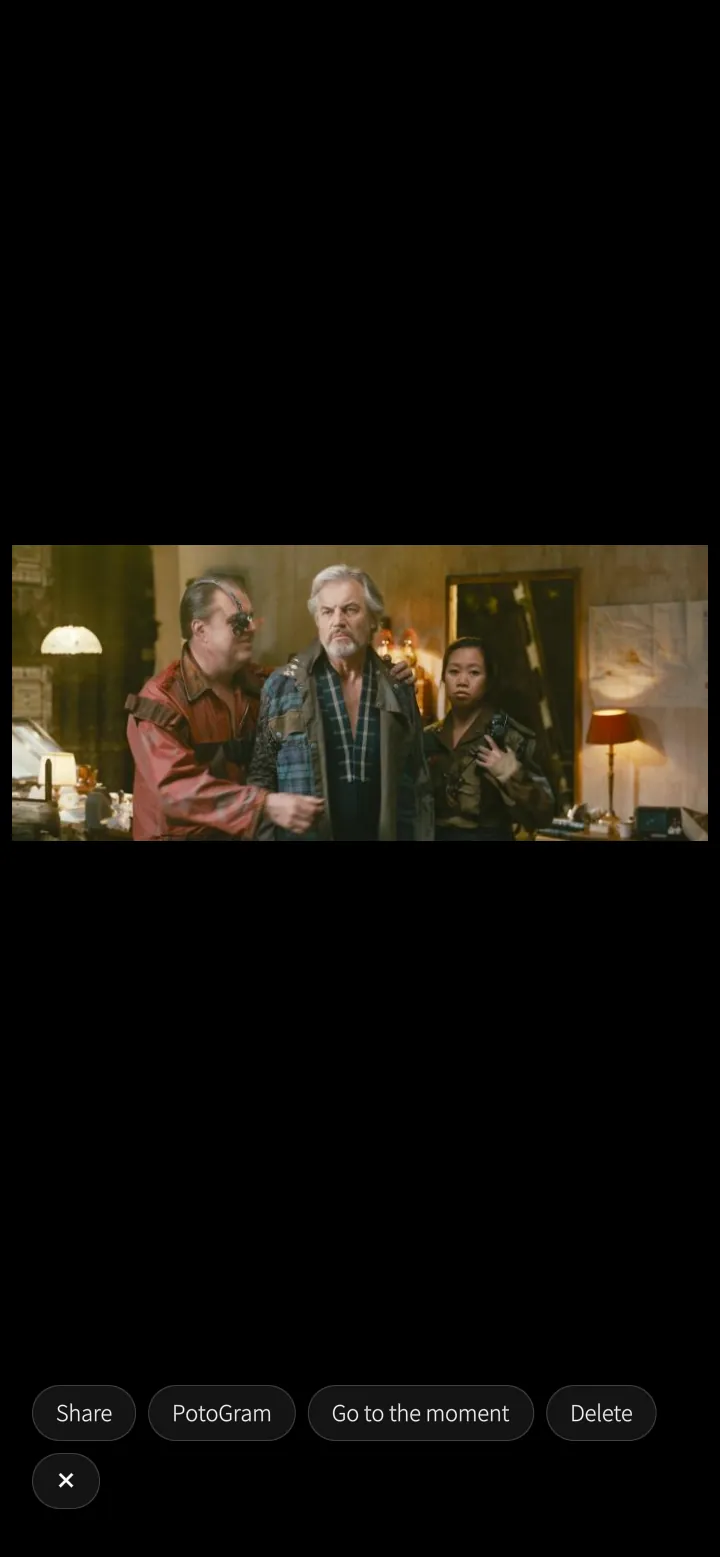
Back to the moment
Open one big and share it, send it to PotoGram, delete it — or go straight back to that moment in the film.
How it works
PotoMby remembers which film and which second each picture came from.
Sailfish app
Subtitle editor
Subtitles out of step? Play the film, tap the line you hear and every line moves with it — or let PotoMby match them to the speech.
How it works
On Emby the corrected subtitles can be saved on the server, so every app and every viewer gets them.
Sailfish app
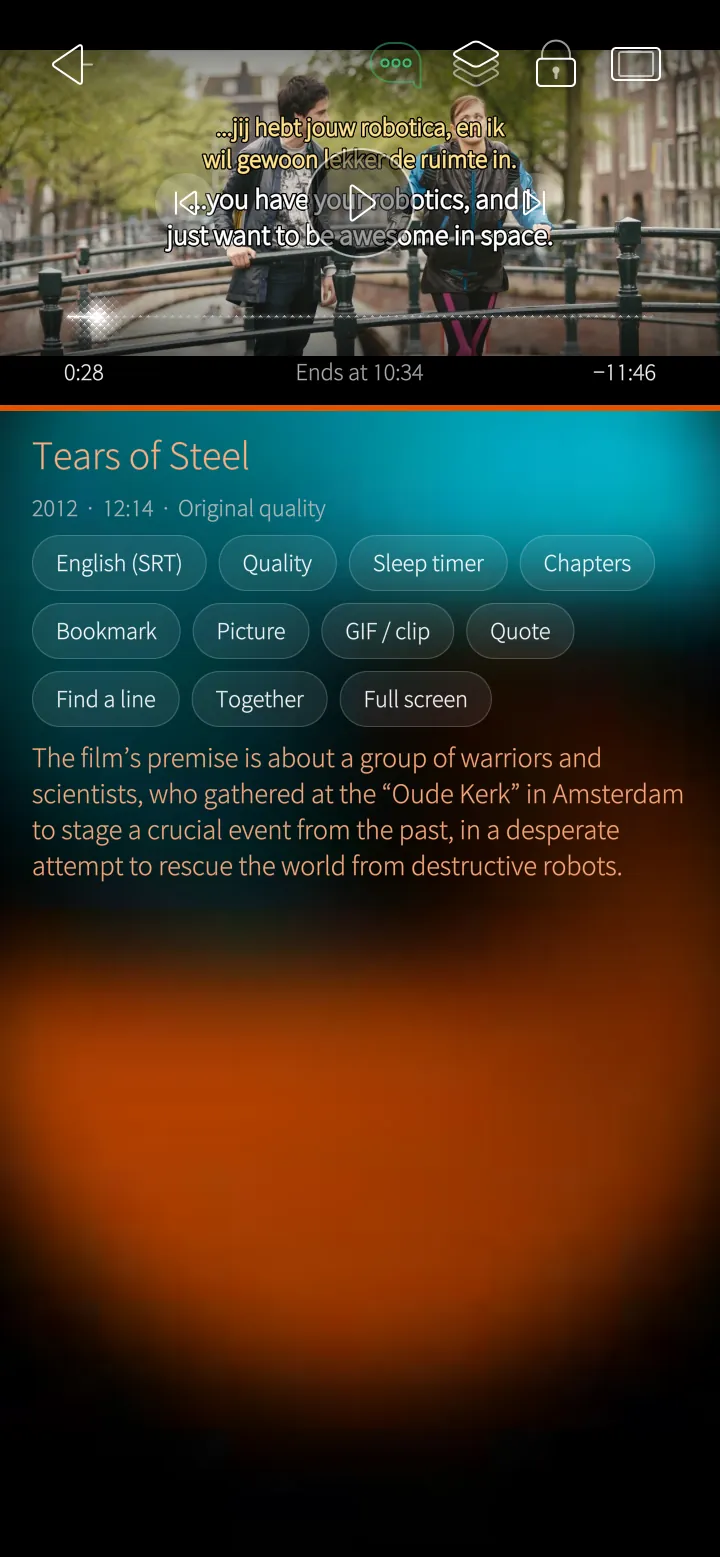
Two subtitles at once
Your language and the film's own — or any two — one above the other, to follow along or learn a language.
How it works
Both drawn sharp on the phone, the second in its own colour.
Sailfish app
Find a line
Search what is said in the film and jump to that moment, or hold a line to make a quote card of it.
How it works
Searched in the film's subtitles on the phone.
Sailfish app
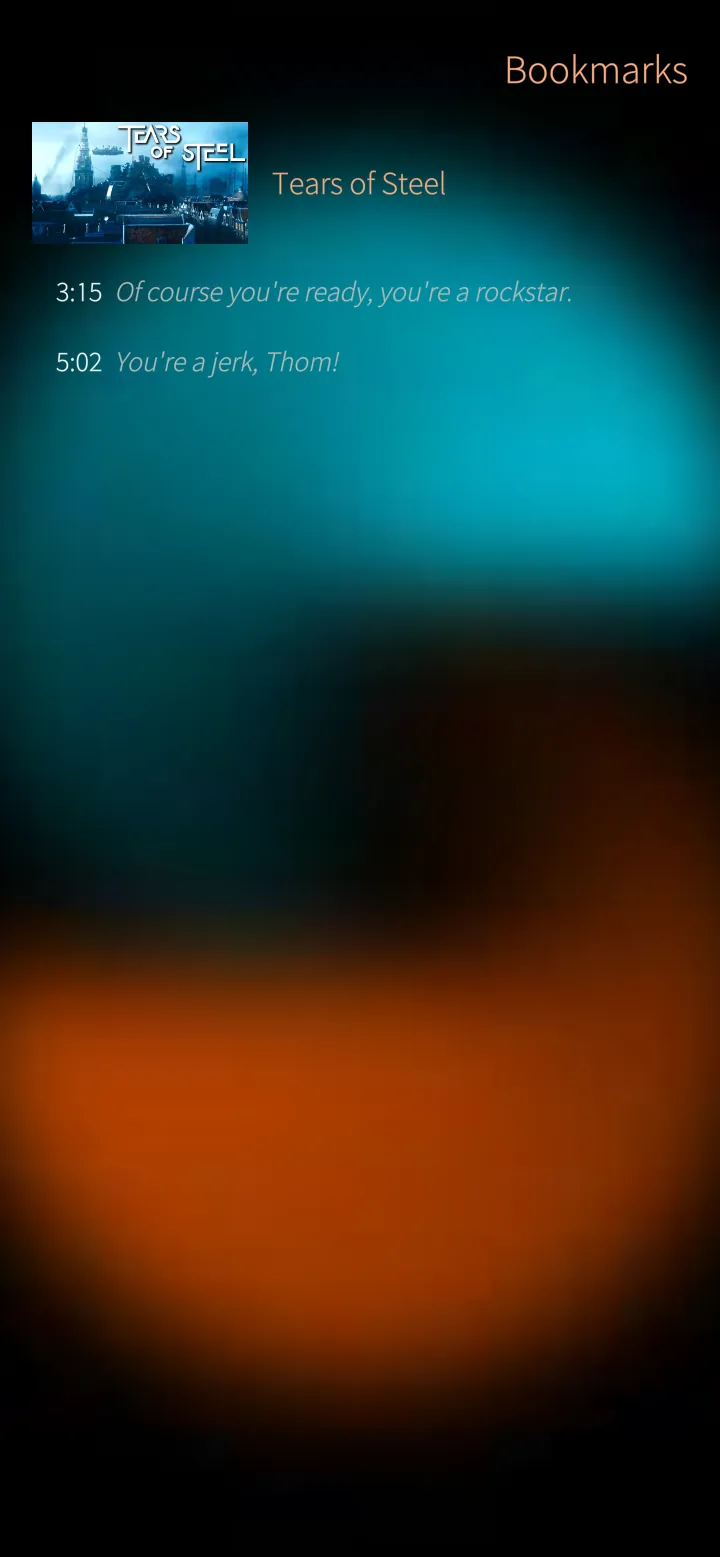
Bookmarks
Keep moments in films and episodes with the line said there, and play them again later.
How it works
Kept on the phone and saved with your settings on the server.
02
Watch 6 screens
The home page, everything about a film or series, and the player with subtitles, chapters, pictures and quote cards.
Sailfish app
Your home page
What you were watching and the next episode on top, then your libraries and the newest in each — with the series' or film's own picture behind it.
How it works
Read from your Emby server's own lists (Continue watching, Next up, Latest); the order of the rows is yours to choose.
Sailfish app
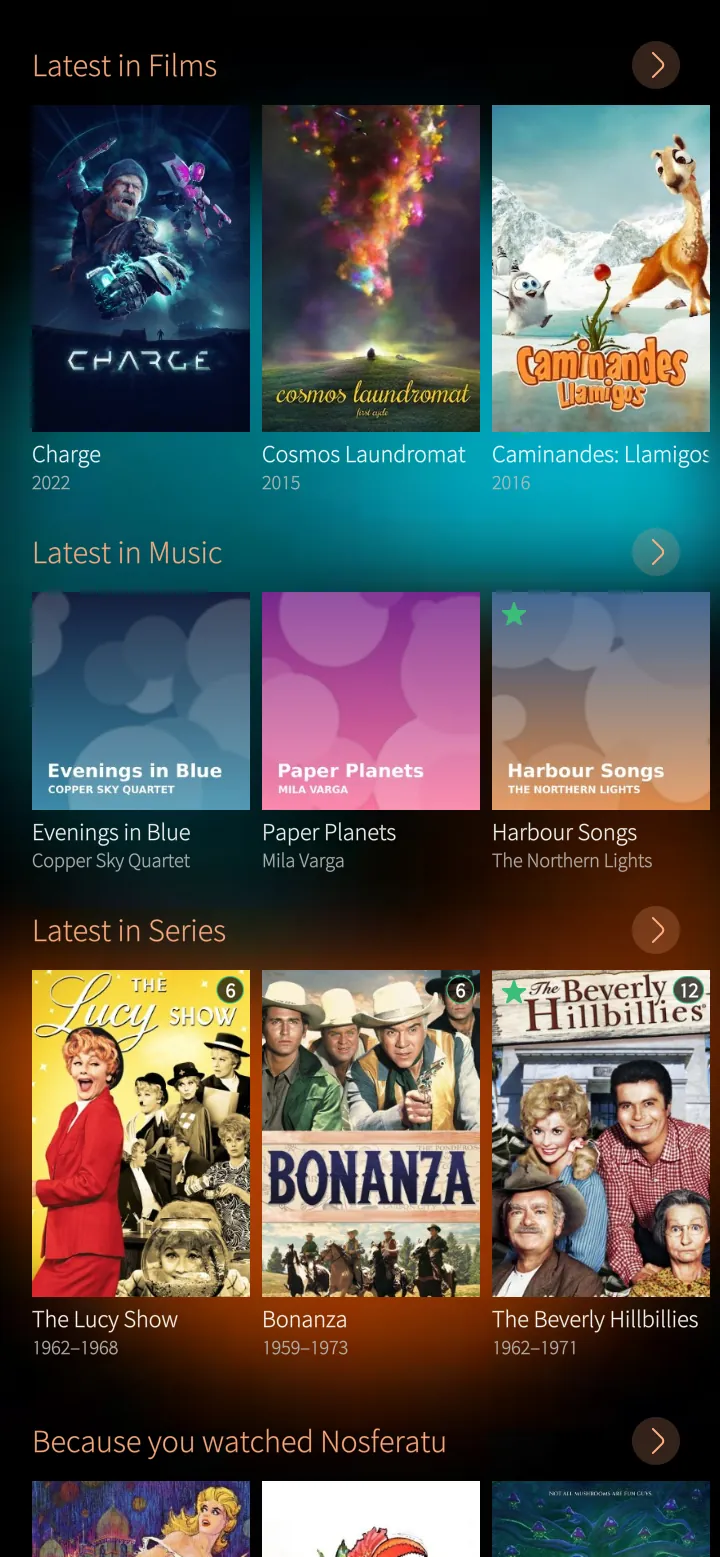
The newest in every library
Films, music and series that just arrived, each library in its own row, and suggestions because you watched something.
How it works
Each row asks the server only for what fits on screen; posters come in the size the phone needs.
Sailfish app
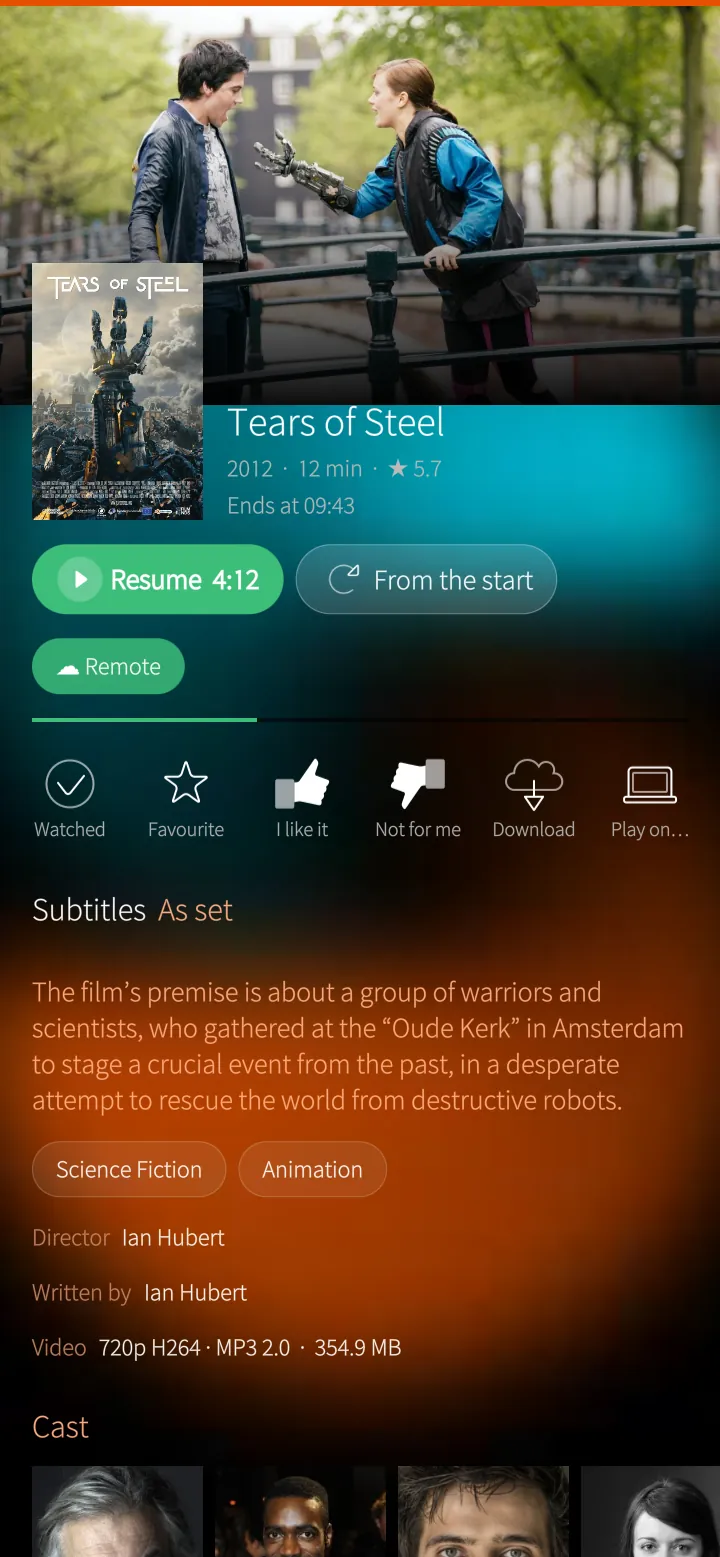
Everything about a film
Resume or start again, watched, favourite, like, download or play it on another device — with the story, the genres and the subtitle you will see.
How it works
Emby's metadata for the film; the stream details show what the phone will play as it is and what the server converts.
Sailfish app
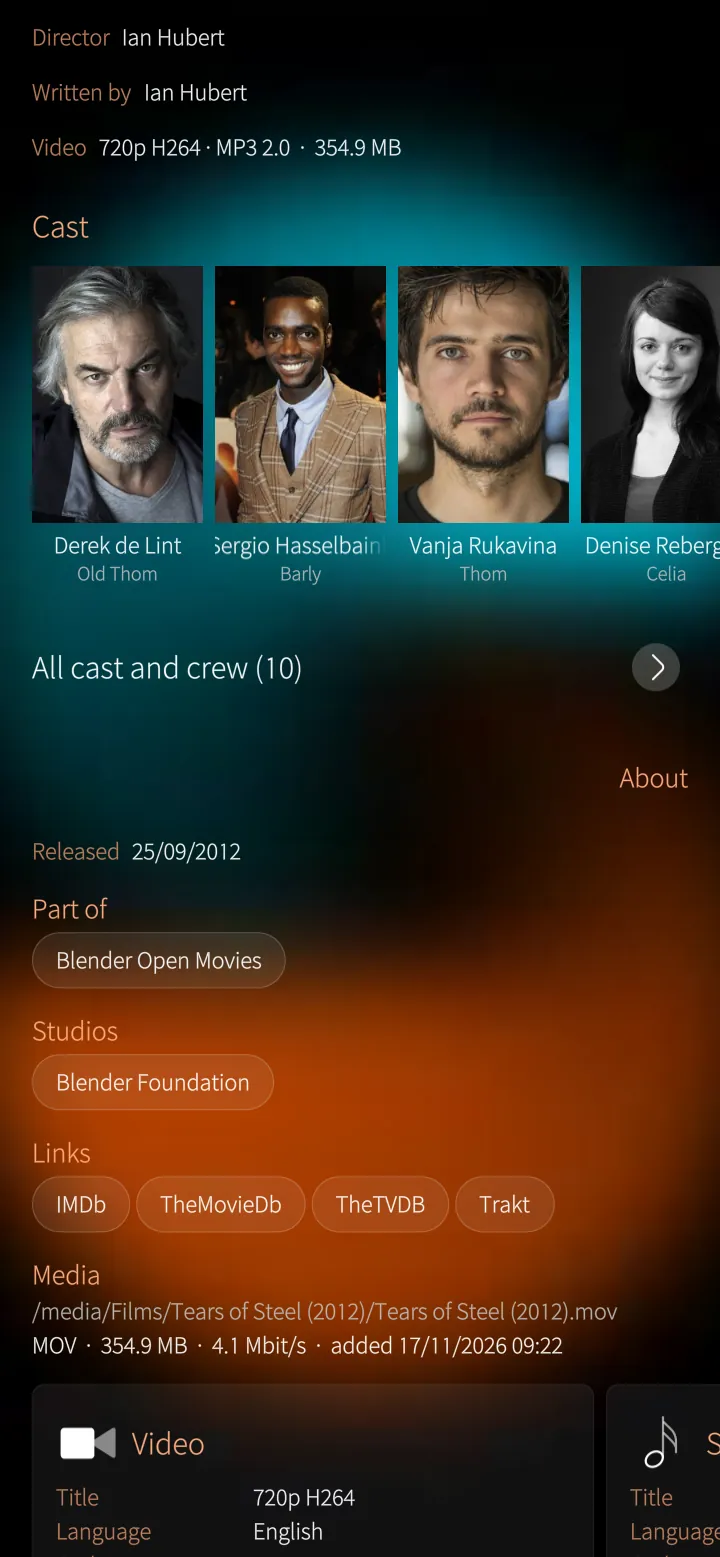
Cast, collections and links
Who is in it, which collection it belongs to, the studio and links to IMDb and TheMovieDb.
How it works
Tap a face for that person's page and everything with them on your server.
Sailfish app
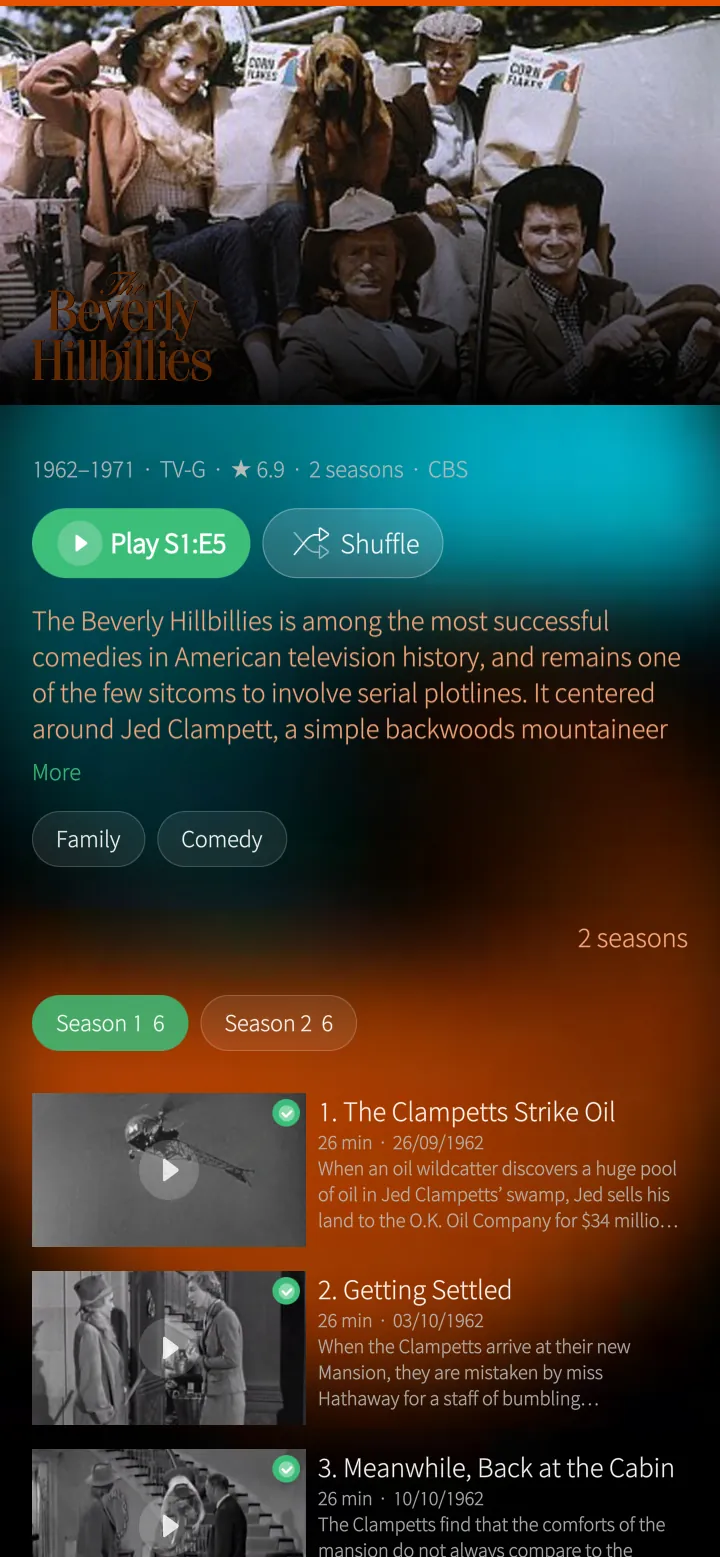
Series by season
Seasons and episodes with their pictures and stories, what you have watched, and Play the next one.
How it works
The next episode is the one after the last you watched — the same on the TV, the web and the phone.
Sailfish app
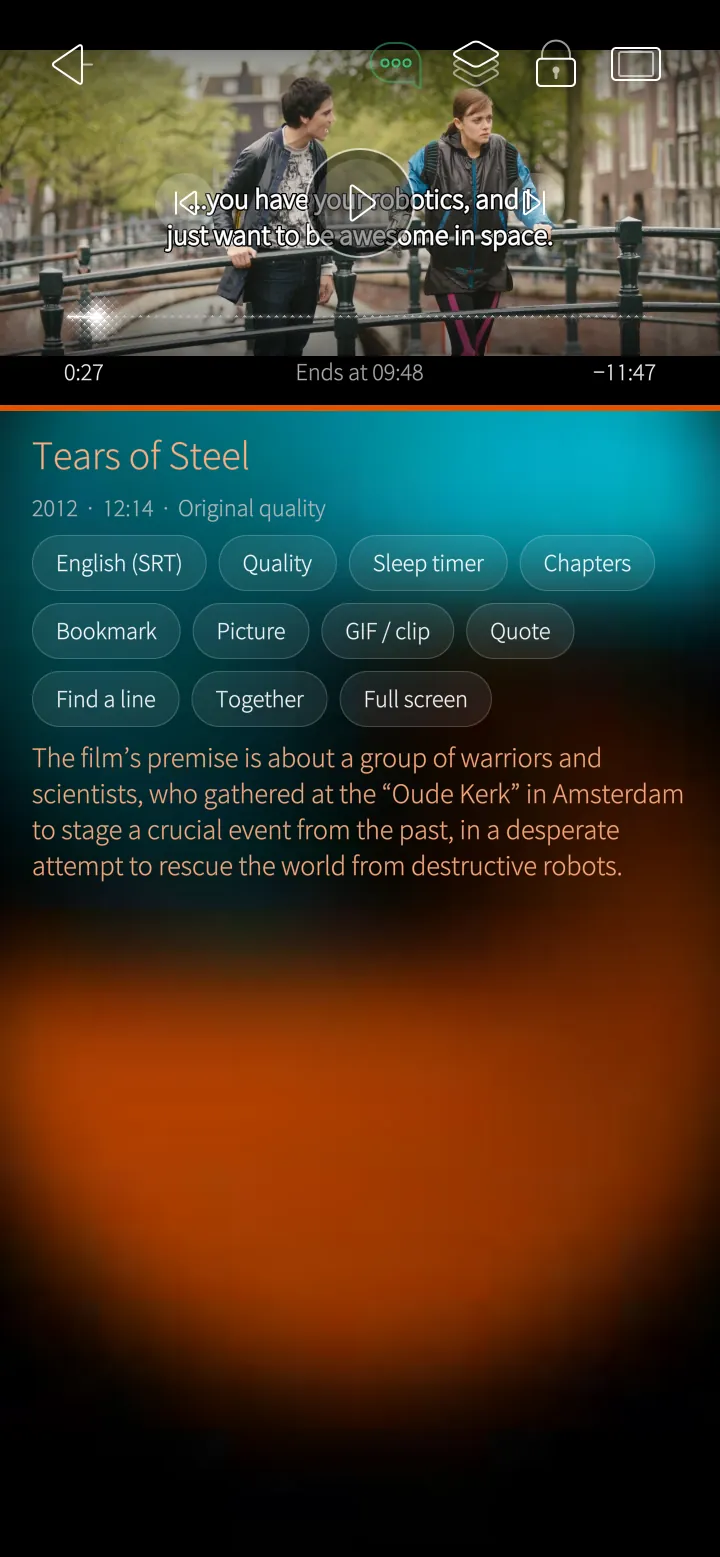
The player
Subtitles drawn sharp on the phone, sound tracks, quality, sleep timer, chapters, bookmarks, pictures, GIFs and quote cards from any moment.
How it works
The phone's video chip plays what it can; the server converts the rest while you watch. Subtitles come as text from the server.
03
Music 4 screens
Albums, now playing with timed lyrics, and the equalizer.
Sailfish app
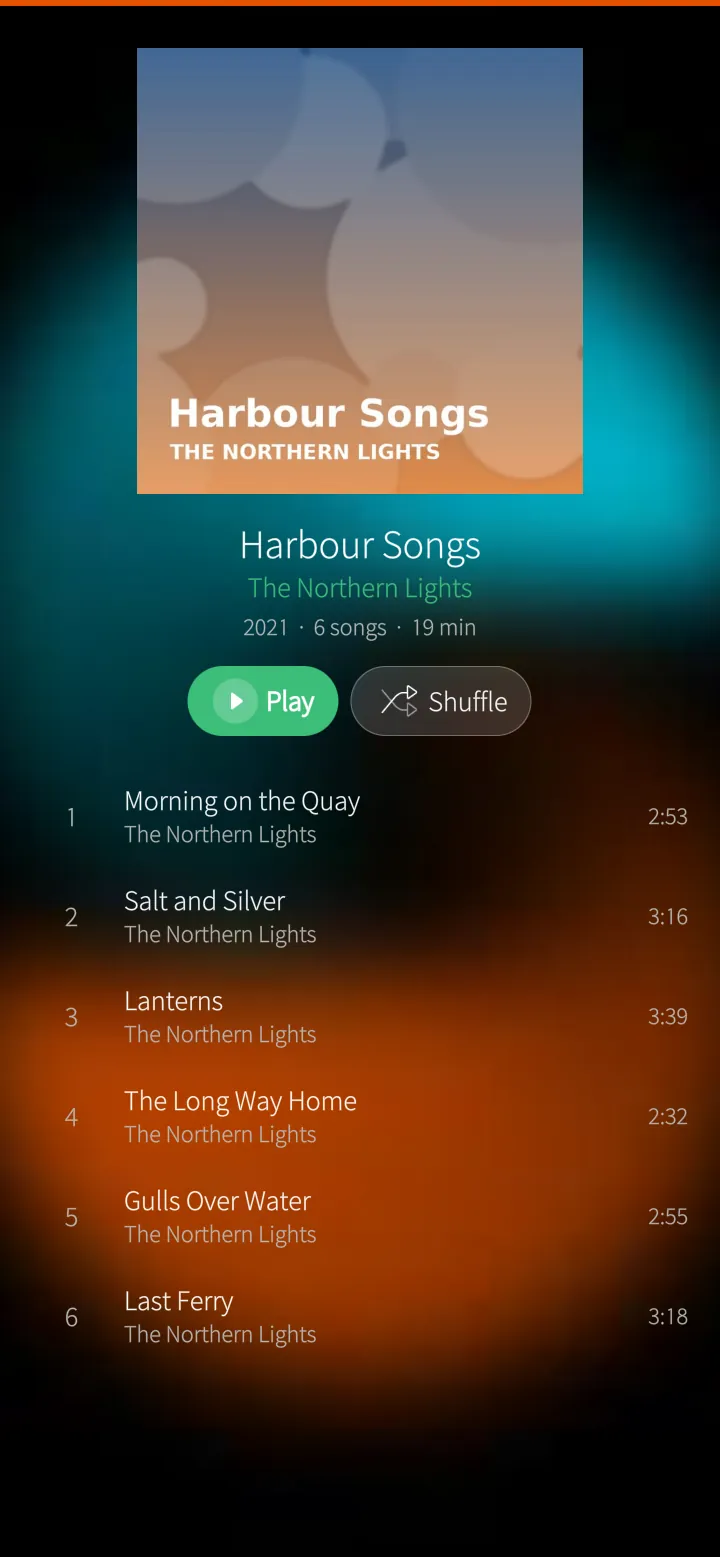
Albums
Every album with its songs, play or shuffle, and the cover the server keeps.
How it works
Covers embedded in the songs or kept by Emby; the queue plays on in the background.
Sailfish app
Now playing with lyrics
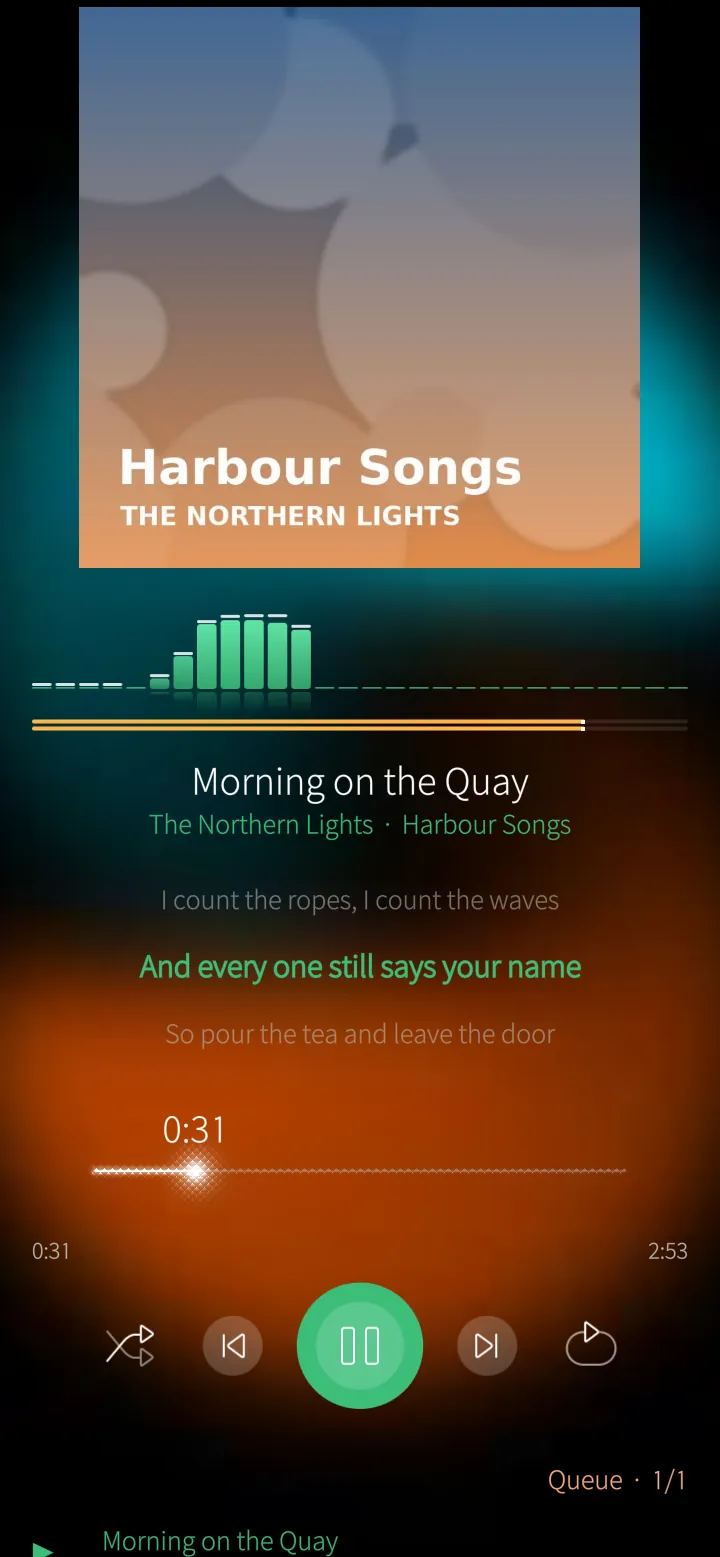
The cover, a live level meter, the line being sung, and shuffle, repeat and the queue.
How it works
Timed lyrics from the song's own .lrc on the server; when there are none, from LRCLIB, kept beside the song.
Sailfish app
Sing along
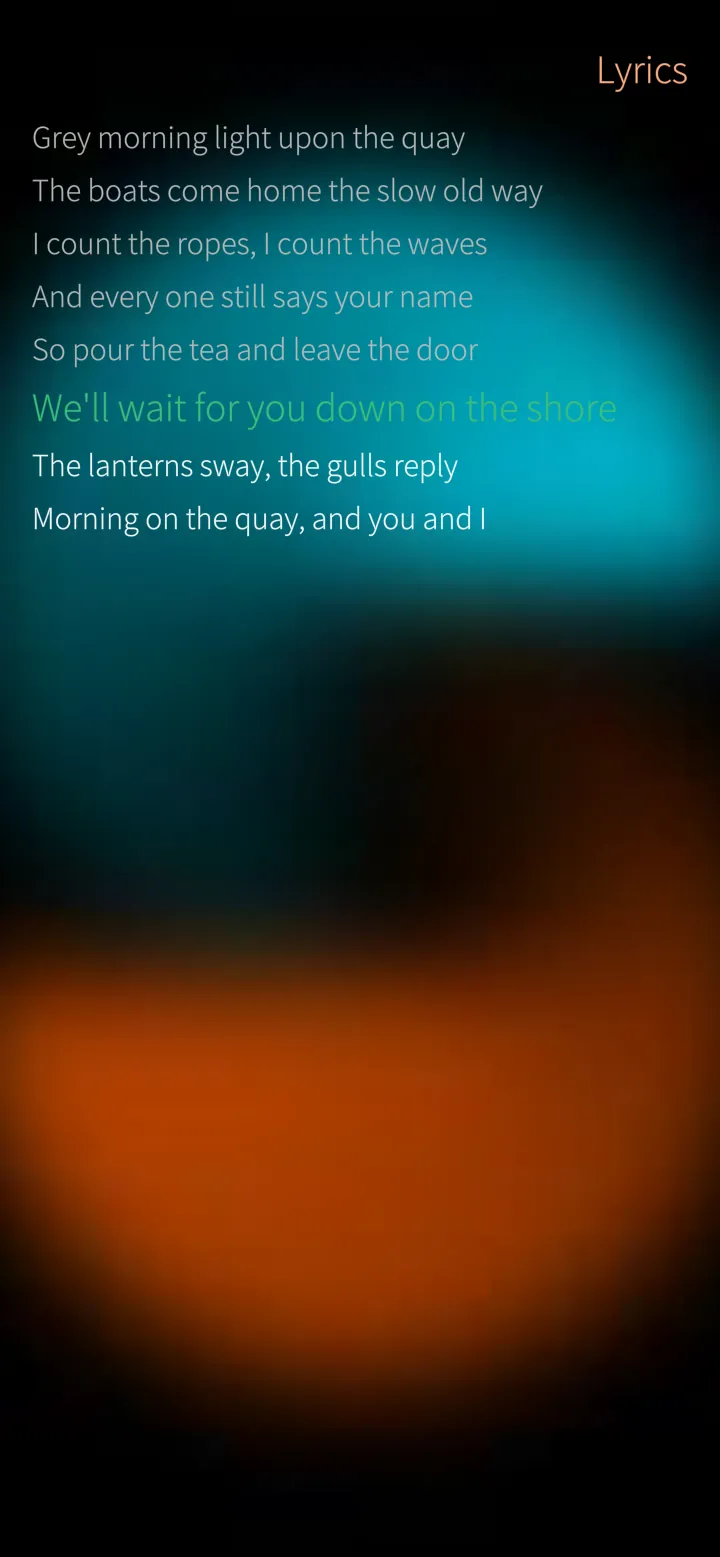
All the words of the song, the line being sung lit up — tap a line to jump there.
How it works
The lyrics follow the music to a quarter of a second.
Sailfish app
Equalizer
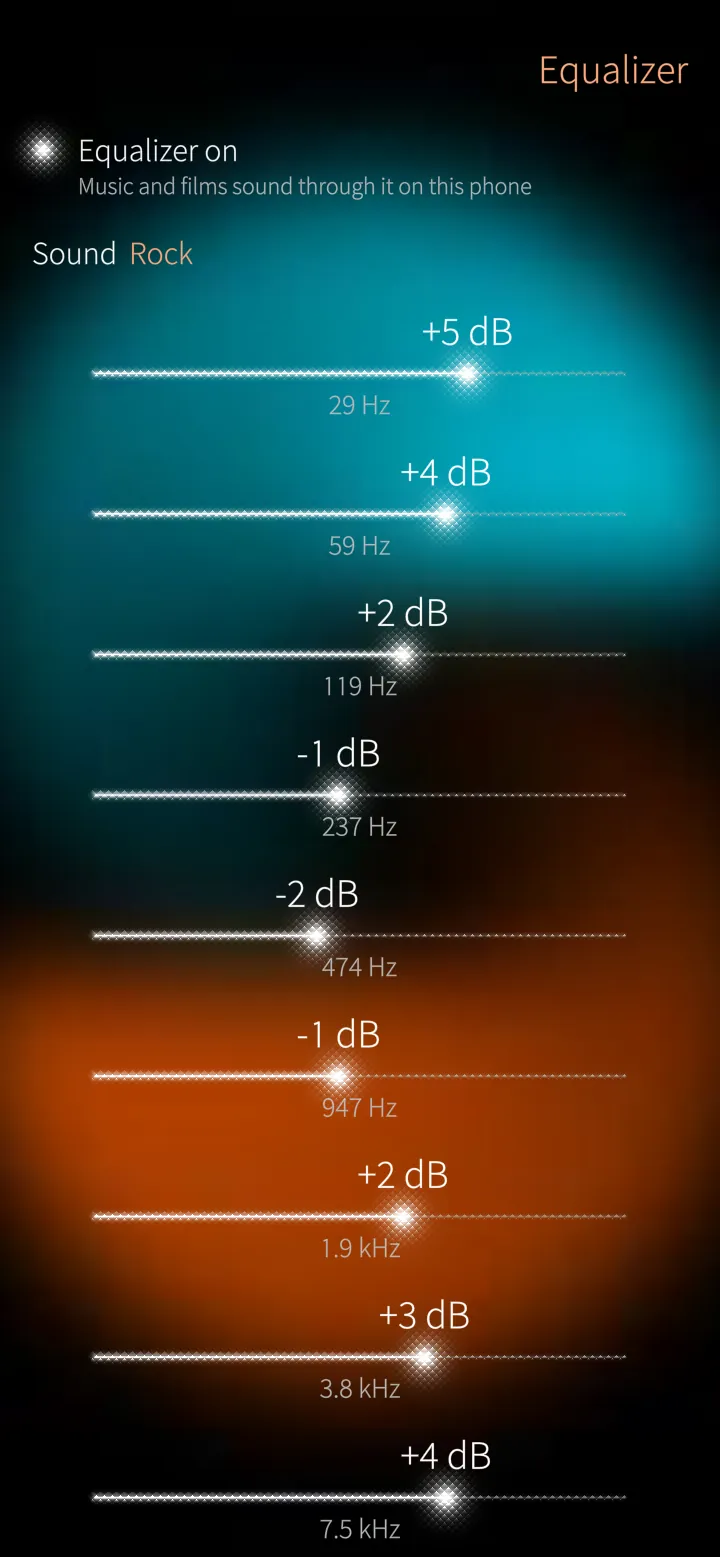
Ten bands with presets such as Rock, Bass boost, Clear voices and Night, or your own — for music and films.
How it works
A GStreamer equalizer in PotoMby's own sound path on the phone; nothing is changed on the server.
04
Your viewing 7 screens
Your year in film, a diary of what you watched, badges and your viewing in numbers.
Sailfish app
Your year in film
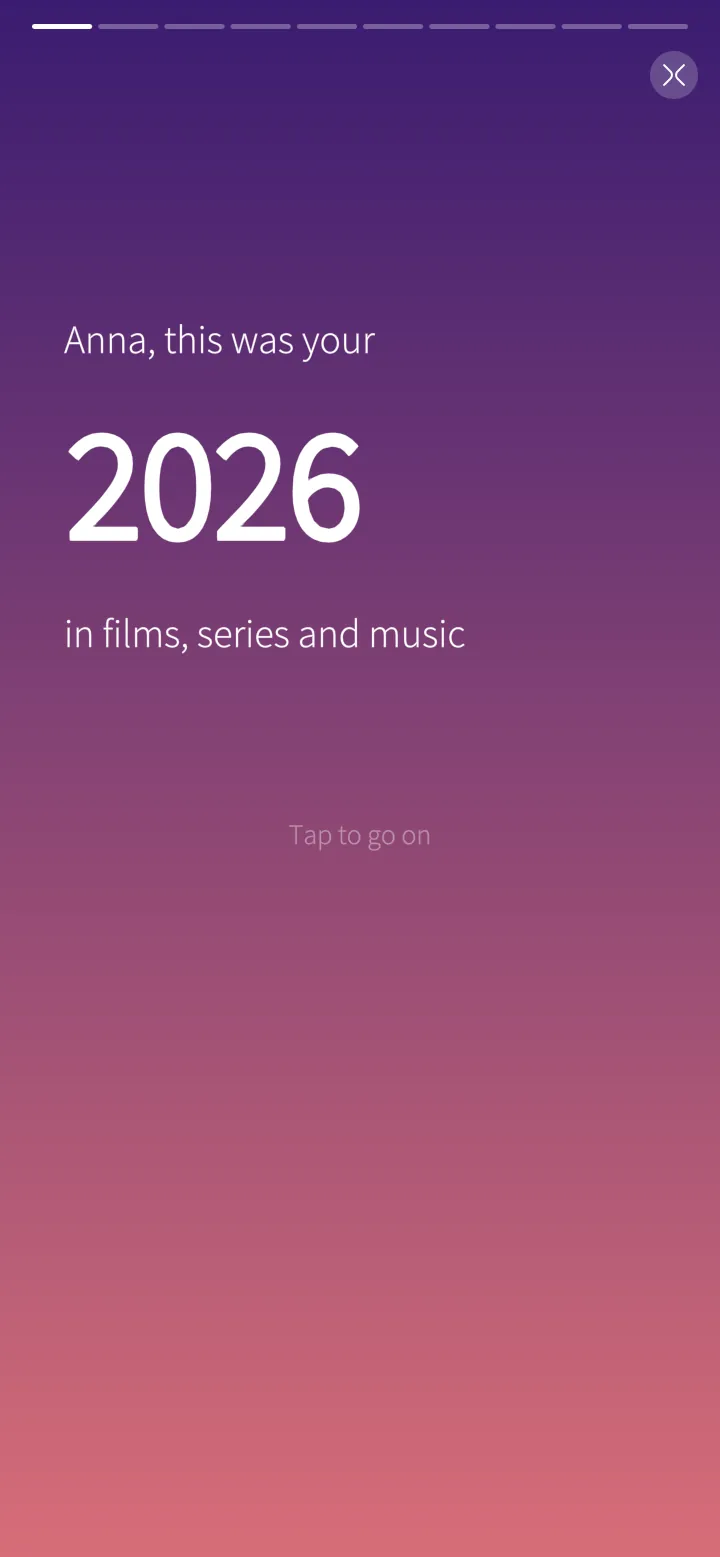
A story of your year, slide by slide: hours, your series, your films, your genre, when you watch, your longest binge, music and devices.
How it works
Worked out on the phone from the server's Playback Reporting history (an Emby or Jellyfin plugin).
Sailfish app
Your films of the year
The films you watched most, with how often and for how long.
How it works
Only real watching counts — plays of a few seconds are left out.
Sailfish app
When you watch
The hours and days you watch, and your biggest day of the year.
How it works
From the start time of every play the server reported.
Sailfish app
A card to share
Your year on one picture, to share or send to PotoGram.
How it works
Drawn on the phone and saved with your pictures.
Sailfish app
My diary
A month as a calendar with the poster of what you watched each day; tap a day for what, when and how long.
How it works
The server's history; without the plugin, the last time each film or episode was watched.
Sailfish app
Badges
Fourteen badges to earn — Night owl, Binge, Marathon, Time traveller and more — with the day you earned them.
How it works
Worked out from your whole history; a notification tells you when a new one is earned.
Sailfish app
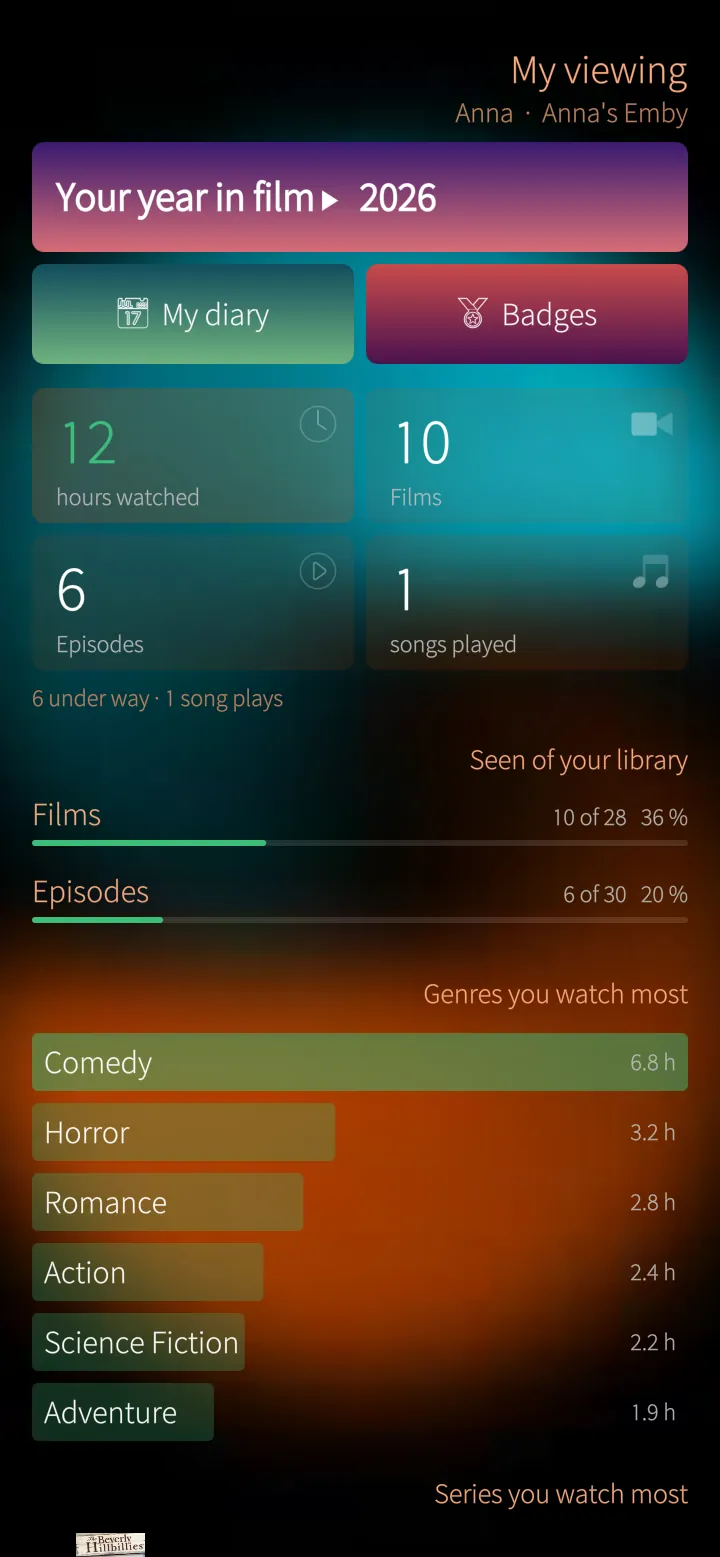
My viewing
Hours watched, films and episodes, how much of your library you have seen and the genres you watch most.
How it works
From the server's own watched marks, so it counts every device you watch on.
05
Games and ideas 7 screens
Guess the film, movie night, what fits in the time you have, what you started, recommending and following.
Sailfish app
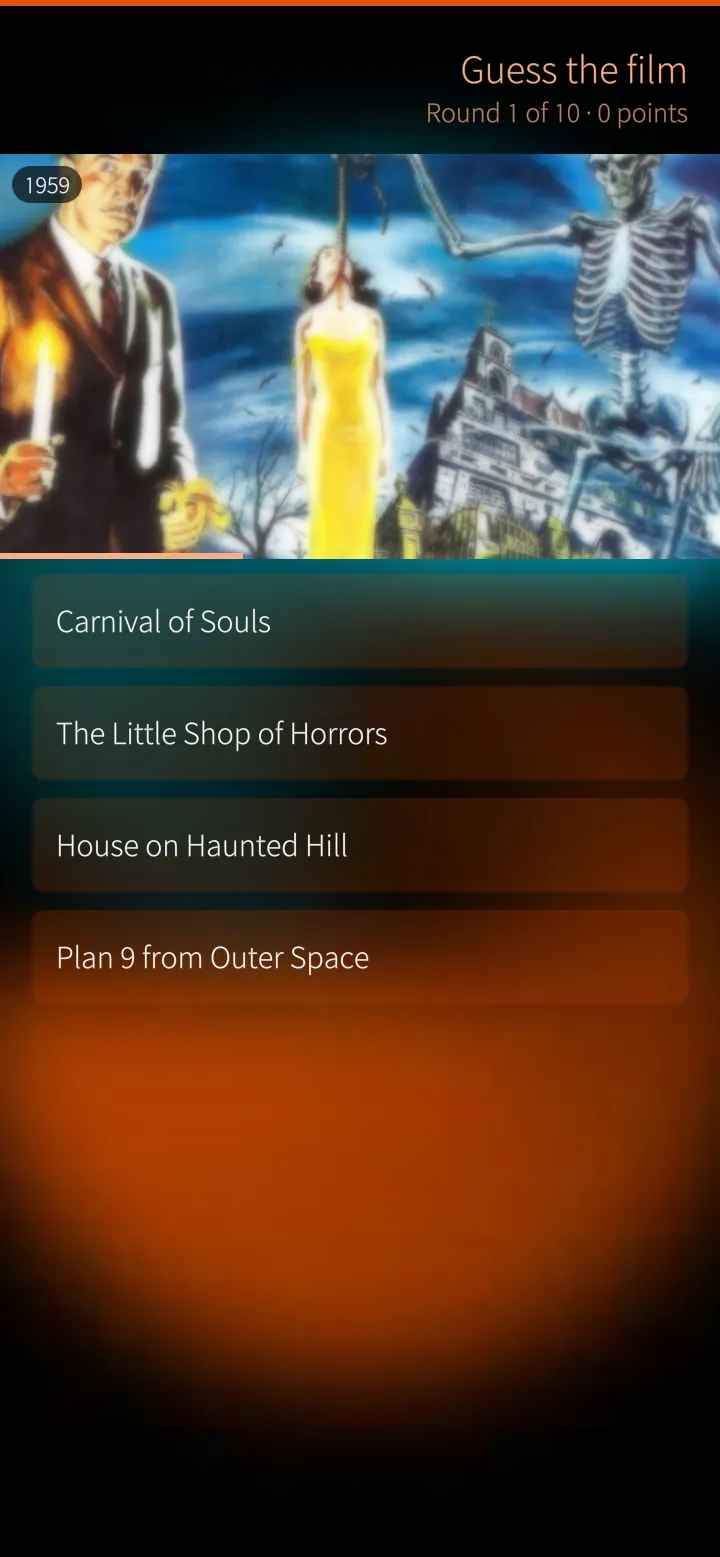
Guess the film
A picture from one of your own films comes slowly out of the blur — pick the right title of four, the sooner the more points.
How it works
Pictures from your own library; ten rounds, your best score kept. Also Who is it? and Which year?
Sailfish app
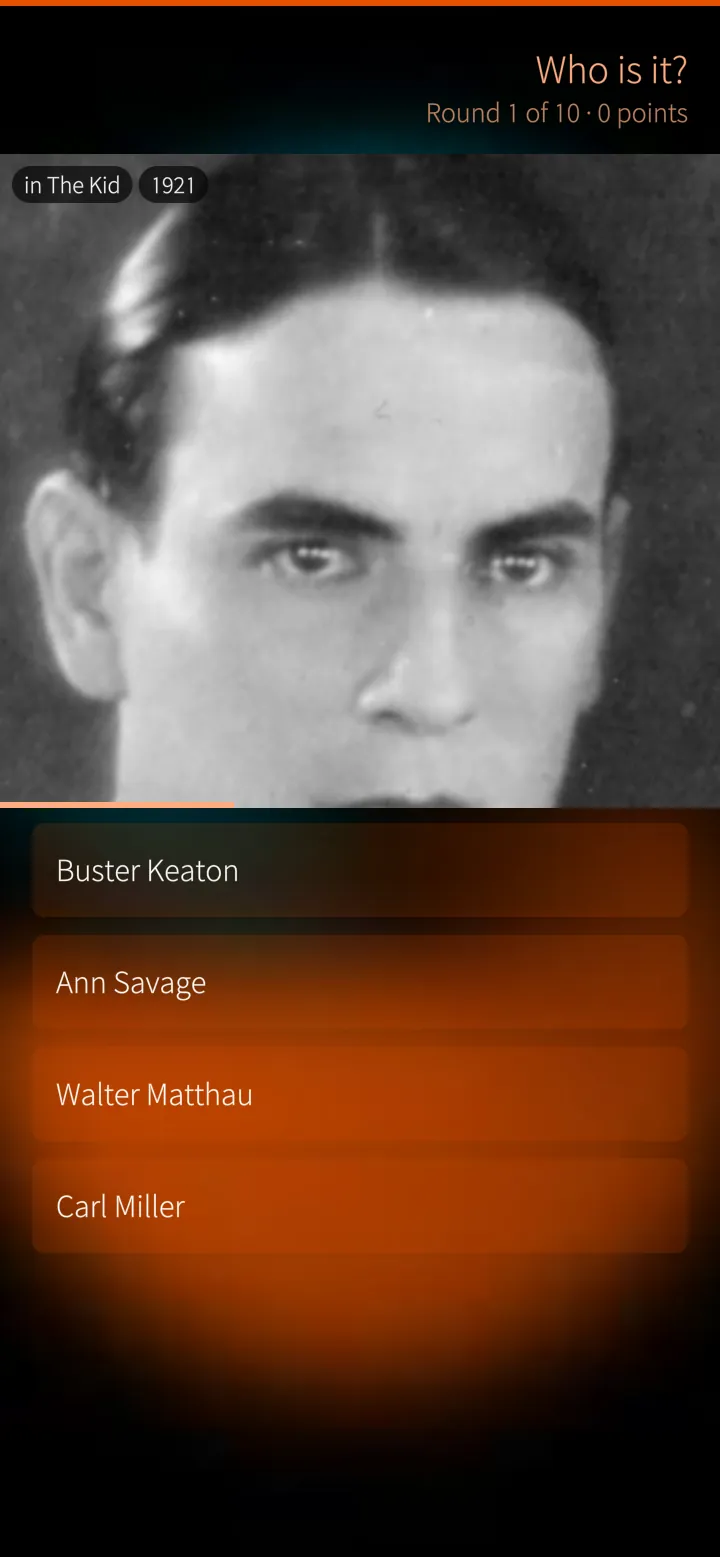
Who is it?
The face of a star from one of your films, with the film as a hint.
How it works
The first-billed actors of your films, each once a game.
Sailfish app
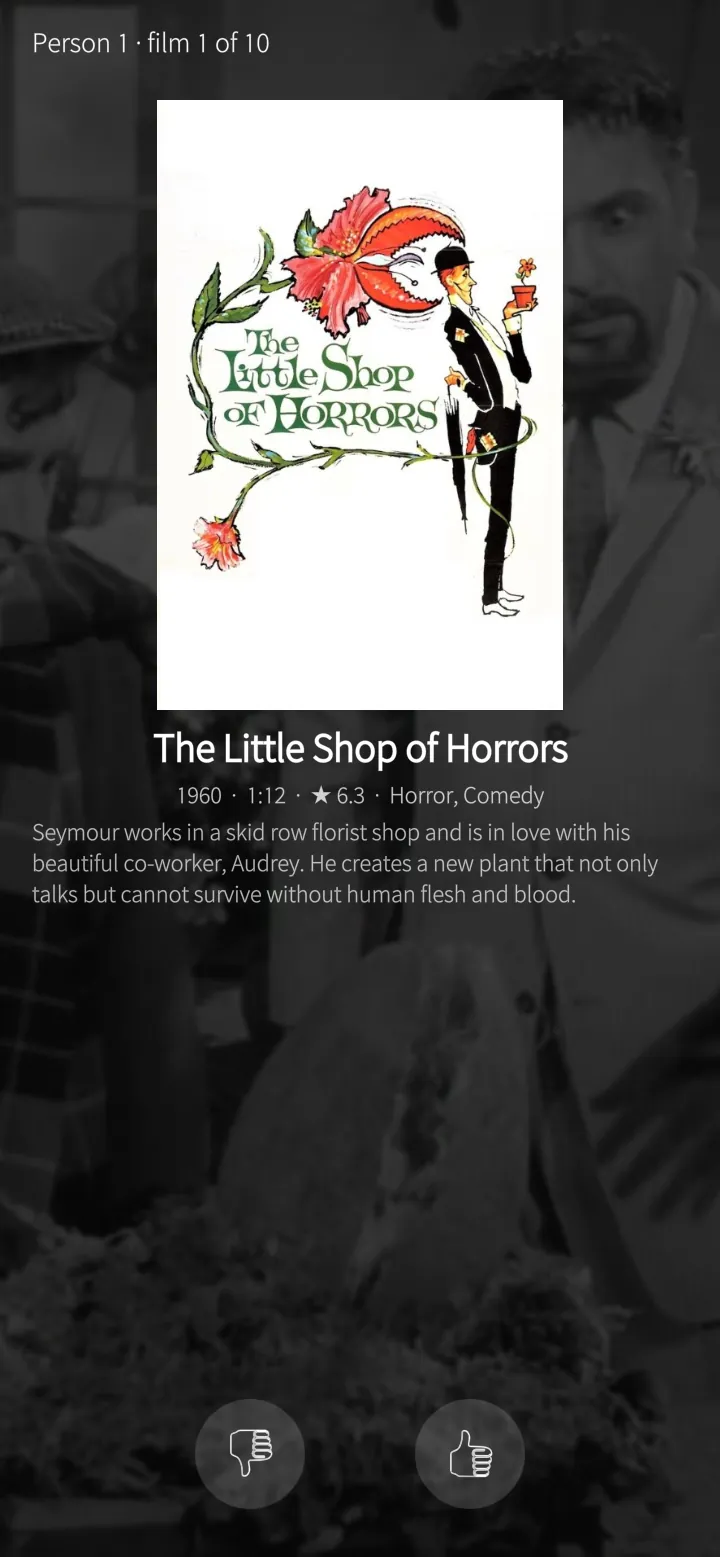
Movie night
Ten films nobody has seen; the phone goes round and everybody says yes or no — a tie spins the wheel.
How it works
Chosen from your library by kind and length; only films none of you has watched.
Sailfish app
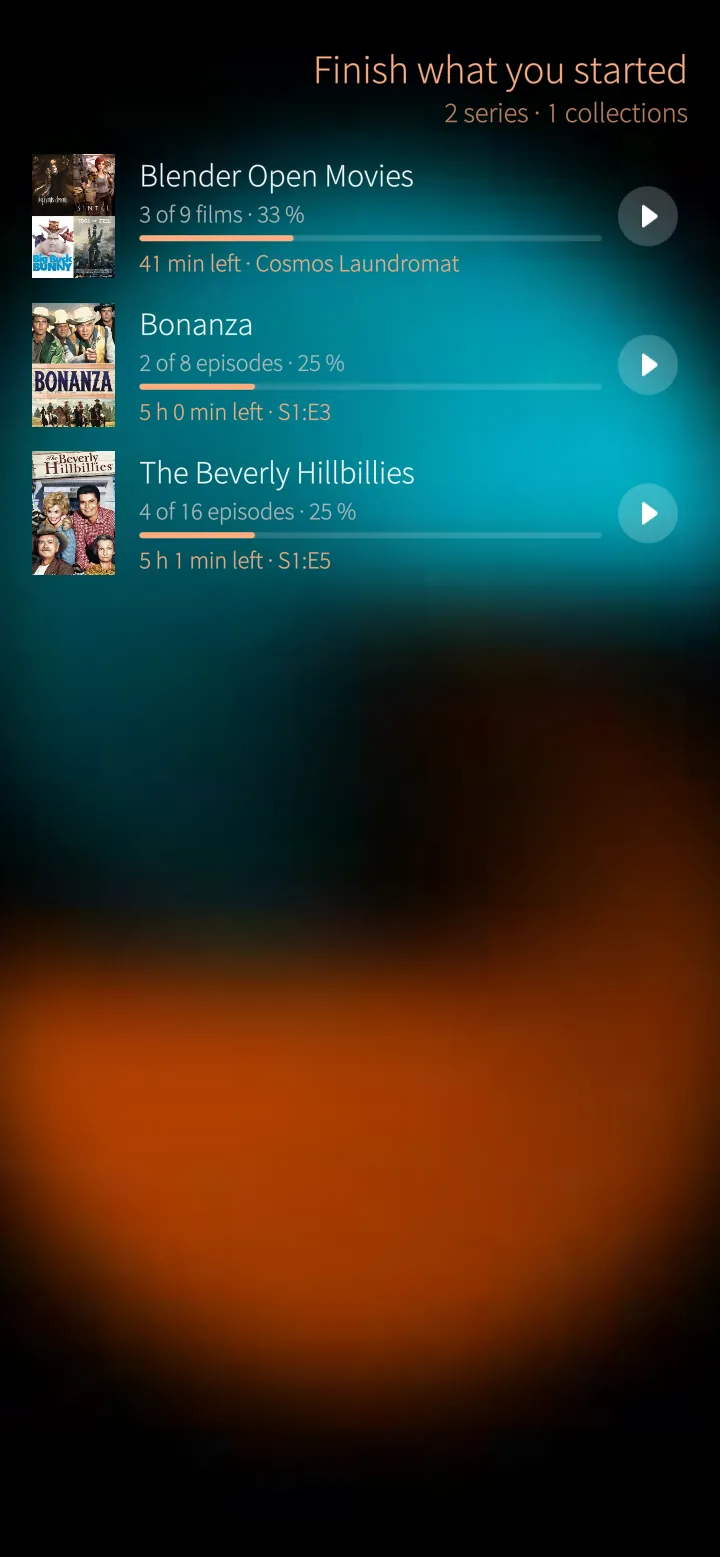
Finish what you started
Series and film collections you began, how much is watched, how long the rest takes, and Play next.
How it works
The nearest to done first; next is the episode after the last one you watched.
Sailfish app
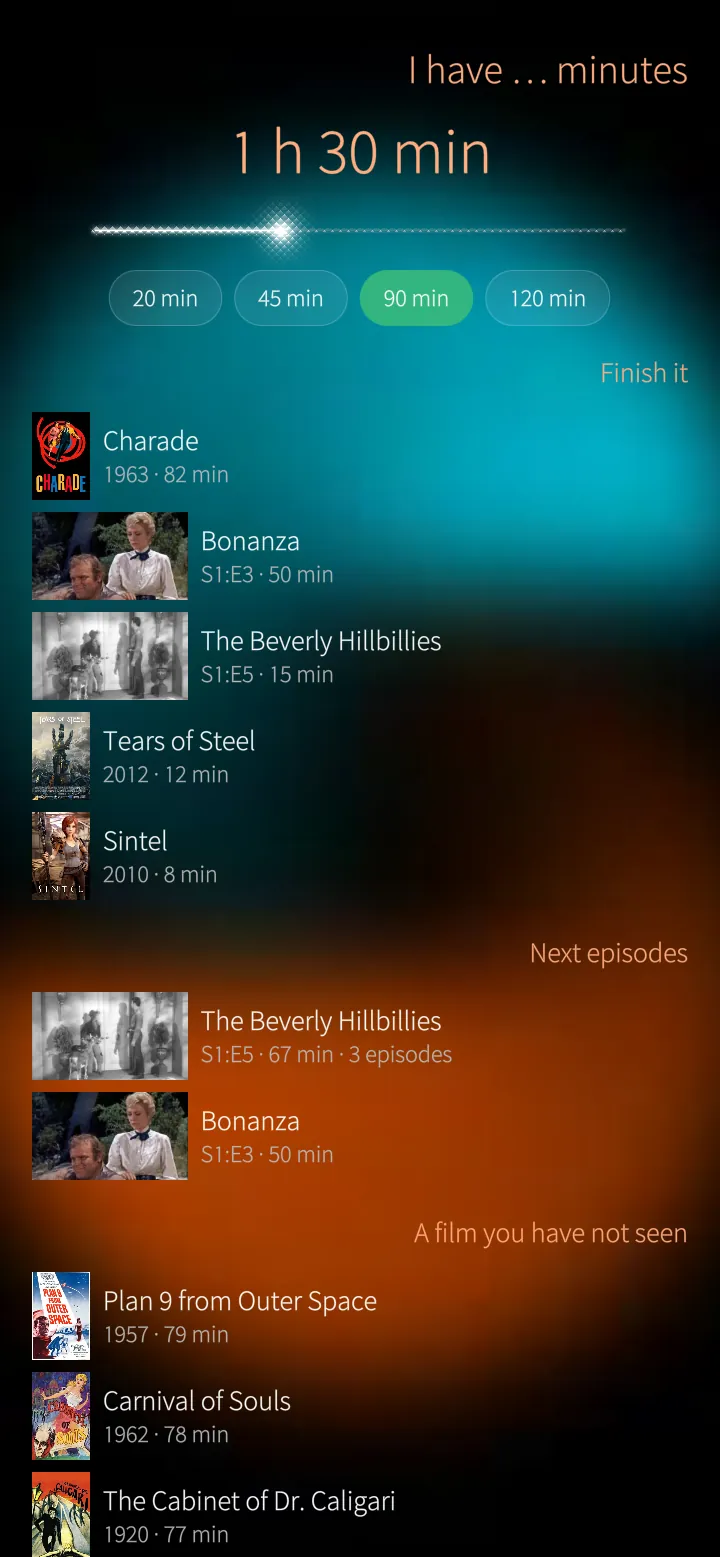
I have … minutes
Choose the time and see what fits: what you can finish, how many next episodes fit in a row, and films you have not seen.
How it works
Best fit first — the one that fills your time most.
Sailfish app
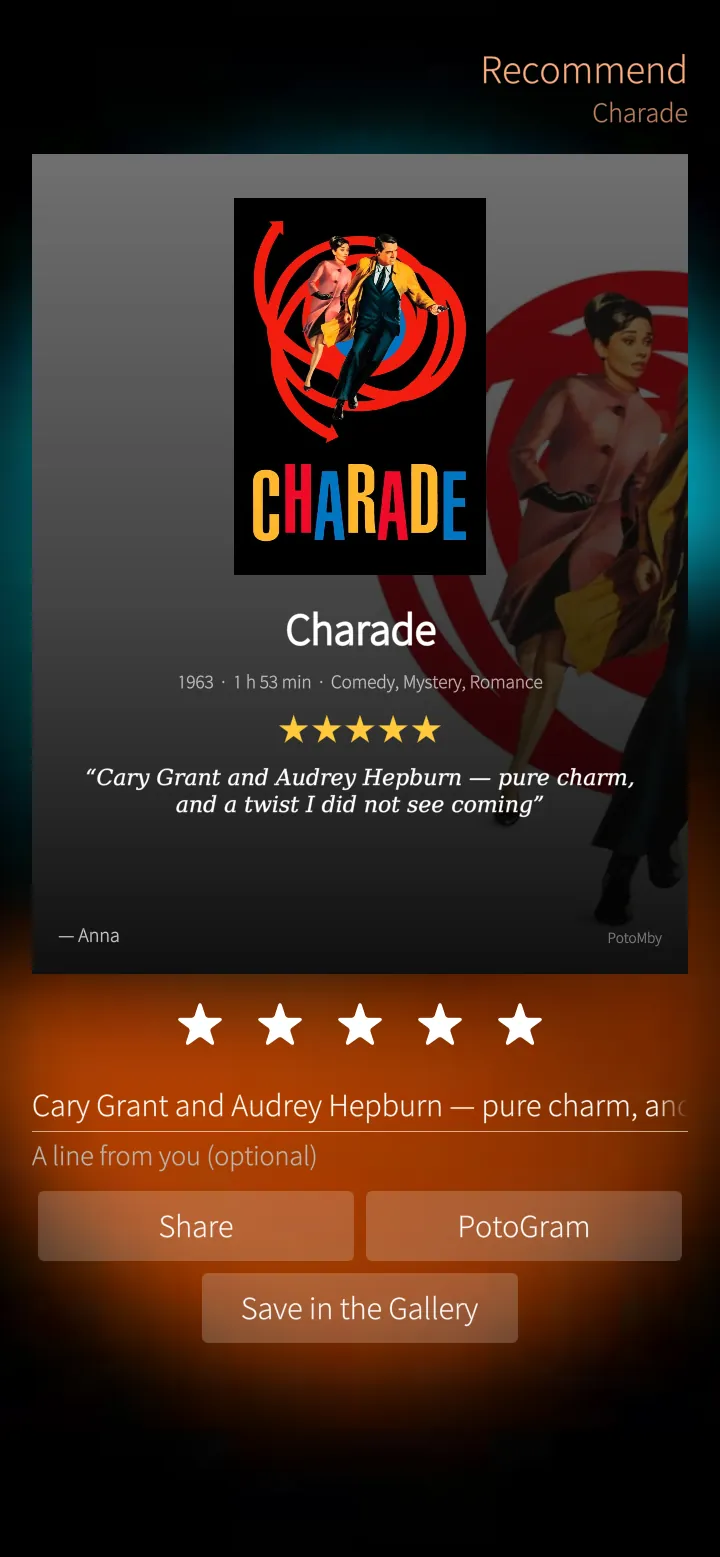
Recommend to a friend
A card with the poster, title, year, length, genres, your stars and a line of your own — to share or send to PotoGram.
How it works
Made at 1080 × 1350 on the phone and kept with your pictures.
Sailfish app
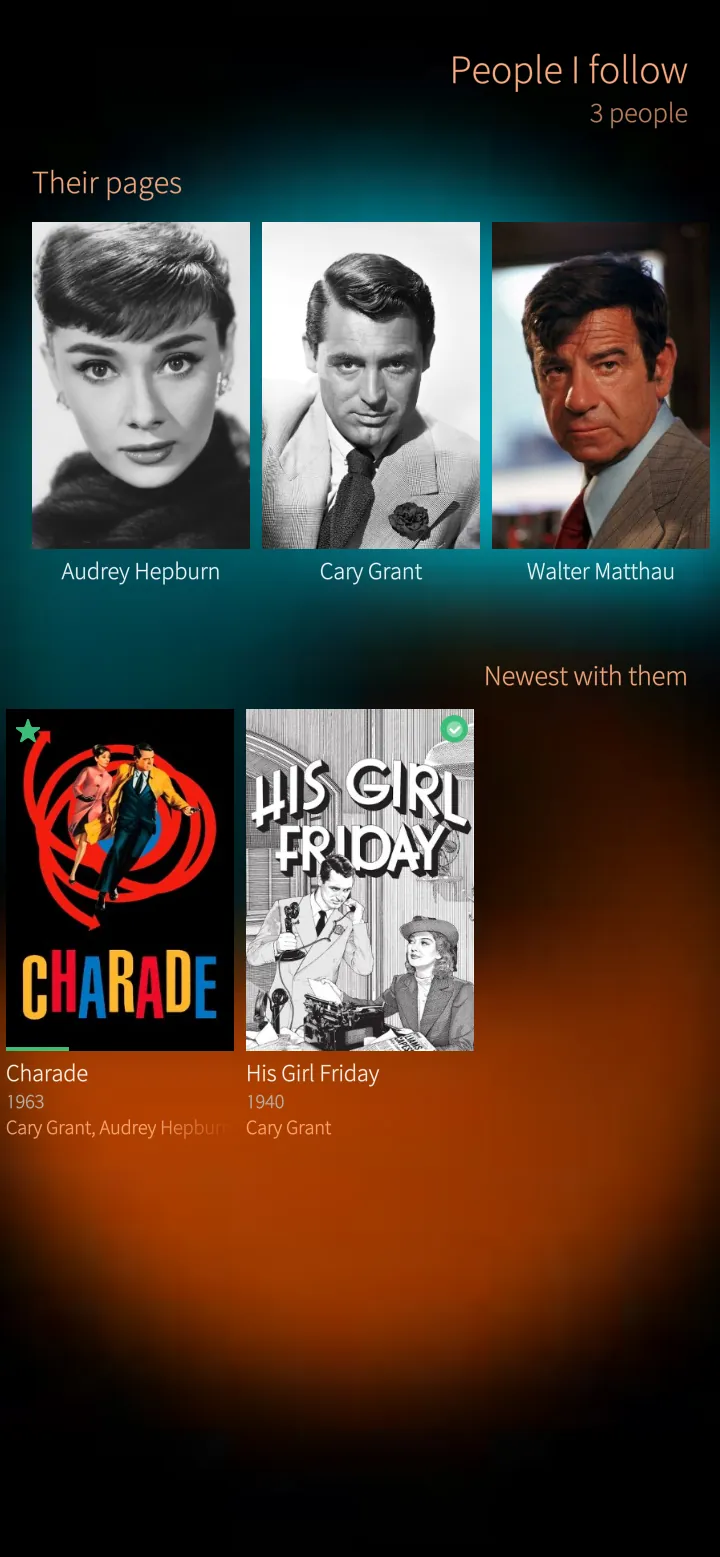
People you follow
Follow actors and directors; a notification tells you when a film or series with them arrives on your server.
How it works
Looked at while PotoMby runs; nothing is sent anywhere but to your own server.
06
Offline and family 3 screens
Downloads for a trip, and kids mode behind a PIN.
Sailfish app
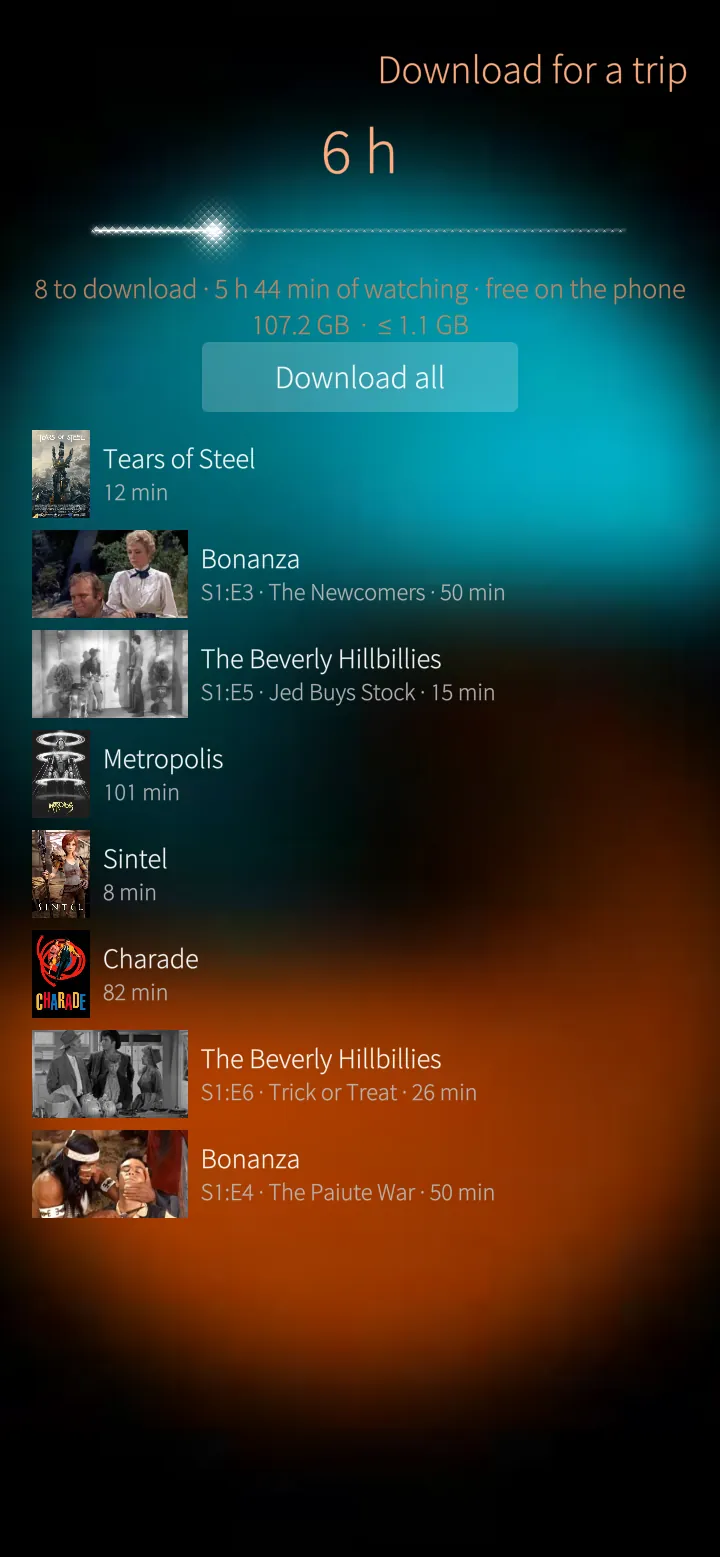
Download for a trip
Choose the hours and PotoMby fills them with what you are watching, then downloads it all — with the space it takes.
How it works
What is already on the phone is skipped; downloads can be made smaller by the server first.
Sailfish app
Kids mode
Big pictures of only the films a child may watch, a time a day, and out only with the PIN.
How it works
Chosen libraries, an age rating limit and family genres; the time left counts down while a film plays.
Sailfish app
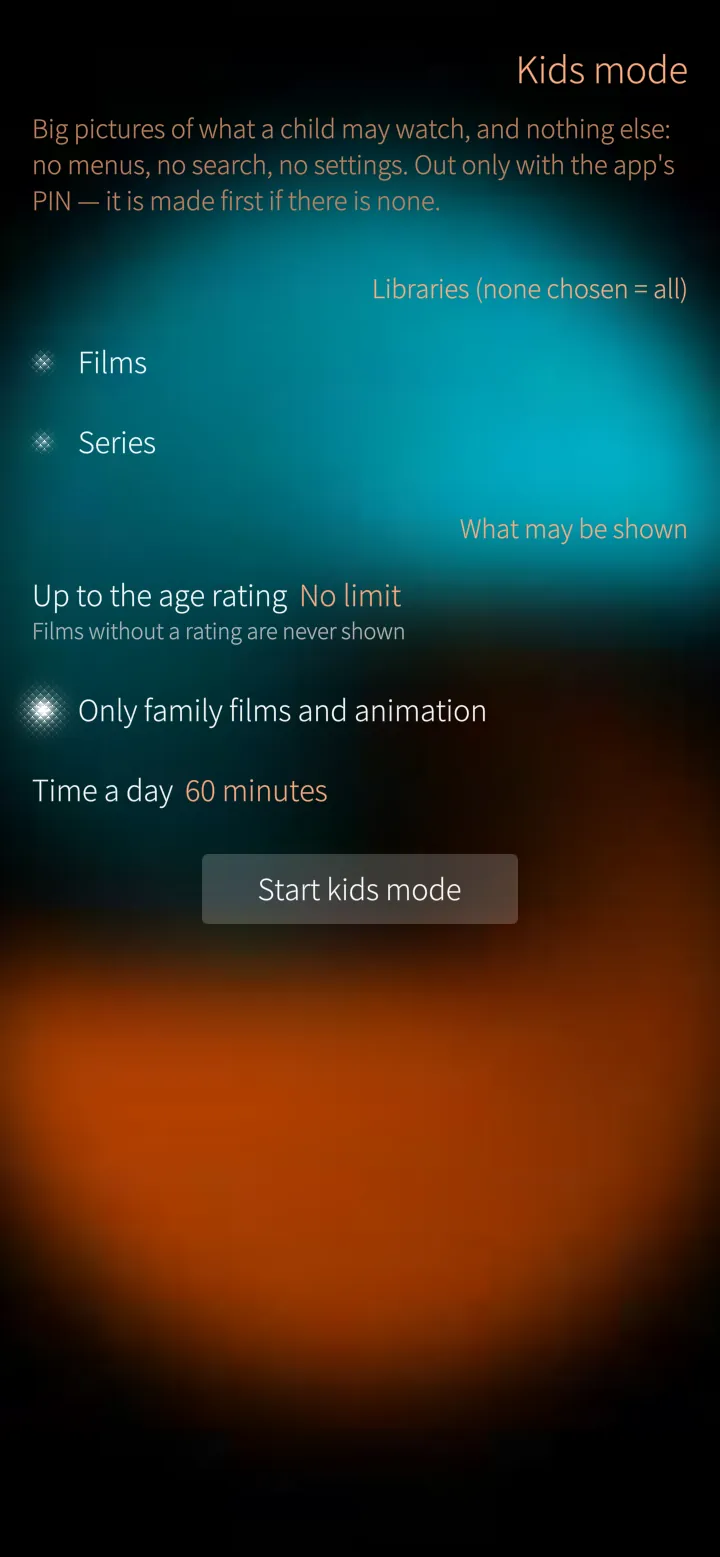
Kids mode, set up
Which libraries, up to which age rating, only family films and animation, and how long a day.
How it works
Set up behind the app's PIN.
07
Your server 5 screens
Your server in your pocket for administrators, the proof before critical settings, the app lock and the settings.
Sailfish app
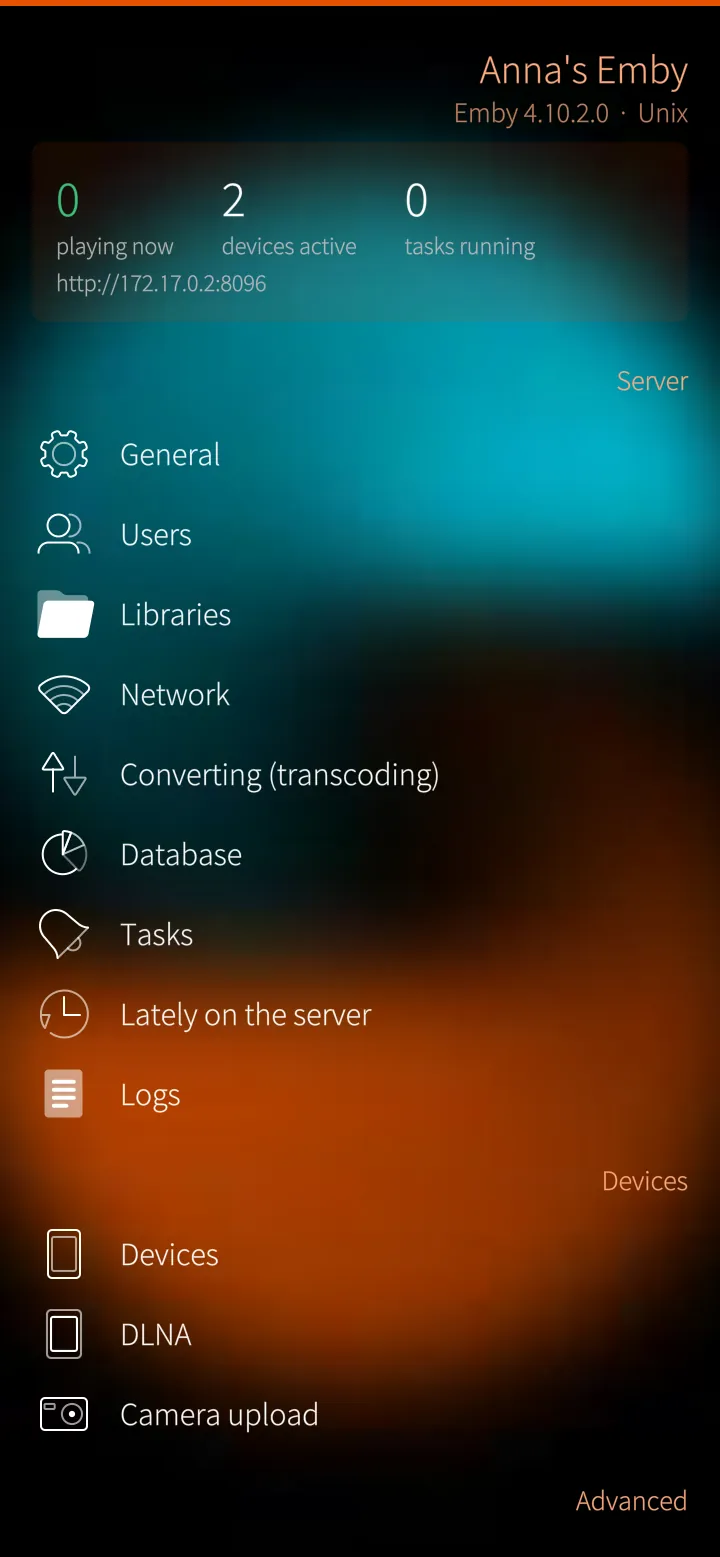
Your server in your pocket
What is playing, the devices and tasks, and the server's settings — users, libraries, network, converting and more.
How it works
Through Emby's own administration API, for administrators only, behind a proof: PIN, fingerprint, the phone's unlock or the Emby password.
Sailfish app
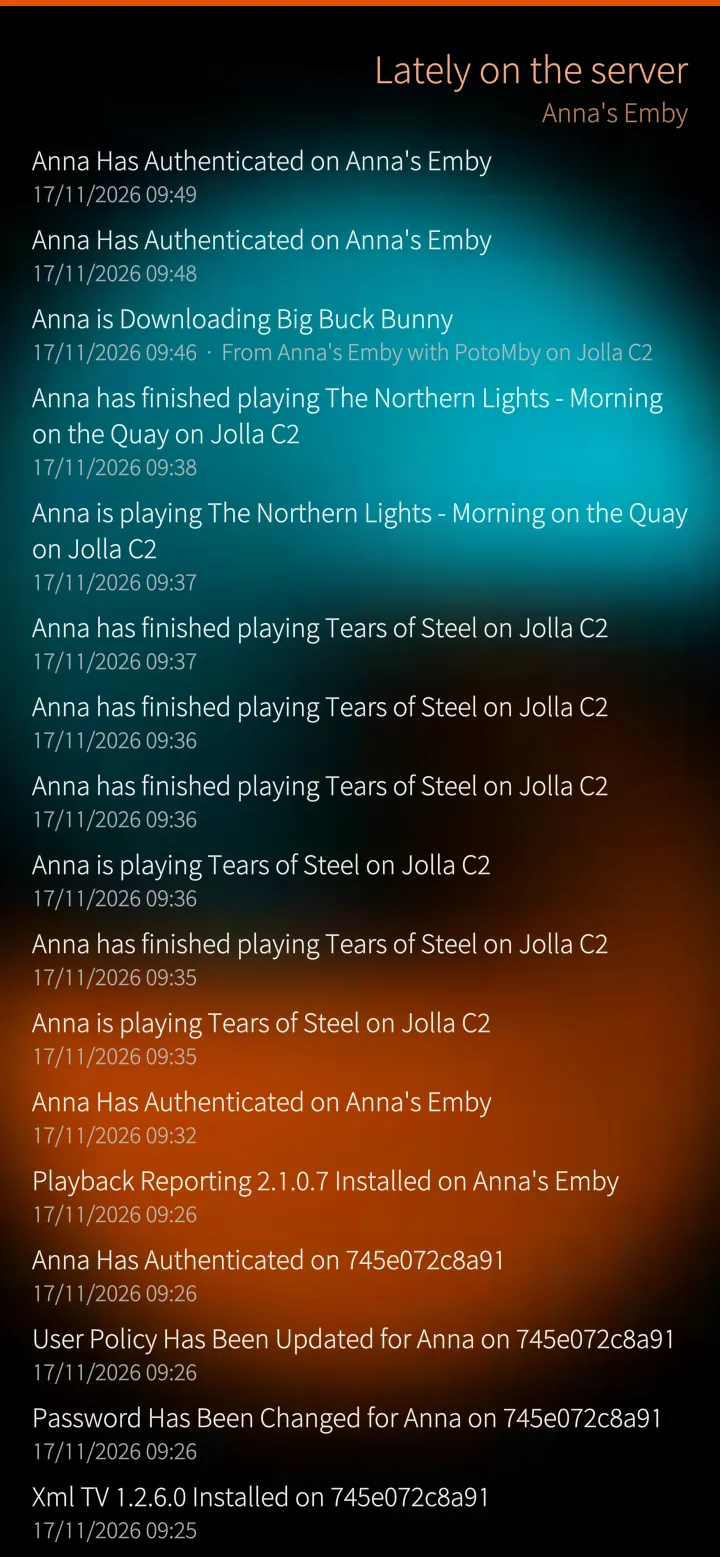
Lately on the server
Who signed in, what was played and what changed on the server.
How it works
Emby's own activity log.
Sailfish app
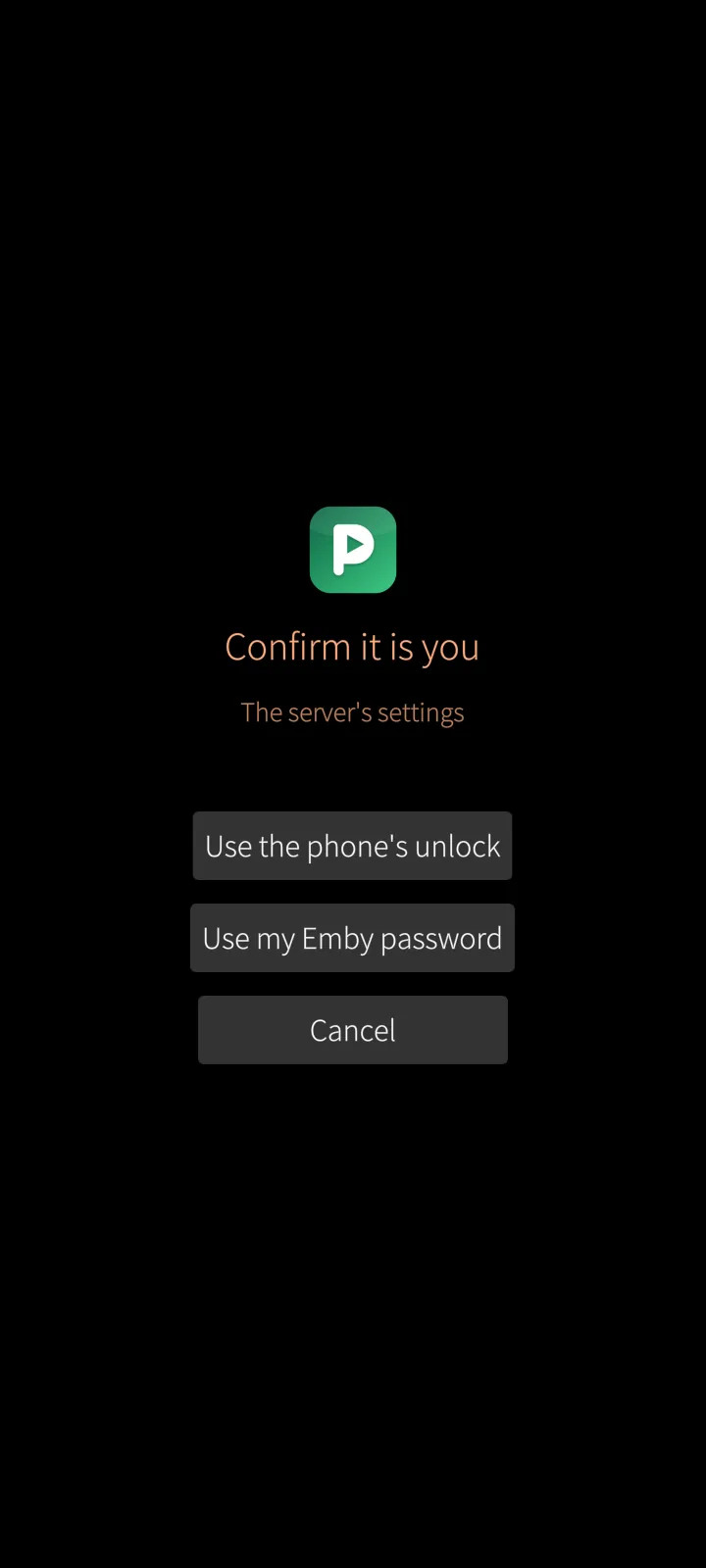
Confirm it is you
Server settings, signing out, saving your settings on the server and other critical things ask who you are first.
How it works
The phone's own unlock, the fingerprint, the app's PIN or your Emby password — then two minutes without asking again.
Sailfish app
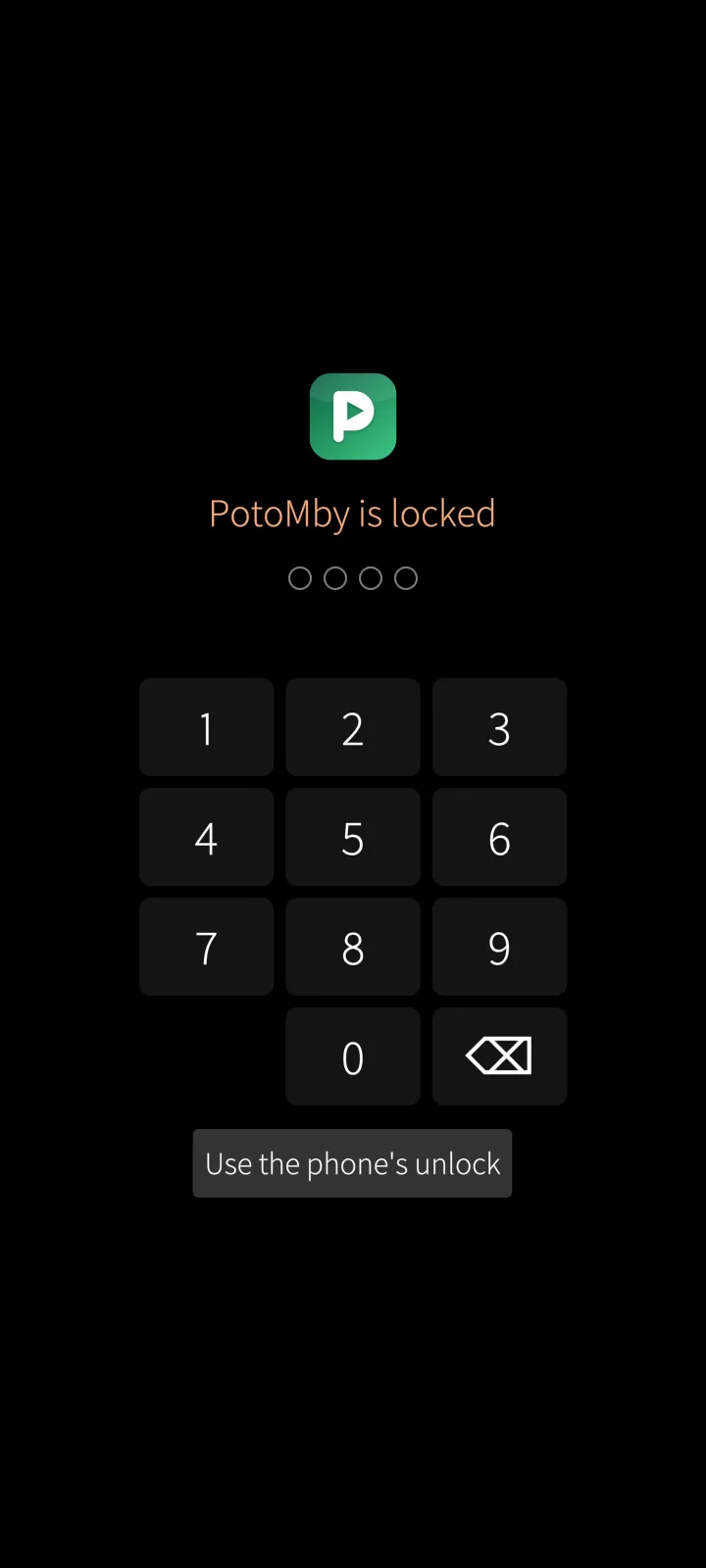
App lock
A PIN, fingerprint or the phone's unlock when PotoMby opens; the cover then shows nothing of what you watch.
How it works
The PIN is kept only as a salted hash on the phone.
Sailfish app
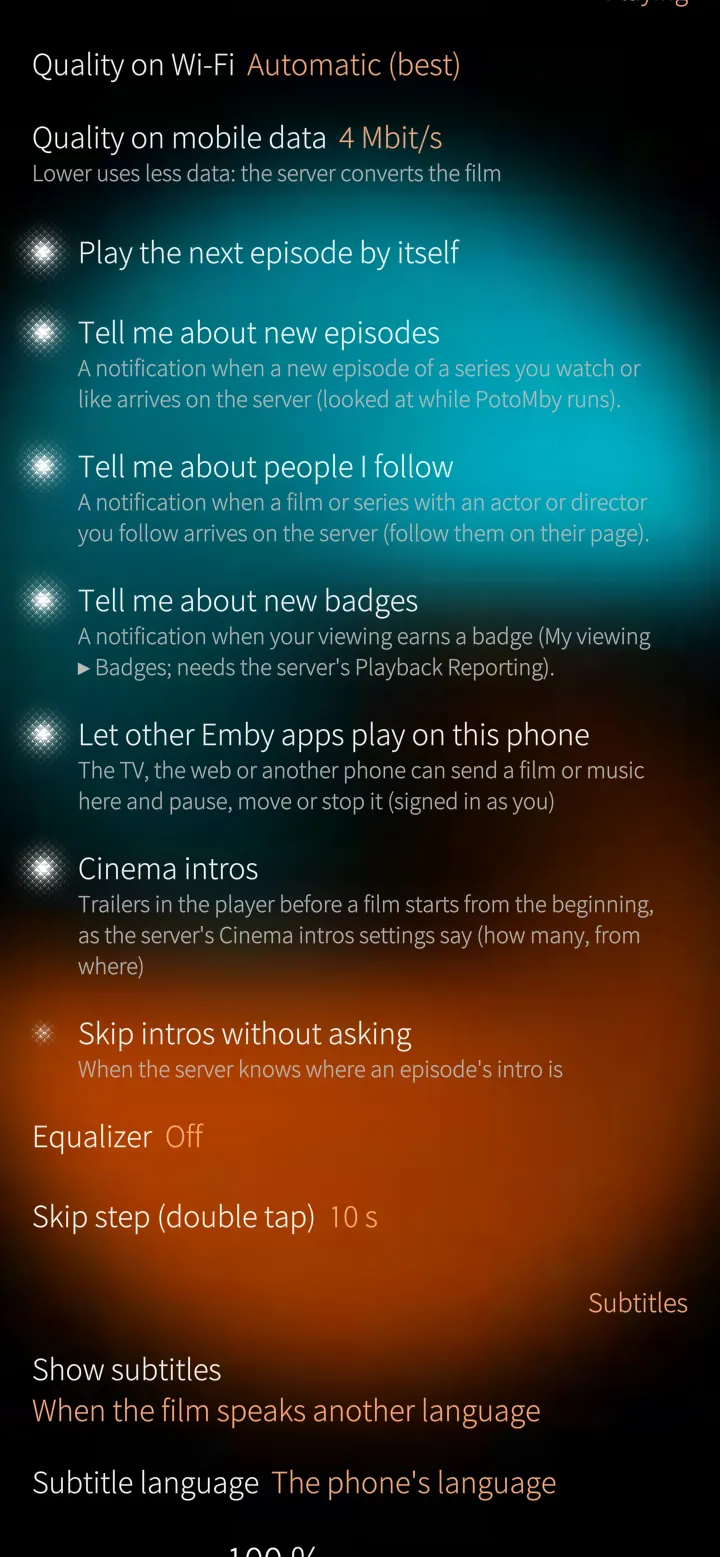
Settings
Quality on Wi-Fi and mobile data, subtitles, notifications, the home page and more — saved on the server to take to another phone.
How it works
18 languages, the phone's own or your choice.
Under the hood
How PotoMby is built, where it runs and how it keeps your data safe.
01
Emby's own API
Sign in with your Emby user and password; PotoMby reads your libraries and reports what you watch through the same API as Emby's own apps, so the position and the watched marks follow you everywhere.
02
The phone's video chip first
PotoMby reads which films the phone's video chip can decode and tells the server; what fits plays as it is, the rest the server converts while you watch.
03
No token in an address
The phone's player gets the film through a pass-through on the phone itself (127.0.0.1, a new secret at every start) that adds the session key as a header — so it never lands in a server or proxy log.
04
Proven before it matters
Server settings, signing out and saving your settings ask for the phone's unlock, your fingerprint, the app's PIN or your Emby password first; the PIN is kept only as a salted hash.
05
Your history stays on your server
Your year, the diary and badges are worked out on the phone from the server's own Playback Reporting history — nothing is collected anywhere else.
06
Signed updates
PotoMby comes from distribution.mblm.systems with its SHA-256 checksum and the M.B.L.M. Ed25519 release signature, and updates itself.
Want to see PotoMby on your own site?
Tell us about your installation — we are happy to show you around or set up a trial.