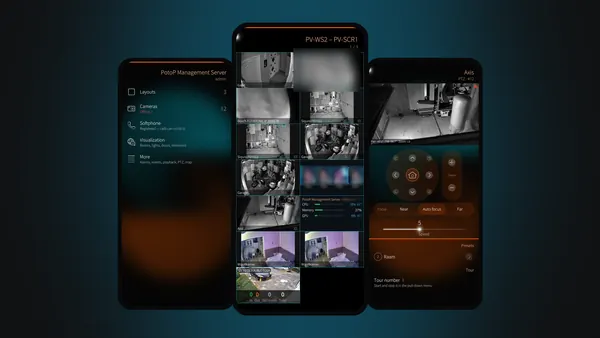
PotoP VMS made for Sailfish OS: native pages, live video decoded by the phone's hardware, native playback, the alarm register, the camera map, PTZ and the softphone — with alarms that reach you while the app is closed.
Version 1.0.166 · 1.6 MB · Free, no account needed · Older 32-bit phone? Download for 32-bit ARM
What is new in 1.0.166
Events: what was detected (person, vehicle, car …) is shown in the phone's language.
A layout's panels stand apart, with a little room between them, like the pictures on the first page. Settings has a switch for the thin grid lines in the PotoP colour.
Plans: the rooms drawn in the editor are the rooms on the phone, each with exactly the icons that lie in it. Above them a room map that stays in place: tap a room and it opens right under the map, the room pressed before closes; a room with an alarm pulses red. A room that stands for another plan (a building, a floor) opens that plan. Pull down for Find: a room or an icon by name.
Removing a camera says how much it has recorded and asks whether the recordings are kept in the server's archive or deleted. Adding a camera with the same address or almost the same name asks whether the archived recordings should come back. Needs a server with the camera archive.
For companies and organisations — licences, installation and support by M.B.L.M. Systems. Talk to us
WebRTC live view decoded by the phone, layouts as a native live grid.
Native playback
Timeline, events, speeds, export, TimeFold and AI inspection.
Alarms while closed
The alarm register live, and notifications straight from your server.
Camera map
Status, alarm rings and view cones, and cameras placed from the phone.
PTZ and softphone
Steer cameras with a finger, answer intercoms and call colleagues.
Your server only
Certificate trusted once, app PIN, two-step sign-in, no cloud.
Native, not a web page in a frame
PotoP VMS for Sailfish OS is written for the phone: every page is a Silica page with pulley menus, press-and-hold menus, the cover and the notification centre. Live cameras play over WebRTC through the phone's own hardware decoder, recordings play in the phone's own media player, and a layout from the server opens as a native live grid.
The app talks only to your own PotoP server. On first contact you trust its certificate authority once; after that you sign in with your password, an app PIN or a two-step code. A small background service keeps one quiet connection to the server, so alarms, camera events and softphone calls arrive while the app is closed — straight from your server, with no third-party push service in between.
Feature tour
Every screen below is a real screenshot. Search for a feature or pick a chapter; click a picture to see it full size and page through them with the arrow keys.
The home page, every camera, live video, layouts and PTZ — as real Silica pages.
Sailfish app
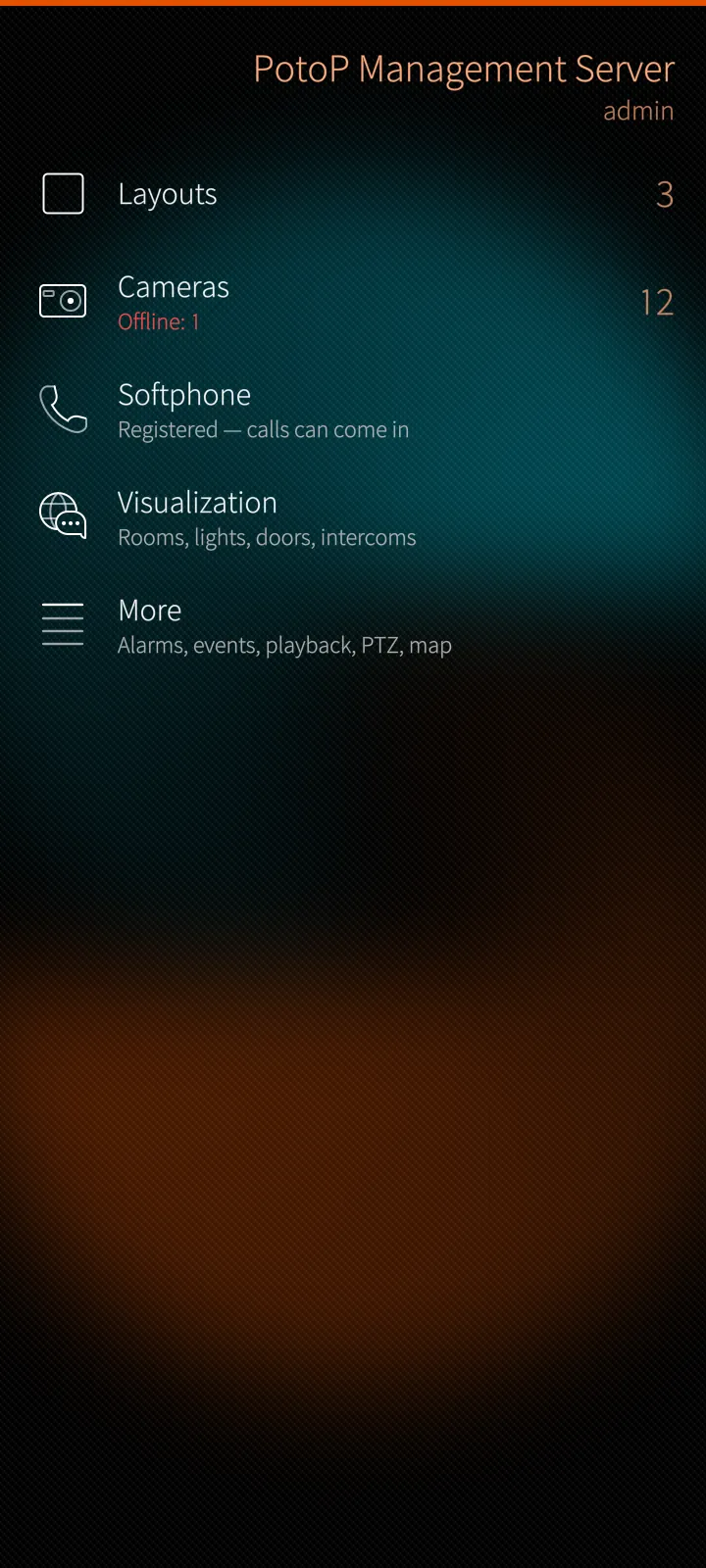
Home page by permission
Layouts, cameras, the softphone and the visualization on the first page, everything else one tap away under More. Every row appears only when the account may use it.
How it works
The app asks your PotoP server who you are and which permissions your account holds, and builds the page from that: a row without the permission is simply not there, and the server checks every action again. The counts — layouts, cameras, cameras offline, open alarms — come over one live connection the app keeps while it is on screen, so they change the moment something happens.
Sailfish app
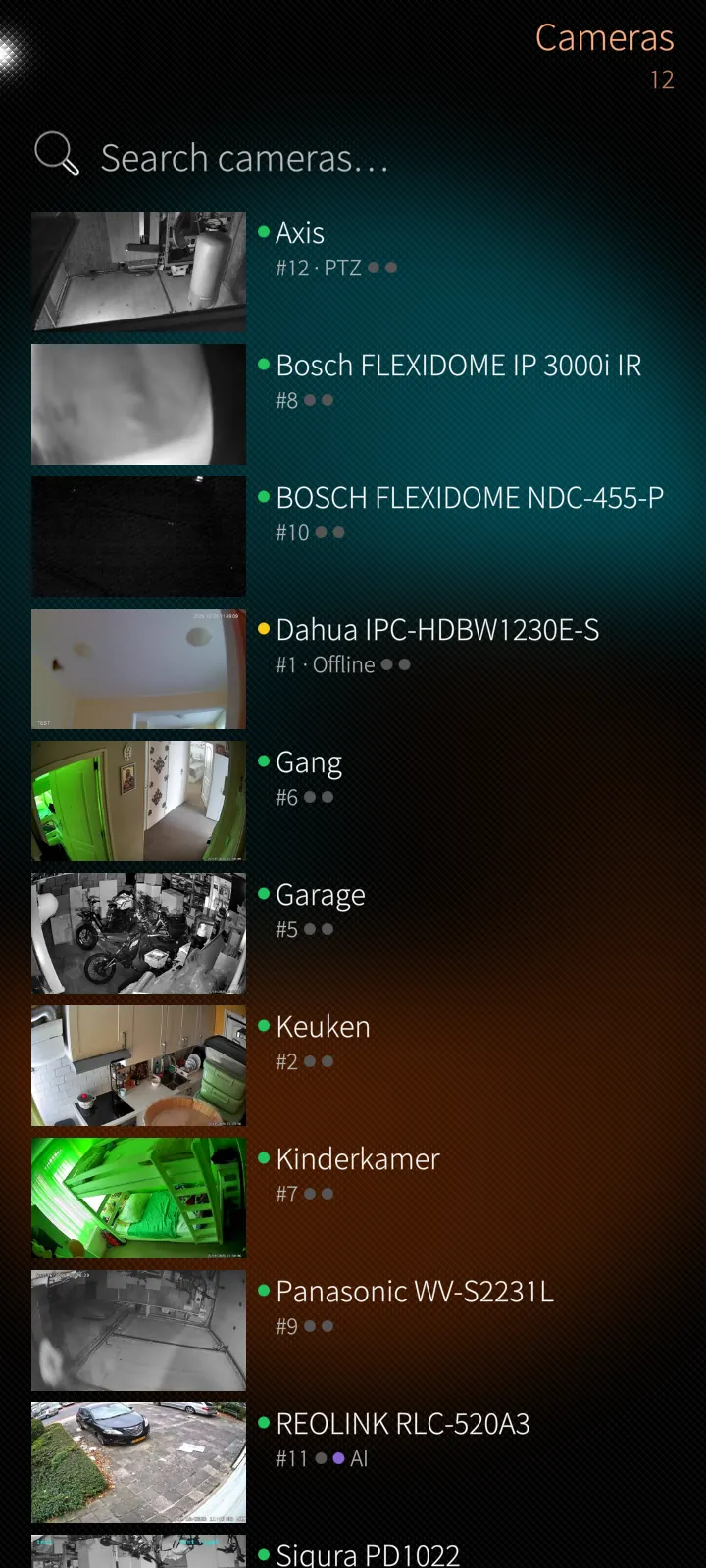
Every camera with a fresh picture
One searchable list with a still of every camera, its status colour and two dots for recording and AI analysis. Press and hold for live view, talk back, snapshot, PTZ, playback and more.
How it works
The stills are small JPEG previews the server scales down for the phone, fetched in a queue while the list is on screen and never in the background. Online, offline, armed and recording come from the server's live state, not from polling every camera. Press-and-hold opens a Silica context menu with the actions the account may use.
Sailfish app
Live video in hardware
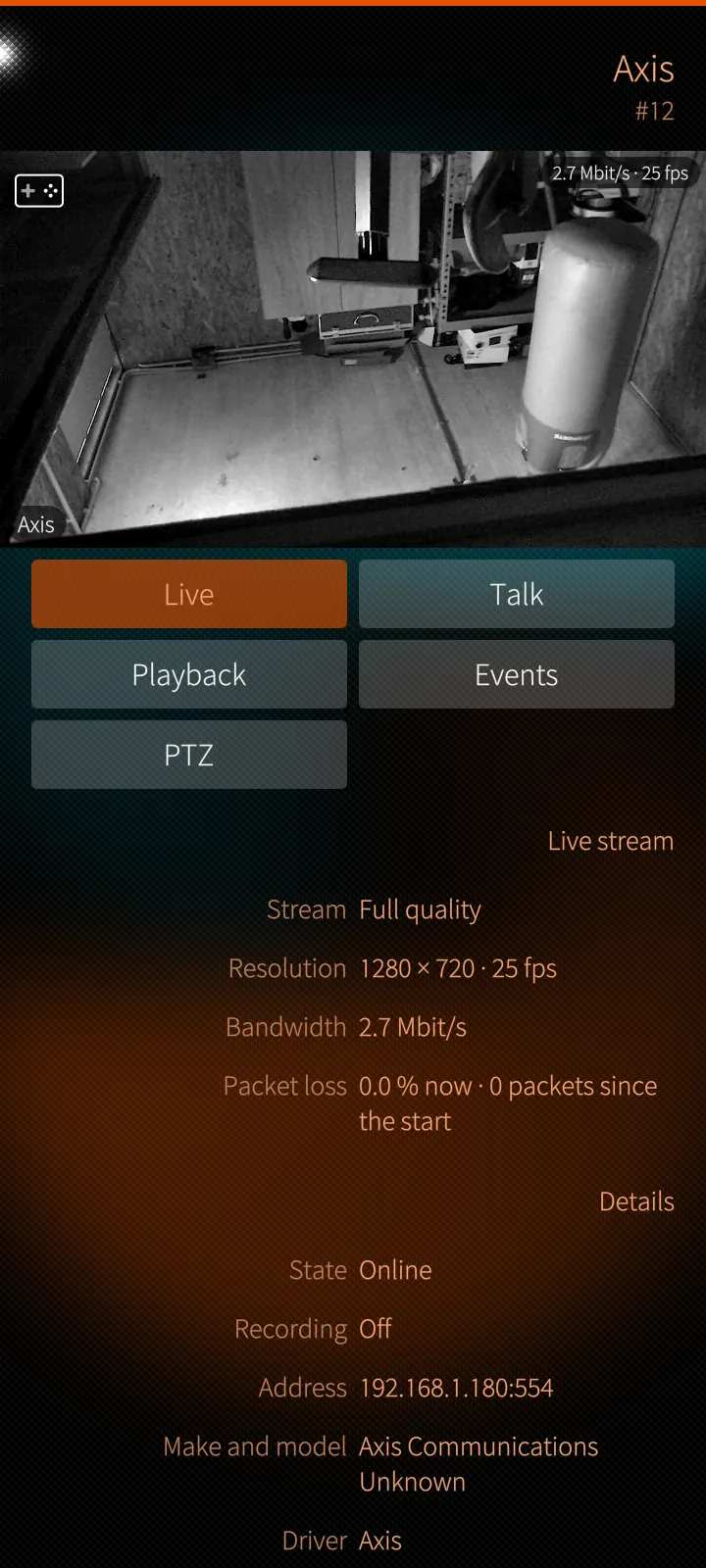
Tap a camera and it plays live over WebRTC, decoded by the phone's own hardware, with sound, talk-back, pinch-to-zoom and full screen when you turn the phone.
How it works
The app negotiates a WebRTC stream with the server's media gateway and hands the H.264 video to the phone's hardware decoder through GStreamer — no browser in between. The corner shows bit rate and frame rate, the details below resolution and packet loss. Privacy masks are drawn by the app over the live picture as well as the still.
Sailfish app
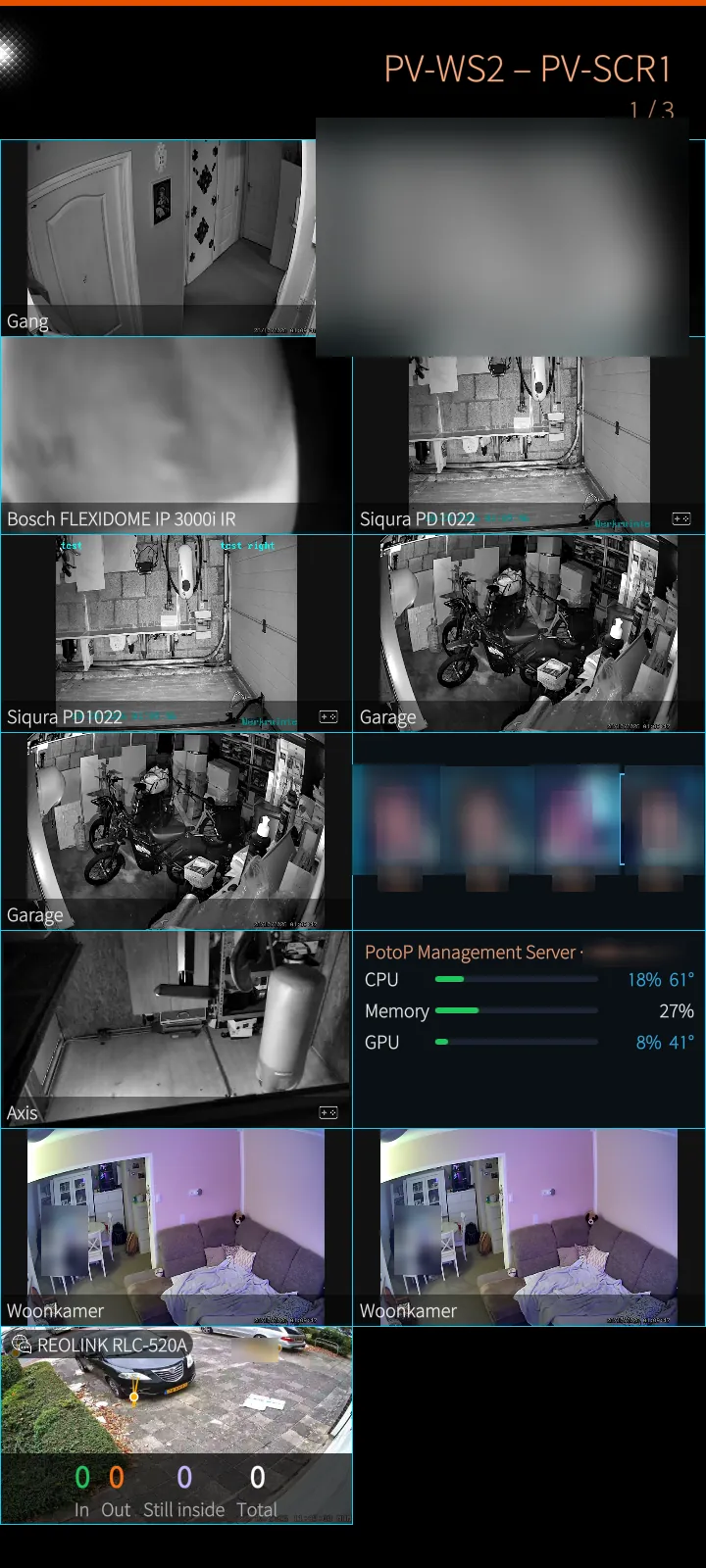
Layouts live, natively
The server's own layouts open as a native live grid: two columns upright, three turned, up to twelve cameras playing at once, and special panels such as counters and system load.
How it works
Each cell plays its camera's small stream; the phone has a limited number of hardware decoders, so up to twelve cells play video and the rest show stills that refresh every three seconds. Cells scrolled out of sight stop after a moment to save data. The layout itself comes from the server, so a layout changed on the desktop is the layout on the phone.
Sailfish app
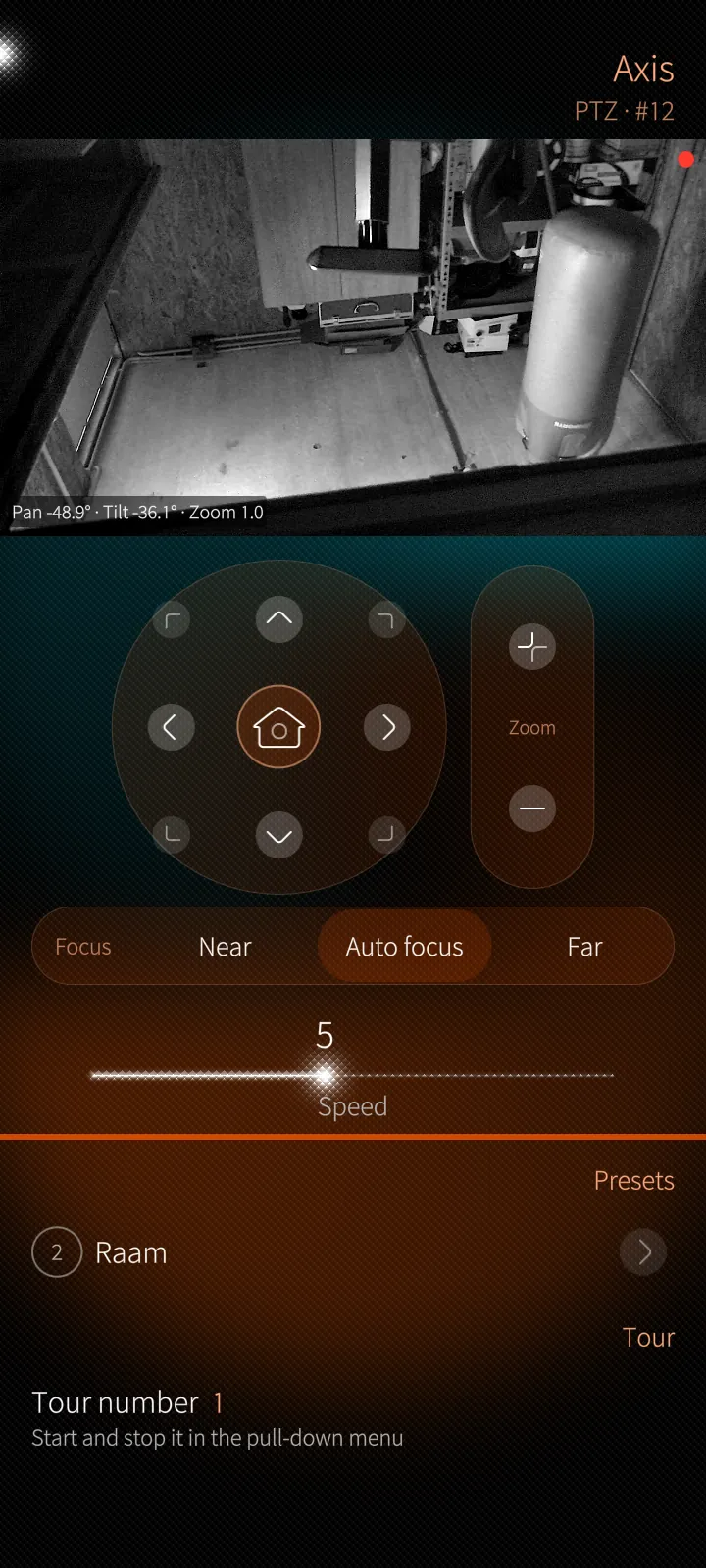
PTZ with a finger
Drag the live picture like a joystick, pinch for optical zoom, hold an arrow of the pad, focus near or far, set the speed and jump to presets.
How it works
Moves go to the server over a dedicated PTZ connection, and the server drives the camera through ONVIF or its brand driver. Holding an arrow repeats the move every two seconds; the server stops the camera five seconds after the last command, so a lost connection never leaves a camera turning. Camera locks by macros and operator priorities are enforced by the server, and the app shows its reason.
02
Playback & evidence 5 screens
Recordings in the phone's own player, the calendar, exports, full-size frames and TimeFold.
Sailfish app
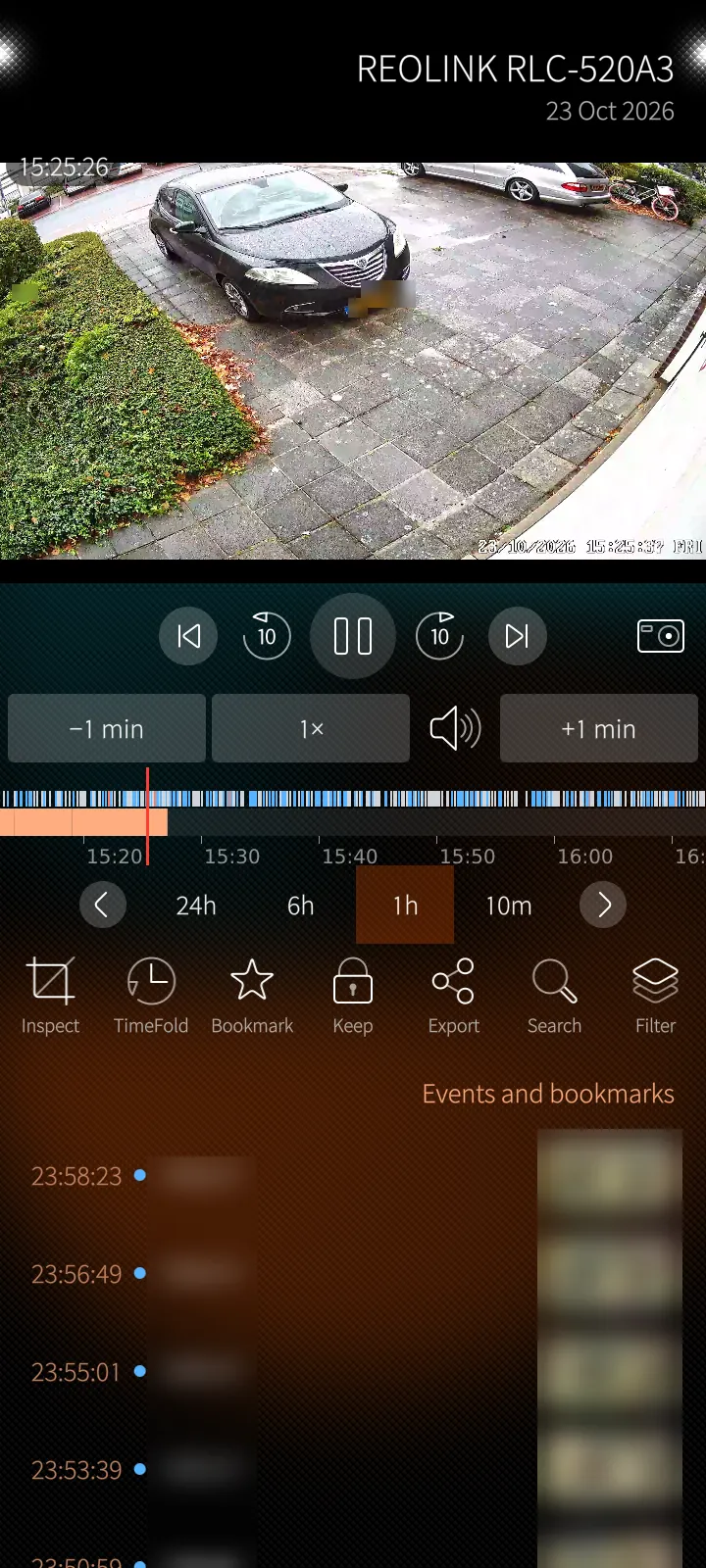
Native playback with a timeline
Recordings play in the phone's own media player: a timeline with events and bookmarks, scrubbing, speeds from ¼× to 16×, and actions for inspect, TimeFold, bookmark, keep, export, search and filter.
How it works
GStreamer on the phone cannot trust your server's own certificate authority, so the app runs a tiny relay on the phone itself: the player asks 127.0.0.1, the relay fetches the recording from the server over the trusted connection with your session, and passes seeking through. The timeline shows the day's segments, events and bookmarks; encrypted recordings ask for their password once.
Sailfish app
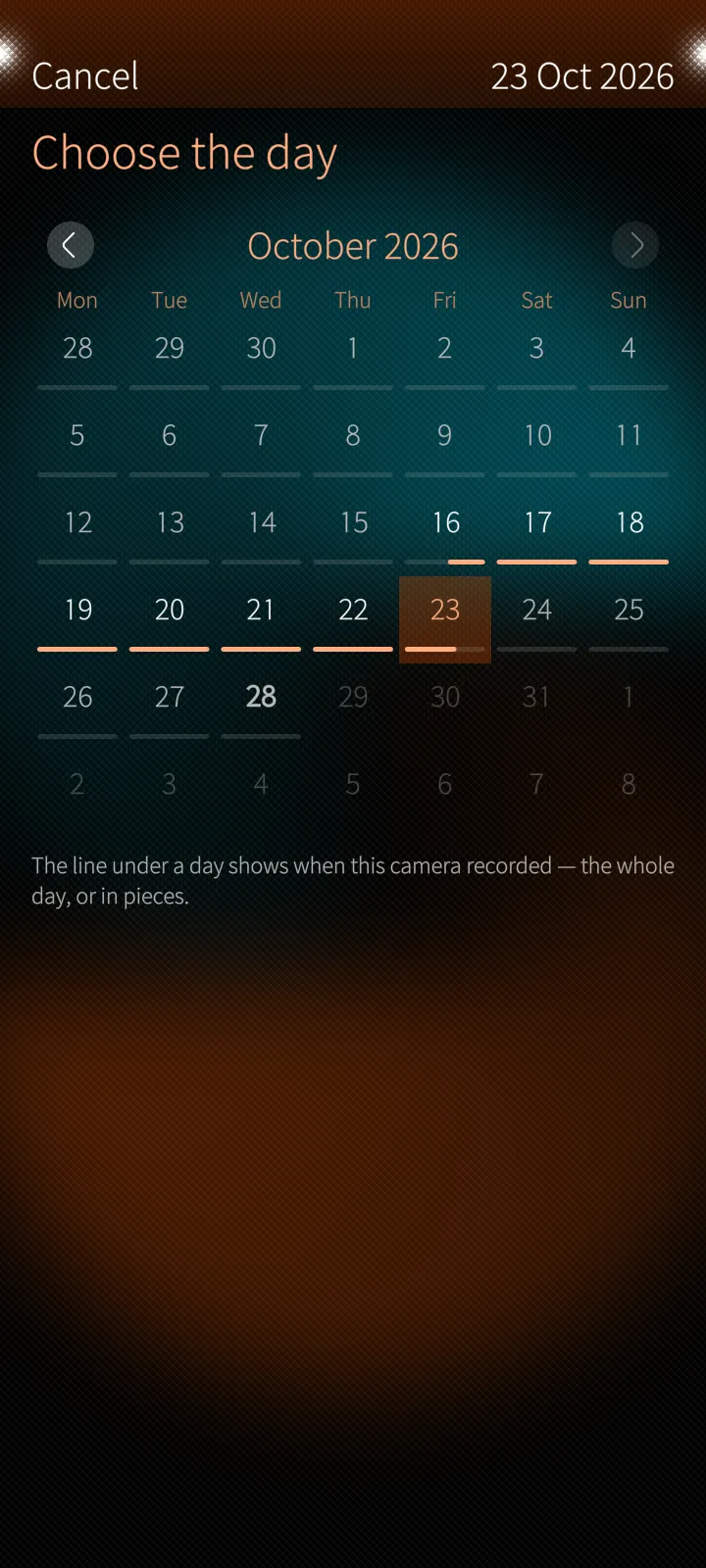
Which days were recorded
A month calendar marks under each day how much the camera recorded — a whole day, pieces of it, or nothing.
How it works
The calendar asks the server for the recording index of the month and draws one line per day from it. Days in the future cannot be chosen; a tap opens playback on that day.
Sailfish app
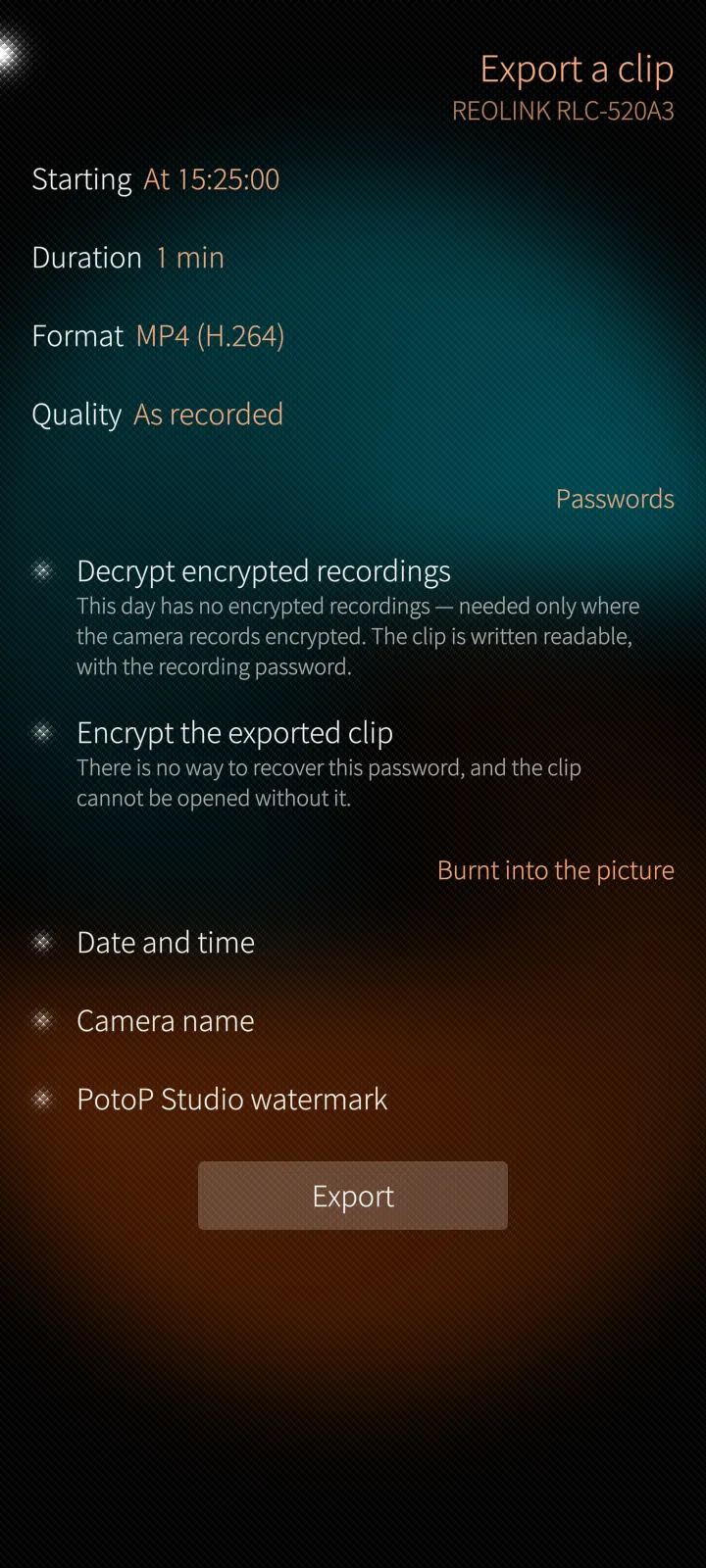
Export a clip from the phone
From the moment you are at: a duration, MP4, WebM, MKV or AVI, the quality, date and camera name burnt in, a watermark and an encrypted clip if you want one.
How it works
The export runs on the server, which cuts and encodes the clip from the recordings and reports its progress; the app follows it and downloads the finished file into the phone's Downloads over the same trusted connection. An encrypted clip gets its own password — it cannot be recovered, so the evidence stays sealed.
Sailfish app
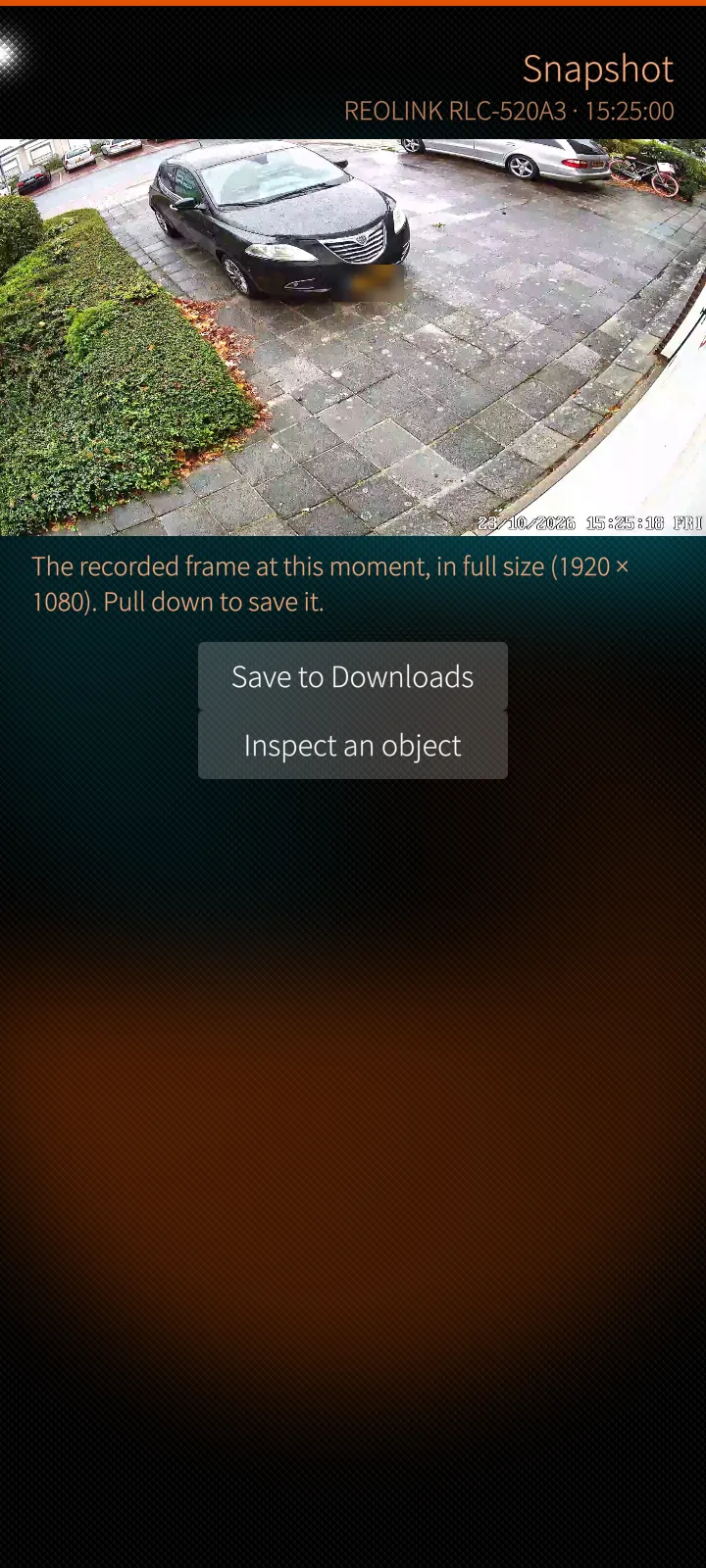
A recorded frame at full size
The recorded frame at full resolution, saved to the phone, or inspected: tap an object and the AI tells what it is and finds it again on other cameras.
How it works
The server extracts the exact frame from the recording at full resolution. Inspect sends the tapped point to the server's AI, which identifies the object and offers searches for the same person on other cameras, the route the person took and similar faces — each result opens playback at its moment.
Sailfish app
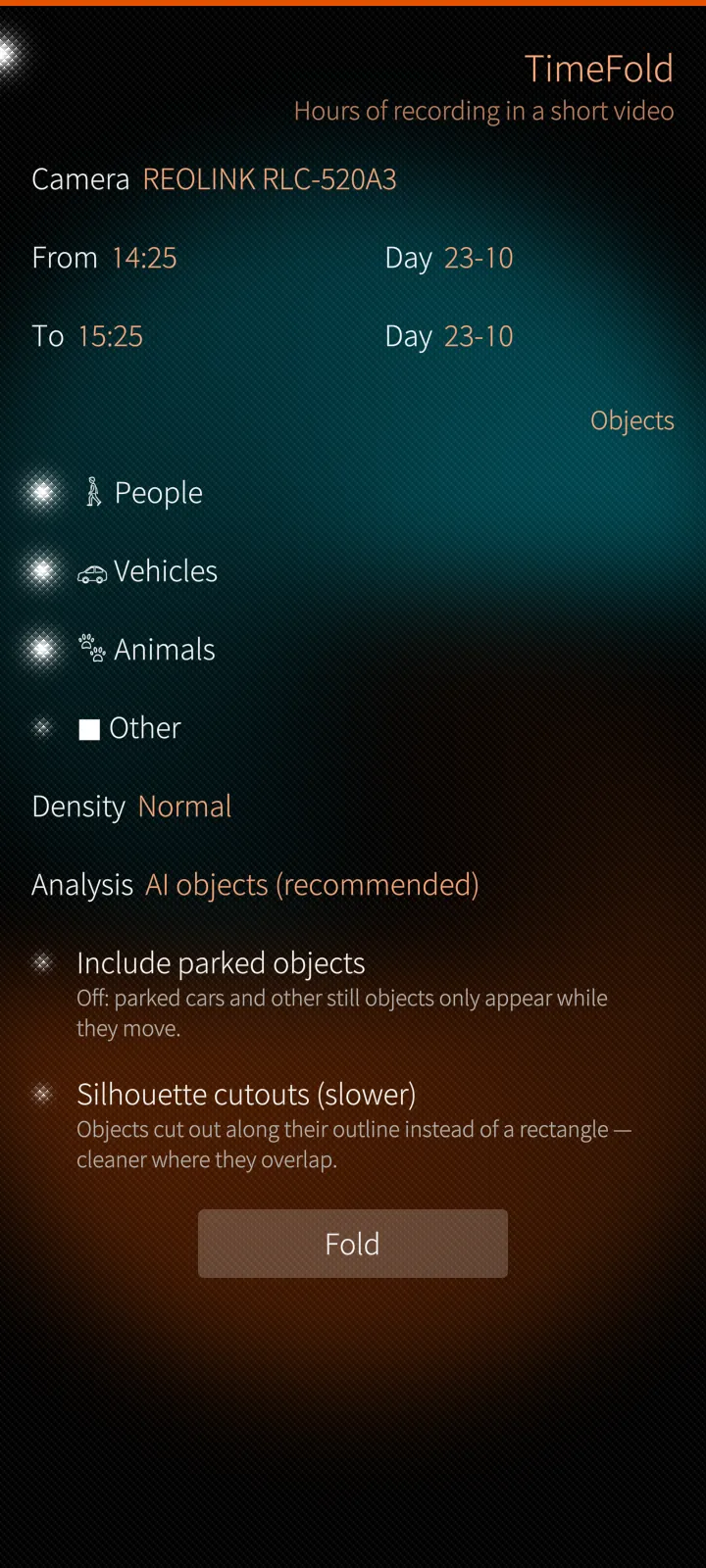
TimeFold: hours in minutes
Turns hours of recording into a short video in which everything that moved is shown at once, each object with its own time stamp.
How it works
TimeFold is a job on the server: it analyses the chosen period (at most 24 hours), cuts out the moving objects and lays them over one background with their own times. The phone only starts it and plays the result; the job carries on if you leave the page, and a tap on an object opens playback at the moment it really happened.
03
Alarms & investigation 4 screens
The alarm register, camera events and following someone across cameras.
Sailfish app
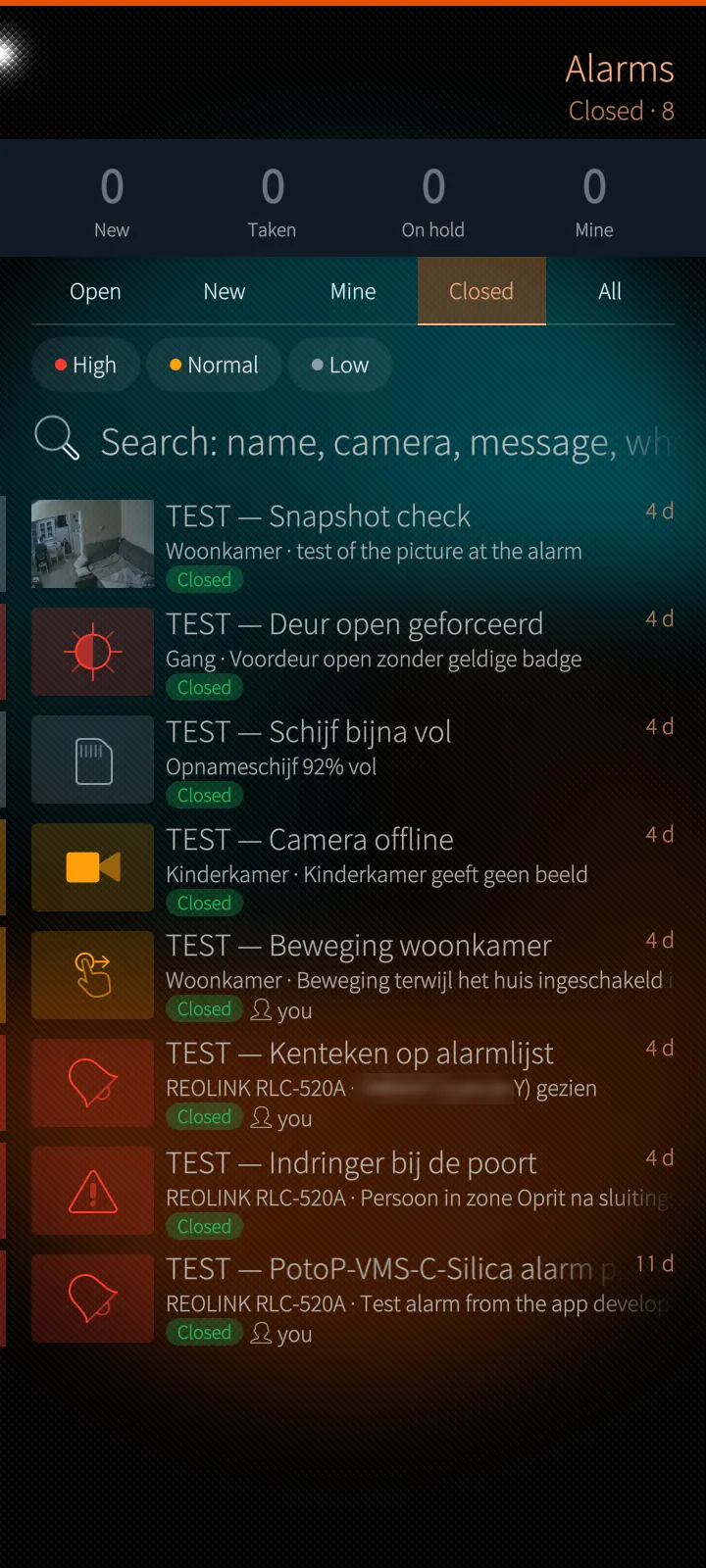
The alarm register, live
Every alarm with its picture, priority and state; counters for new, taken, on hold and mine; filters, search and actions on several at once.
How it works
The register lives on the server and the app receives every change over its live connection, so a new alarm slides into the list while you look and an alarm another operator takes changes state at once. Taking, holding, closing and assigning are server actions, checked against your permissions and written to the alarm's history.
Sailfish app
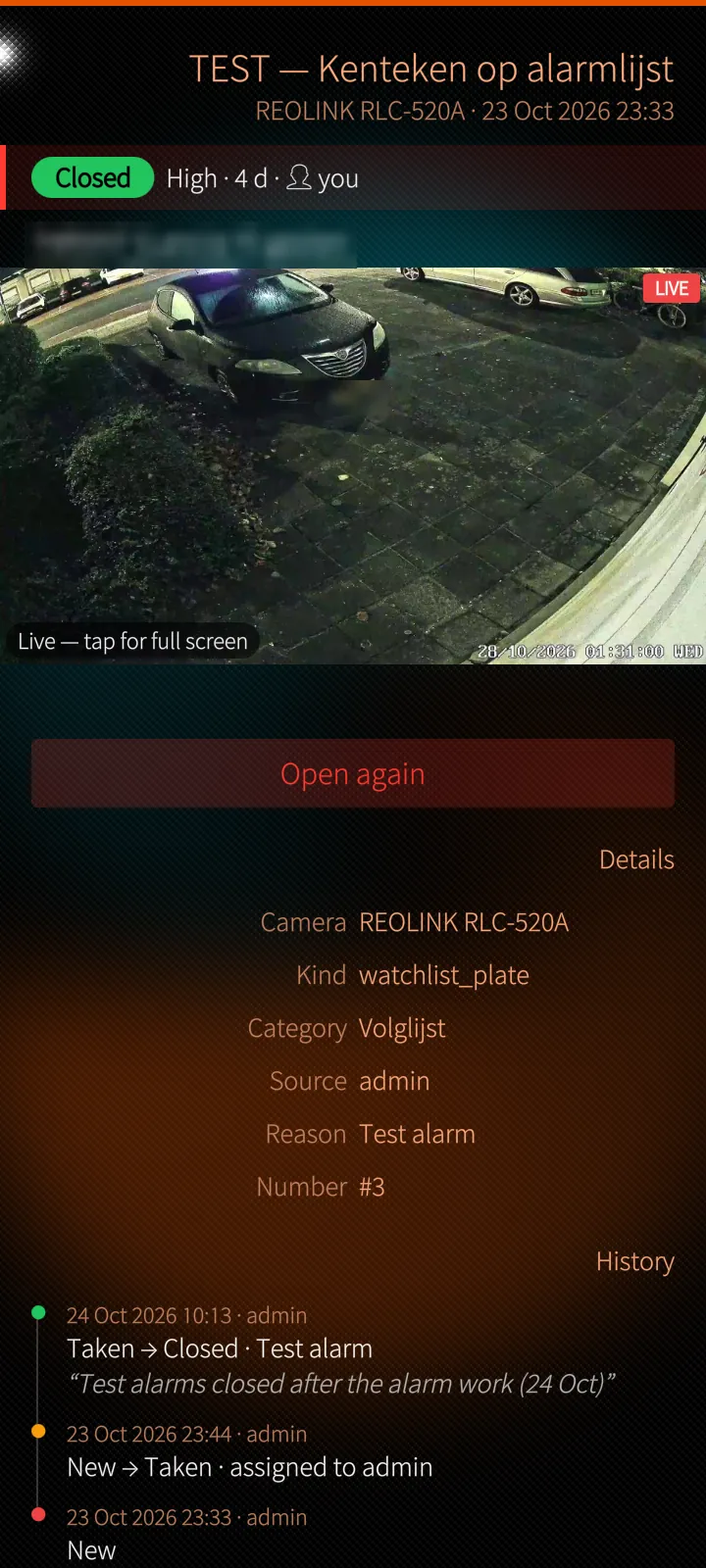
One alarm, one next step
The picture at the alarm or live now, one big button for the next step, and hold, assign, note, priority, details and the full history.
How it works
The picture at the alarm is the recording at its time stamp; Live now switches to the camera's live stream. Closing asks a reason — handled, false alarm, test, other — and a note, so the history shows who did what and why. The same alarm reaches the phone as a notification while the app is closed.
Sailfish app
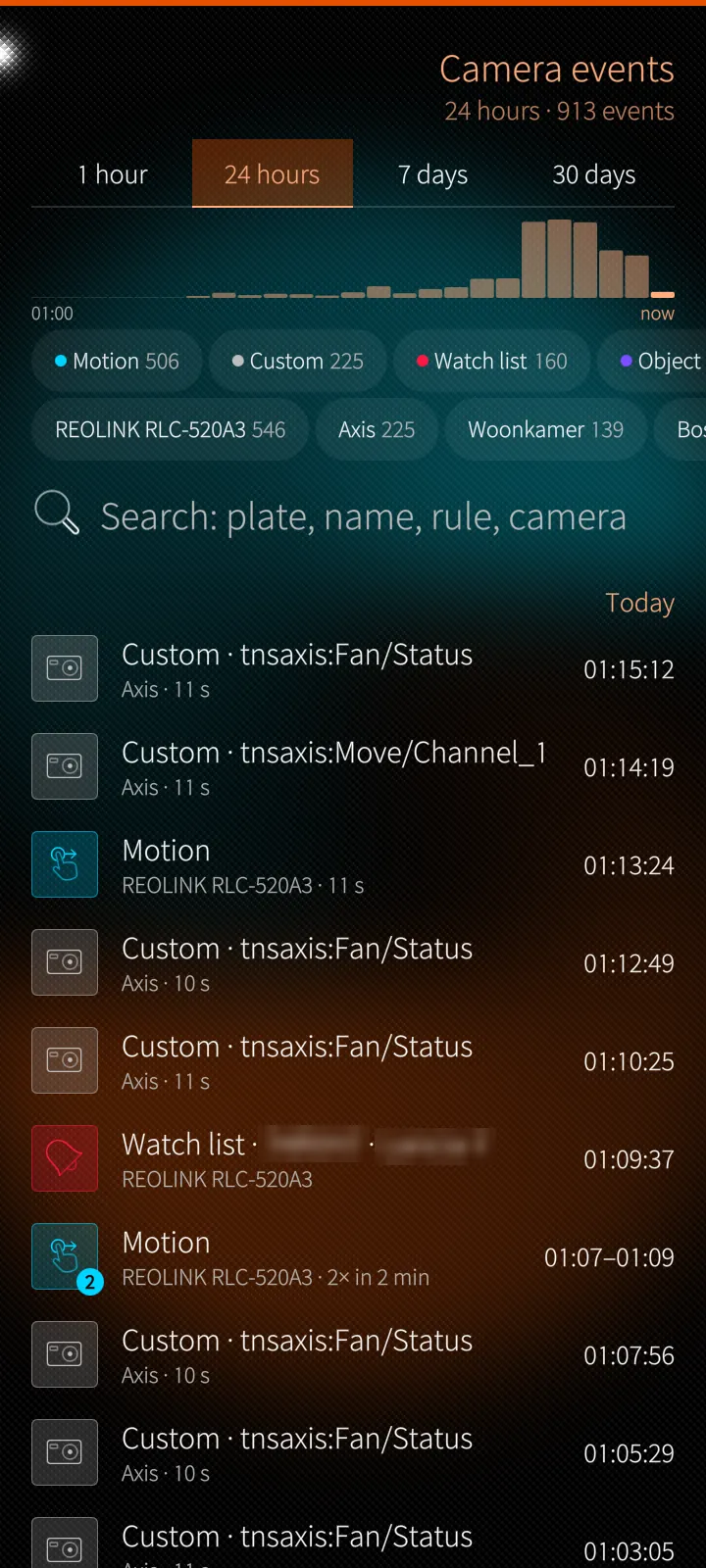
Everything the cameras noticed
Motion, objects, plates, faces and sound over the last hour to thirty days, with a histogram, chips per kind and camera, grouped bursts and a tap to play.
How it works
Events are read from the server's event index and refreshed every ten seconds. Bursts of the same event on the same camera are grouped into one row so a busy entrance does not bury the rest. Every row knows its camera and time, so a tap opens native playback a few seconds before it.
Sailfish app
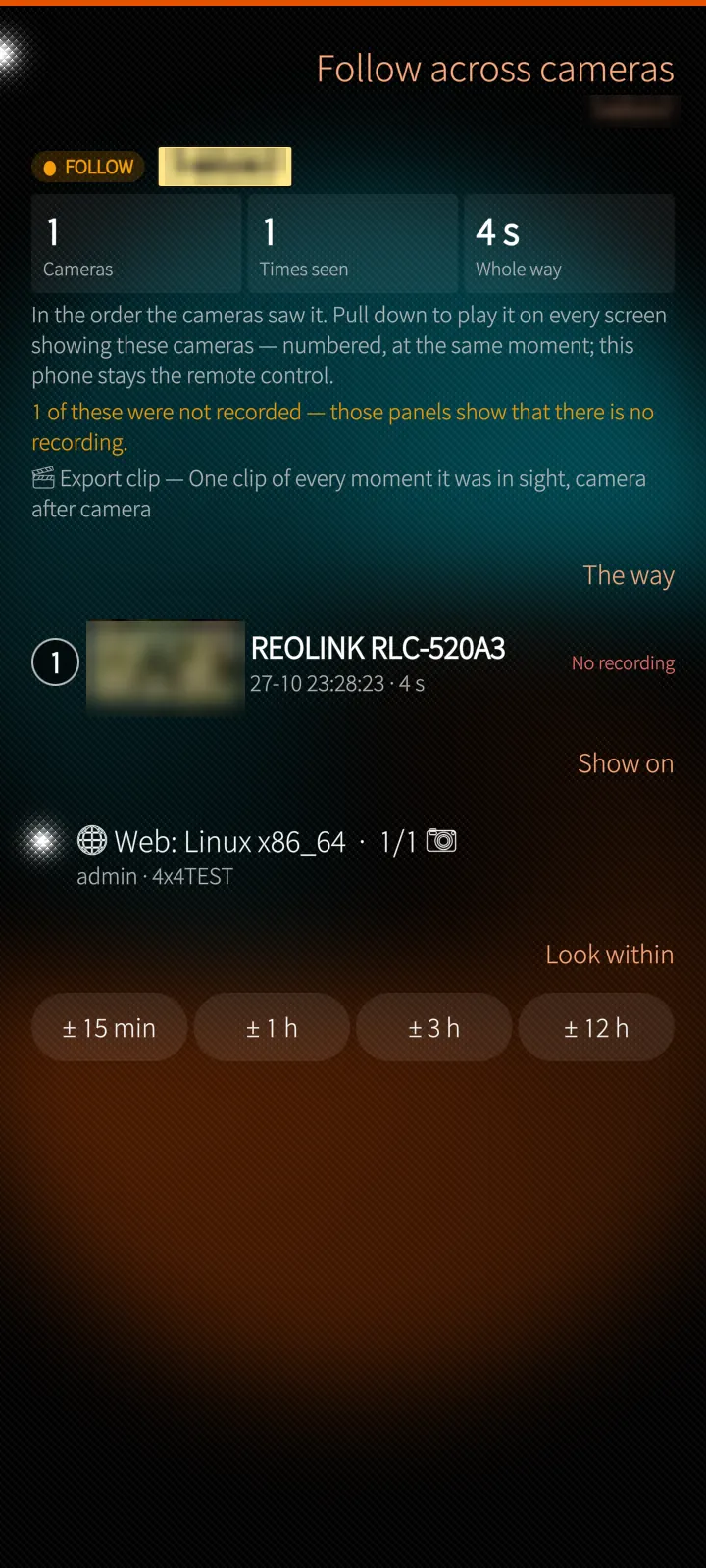
Follow someone across cameras
From a plate, a person or an alarm, the route in time order camera by camera — played on the control room's screens with the phone as the remote control.
How it works
The server searches its detections for the same plate, face or person and orders the sightings in time. Starting the route makes every PotoP screen that shows those cameras play it in step; the phone sends previous, next, speed and skip. The whole route can be exported as one clip.
04
Map, calls & building 4 screens
The camera map, the softphone and the building's plans as touch tiles.
Sailfish app
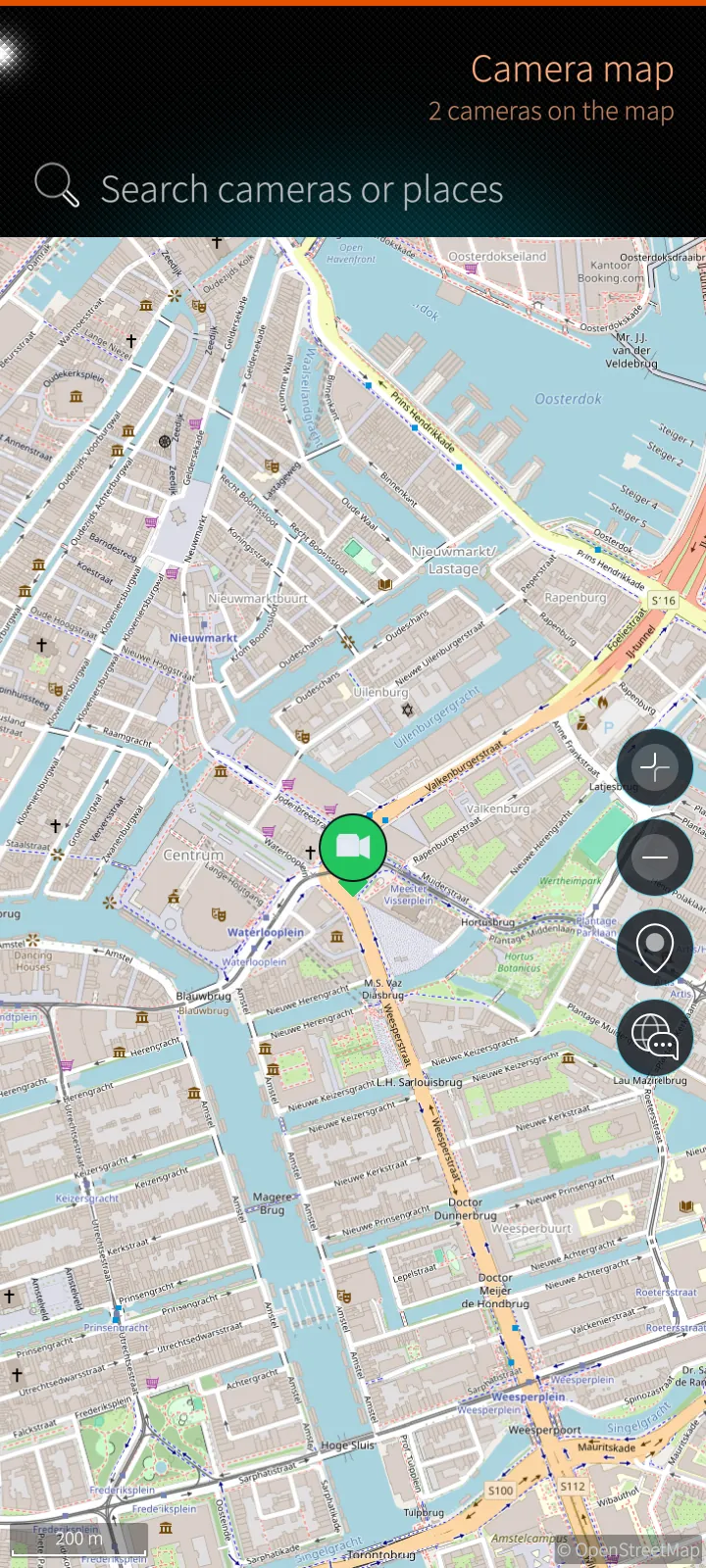
The camera map
Every camera with a position on the map in its status colour, with recording dots, alarm rings, view cones, clusters and your own location.
How it works
Map tiles come from your own PotoP server, not from a map provider's app. Camera positions, cones and alarm states arrive over the live connection: a camera moved or a cone turned in any PotoP client appears on the phone at once. Search finds cameras, addresses and typed coordinates.
Sailfish app
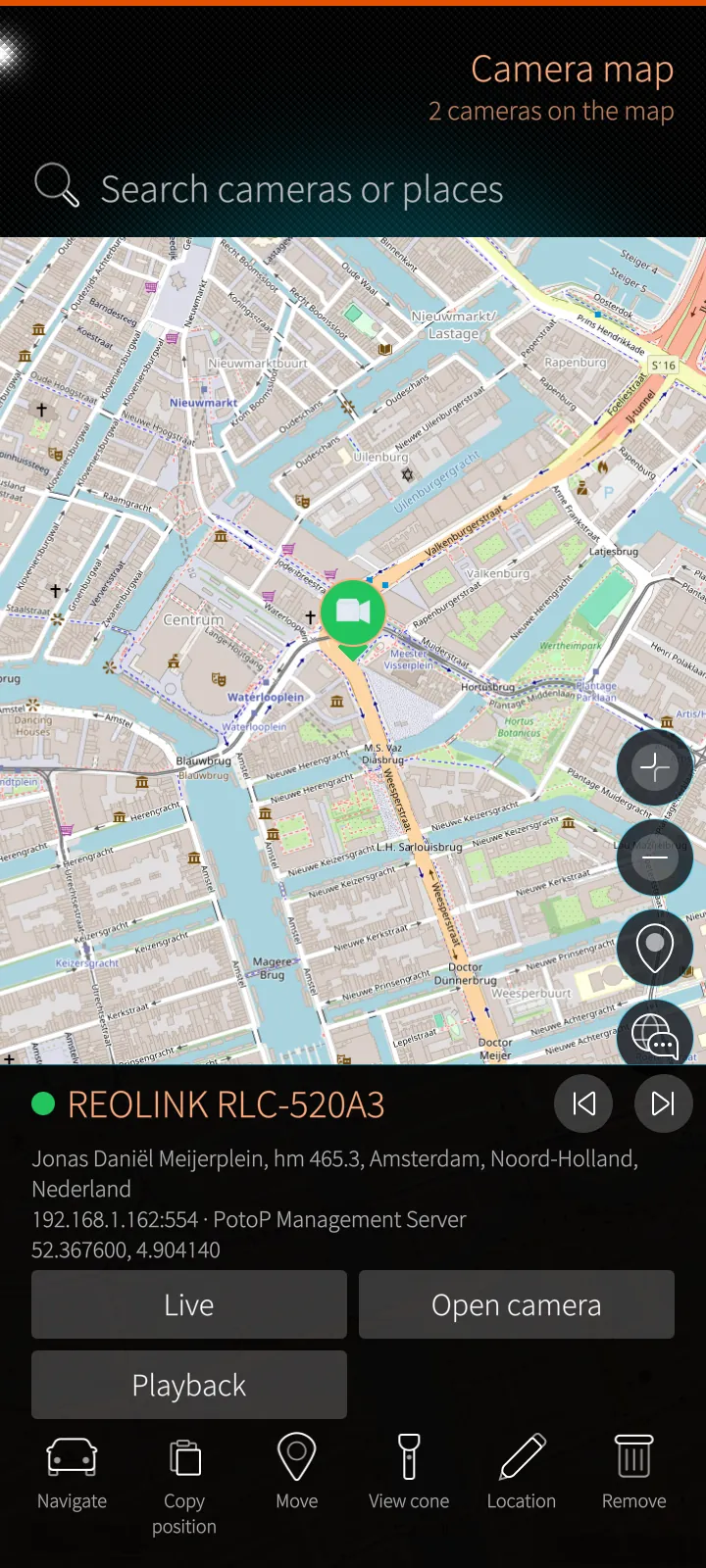
A camera card on the map
Address, distance and direction from you, live in a small window, open the camera, PTZ, playback, navigate there, and move or aim it on the map.
How it works
Distance and direction are worked out on the phone from its own location. Moving, aiming and removing a camera need the placing permission and are saved on the server, which tells every other client. Navigate hands the position to the phone's own maps app.
Sailfish app
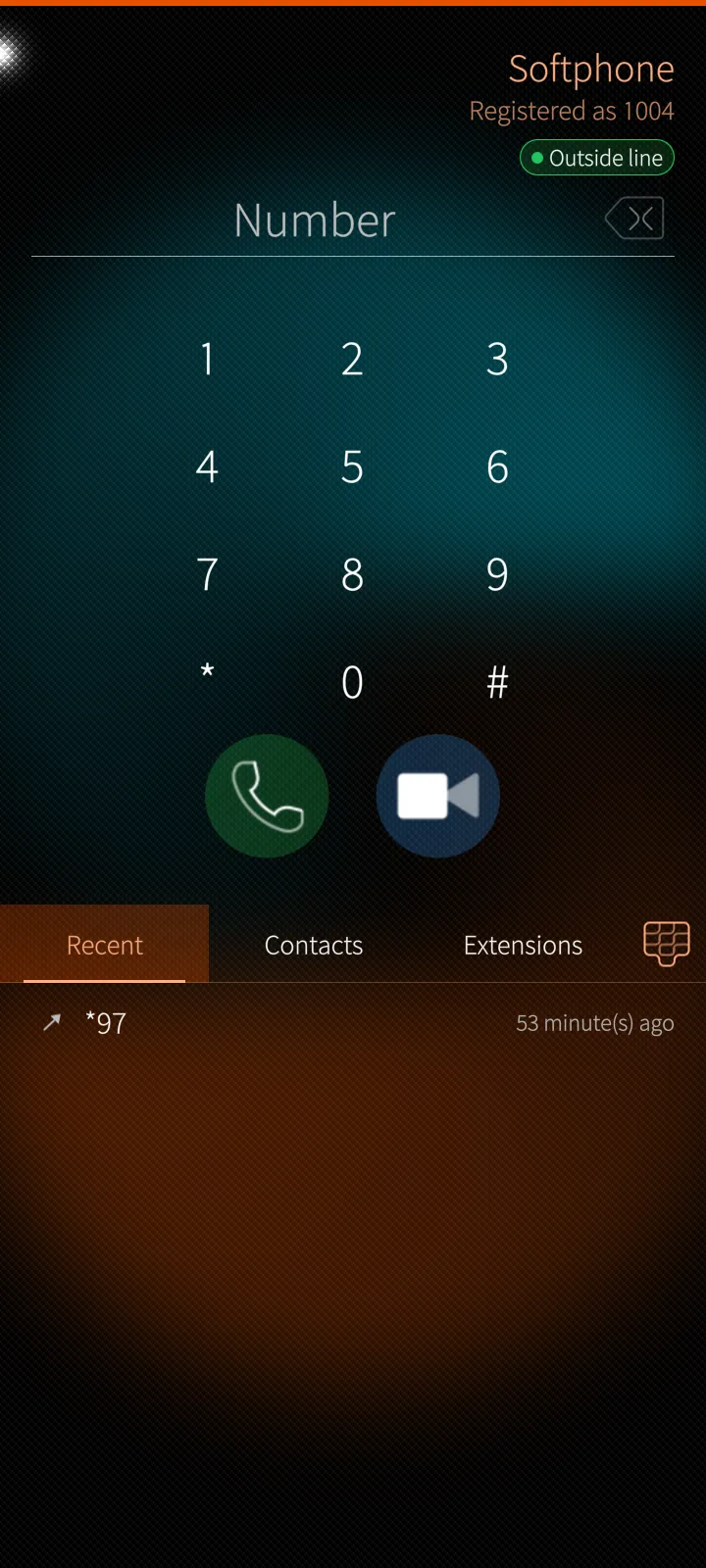
The softphone
Your PotoP extension on the phone: calls and video calls to colleagues, intercoms and outside lines, recent calls, the phone's contacts and the PotoP extensions.
How it works
The app registers your extension on the PotoP server's telephone exchange and keeps the call engine in the main window, so calls go on while you use the rest of the app. When the app is closed, the server wakes it for an incoming call and the phone rings like a telephone. Contacts are read on the phone only.
Sailfish app
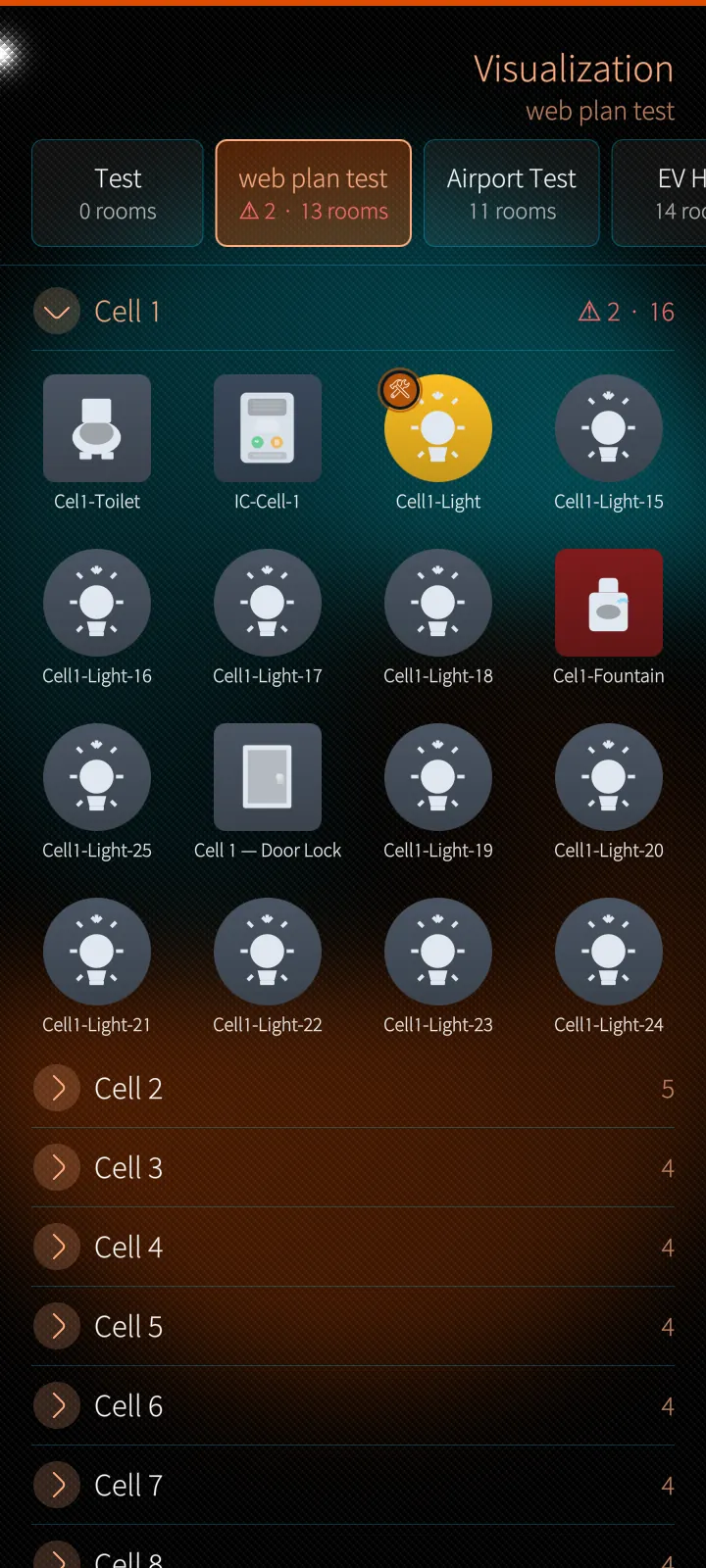
The building on a phone
Plans and rooms as touch tiles: switch lights, open doors and barriers, call intercoms, block devices — with PIN-locked icons and service reports.
How it works
The tiles are the icons of the plans drawn in PotoP's visualization, with their states refreshed every five seconds while the page is visible. Every action is executed by the server, which checks permissions and locks; a PIN-locked icon asks for its PIN, which the app remembers for twenty seconds and never stores.
05
Secure and in control 6 screens
Trust, PIN, camera settings, schedules, the server's health and the app settings.
Sailfish app
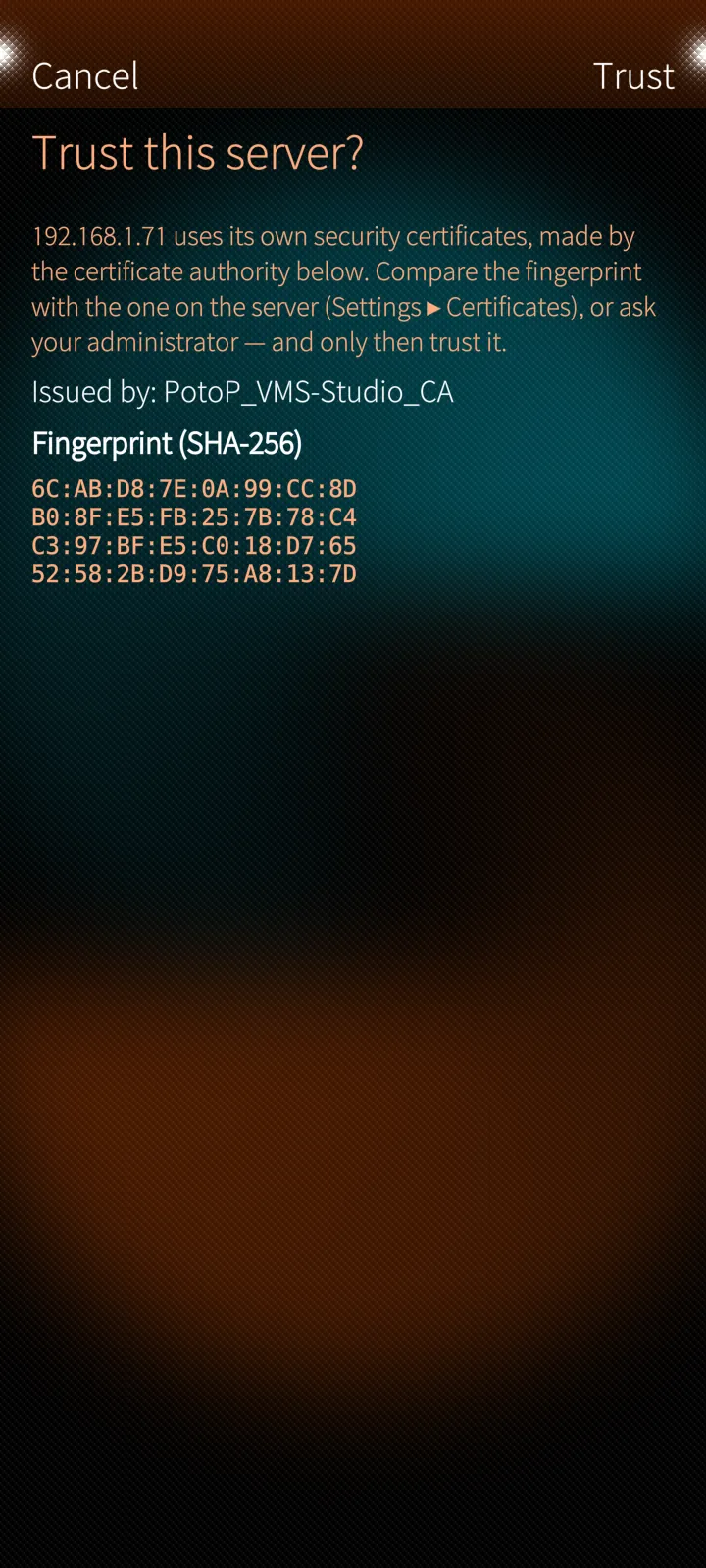
Trust your own server once
On setup the app shows who issued your server's certificate and its SHA-256 fingerprint. Trust it once — from then on only that authority is accepted for that server.
How it works
PotoP servers make their own certificates under their own certificate authority. The app pins that authority for that server only, with host-name checks always on; a certificate from any other authority is refused until you trust again. There is no cloud relay — the phone talks only to your server.
Sailfish app
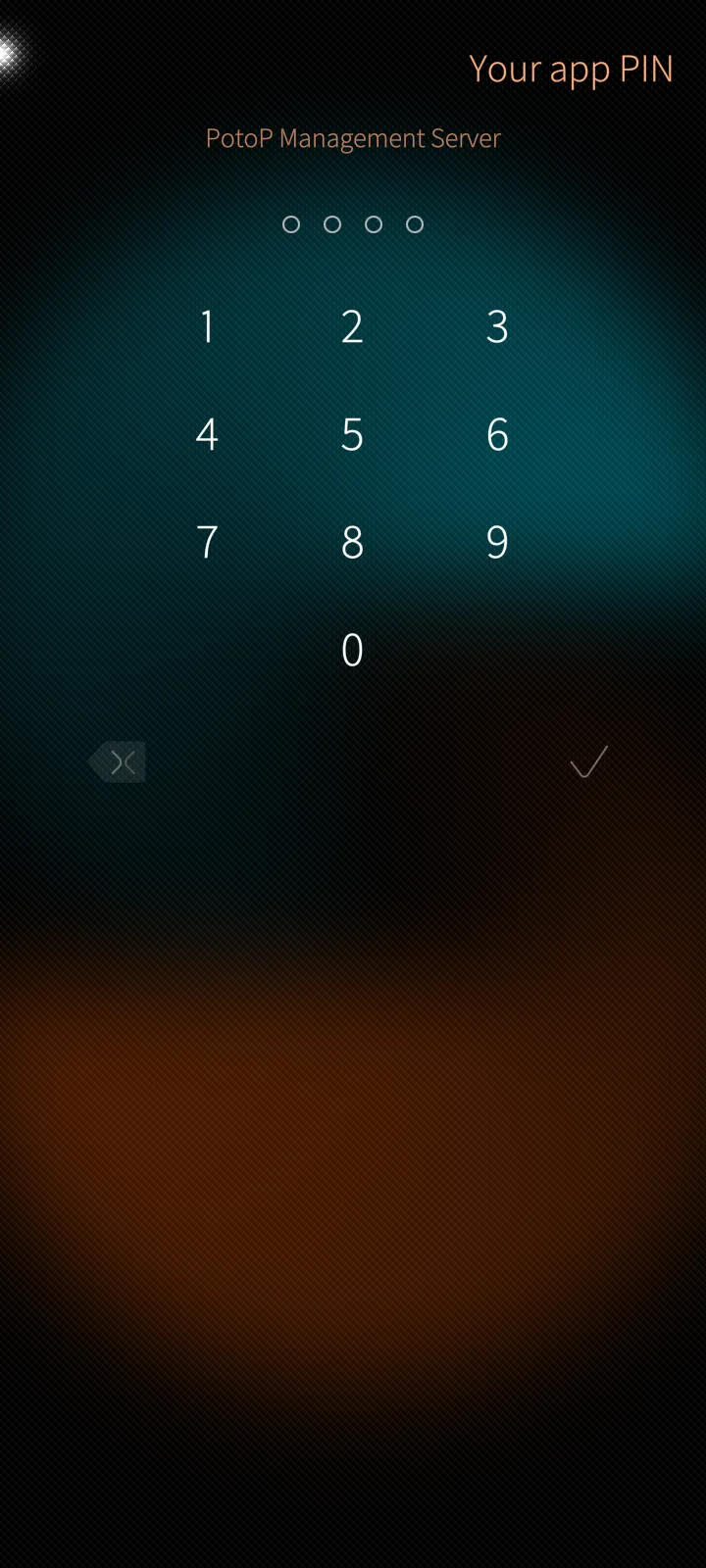
App PIN and fast sign-in
A PIN of 4 to 8 digits locks the app and signs you in without typing the password; five wrong PINs pause the keypad.
How it works
The password is kept on the phone only, sealed with a key derived from the PIN; the PIN itself is never stored. The session token sits in a file only the app can read. Signing out ends the session on the server and un-pairs the phone.
Sailfish app
Every camera setting on the phone
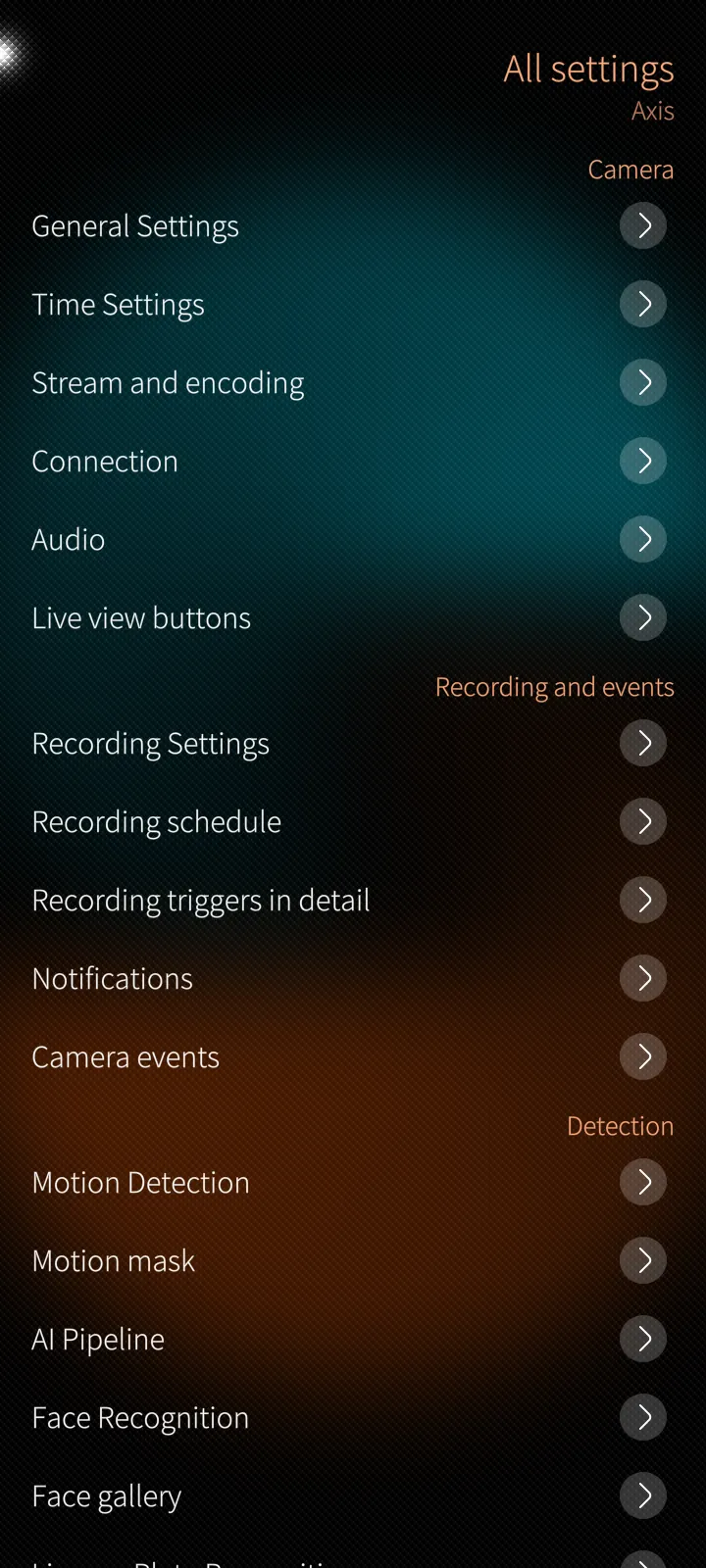
The same sections as the desktop client: streams, recording, schedule, motion, AI pipeline, faces, plates, zones and lines, privacy masks, time.
How it works
Each section reads the camera's settings from the server and sends back only what you changed. Without the devices permission the sections are read-only. Some act at once on the camera itself: reading and setting its clock, testing plate reading, sending a Telegram test.
Sailfish app
Recording schedule
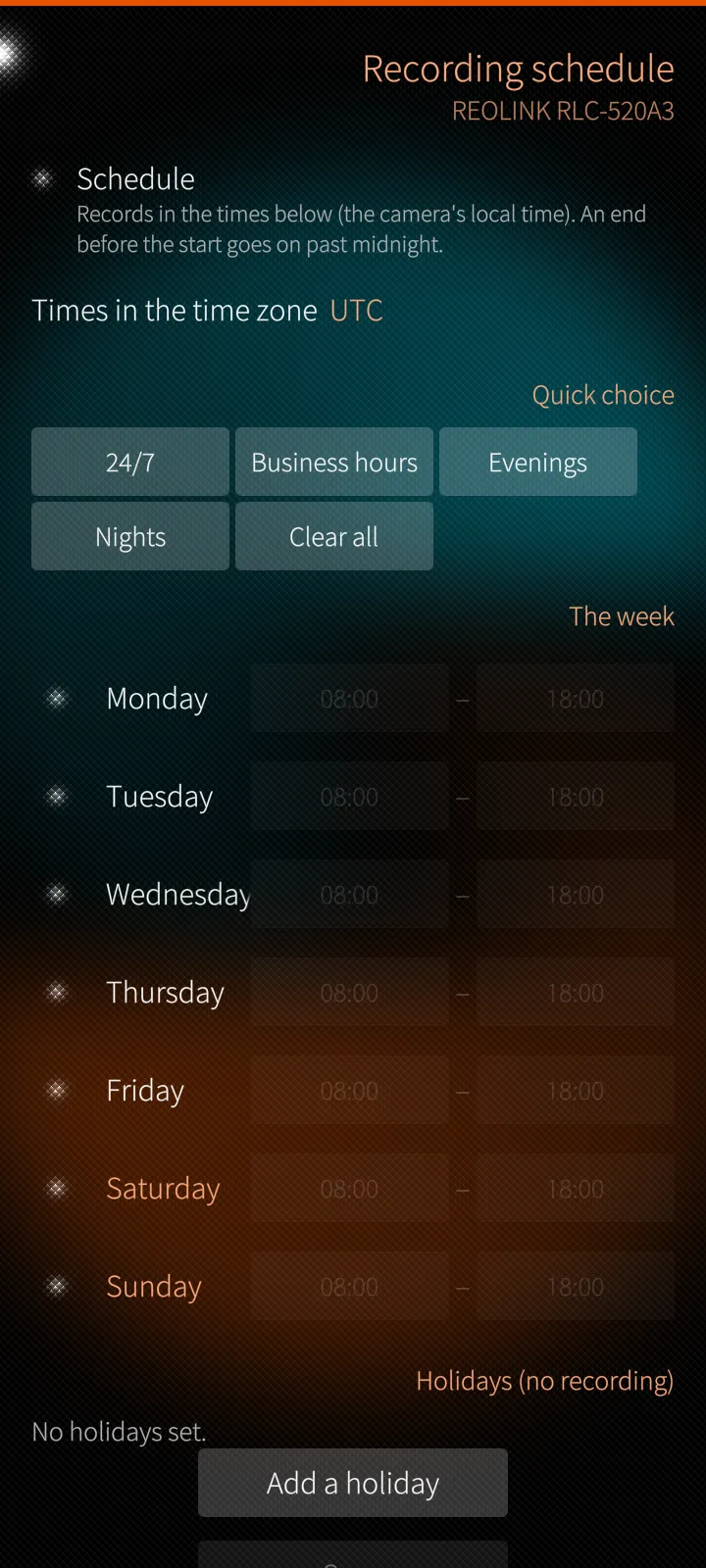
When a camera records, week by week, with quick choices for 24/7, business hours, evenings and nights, and holidays without recording.
How it works
The schedule is stored on the server in the camera's own time zone and applied by the recorder there, so the phone can be anywhere. Quick choices fill the week; per-day start and end times and holidays fine-tune it.
Sailfish app
The server at a glance
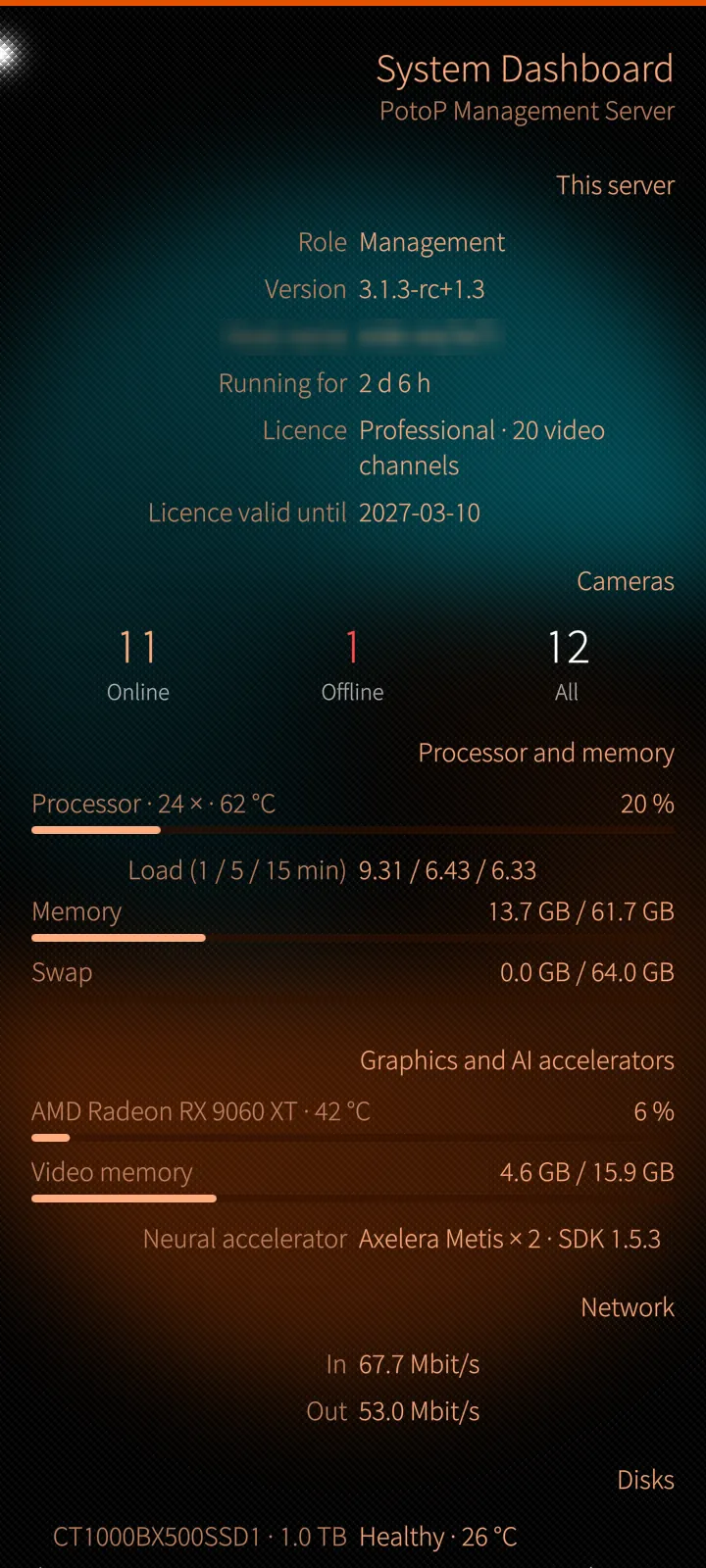
Role, version, licence, cameras online and offline, processor, memory, GPU, AI accelerator, network and disks — refreshed every three seconds.
How it works
The dashboard reads the server's own system monitor; on a cluster you choose the server at the top. It is read-only, so it is safe to give to operators who should see the health of the system without changing it.
Sailfish app
App settings
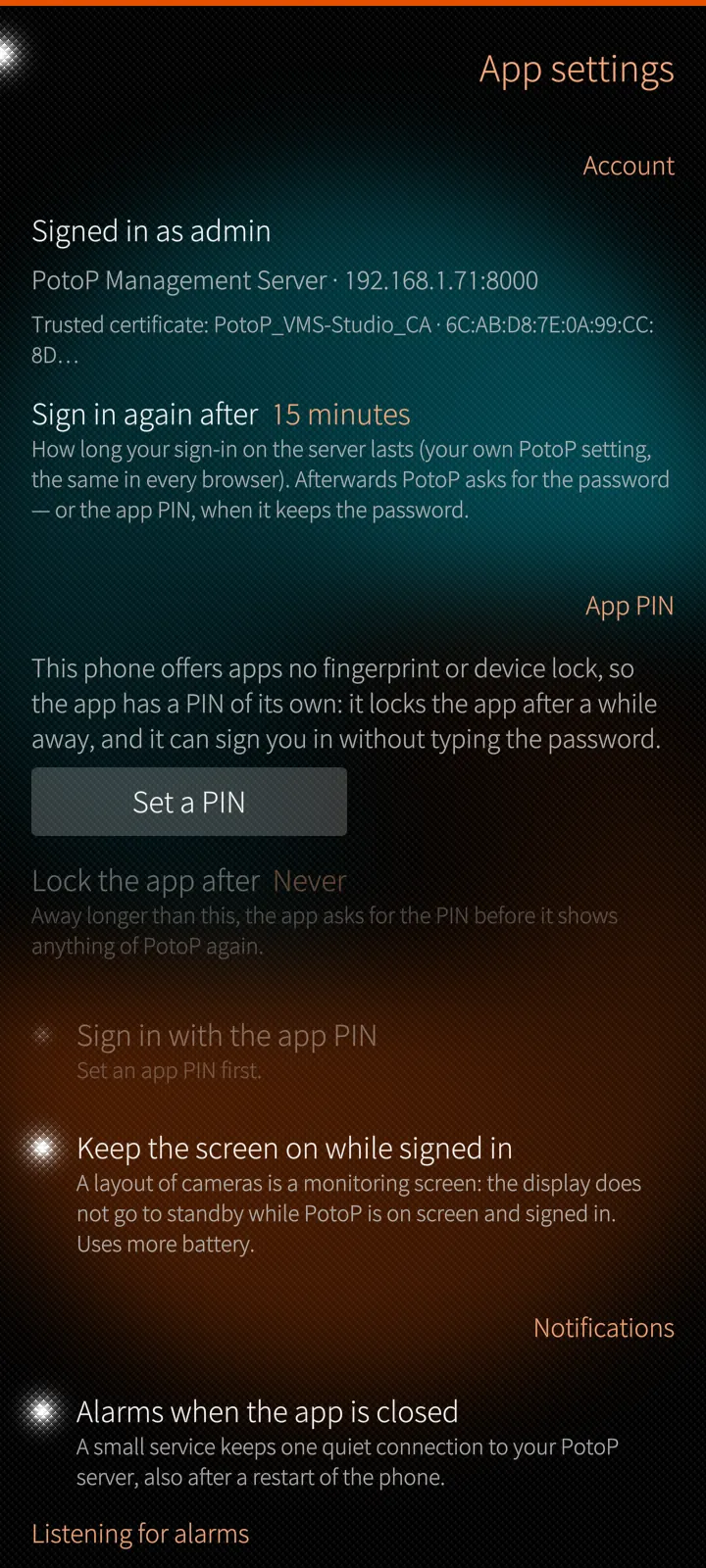
The signed-in account and trusted certificate, backup servers, the app PIN and auto-lock, alarms when the app is closed, test notification and updates.
How it works
A small background service of the app keeps one quiet connection to your server, also after a restart of the phone, and puts alarms and camera events in the Sailfish notification centre. Updates come from your own server: the app checks the SHA-256 checksum before it hands the RPM to the phone's installer.
Under the hood
How PotoP VMS for Sailfish OS is built, where it runs and how it keeps your data safe.
01
Hardware video
Live cameras arrive over WebRTC from the server's media gateway and go straight to the phone's hardware decoder through GStreamer. A layout plays up to twelve cameras at once; further cells show stills, and cells out of sight stop to save data.
02
Trust on first use
PotoP servers make their own certificates under their own certificate authority. On setup the app shows its name and SHA-256 fingerprint; you trust it once, and from then on only that authority is accepted for that server, with host-name checks always on.
03
A relay for playback
The phone's media player cannot trust your server's own authority, so the app runs a small relay on the phone: the player asks 127.0.0.1, the relay fetches the recording over the trusted connection with your session and passes seeking through.
04
Alarms without a cloud
A small background service of the app keeps one long connection to your own server, also after a restart of the phone, and puts alarms, camera events and calls into the Sailfish notification centre. There is no third-party push service.
05
PIN, kept on the phone
With the app PIN your password is sealed on the phone with a key derived from the PIN; the PIN itself is never stored. The session lives in a file only the app can read, and signing out ends it on the server and un-pairs the phone.
06
Updates from your server
Your PotoP server offers the current app version. The app downloads the RPM from your server, checks its SHA-256 checksum against what the server announced and hands it to the phone's own installer.