Professional

PotoP Enterprise Suite for Sailfish OS

The whole working day, native on Sailfish OS

PotoP Enterprise Suite made for Sailfish OS: jobs and hours, faults and the planboard, the live map, the encrypted chat with calls and meetings, the stockroom with its camera count and the password vault — native Silica pages, with every notification straight from your company's PES portal.

Version 1.0.117 · 796 KB · Free, no account needed · Older 32-bit phone? Download for 32-bit ARM

What is new in 1.0.117
  • Hungarian: the identity check now addresses you formally, like the rest of PES.

For companies and organisations — licences, installation and support by M.B.L.M. Systems. Talk to us

Made in the EU

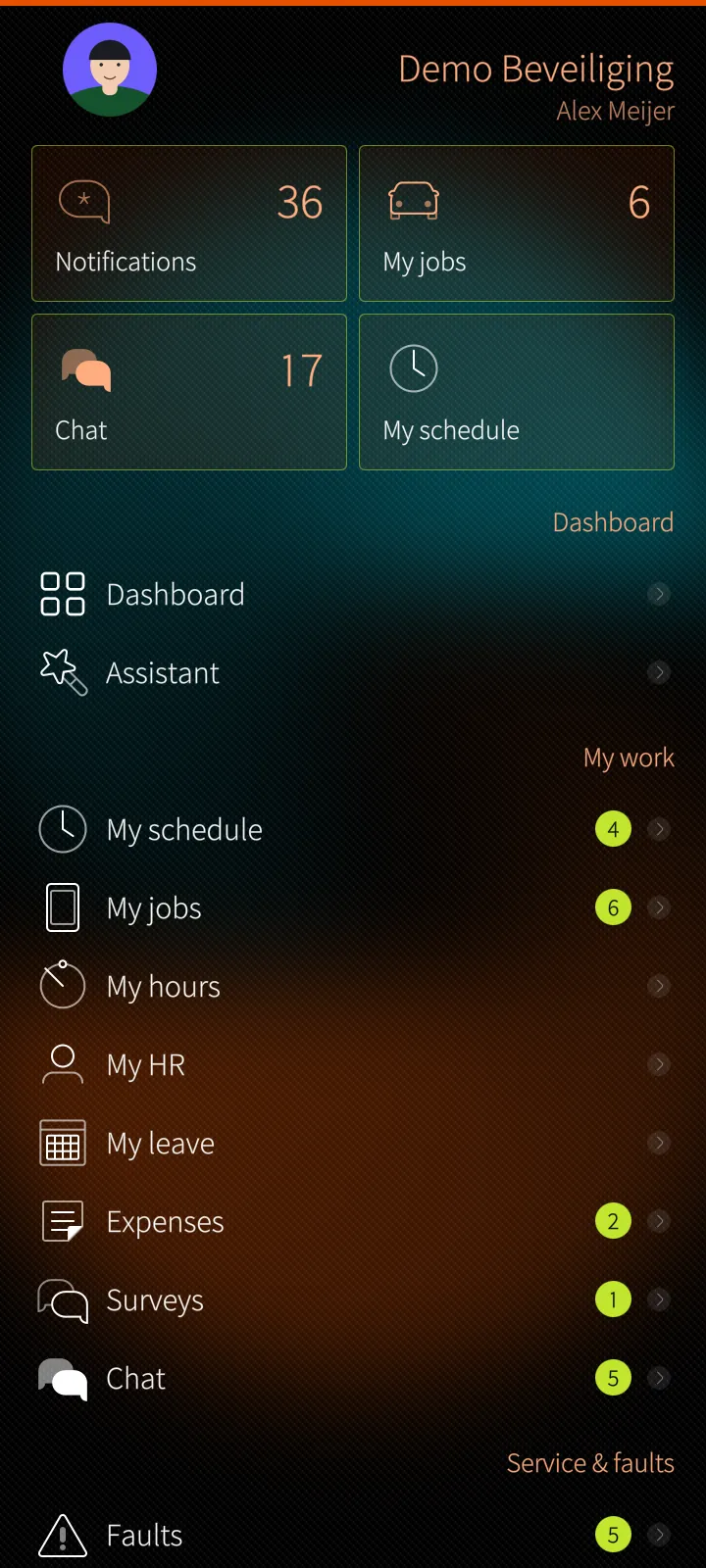
Your own PES menu
Live map with your team
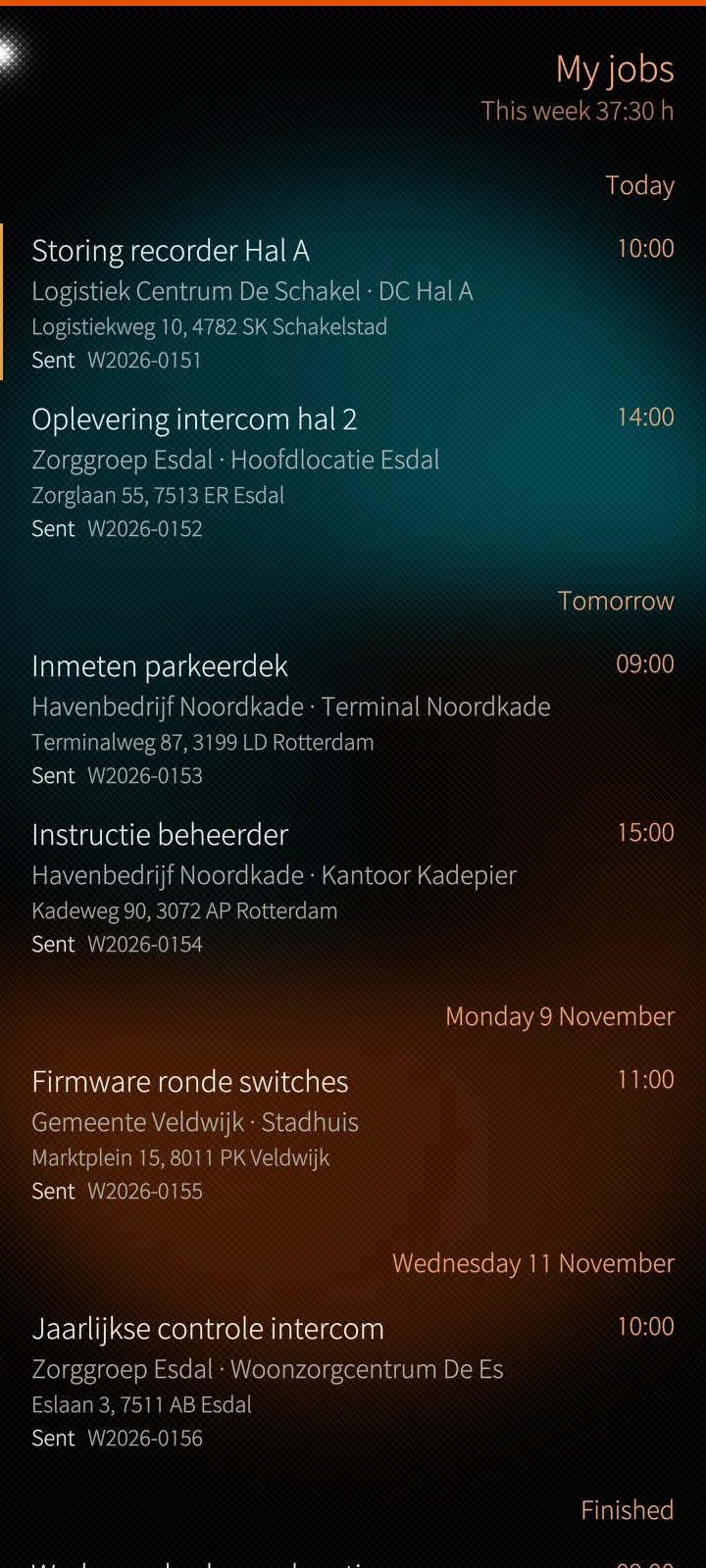
My jobs by day

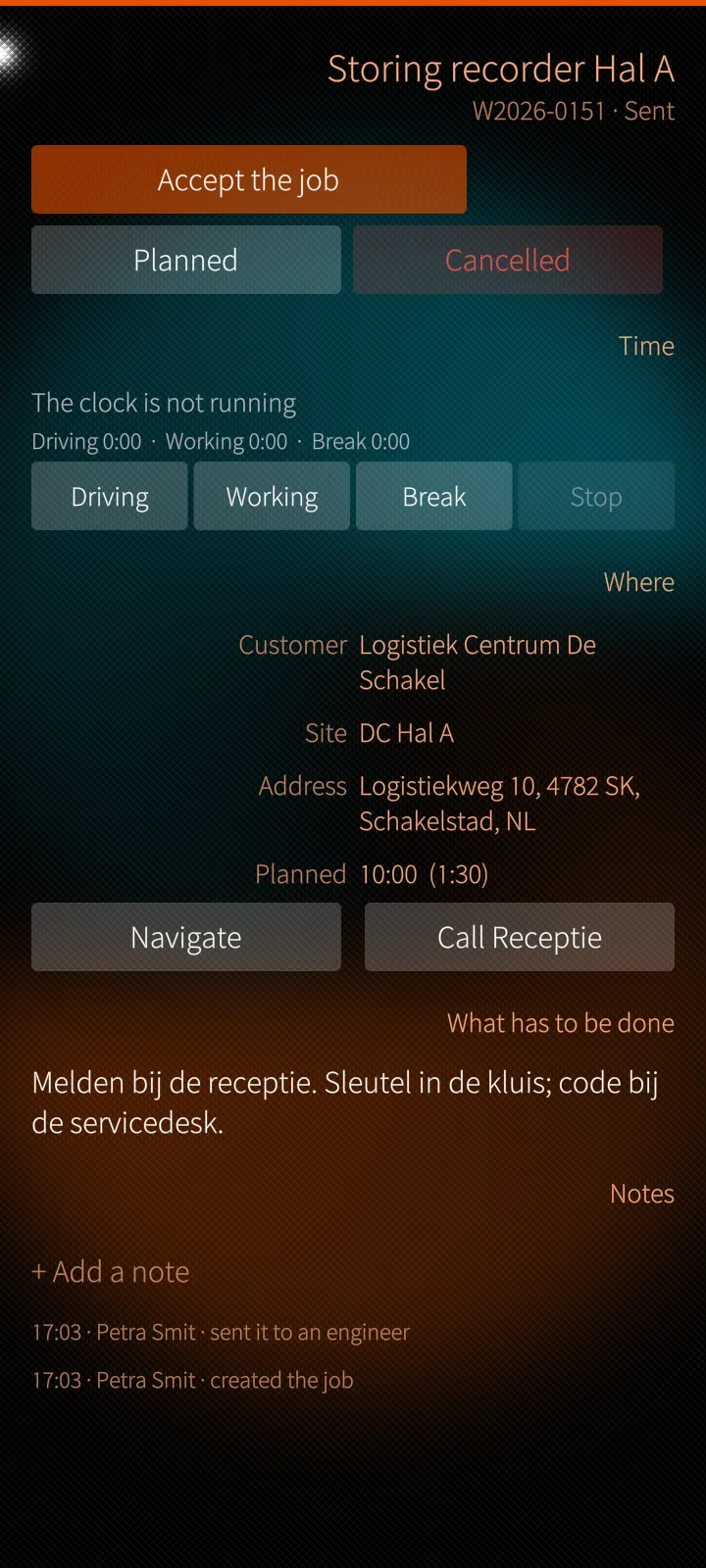
Your day and your clock

Jobs by day, the next step, driving and working time, the customer's signature on the screen.

Faults with SLA clocks

The service desk's board, dispatch and the planboard, made for a finger.

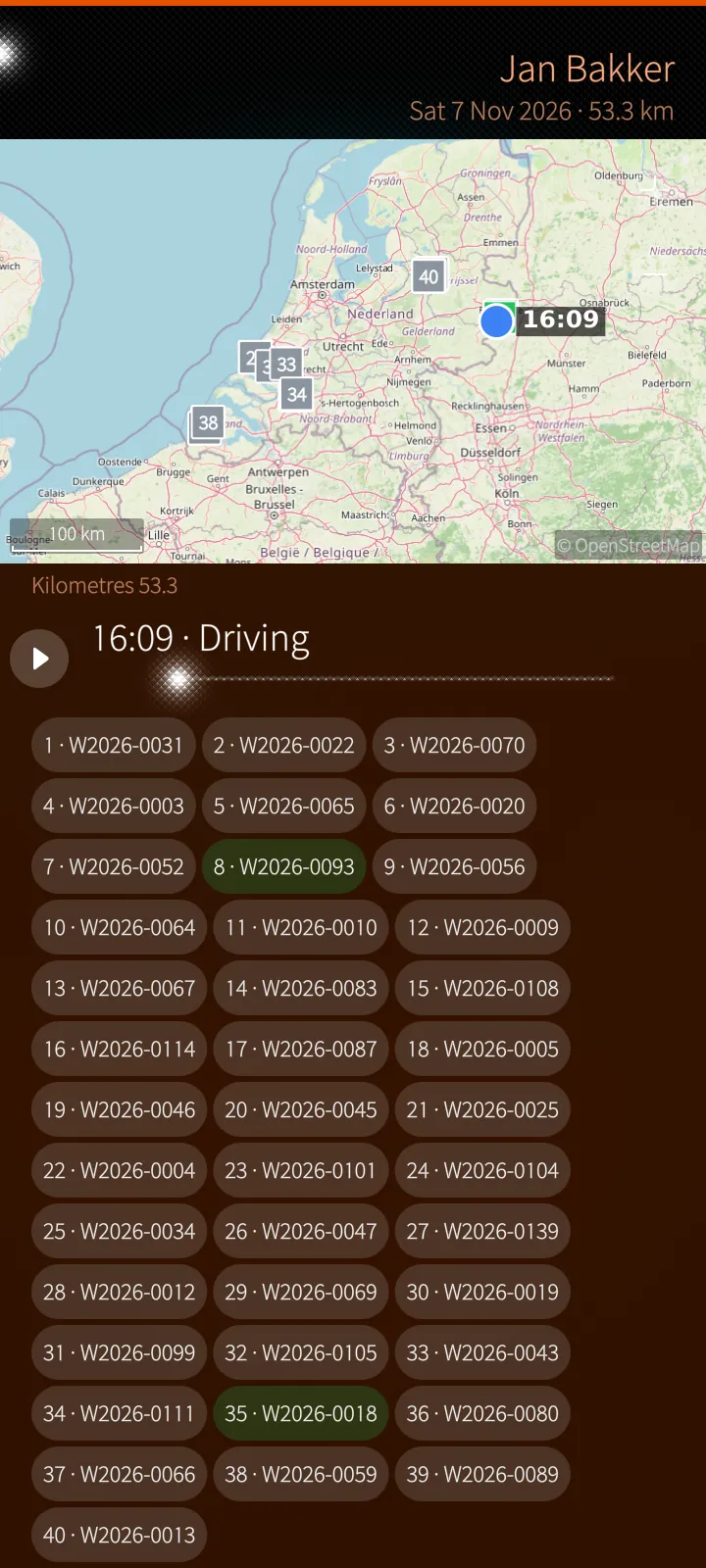
Live map and day replay

Your team by status, trails and a whole day played back, tiles from the PES server.

Encrypted chat and meetings

Messages, groups, calls at the ear, sharing in meetings — keys on the phone.

Count with the camera

Barcodes, labels and boxes counted from one picture, booked only when you say so.

Proof before secrets

Fingerprint, PIN or password before the vault, licence keys or the trash open.

Native, and your own menu

PotoP Enterprise Suite for Sailfish OS is written for the phone: every page is a Silica page with pull-down and push-up menus, press-and-hold menus, the cover and the notification centre. The app shows your own PES menu, in the same groups as your sidebar on the web — what your role may use, nothing else — and the server checks every action again.

Most of PES has its own page on the phone: your jobs and clock, hours, leave, expenses and HR, the fault board and dispatch, the planboard, the live map and the day replay, projects, packages and designs, the Whitebook, the stockroom and its camera count, the chat, calls and meetings, the vault and the assistant. The office pages — customers, people, payroll, the books, the administration — are drawn natively from what the PES server describes, so a part added to PES appears on the phone without a new app.

Only your company's portal

The app talks only to your company's PES portal. A small background service keeps one quiet connection to it, also after the phone restarts, so notifications, chat messages and calls reach you while the app is closed — with no third-party push service in between. The chat and the password vault are end-to-end encrypted on the phone itself.

Feature tour

Every screen below is a real screenshot. Search for a feature or pick a chapter; click a picture to see it full size and page through them with the arrow keys.

01

Your work on Sailfish OS 5 screens

Your menu, jobs and clock, schedule, hours, leave, expenses and HR — as real Silica pages.

Your own PES menu
Sailfish app

Your own PES menu

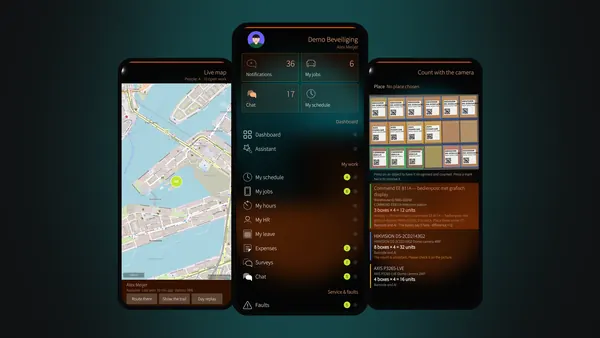
The company, your photo, the tiles for notifications, jobs, chat and schedule, and below them your own PES menu in the same groups as on the web.

How it works

The app asks the PES server who you are and builds the page from your role: an entry you may not use is not there, and the server checks every action again. The counts on the tiles and beside the menu entries come with the same answer and update while the page is on screen.

My jobs by day
Sailfish app

My jobs by day

Now, today, tomorrow, the days after and what is not planned yet — with the customer, site, address and number on every row.

How it works

The list is the same planning the office works on: a job sent to you appears here and as a notification on the phone, also while the app is closed, through the one connection the app's background service keeps to your company's PES portal.

A job: the next step and the clock
Sailfish app

A job: the next step and the clock

One button for the next step, your own clock for driving, working and break, and where you go with Navigate and Call.

How it works

Each step and each clock change is sent to the server at once, so dispatch sees it as it happens and your week sheet fills itself in from the clock. Navigate hands the address to the route planner you choose on the phone.

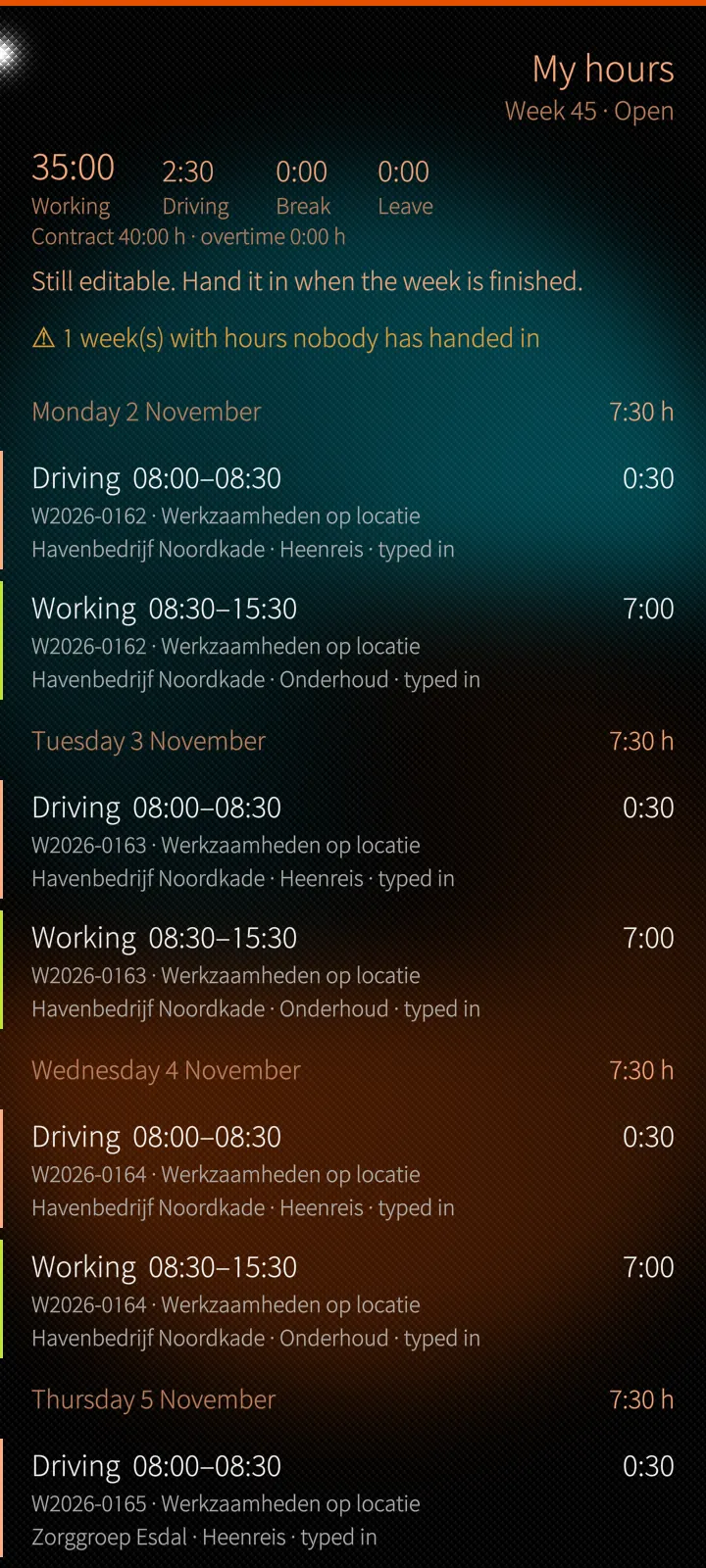
My week of hours
Sailfish app

My week of hours

Clocked and booked hours per day against the contract, with the week handed in from the phone.

How it works

The week is built from your job clocks and what you booked by hand. Handing it in locks it until the office answers; the page says when it was handed in, approved or reopened.

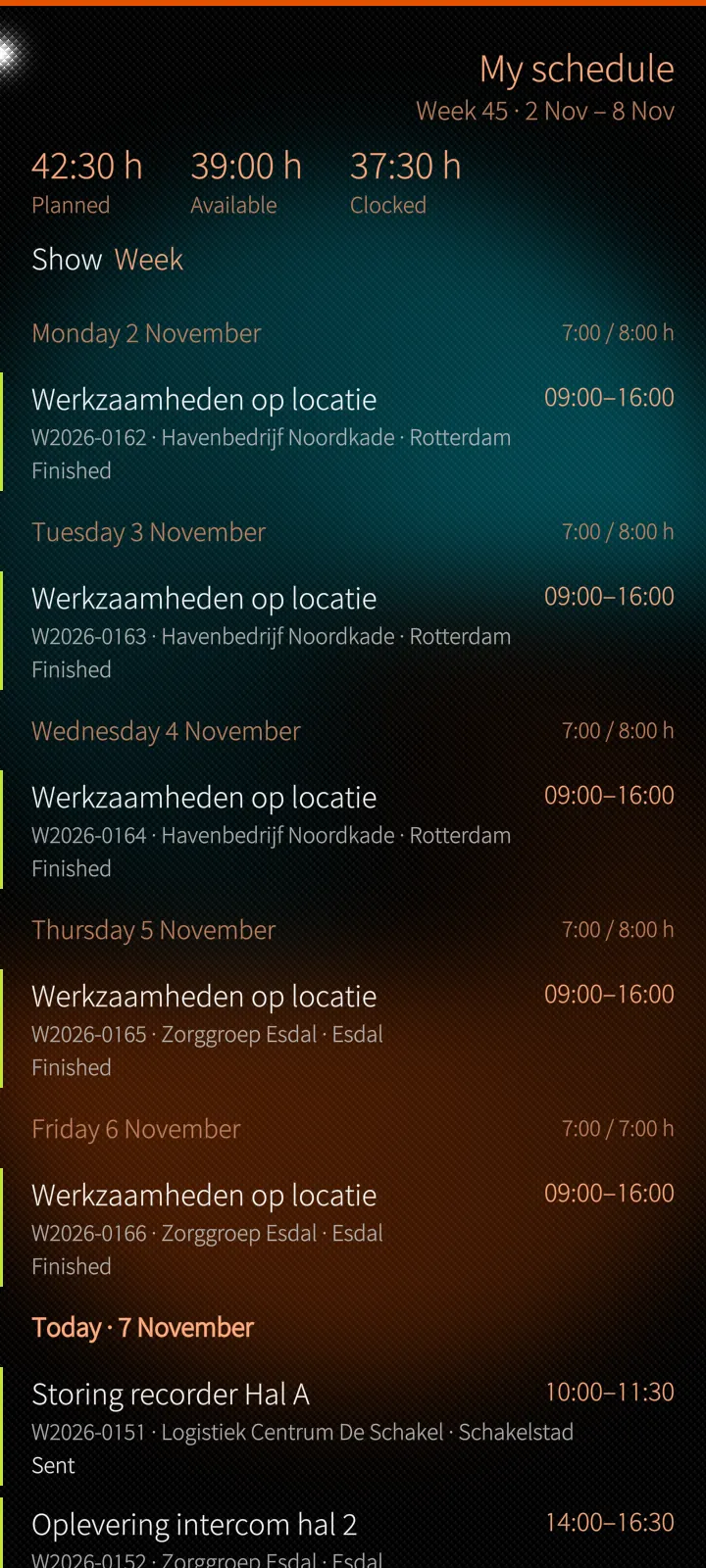
My schedule
Sailfish app

My schedule

Jobs, meetings, leave and days off, each day planned against available — and a calendar link for the phone's own calendar.

How it works

The schedule is drawn from the planboard. The calendar link is a private address your calendar app can follow; it can be stopped from the same page at any time.

02

Service, planning & the map 5 screens

The fault board with its SLA clocks, the planboard and the live map with the day replay.

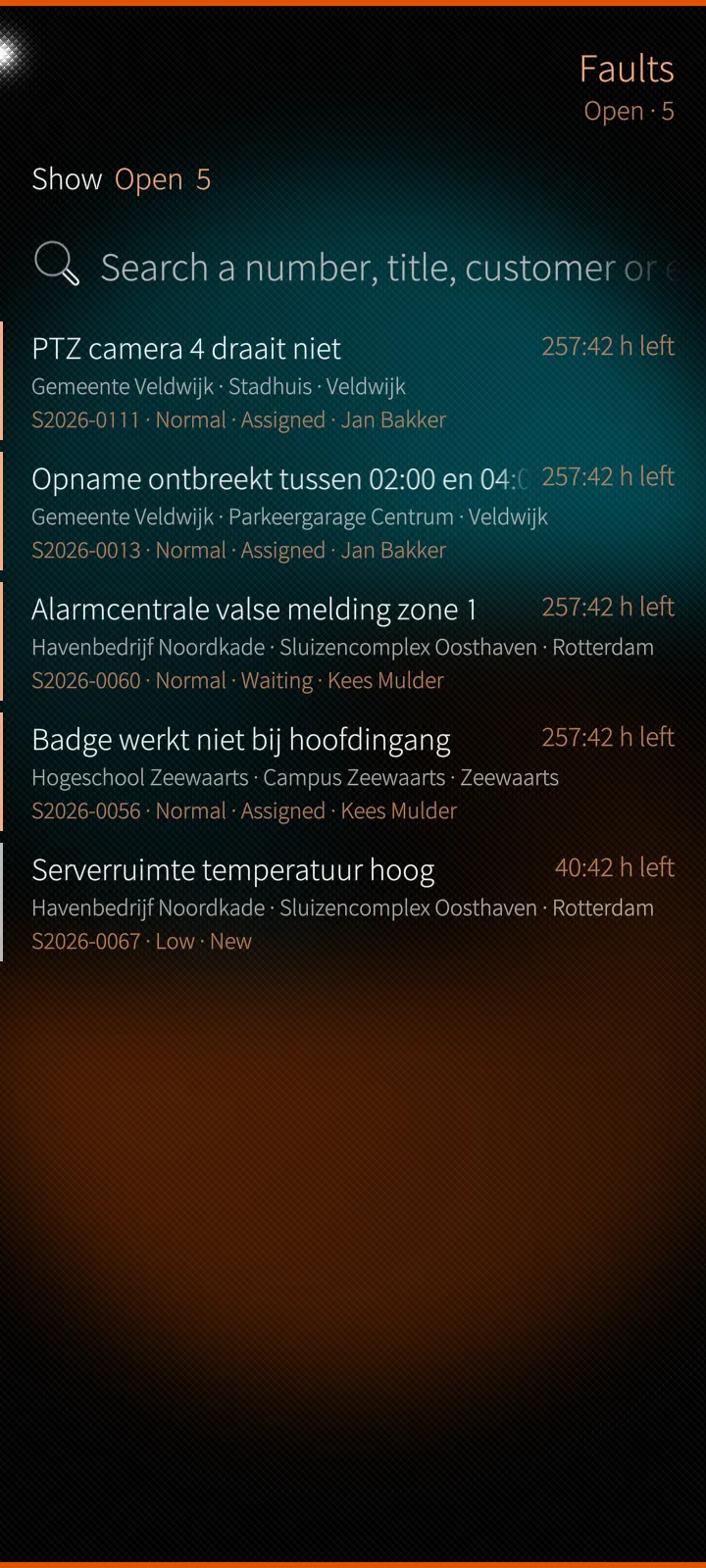
The fault board with SLA clocks
Sailfish app

The fault board with SLA clocks

Open, mine, unassigned, overdue or critical — every fault with its customer, priority, owner and the time left on its SLA.

How it works

The board is the service desk's own board and updates itself while you look. The SLA clock is worked out on the server from the company's contracts and priorities, so the phone shows the same deadline as the office.

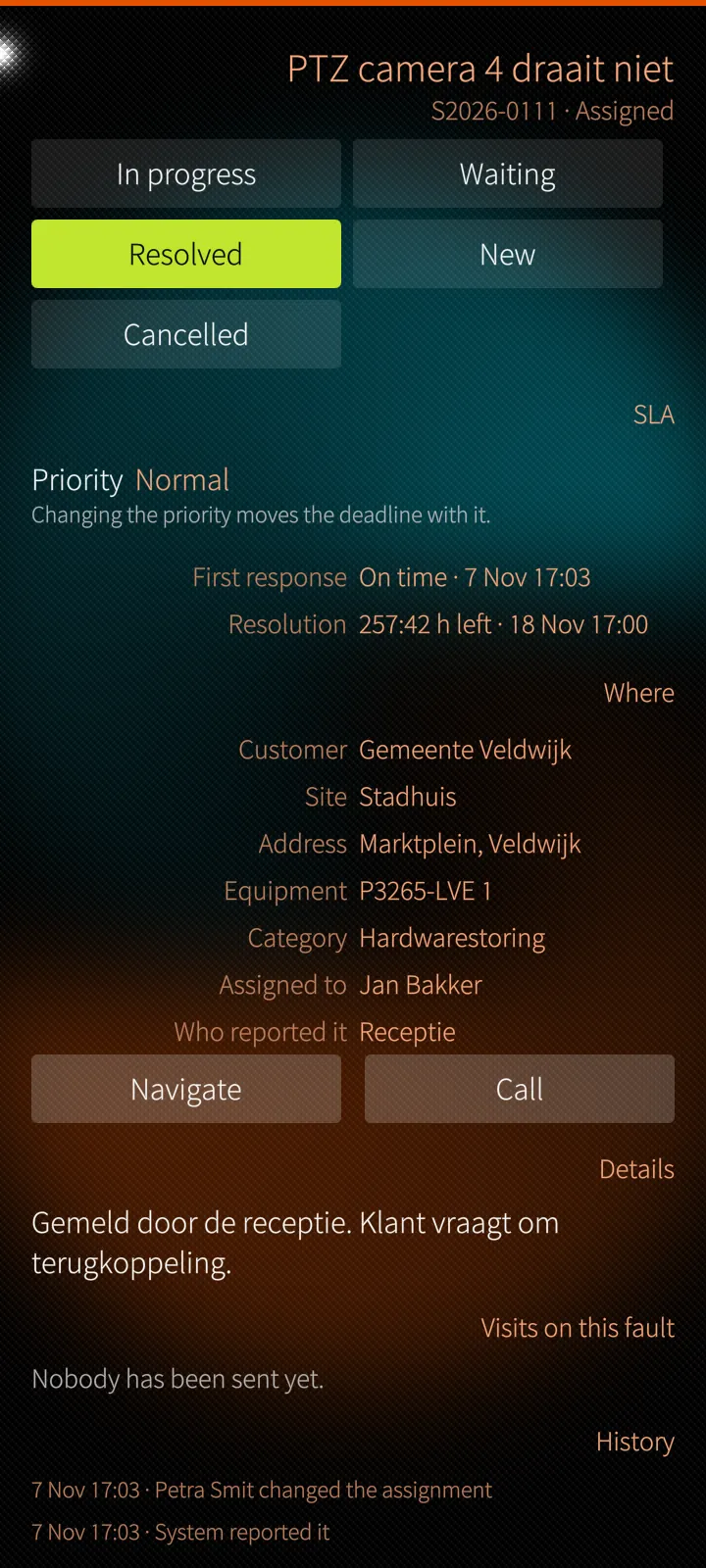
A fault from report to resolved
Sailfish app

A fault from report to resolved

The next status as buttons, both SLA clocks, the priority, where it is and who reported it, with Navigate and Call.

How it works

Every change goes through the same handler as on the web, with the same rights. A photo is re-encoded on the server, so the position in its EXIF data does not travel with it.

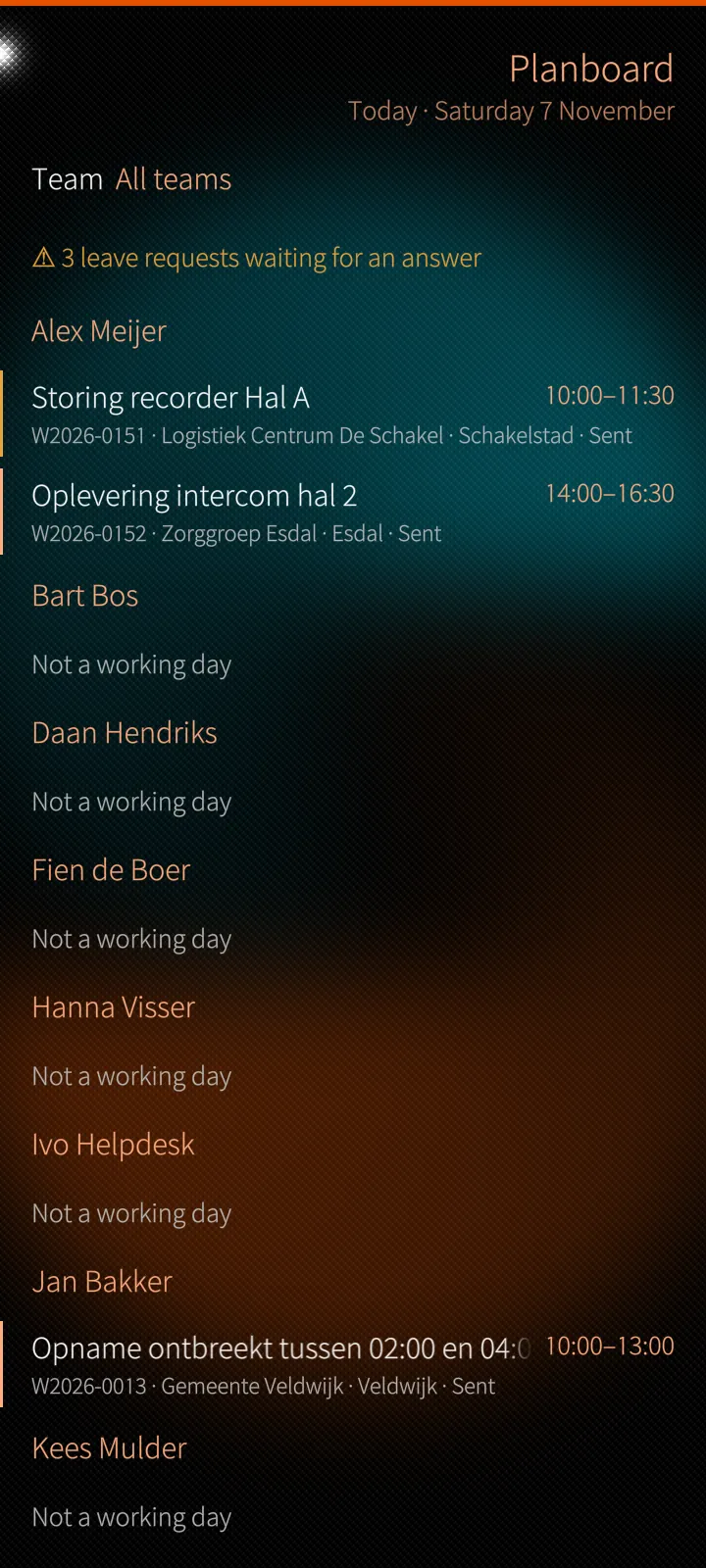
The planboard, a day at a time
Sailfish app

The planboard, a day at a time

Each person's planned against available hours, their cards and leave, and the queue still to plan.

How it works

A card is planned, moved or taken off the board by pressing and choosing — the board's drag and drop made for a finger — and the change reaches the office's board at once.

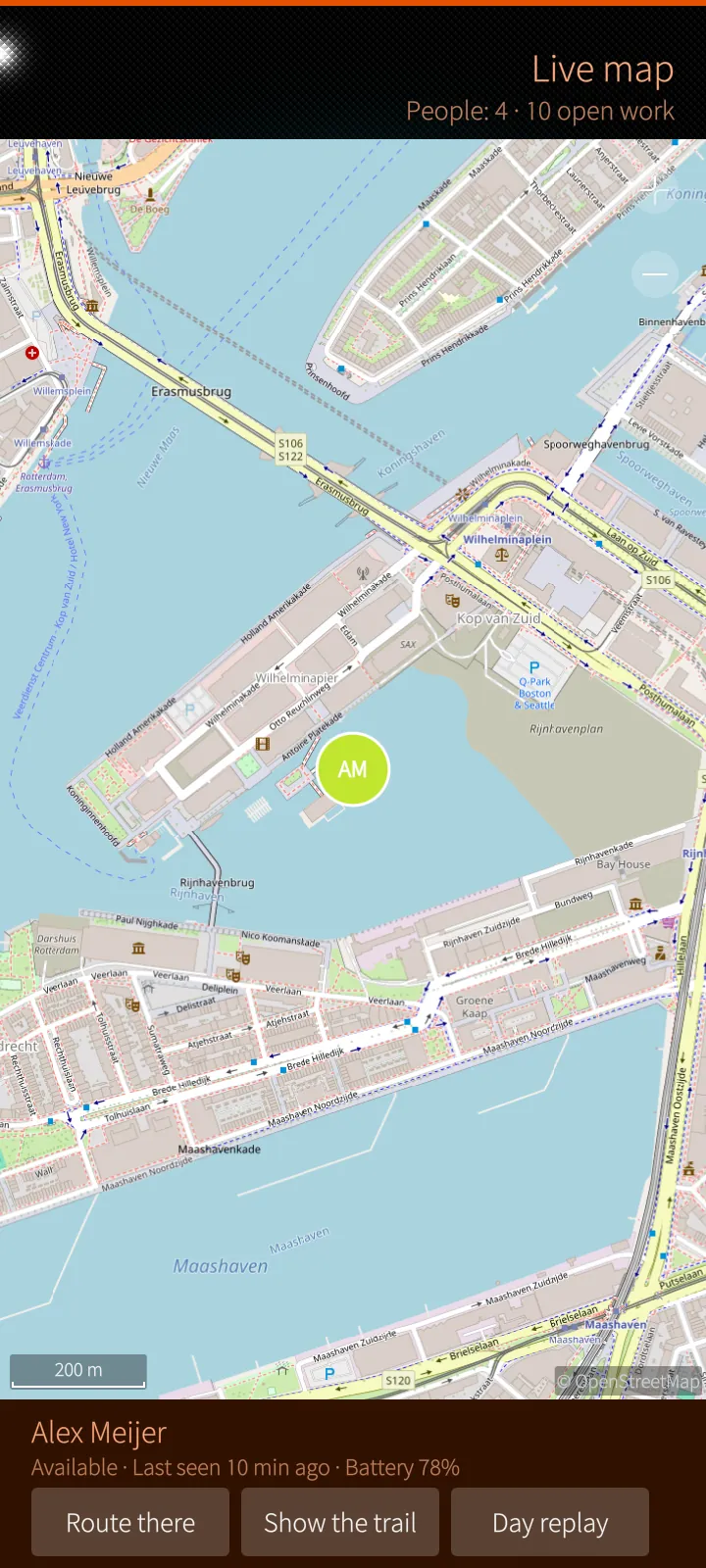
Live map with your team
Sailfish app

Live map with your team

Colleagues by the colour of their status, open faults and jobs, and for each person the last fix, the battery, the trail and the day replay.

How it works

The map tiles come from the PES server, with the phone's token in a header and a cache on the phone, so no third-party map service learns where your people are. Who shares a position, and when, is the company's location policy.

A day played back
Sailfish app

A day played back

One person's route on a day, with the stops, the kilometres and what was written down.

How it works

The replay is drawn from the positions the phone app sent that day and from the job clocks; reading somebody's day needs its own permission.

03

Chat, calls & meetings 6 screens

End-to-end encrypted conversations, groups, calls and planned meetings.

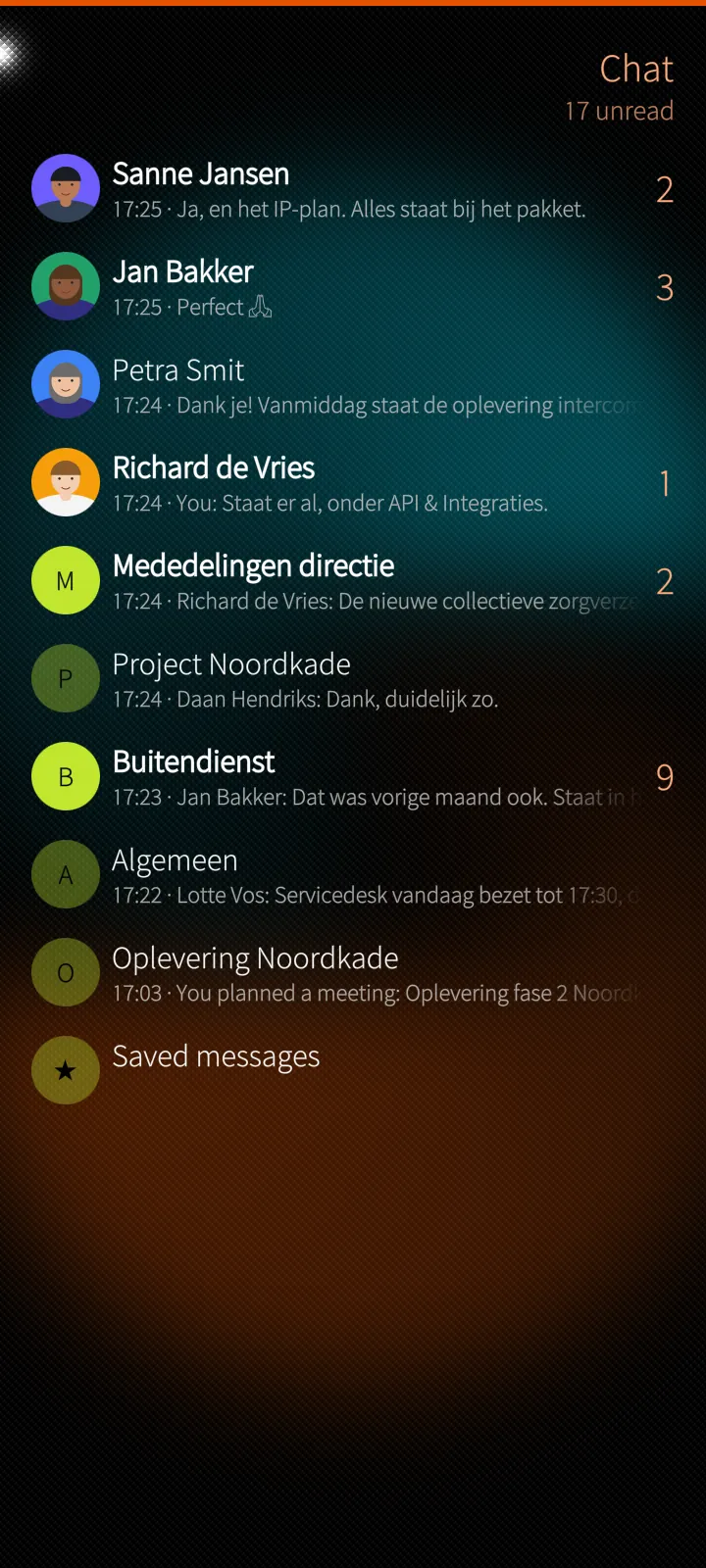
End-to-end encrypted chat
Sailfish app

End-to-end encrypted chat

Conversations, groups and channels with unread counts, favourites, a call in progress and who is in the chat right now.

How it works

Messages are encrypted and decrypted on the phone by the chat's own engine, which the app runs unseen. The server stores only ciphertext: neither PES nor the company's administrators can read them.

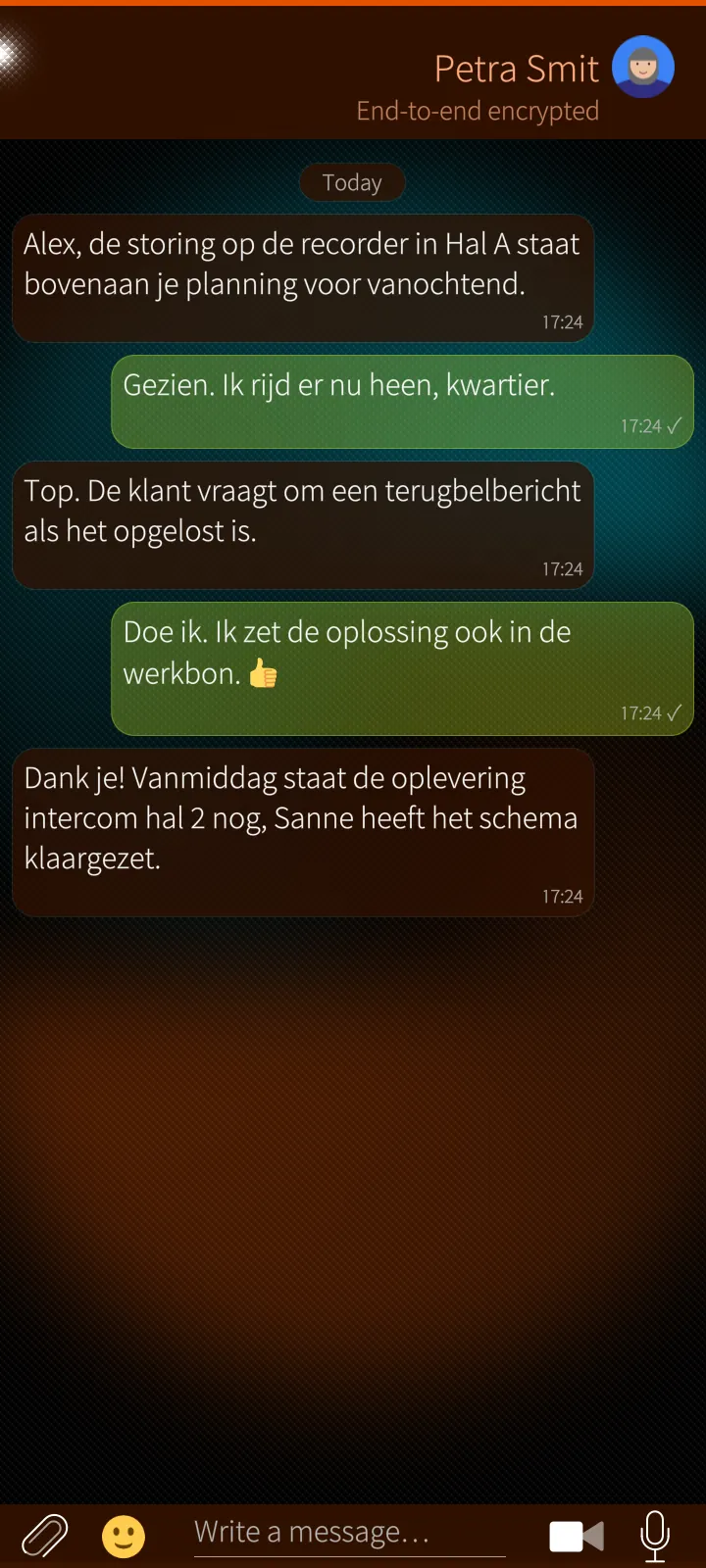
A conversation
Sailfish app

A conversation

Replies, reactions, read receipts, pinned messages and everything a message can be — sent from a real Silica page.

How it works

The conversation opens at its newest messages and loads older ones on request, so even a long history opens at once. Notifications for the conversation you have open are held back.

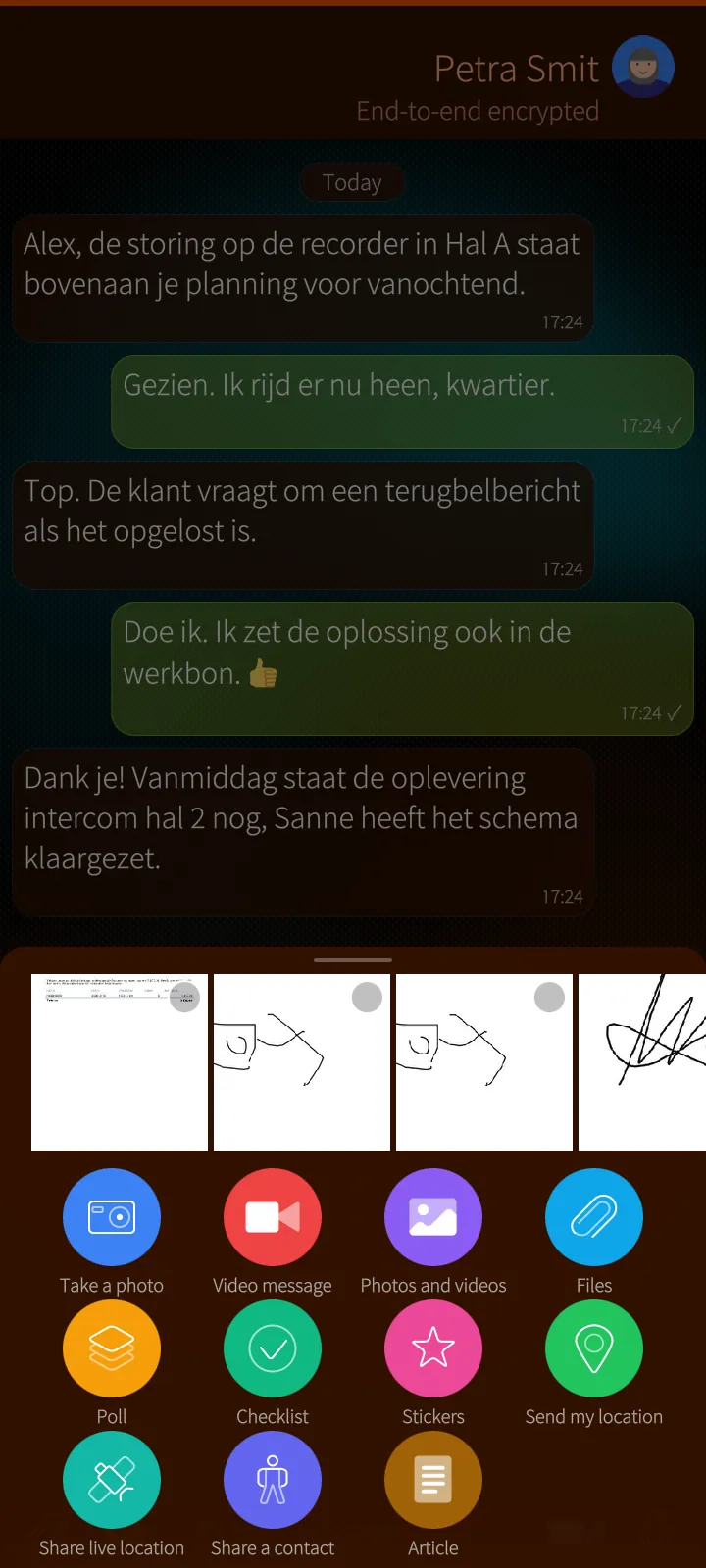
Everything a message can be
Sailfish app

Everything a message can be

Photos with an editor that blurs faces and plates, clips, files, polls, checklists, stickers, your location or a live location, a contact card and an article.

How it works

Every attachment is encrypted on the phone before it leaves. A photo alone goes through the picture editor first; a clip through the clip editor, both made on the phone.

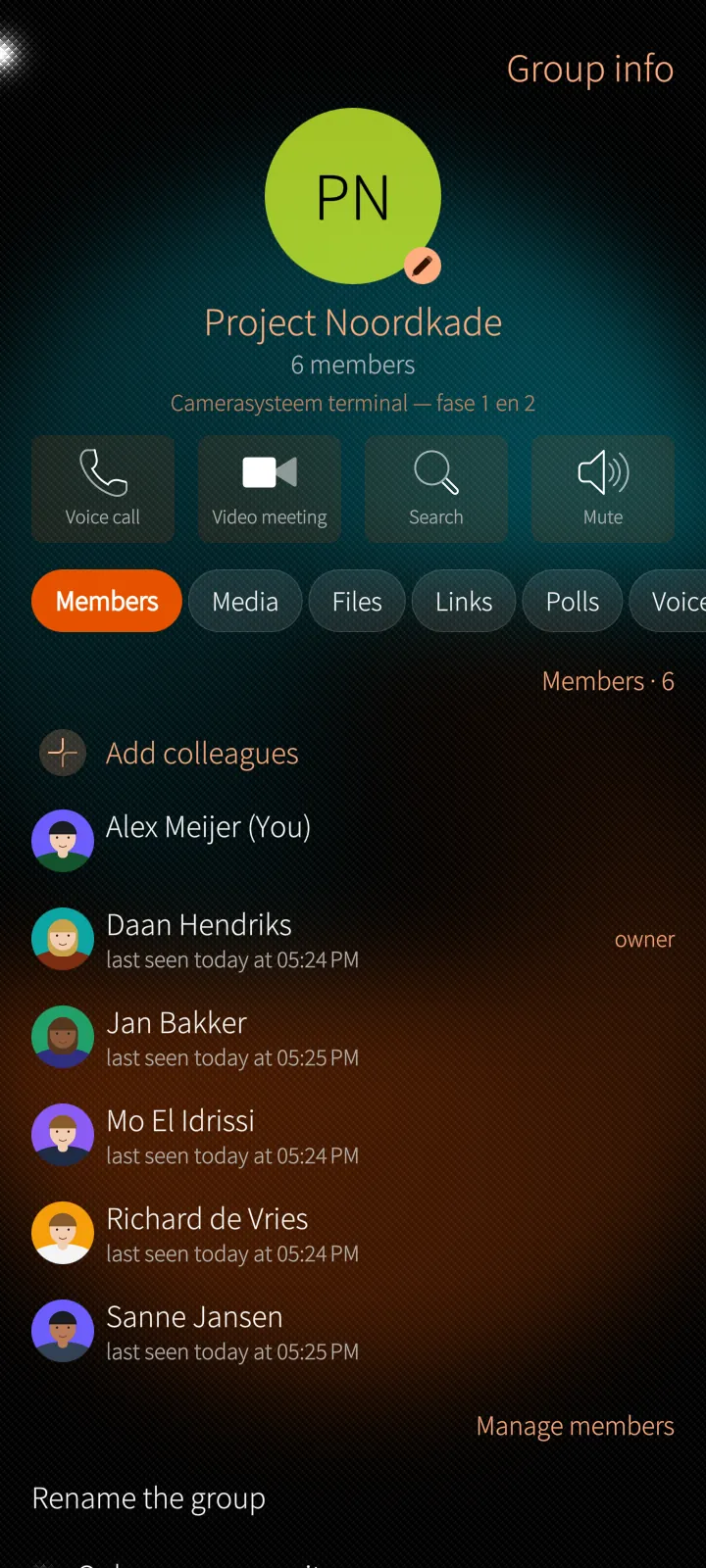
Group details
Sailfish app

Group details

Members and roles, media, files, links, polls, voice and GIFs of the group, with calls and meetings one tap away.

How it works

The tabs are built on the phone from the decrypted conversation, so nothing about the content is asked from the server.

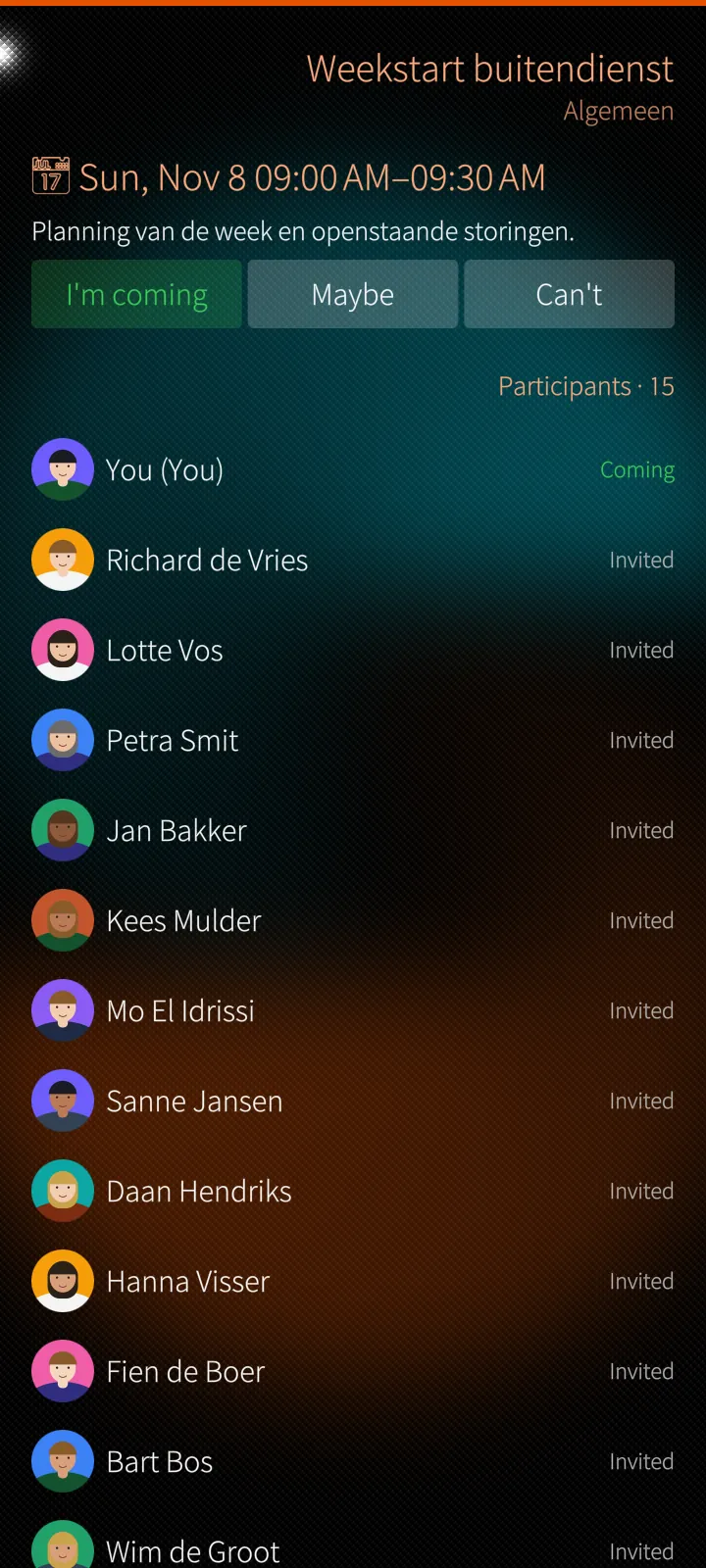
Planned meetings
Sailfish app

Planned meetings

Subject, time and participants, with an answer per person and the meeting started from the phone when it is due.

How it works

Meetings run through PES's own relay server when there is no direct road, as on a mobile network: no third party carries the call.

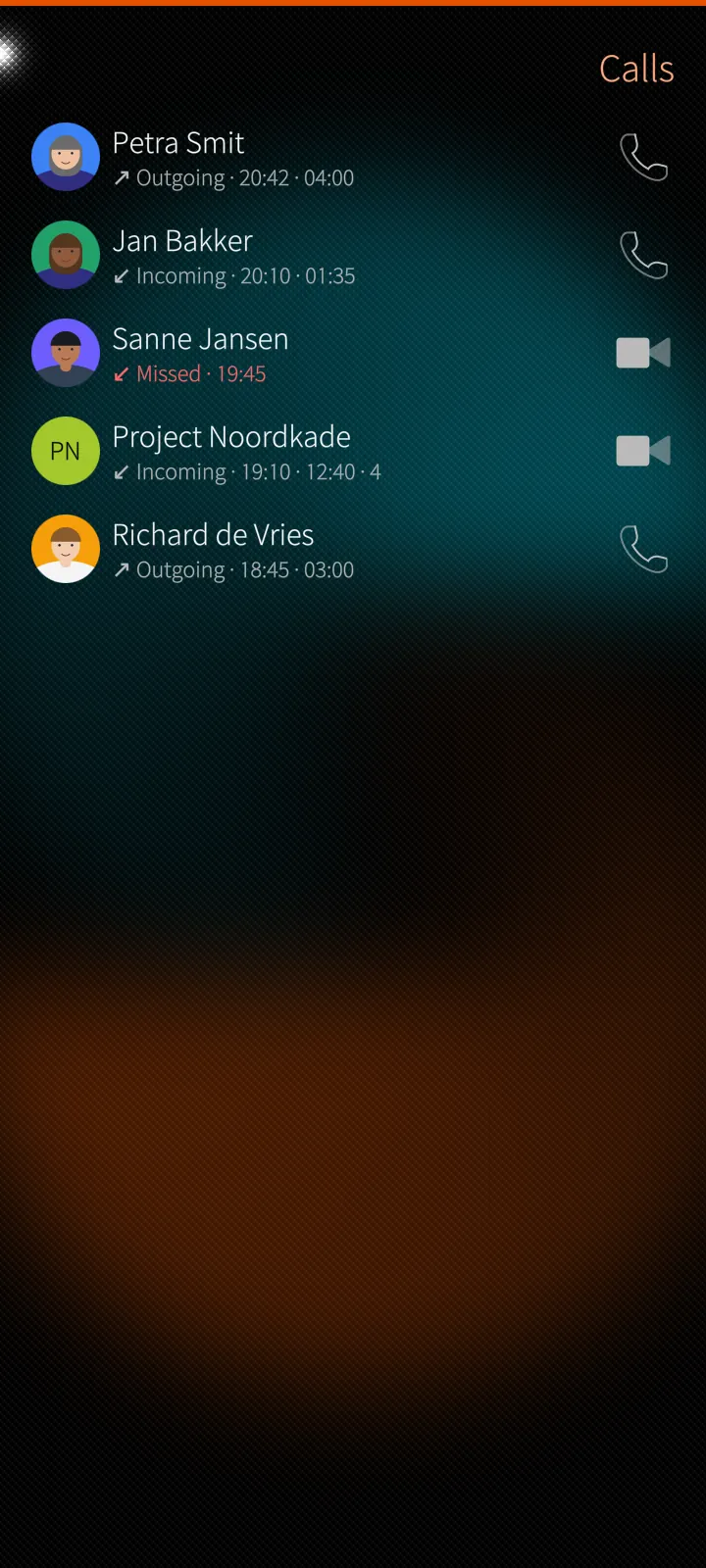
Calls and call history
Sailfish app

Calls and call history

Outgoing, incoming and missed calls with how long they lasted; the phone rings with a full page even when the app is closed.

How it works

The app's background service keeps one connection to the server; an incoming call wakes the app. At the ear the sound goes to the earpiece and the screen goes dark.

04

Stockroom & camera count 3 screens

Every device on its warehouse number, sealed licence keys, and a shelf counted from one picture.

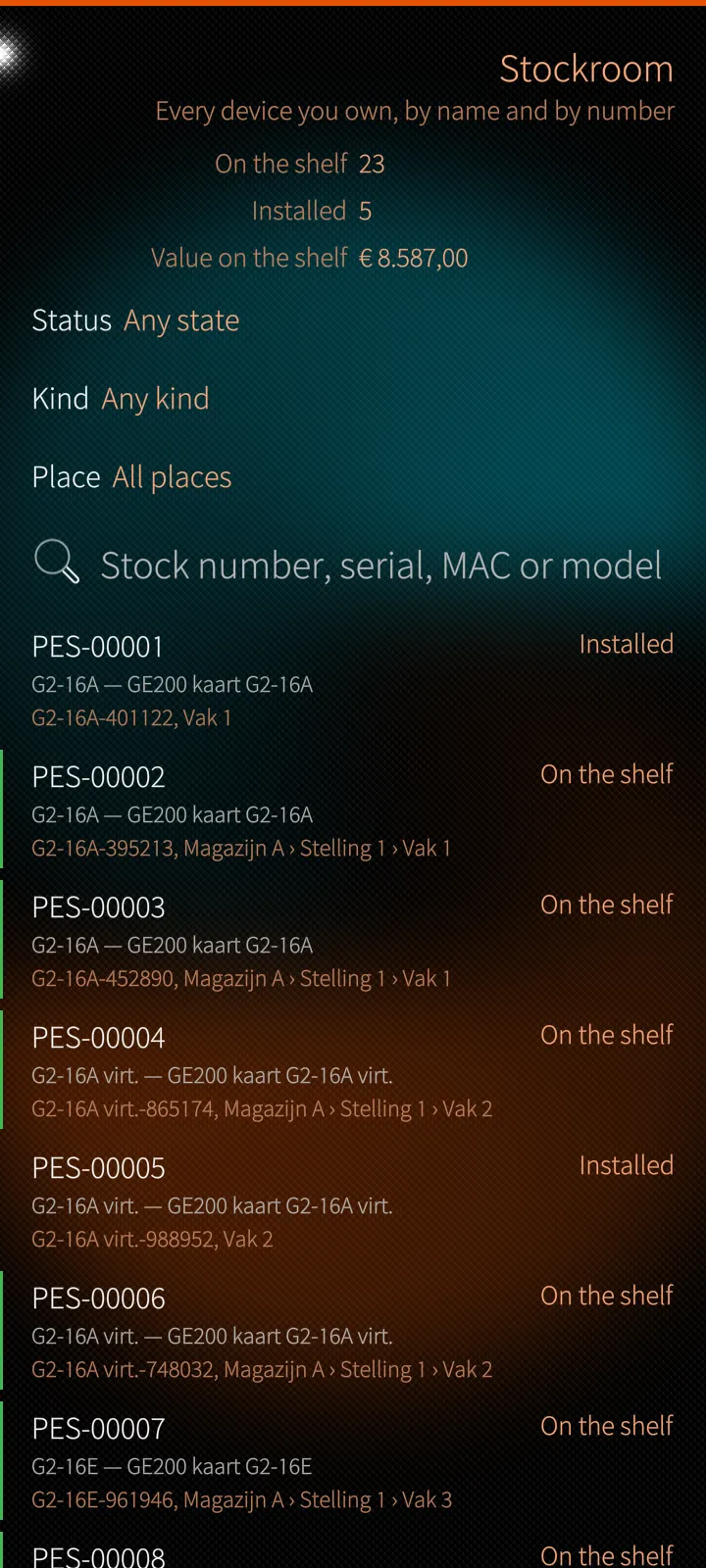
The stockroom
Sailfish app

The stockroom

Every device on its own warehouse number, by status, kind and place — on the shelf, installed, on loan or faulty.

How it works

Places go seven levels deep, from warehouse to storage location. Each kind of device has its own facts, checked when typed: MAC addresses, IMEI and ICCID check digits, VLANs, IP addresses.

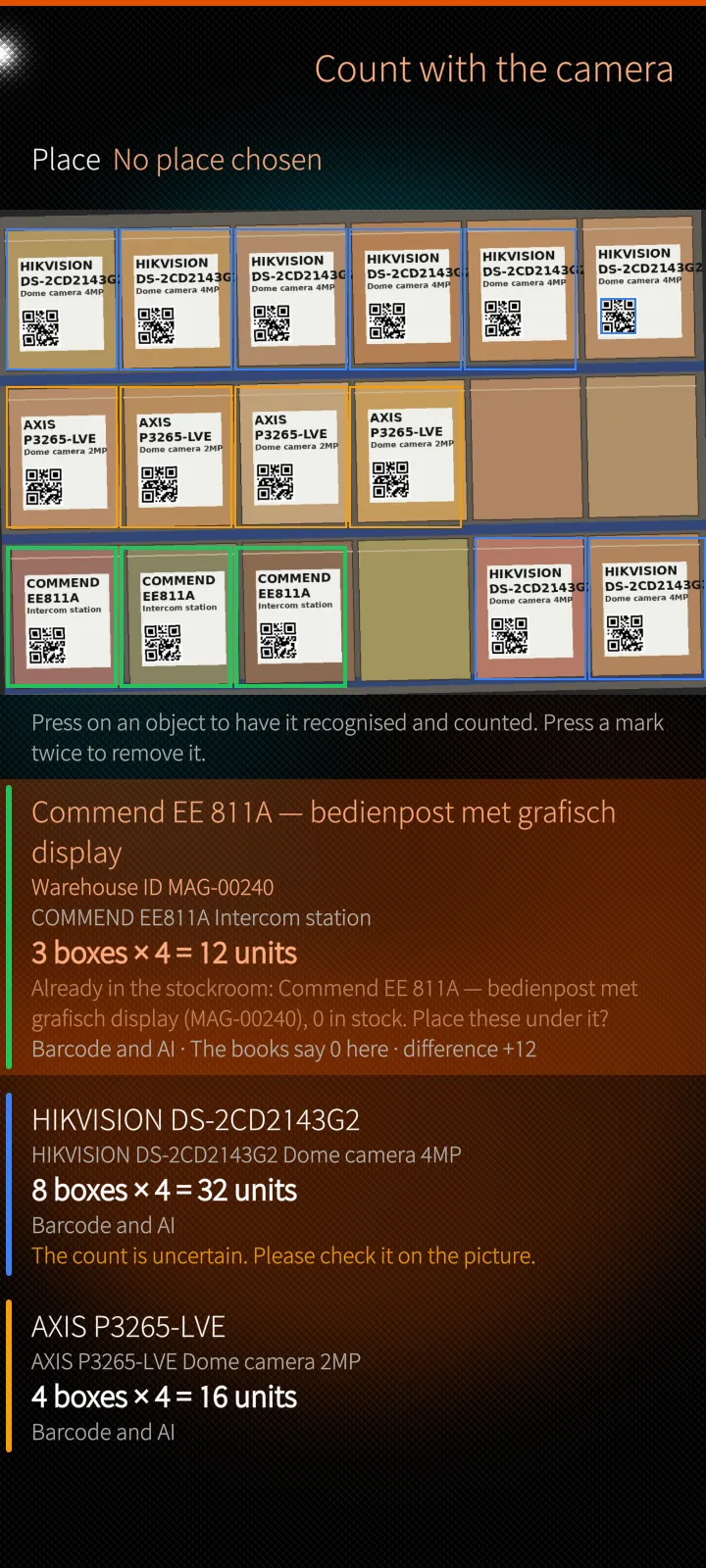
Count a shelf from one picture
Sailfish app

Count a shelf from one picture

Barcodes and QR codes read first, then labels and counts; a mark per object and a line per product, against what the books say.

How it works

The picture goes to the PES server, never to an outside cloud service. Barcodes are read first and a known code is a fact; a local AI model reads labels and counts after that, and PES matches what it read against the company's own catalogue. Nothing is booked until a person says so.

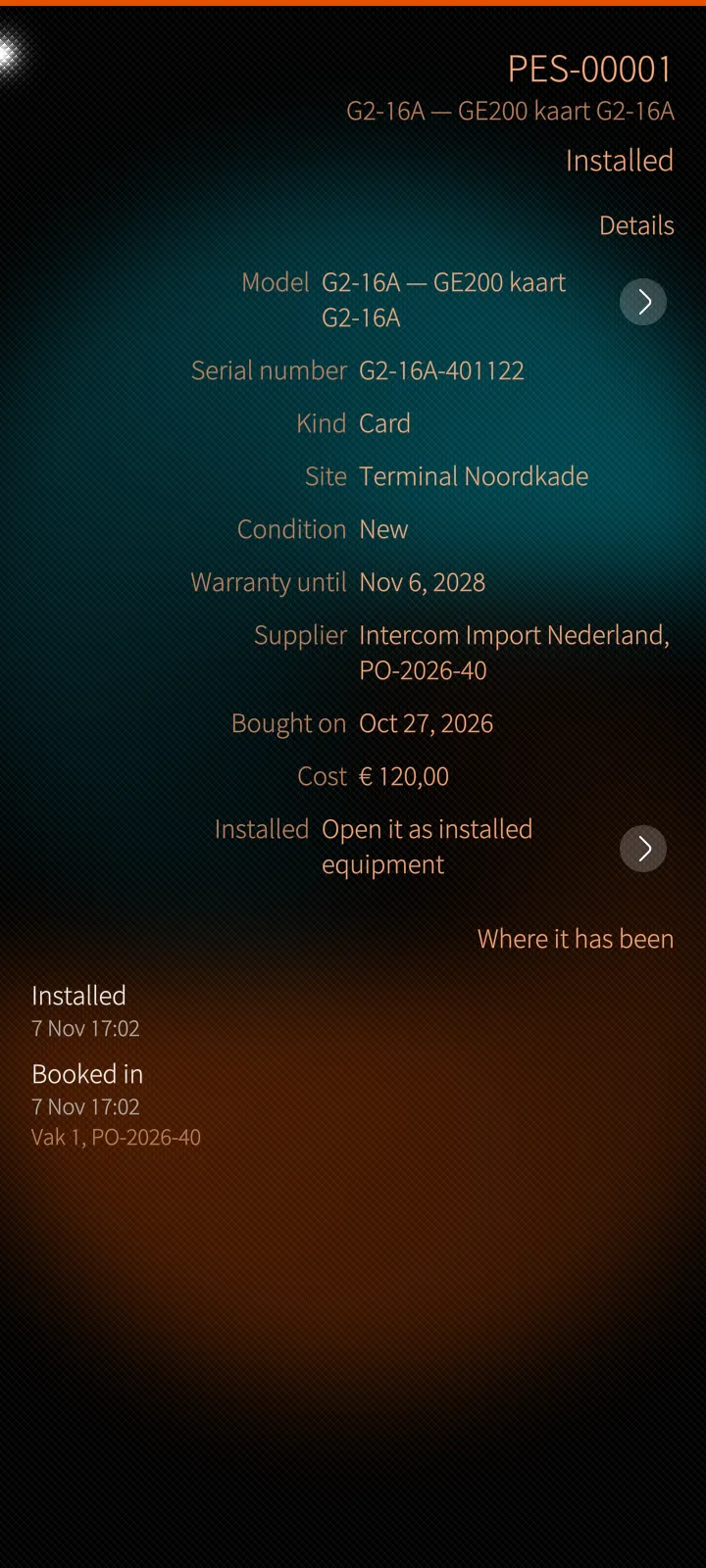
A device and its facts
Sailfish app

A device and its facts

The facts of its kind, where it has been, and licence keys and PINs kept sealed.

How it works

Licence keys, PINs and PUKs are stored sealed and never appear in a list, an export or a search. Showing one needs its own permission and a fresh proof on the phone, and the look is written in the audit trail.

05

The office, safely 5 screens

The Whitebook, the office pages, the trash, the assistant and the phone's own locks.

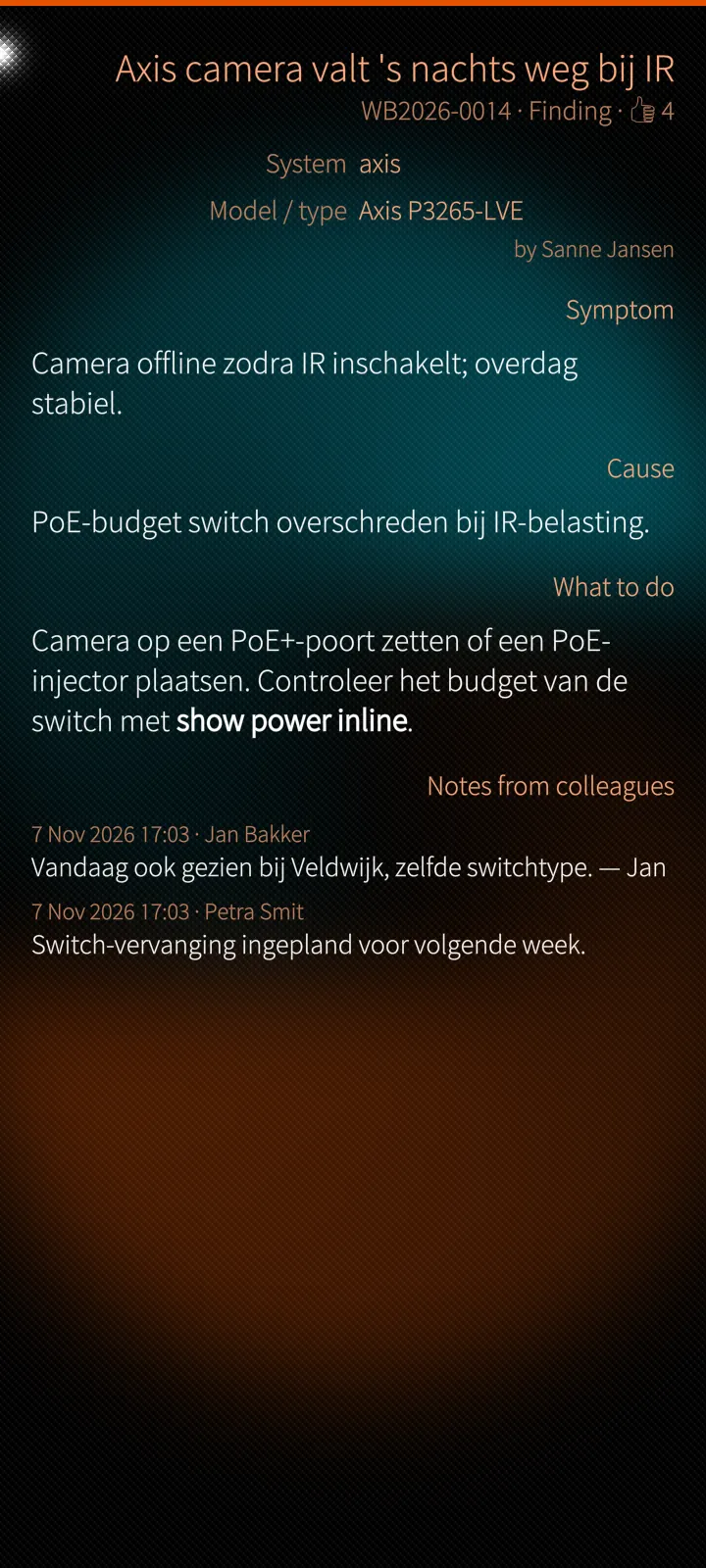
What the company knows
Sailfish app

What the company knows

A Whitebook entry: symptom, cause, what to do, notes from colleagues — shared as a PDF made on the spot.

How it works

Findings are written from a job, a fault or a piece of equipment and start with that thing already on them. The PDF is made by the server when you share it.

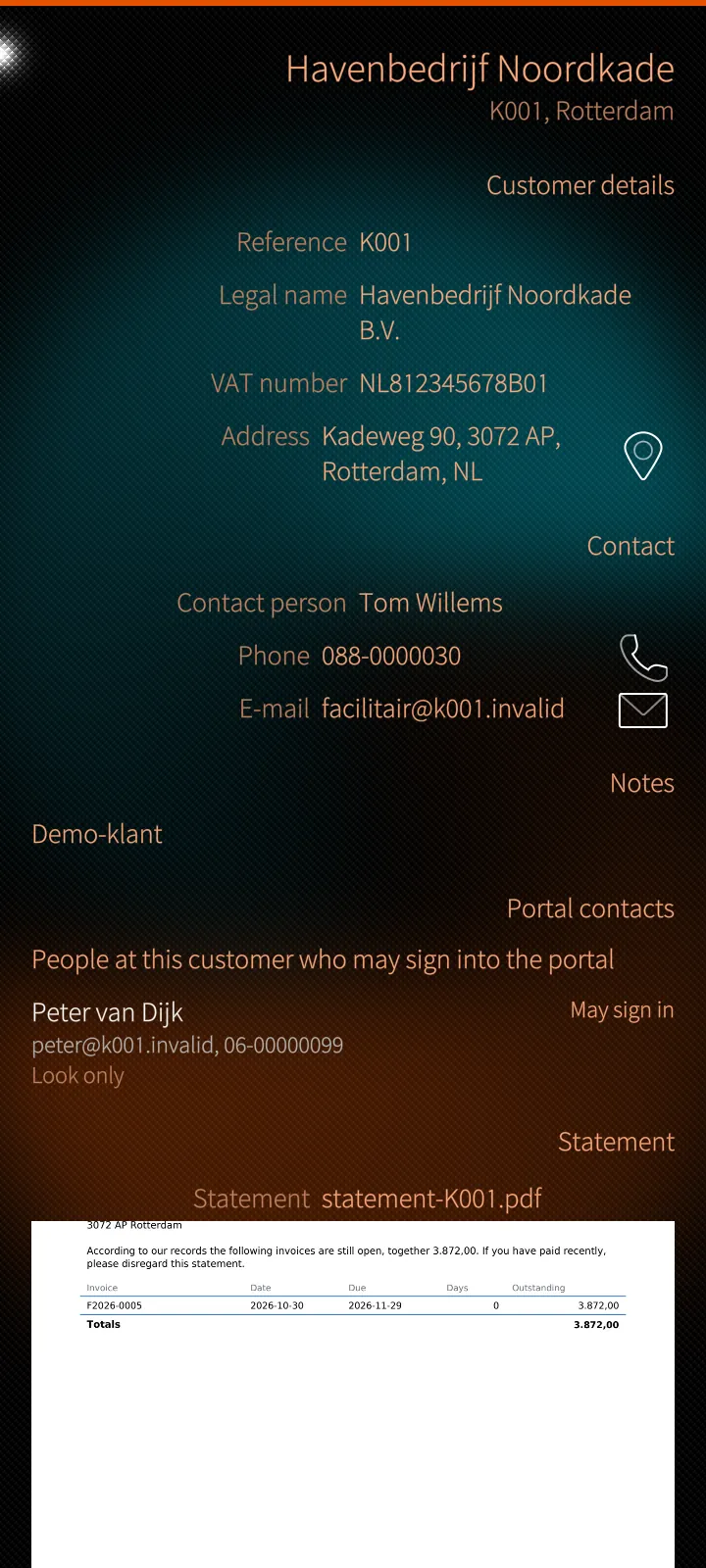
The office pages, natively
Sailfish app

The office pages, natively

Customers, sites, people, payroll, the books and the administration — drawn natively from what the server describes.

How it works

The server describes each office page as a list, a record and its forms, and the app draws them as Silica pages. A save goes through the web form's own handler, so the rules are the same, and a page added to PES appears on the phone without a new app.

Nothing deleted is gone
Sailfish app

Nothing deleted is gone

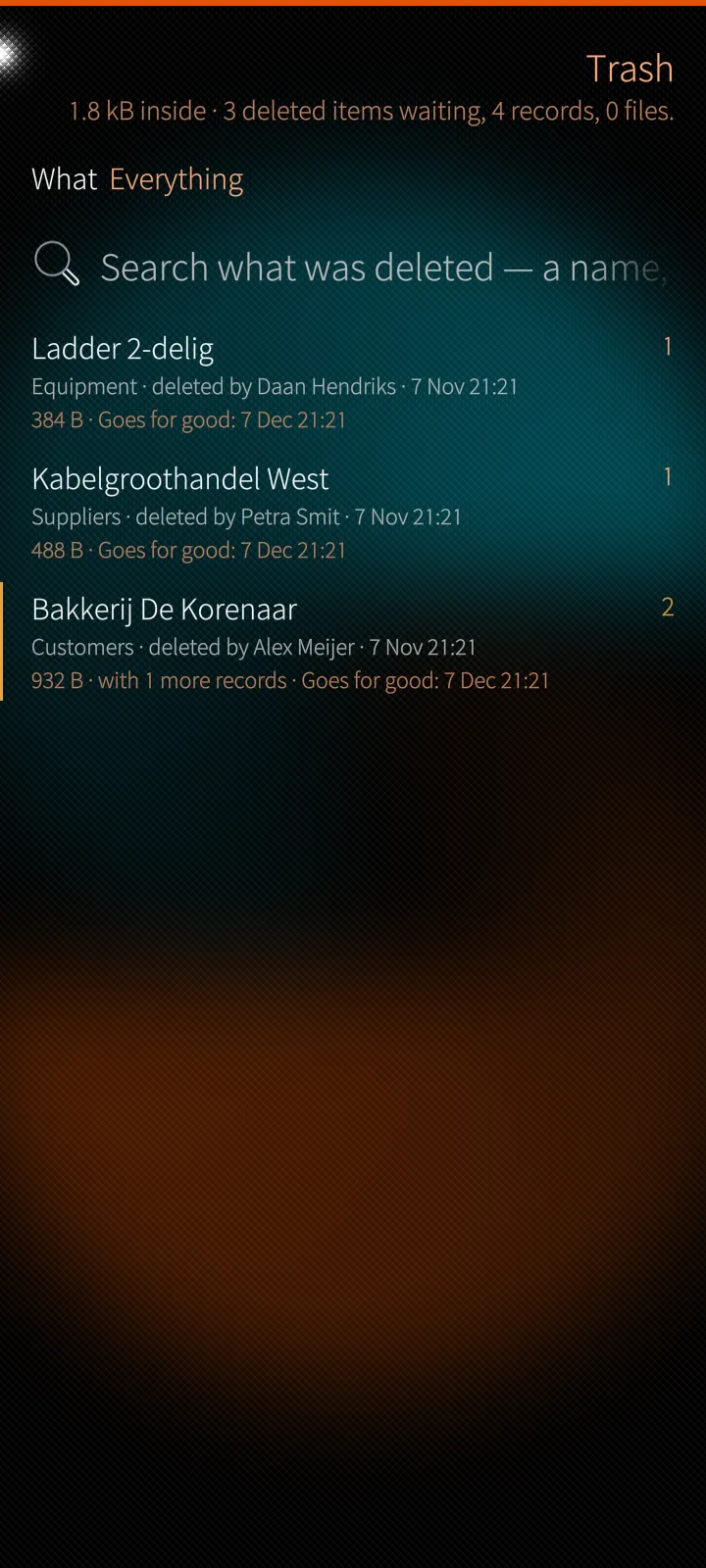
Whatever somebody deletes waits in the trash with everything that went with it, until it is brought back or deleted for good.

How it works

A deletion is kept as one item with what cascaded with it. Bringing it back asks which groups should come back too, and both bringing back and deleting for good ask a fresh proof that it is really you.

An assistant that asks first
Sailfish app

An assistant that asks first

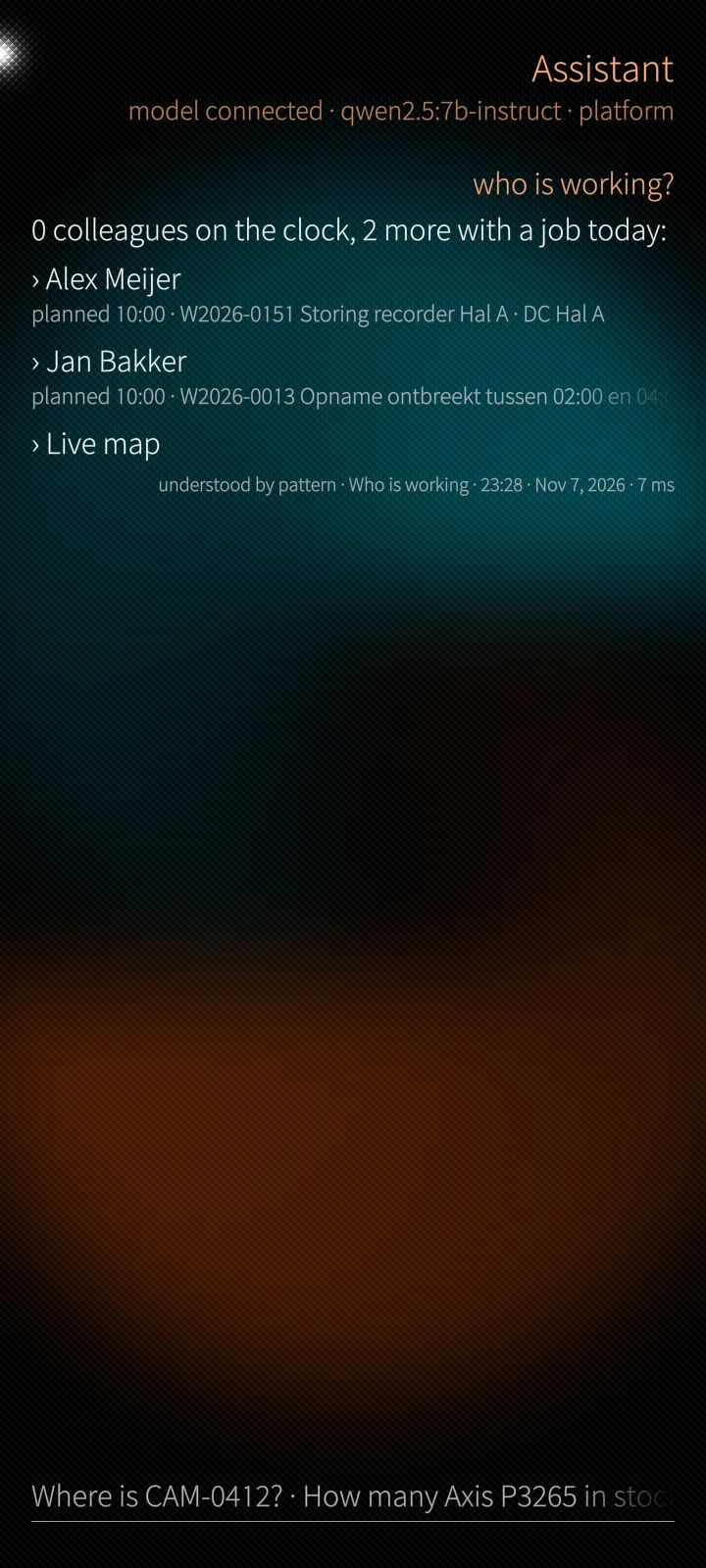
Plain questions about people, projects, devices and the stockroom, answered with the records it found.

How it works

The assistant understands its patterns without a language model; with the company's own local model it answers more. A change is only ever a proposal, done on Yes and written in the audit trail.

Your phone, your locks
Sailfish app

Your phone, your locks

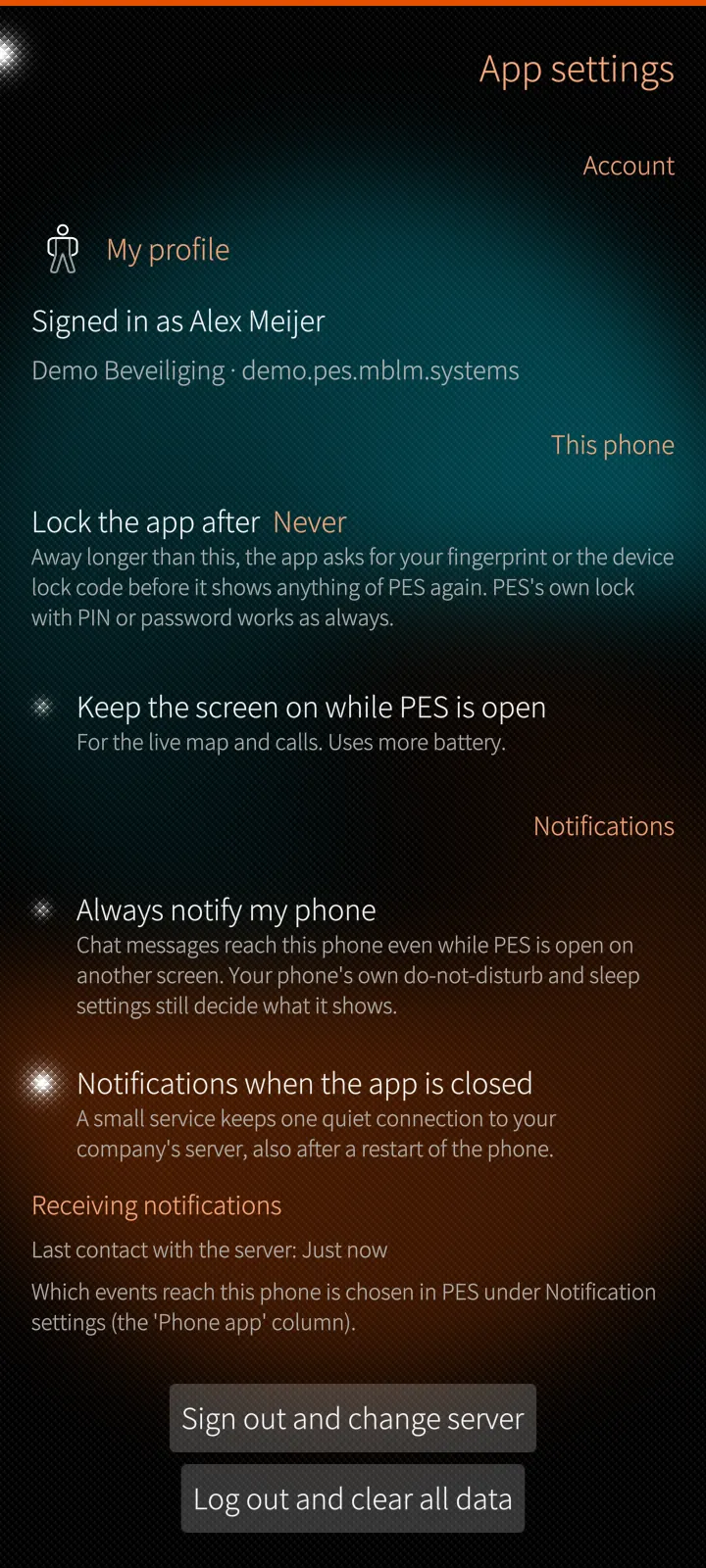
App lock, fingerprint, PES PIN, notifications while closed, and three ways to sign out.

How it works

The phone keeps a device token in a file only the app can read; the password is never stored. Fingerprint, PIN or password prove it is you before the vault, licence keys or the trash open.

Under the hood

How PotoP Enterprise Suite for Sailfish OS is built, where it runs and how it keeps your data safe.

01

Native pages from the server's description

Field pages are written for the phone; the office pages are described by the server as lists, records and forms and drawn as Silica pages by the app. A save goes through the web form's own handler, so the rules and rights are the same as in the browser.

02

Notifications without a cloud

A small background service of the app keeps one long connection to your company's PES portal, also after a restart of the phone, and puts notifications, chat messages and calls into the Sailfish notification centre. There is no third-party push service.

03

Encrypted on the phone

The chat (Olm and Megolm) and the password vault (Argon2id, AES-GCM, ECDH) are handled by their own engines, which the app runs unseen on the phone. The server keeps ciphertext only.

04

Proof, not just a session

Opening the vault, showing a licence key, restoring or purging the trash ask a fresh proof: the fingerprint first, then the PES PIN, then the password. The phone's token lives in a file only the app can read; the password is never stored.

05

Your own map tiles

The live map and the day replay draw tiles served by the PES server, with the phone's token in a header and a disk cache on the phone, so no third-party map service sees where your people are.

06

Signed updates

The app updates itself from distribution.mblm.systems: the SHA-256 checksum and the M.B.L.M. Ed25519 release signature are checked before the phone's installer gets the file. An unsigned build is never offered.

Want to see PotoP Enterprise Suite for Sailfish OS on your own site?

Tell us about your installation — we are happy to show you around or set up a trial.